
iQIYI is a popular video streaming app for watching movies, dramas, variety shows and online videos.
iQIYI: Drama, Anime, Shows & Movies Streaming
Official Step-by-Step Illustrated Guide with Screenshots and Multi-Language PDFs
📱 Official App Downloads
📘 (1) Download and Registration
Download & Install iQIYI
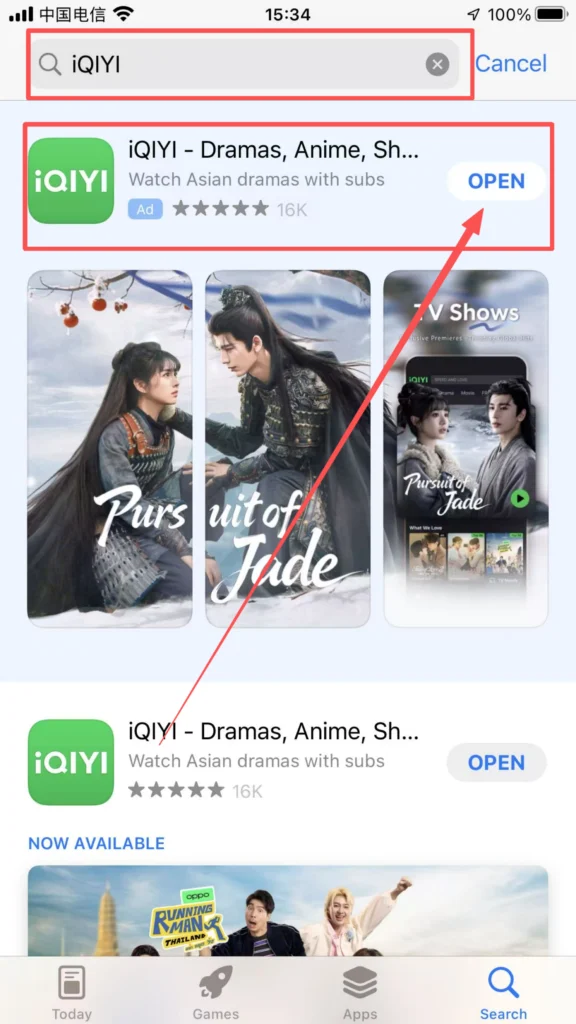
iOS users (App Store), Android users (Google Play) search for “iQIYI” or “爱奇艺”, download and install the app.
1/1
Registration & Login
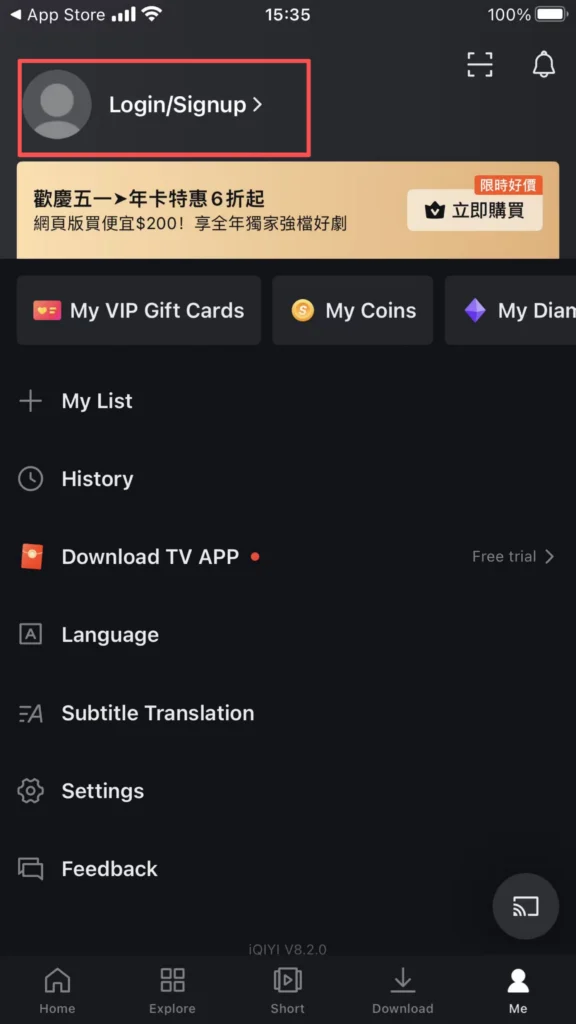
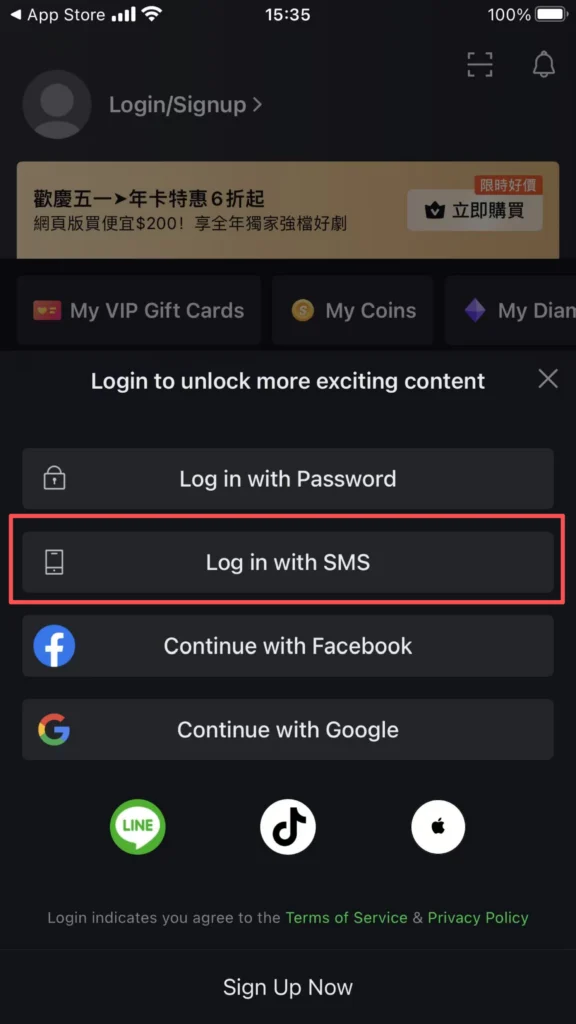
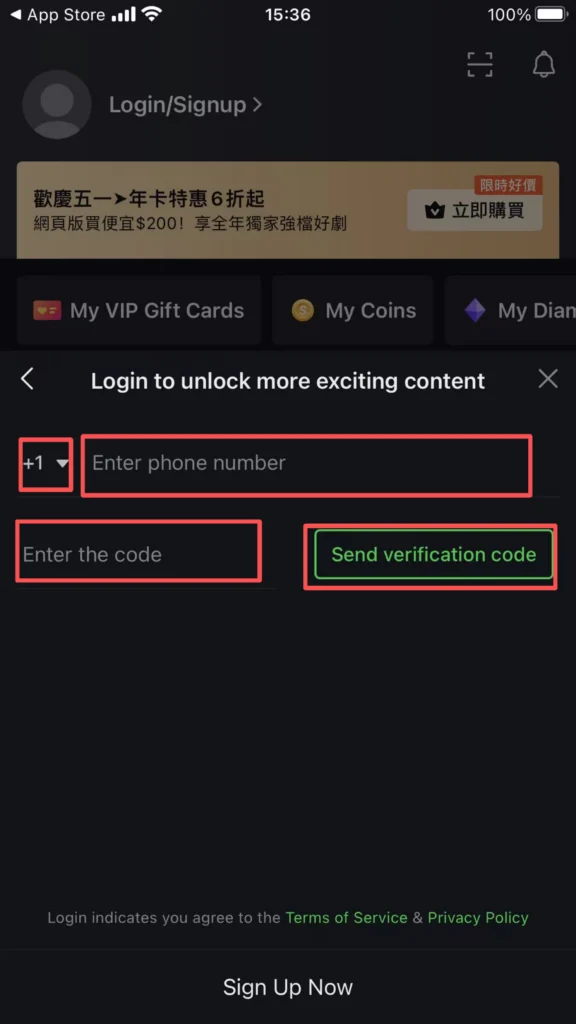
Supports quick login via mobile phone number, email, etc. After registration, you can complete your personal information, bind your mobile phone number, and sync watch history and favorite content.
1/2
2/2
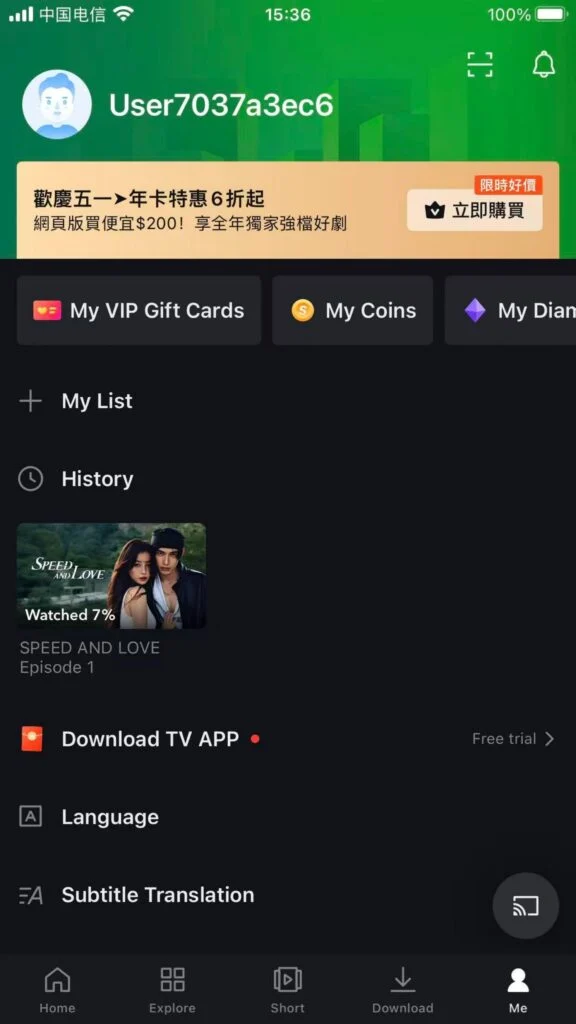
Account Setup & Profile Completion
After registration, complete your profile by adding avatar, nickname, and personal preferences. This helps the app provide more accurate content recommendations tailored to your taste.
1/2
2/2
🎬 (2) Content Browsing and Search
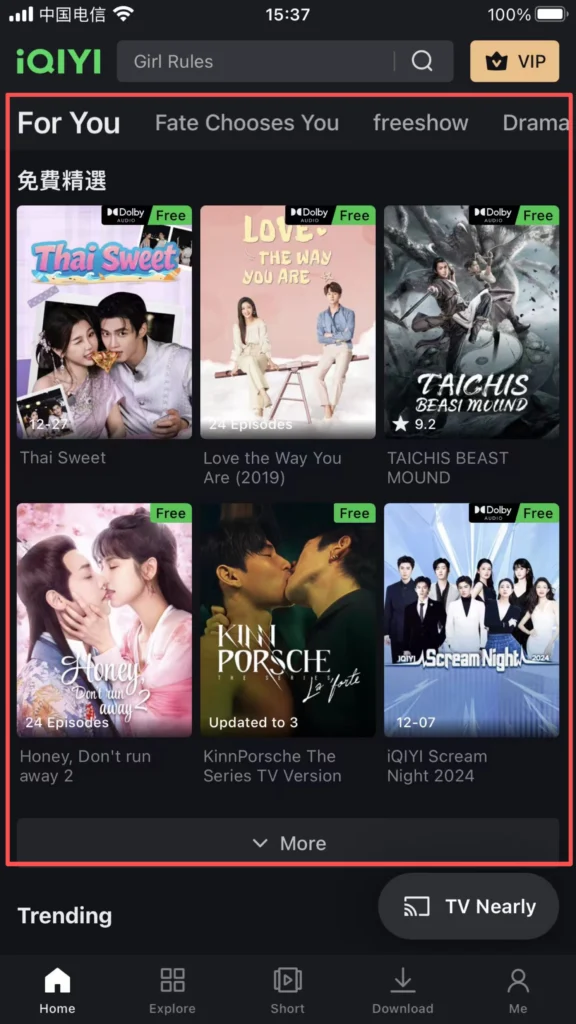
Homepage & Recommendations
The homepage recommends popular series, movies, variety shows, anime, documentaries, and other content based on viewing history and interest tags. Pull down to refresh to see more recommendations.
1/1
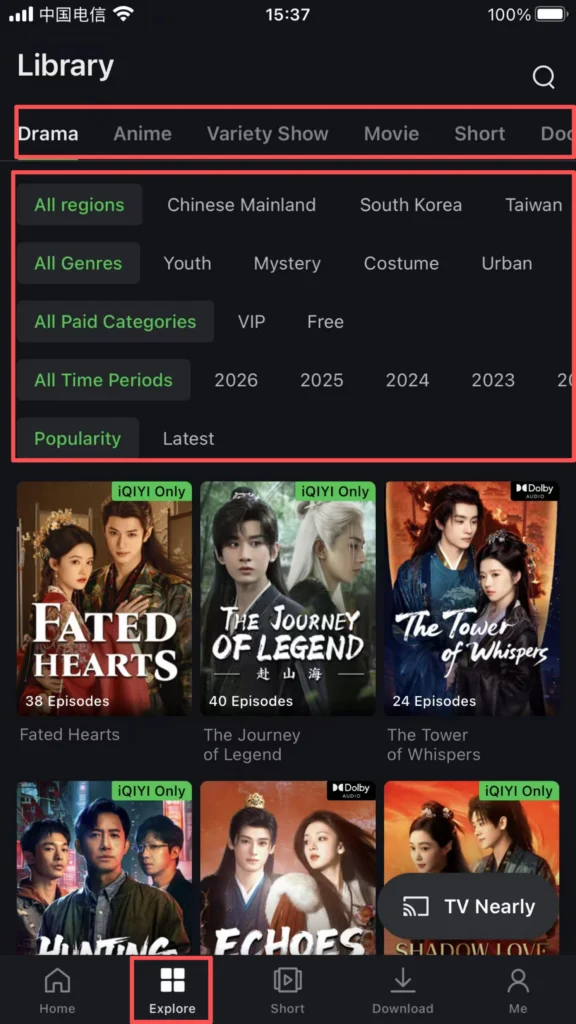
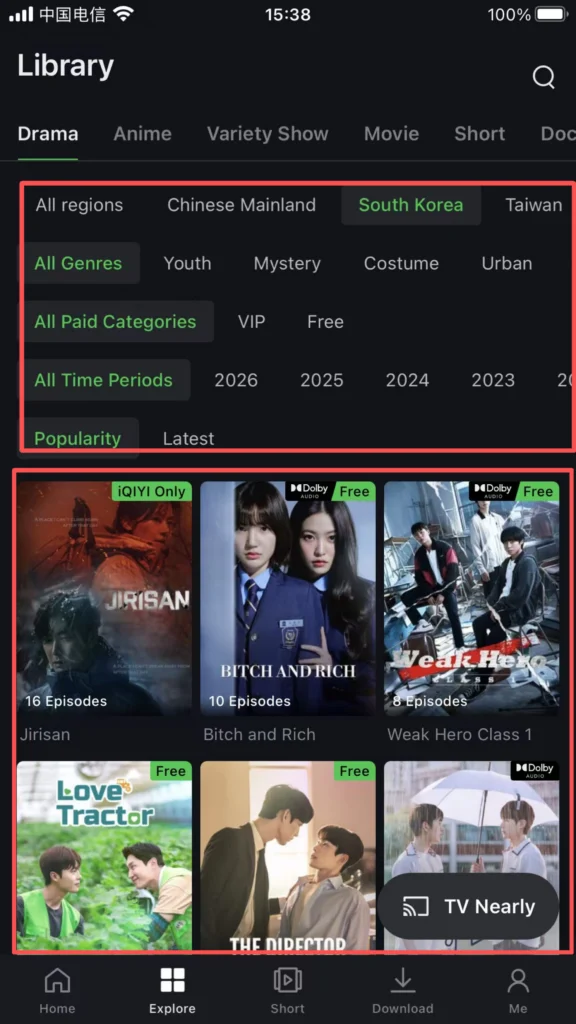
Category Filtering
Click the top ‘Series’, ‘Movies’, ‘Variety Shows’, and other categories to enter the category page. It supports filtering by region (Mainland China, Hong Kong dramas, American dramas, etc.), genre (suspense, romance, comedy, etc.), year, and rating, allowing you to quickly find your favorite content.
1/2
2/2
Search Function
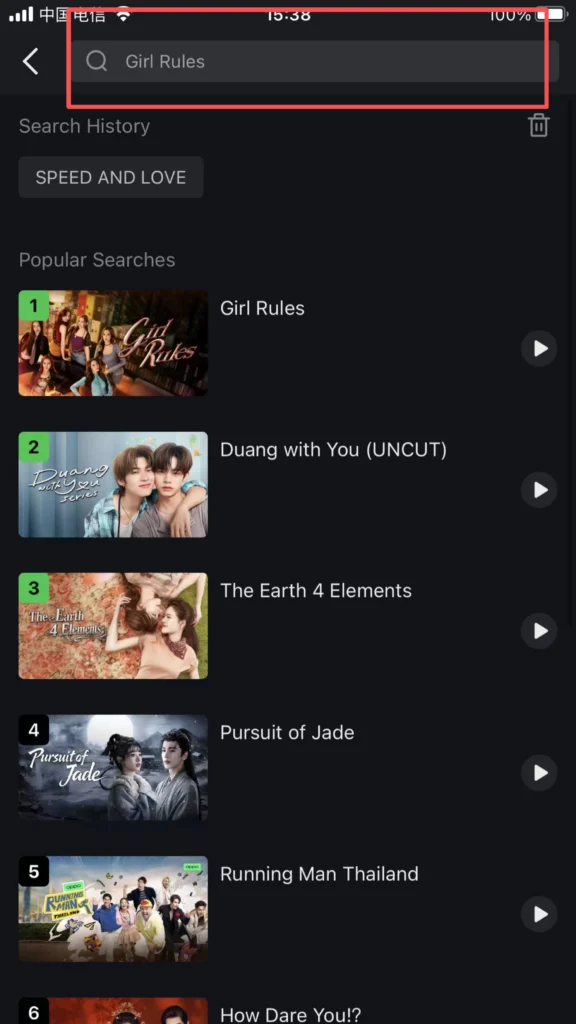
Enter the movie name, actor’s name, or keywords in the top search box to quickly find the target content. Supports voice input, and the search results include the main feature, behind-the-scenes clips, and related recommendations.
1/1
▶️ (3) Video Playback and Settings
Playback Controls
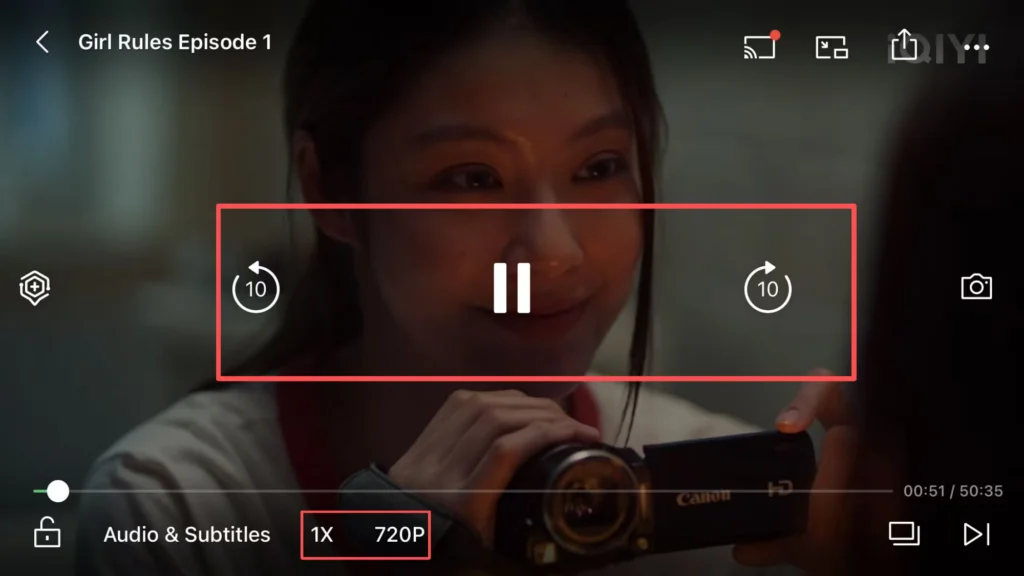
Click on the video to enter the playback page, supporting pause, fast forward, rewind, speed adjustment (0.5x-2.0x), and quality adjustment (SD, HD, etc., some quality options require a membership).
1/2

2/2
Offline Download (Cache)
Some videos support caching (downloading). Click ‘Cache’ to select the resolution, and you can watch offline without an internet connection after downloading. Perfect for travel, flights, or areas with limited connectivity.
📥 Download Complete PDF Manual
Multi-Language • Offline Printable • All Screenshots Included