JD.com is an online shopping platform offering various products and fast delivery service.
JD.com: China’s Premier E-Commerce Platform for Authentic Products & Fast Delivery
Official Step-by-Step Illustrated Guide with Screenshots and Multi-Language PDFs
📱 Official App Downloads
📘 (1) Download and Registration
Download & Install JD.com
Search for “JD” or “京东” in the app store, click download to install.
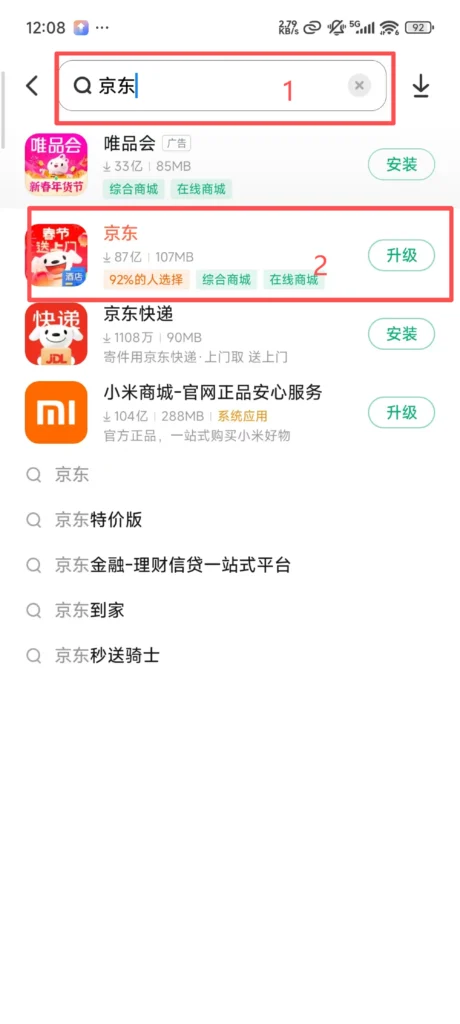
1/1
Registration Process
Open the JD APP, click “Register Now” to enter the registration interface. Enter your phone number, click to agree to the relevant agreements, obtain the verification code for that phone number, enter the verification code you received, and complete registration.
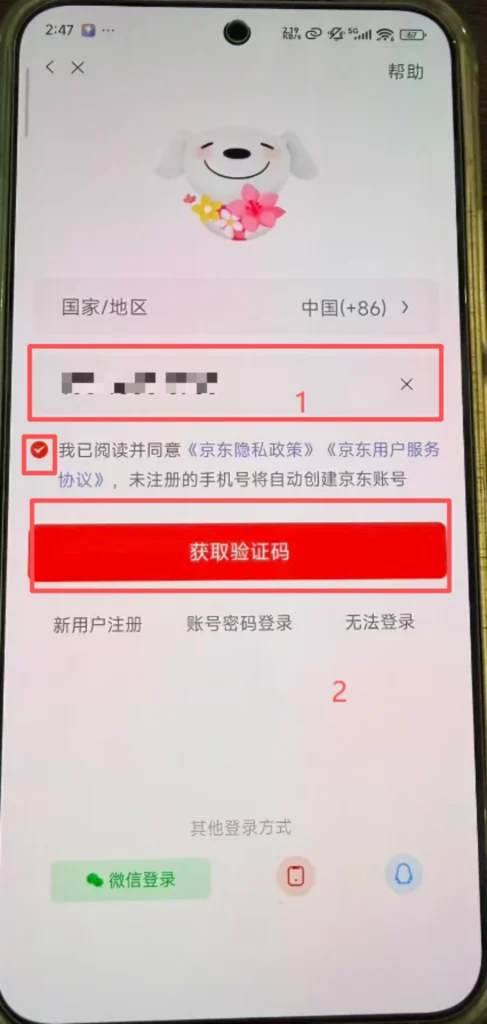
1/3
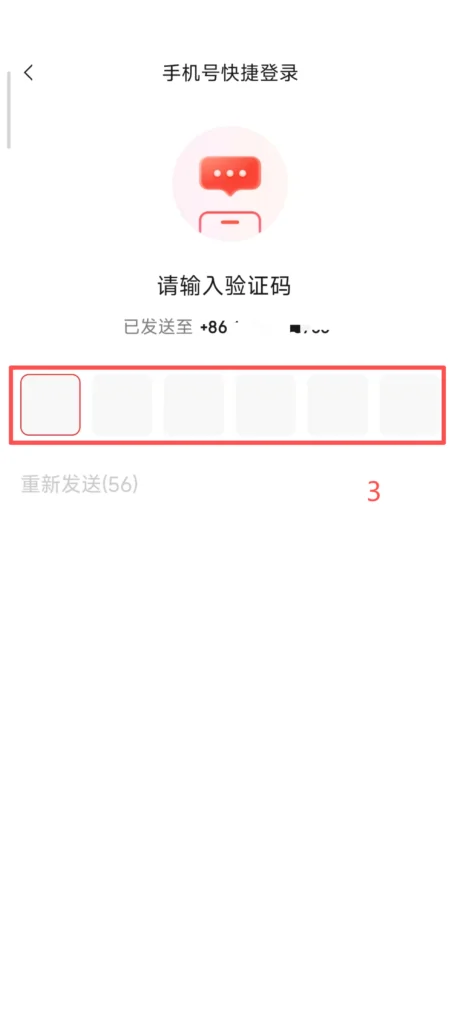
2/3
3/3
1/2
2/2
Account & Security Settings
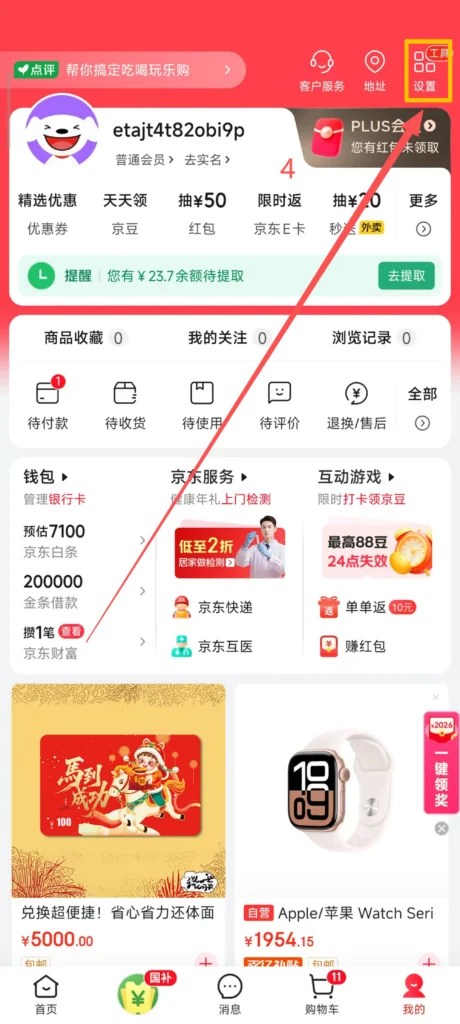
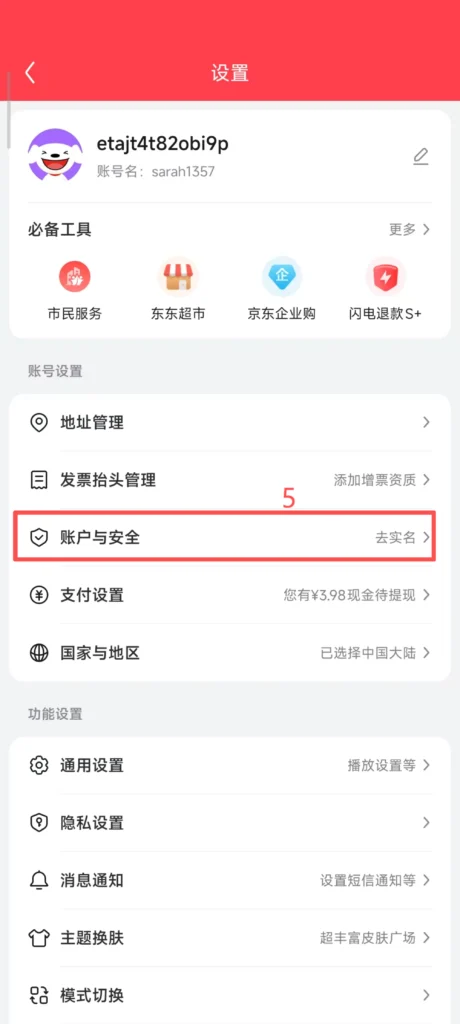
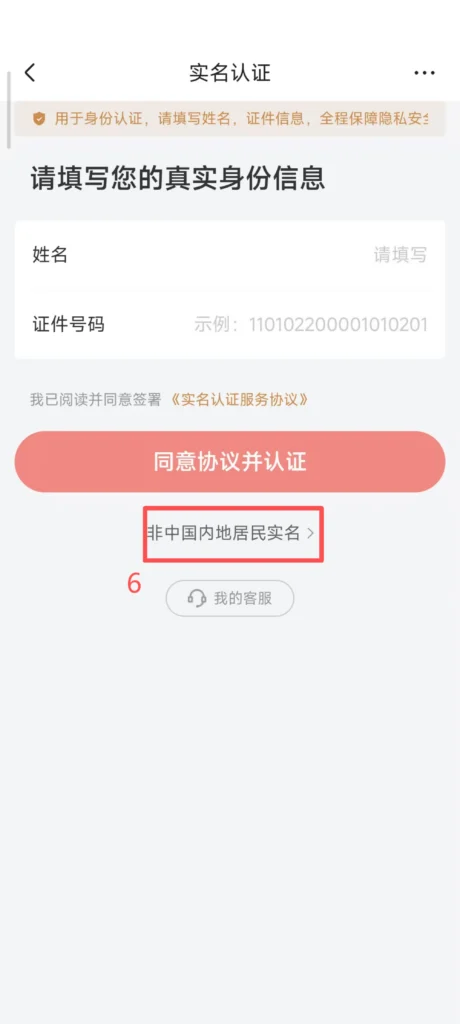
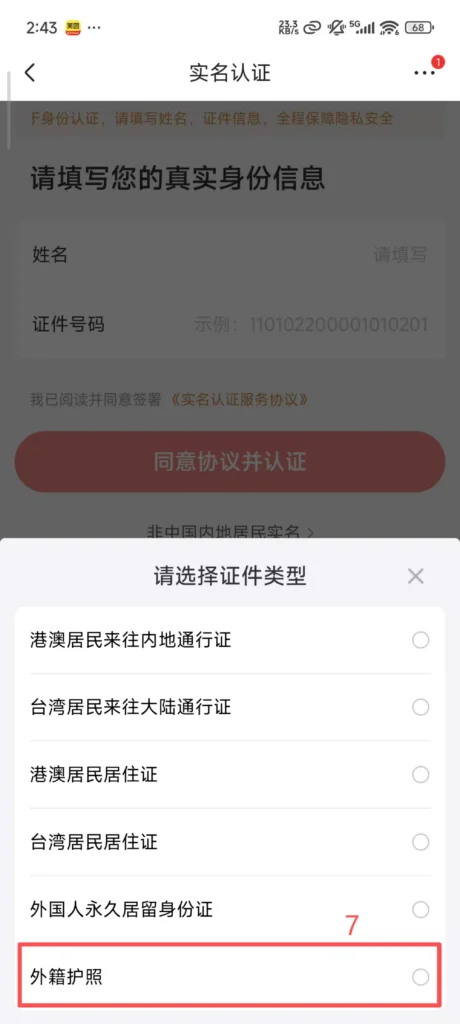
Click the settings in the top right corner, go to Account and Security. If you are not a resident of Mainland China, click here, choose a foreign passport, fill in your nationality, name, passport number, etc.
1/2
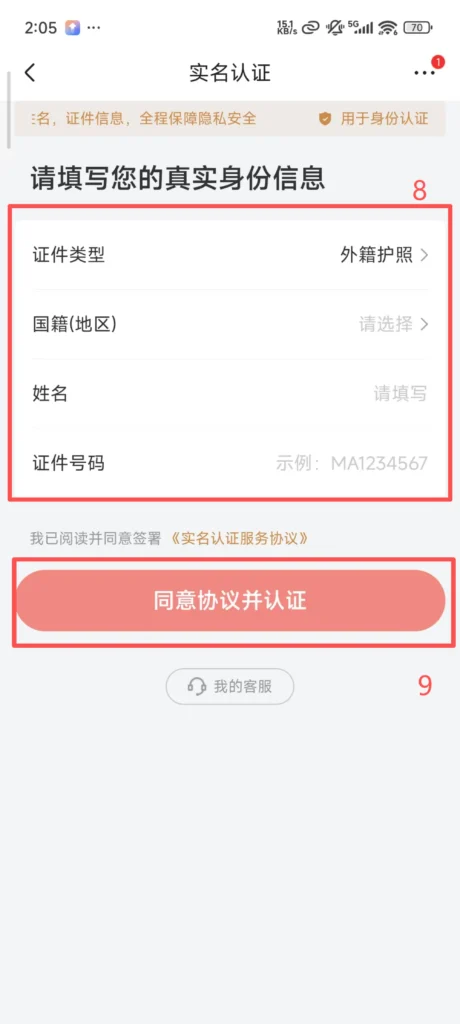
2/2
Agree and confirm, and you can enter the homepage to start shopping.
🔍 (2) Core Functions – Product Search and Browsing
Search & Filter Products
Use the top search bar on the homepage. Enter product name or keywords (supports both English and Chinese).
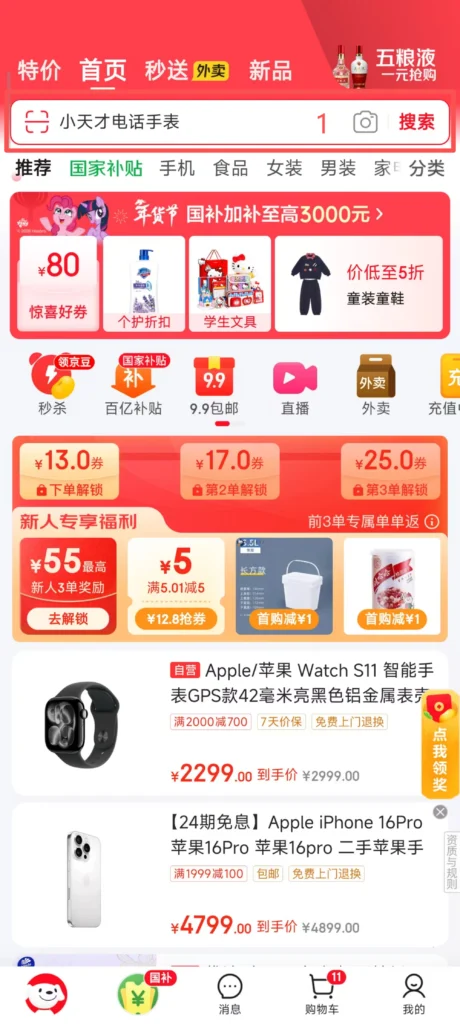
1/2
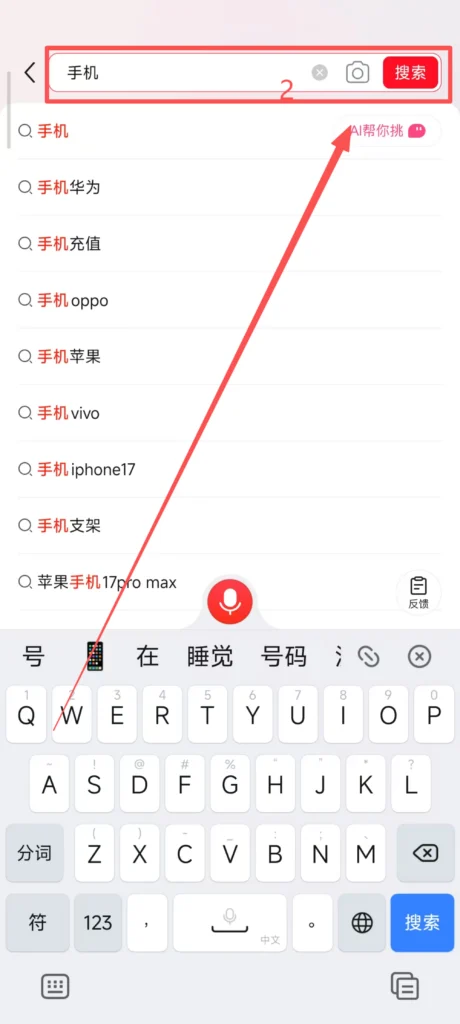
2/2
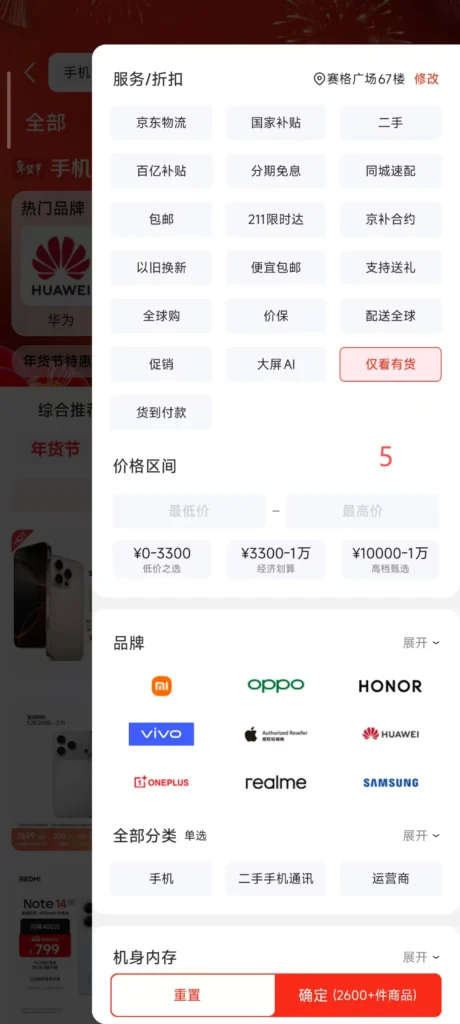
Supports sorting by “Comprehensive”, “Sales”, “Price”, “Rating”. Detailed filtering is available.
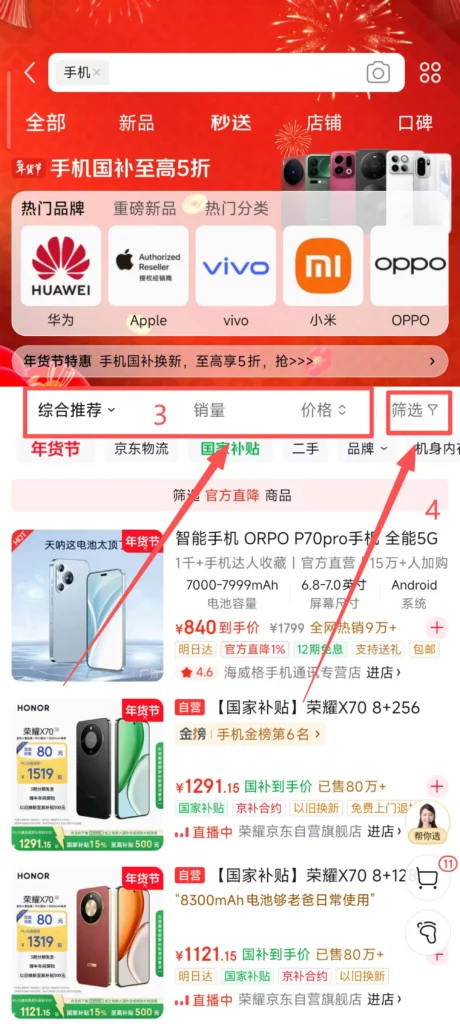
1/2
2/2
Supports filtering by price range, brand, specifications (such as phone memory, clothing size), positive review rate, and delivery method (JD Logistics / Standard Express) to accurately find desired products.
🛒 (2) Core Functions – Product Details and Ordering
Place an Order
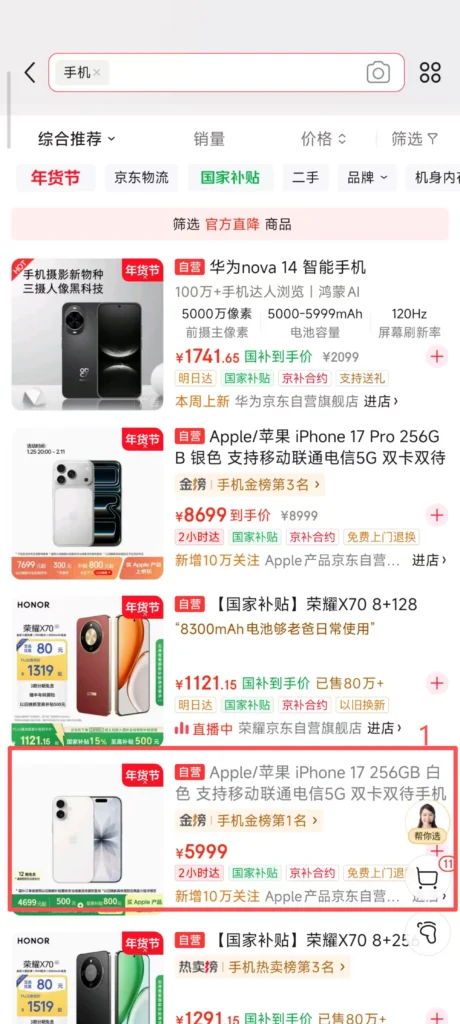
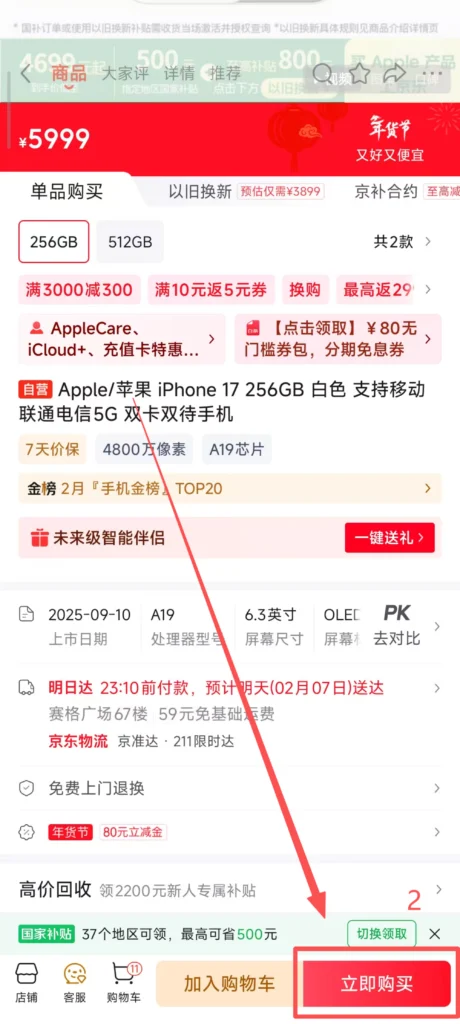
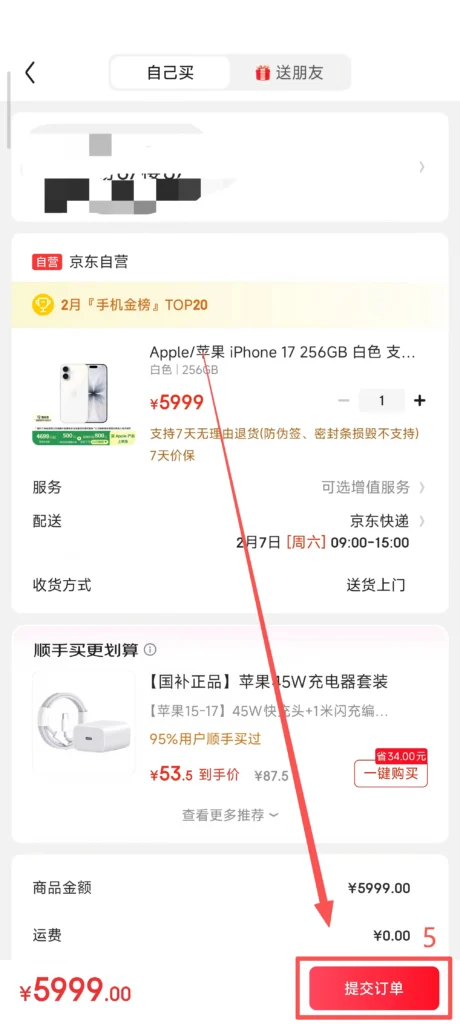
Click on the product to enter the detail page. Click ‘Buy Now’ to select specific parameters.
1/2
2/2
1/2
2/2
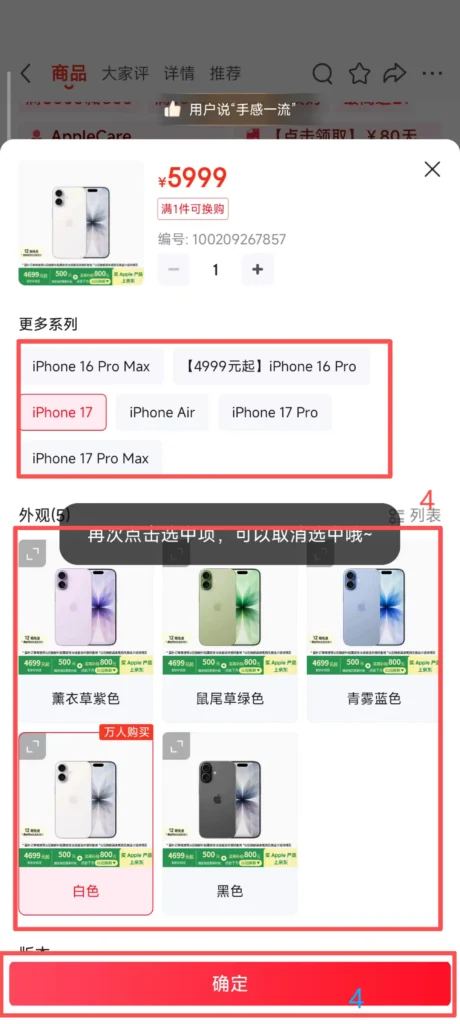
Choose the product specifications (such as color, size, memory capacity) and purchase quantity. After confirming the product according to your needs, click ‘Confirm’. After selecting the confirmed address, click ‘Submit Order’ to make the purchase.
📦 (2) Core Functions – Order Tracking
Track Your Order
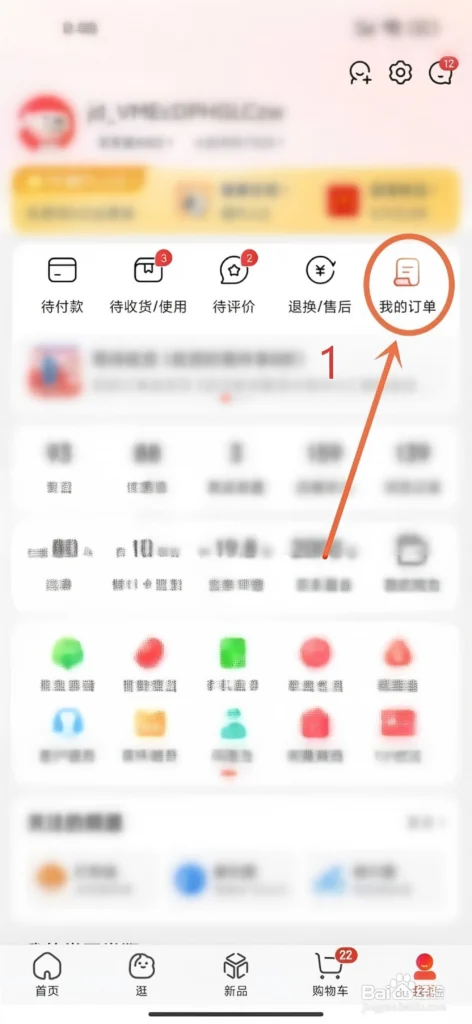
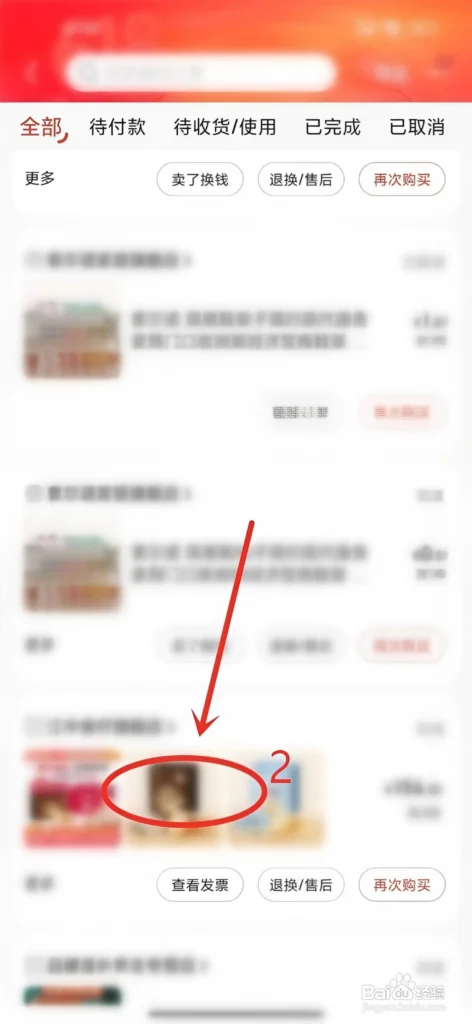
Enter the ‘My’ homepage. Click on ‘Pending Receipt’ to view order status.
1/4
2/4
3/4
4/4
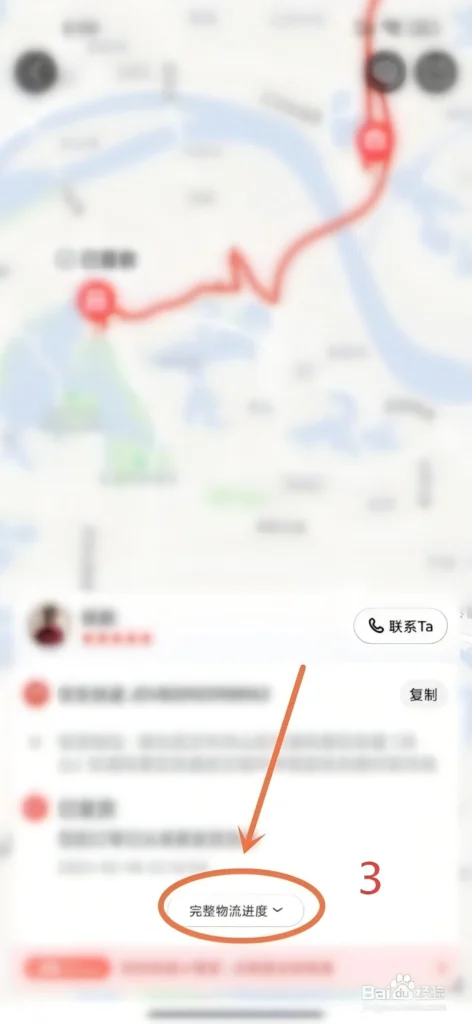
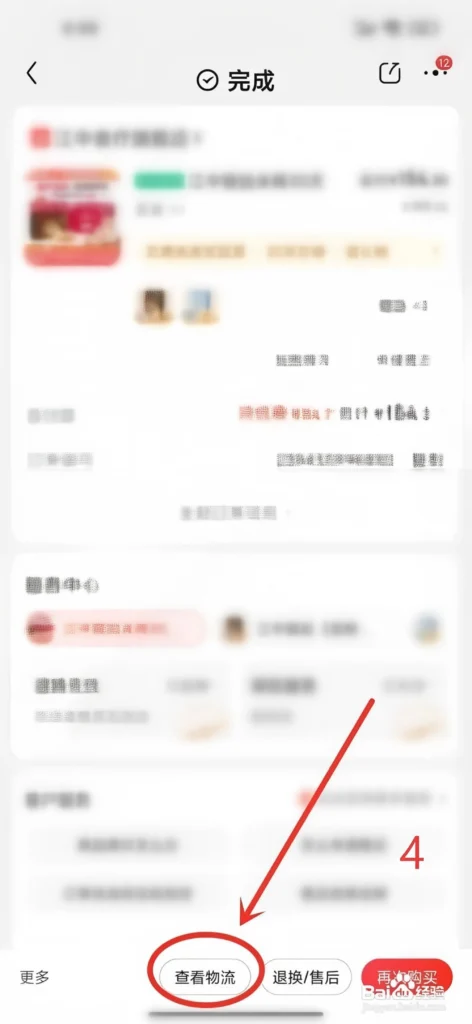
Click on ‘Complete Logistics’ to see information (courier company, tracking number, real-time location). JD Logistics orders support real-time tracking of logistics, with estimated delivery time accurate to the hour. You can set logistics reminders (shipping, delivery notifications) to avoid missing the receipt of goods.
🔄 (2) Core Functions – After-Sales and Returns & Exchanges
Returns & Exchanges
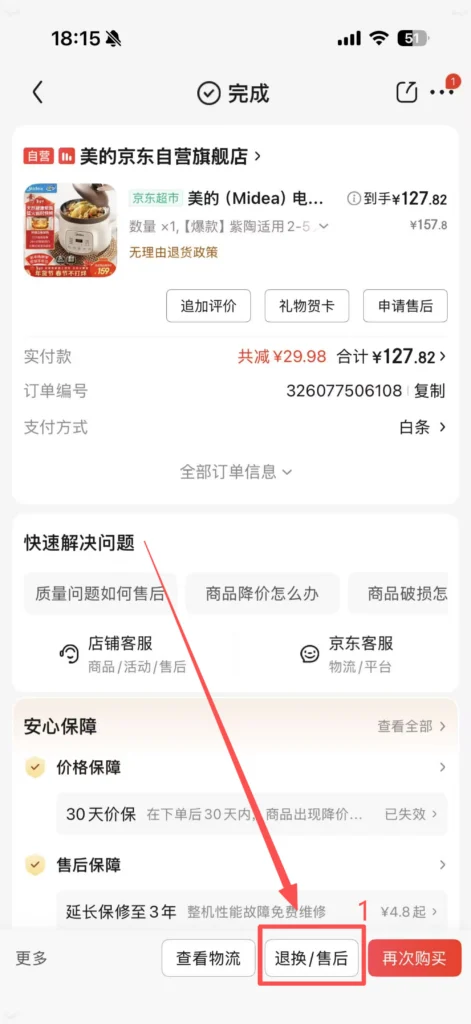
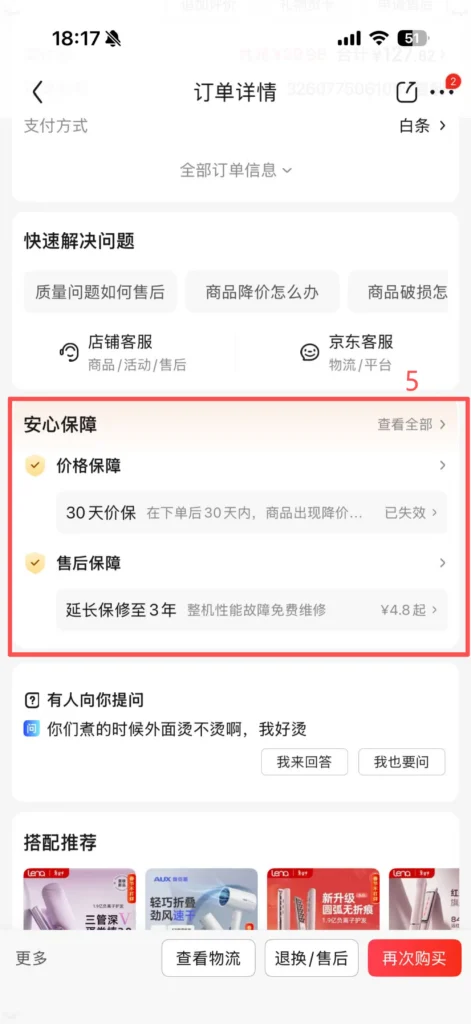
After receiving the product, if there are quality issues, specification mismatches, damage, etc., you can choose after-sales service in “Order Details – Apply for After-sales”.
1/4
2/4
3/4
4/4
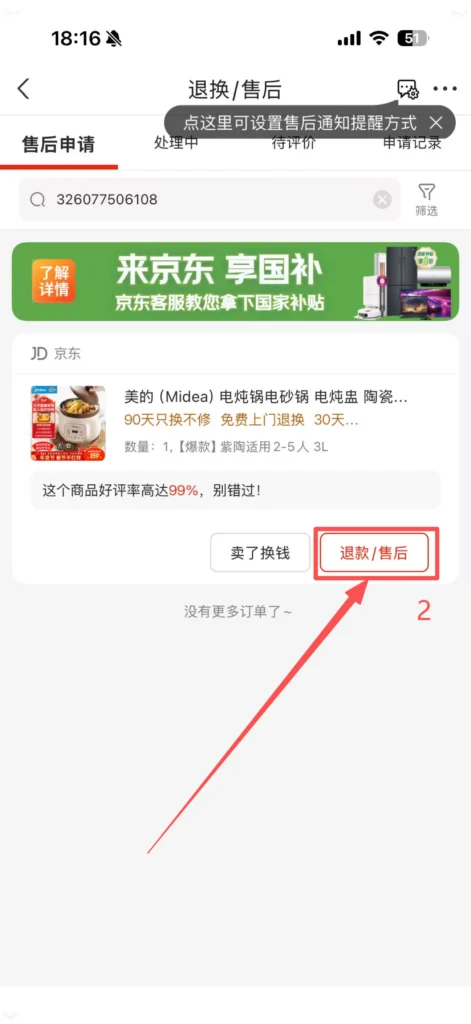
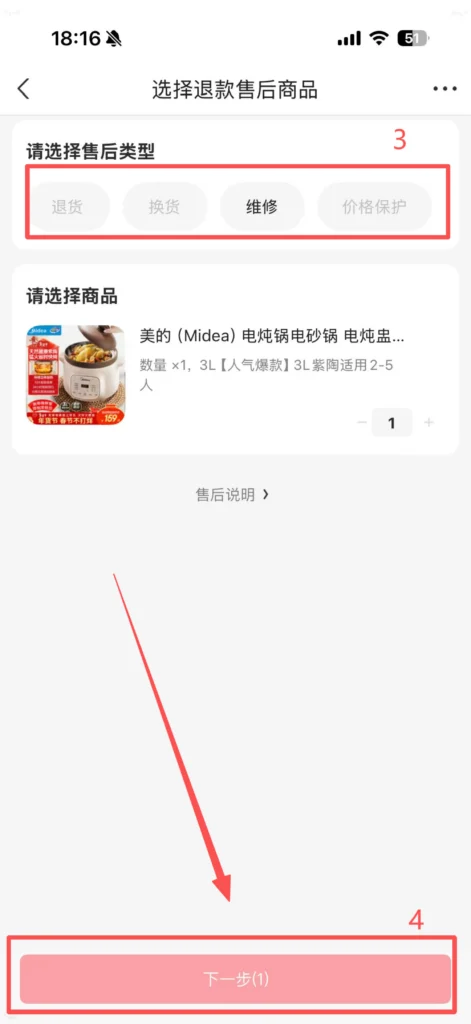
After entering, select Refund/After-sales. Type (Return, Exchange, Repair, Refund), fill in the reason and upload proof (pictures), then submit the application. After confirming that everything is correct, click Next.
Review and Processing: After customer service approval, a return address will be generated or an exchange arranged. When returning goods, send the product back as prompted, and after the merchant receives and confirms it, the payment will be refunded (original payment method).
After-sales Guarantee: Supports “7-day no reason return” (excluding some products, such as food and intimate clothing), “15-day quality issue exchange”. JD self-operated products respond faster to after-sales service, and some support home pickup without the need to send them back yourself.
✅ Quick Summary
Why Choose JD.com?
✅ Authentic Products: Strict quality control to reduce counterfeit risks.
✅ Fast Delivery: Same-day or next-day delivery across most major cities.
✅ International Payments: Supports Visa and Mastercard.
✅ Partial English UI: Helps international users navigate easily.
✅ Self-Operated Warehouses: Reliable inventory and shipping.
✅ Easy Returns: 7-day no-reason returns, home pickup available.
✅ Wide Selection: Electronics, home appliances, groceries, and more.
📥 Download Complete PDF Manual
Multi-Language • Offline Printable • All Screenshots Included