ไม่รู้ภาษาจีนก็ไม่เป็นปัญหา! วิธีติดตั้งแอป Didi สำหรับนักท่องเที่ยว
DiDi Chuxing: China’s Leading Ride-Hailing App for Travelers
Official Step-by-Step Illustrated Guide with Screenshots and Multi-Language PDFs
📱 Official App Downloads
📘 (1) Download and Registration
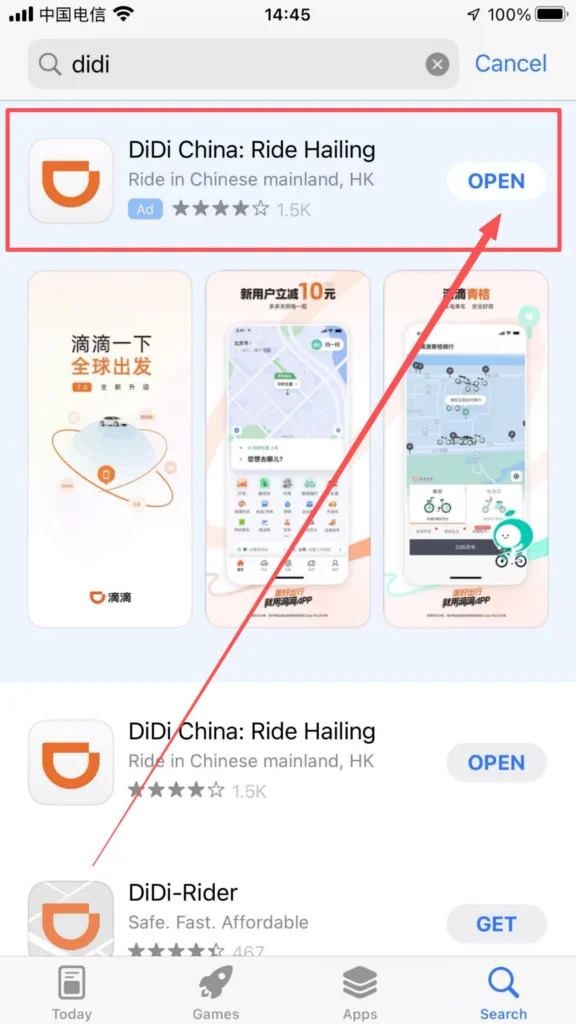
Download & Install DiDi
Search for “DiDi” in the app store, download and install it.
1/1
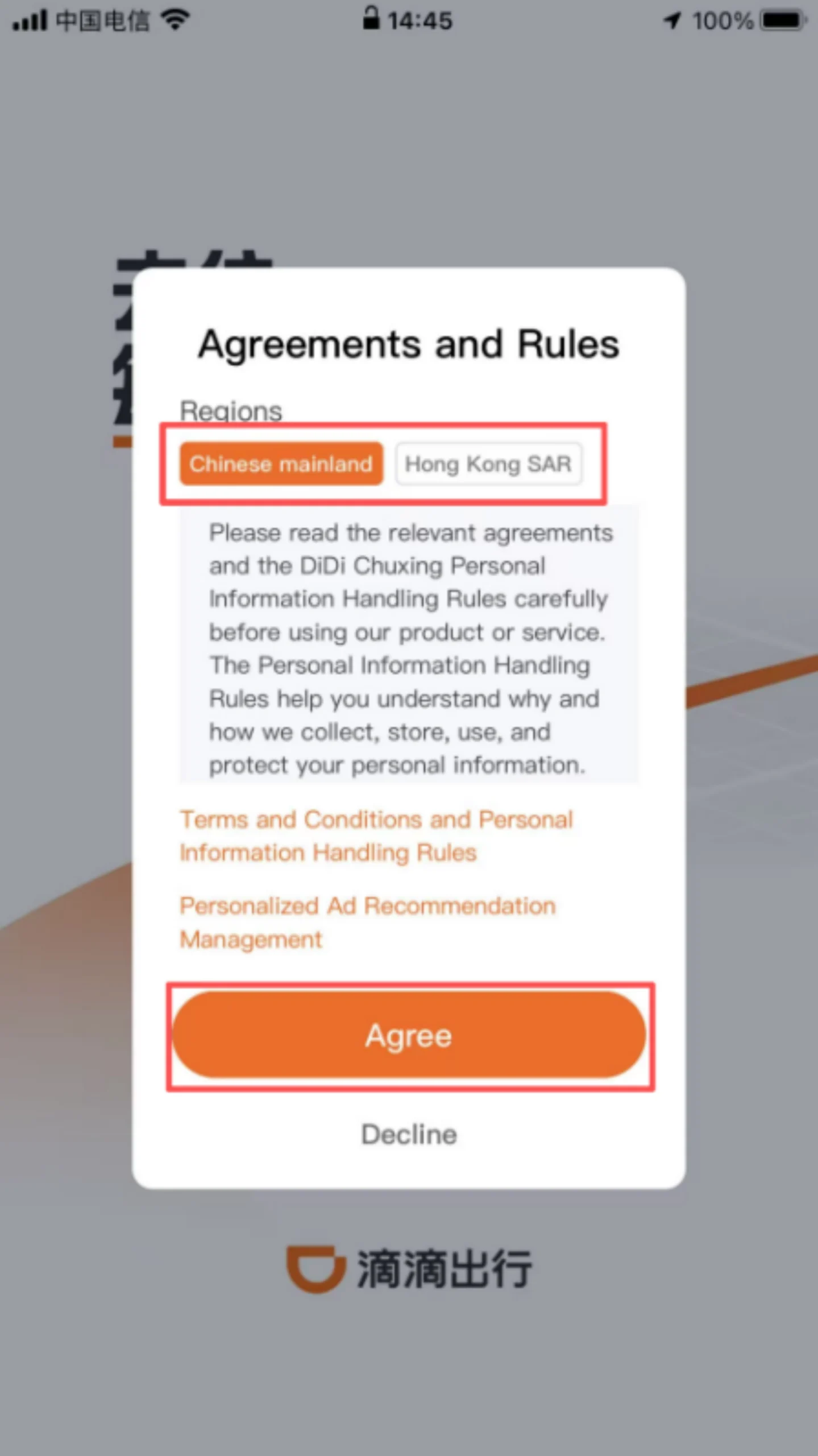
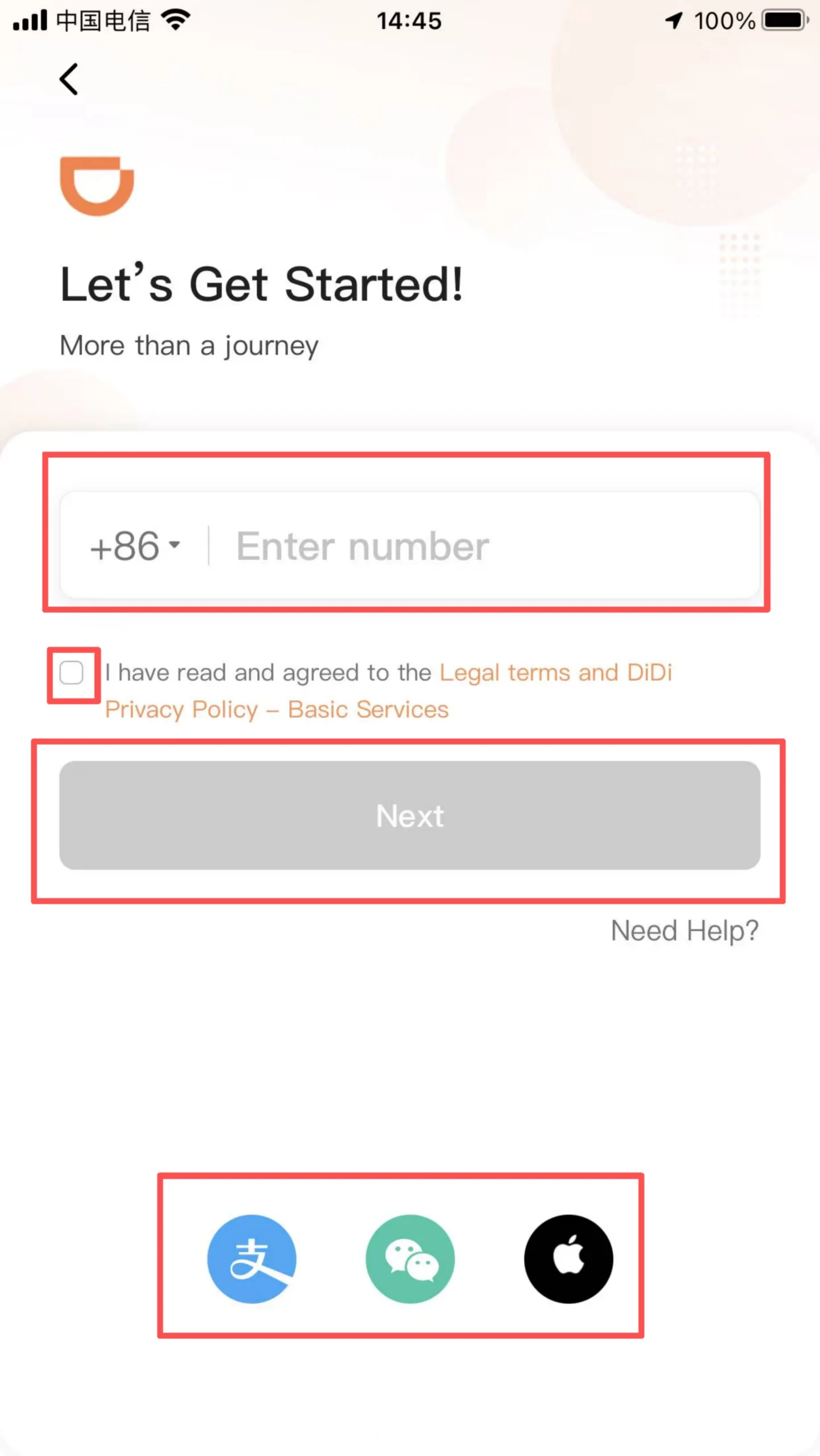
Registration Process
Open the APP, choose to use it in mainland China or Hong Kong, enter your phone number, receive and fill in the SMS verification code, check the “User Service Agreement” and “Privacy Policy” boxes, and complete the registration. Supports linking WeChat and Alipay accounts for quick login, no need to register again.
1/3
2/3
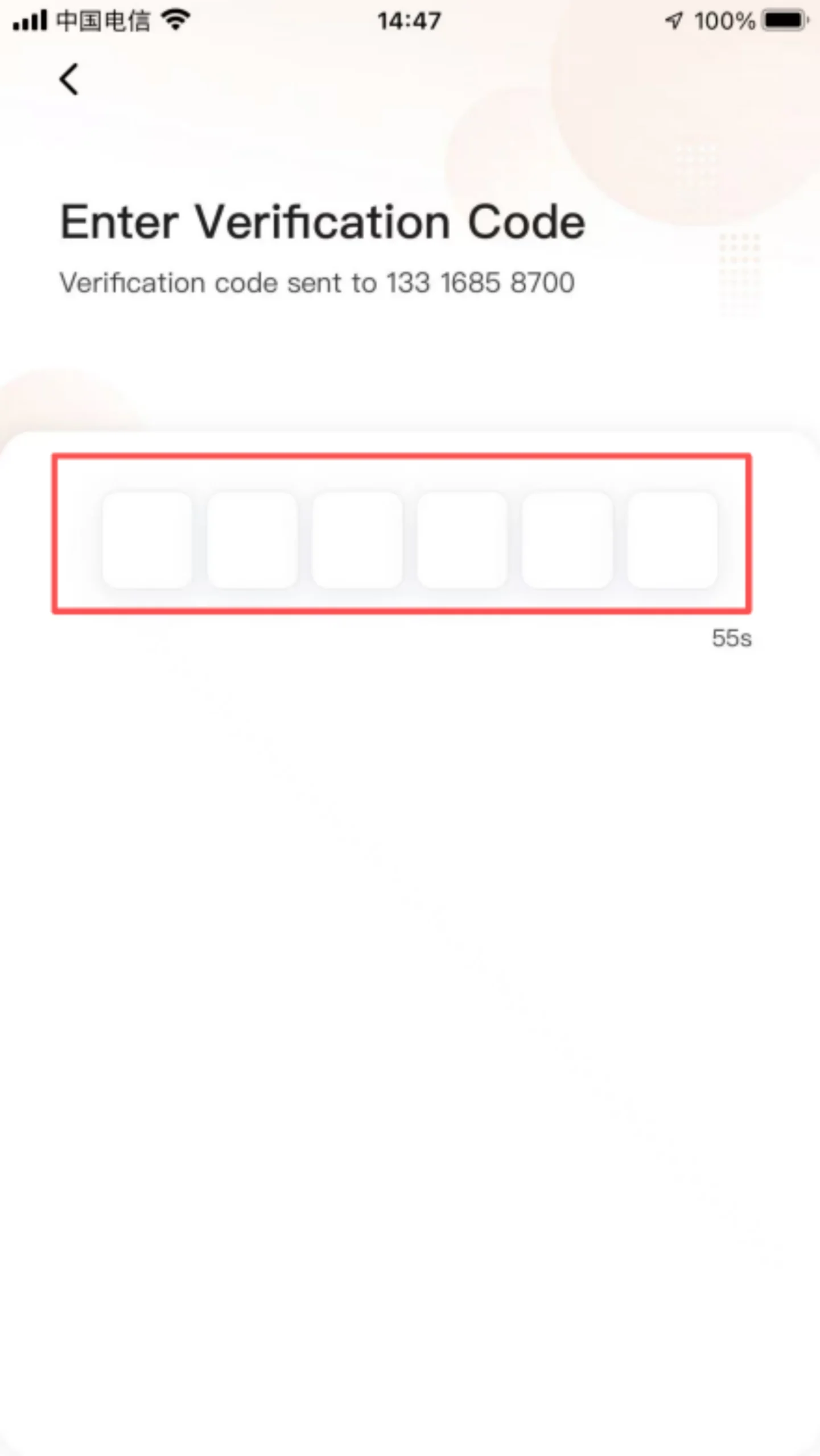
3/3
Login method: After successful registration, you can log in using your mobile number, SMS verification code, or via WeChat/Alipay quick login.
📍 (2) Core Functions – Basic Ride-Hailing
Location & Pickup Point Setting
After logging in, the system automatically prompts ‘Enable Location Permissions.’ Once allowed, it accurately obtains the current location as the default pickup point. You can manually drag the ‘car’ icon on the map to adjust the pickup point (such as at the entrance of a residential community or the lobby of an office building), or enter a specific address (such as ‘Building 3, XX Community’) for precise location to avoid drivers having difficulty finding the way.
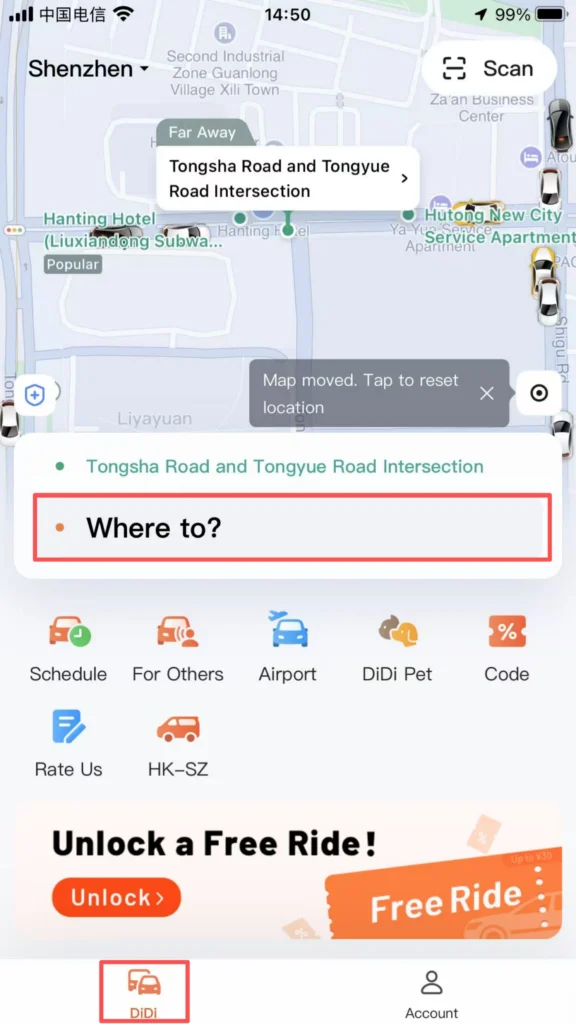
1/3
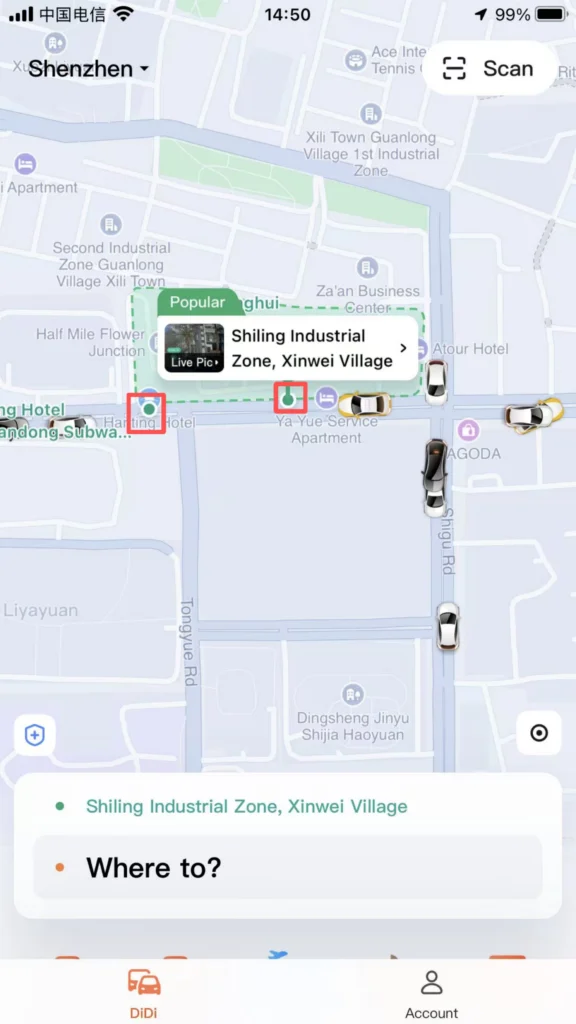
2/3
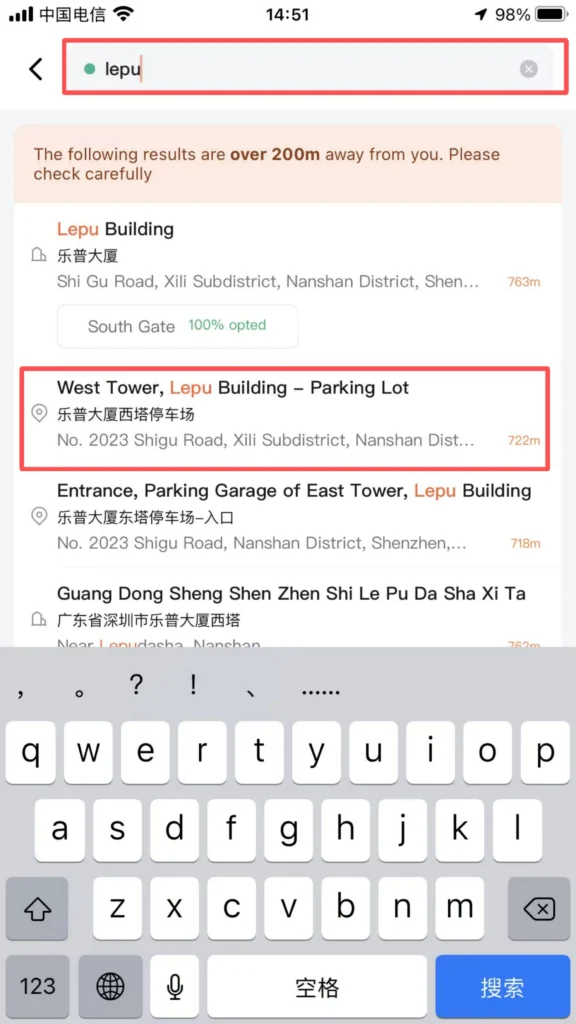
3/3
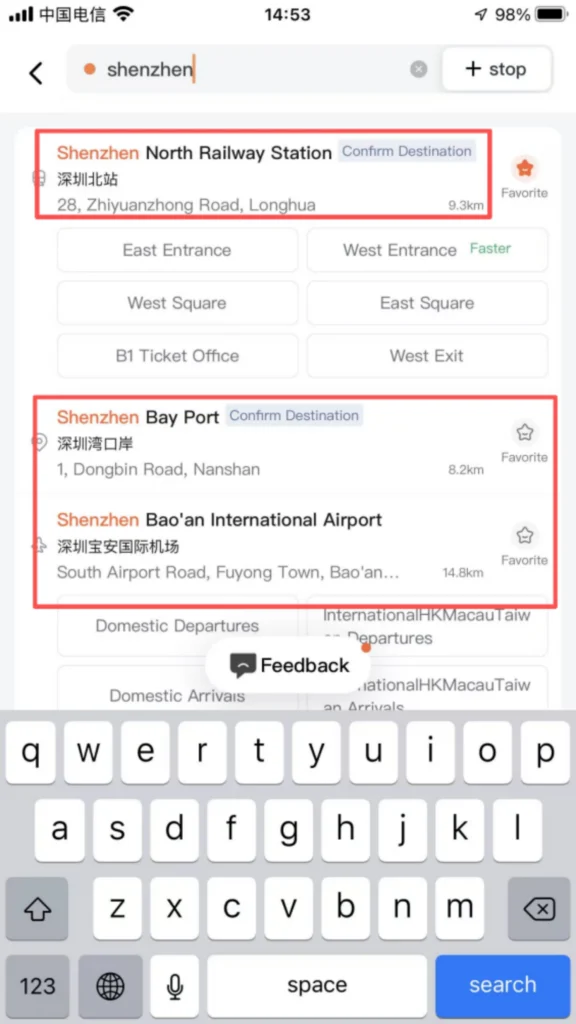
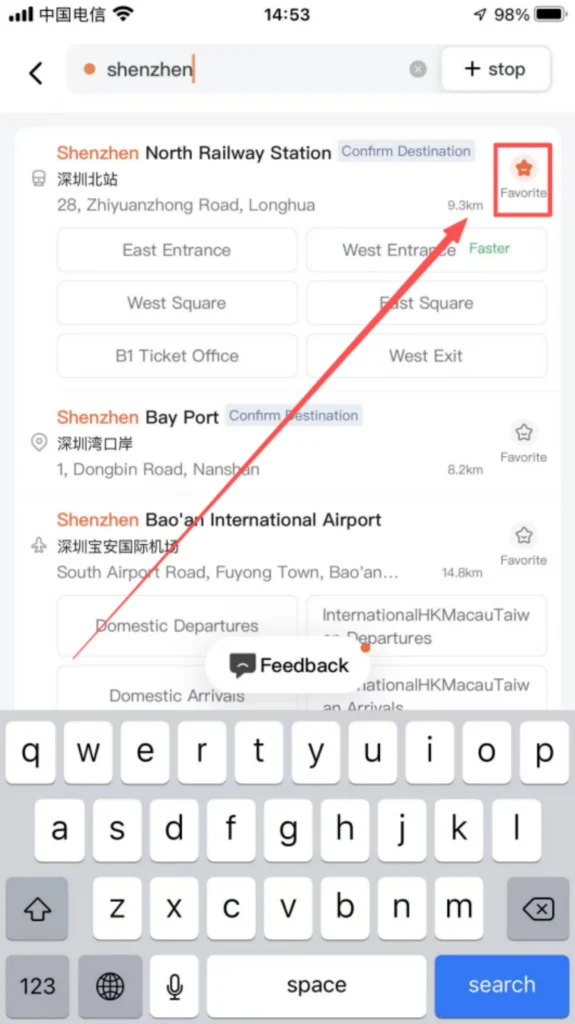
Destination Precise Search: Enter the destination in the top input box on the homepage, supporting fuzzy search (such as ‘Shenzhen North High-Speed Railway Station’, ‘ZhongGuanCun Subway Station’), and Pinyin initial search (such as ‘SZ’ corresponding to ‘Shenzhen’). The system automatically recommends popular locations and historical destinations. Clicking ‘Favorite’ allows you to add frequently used destinations (such as company, home) to ‘My Favorites’, so you can select them directly next time without re-entering.
1/2
2/2
Vehicle Selection & Cost Viewing
Vehicle Categories: By default, show Express (economical), Premium (comfortable / business), Taxi (metered offline, online booking). Some cities support high-end options such as Luxury Cars and Limo Express.
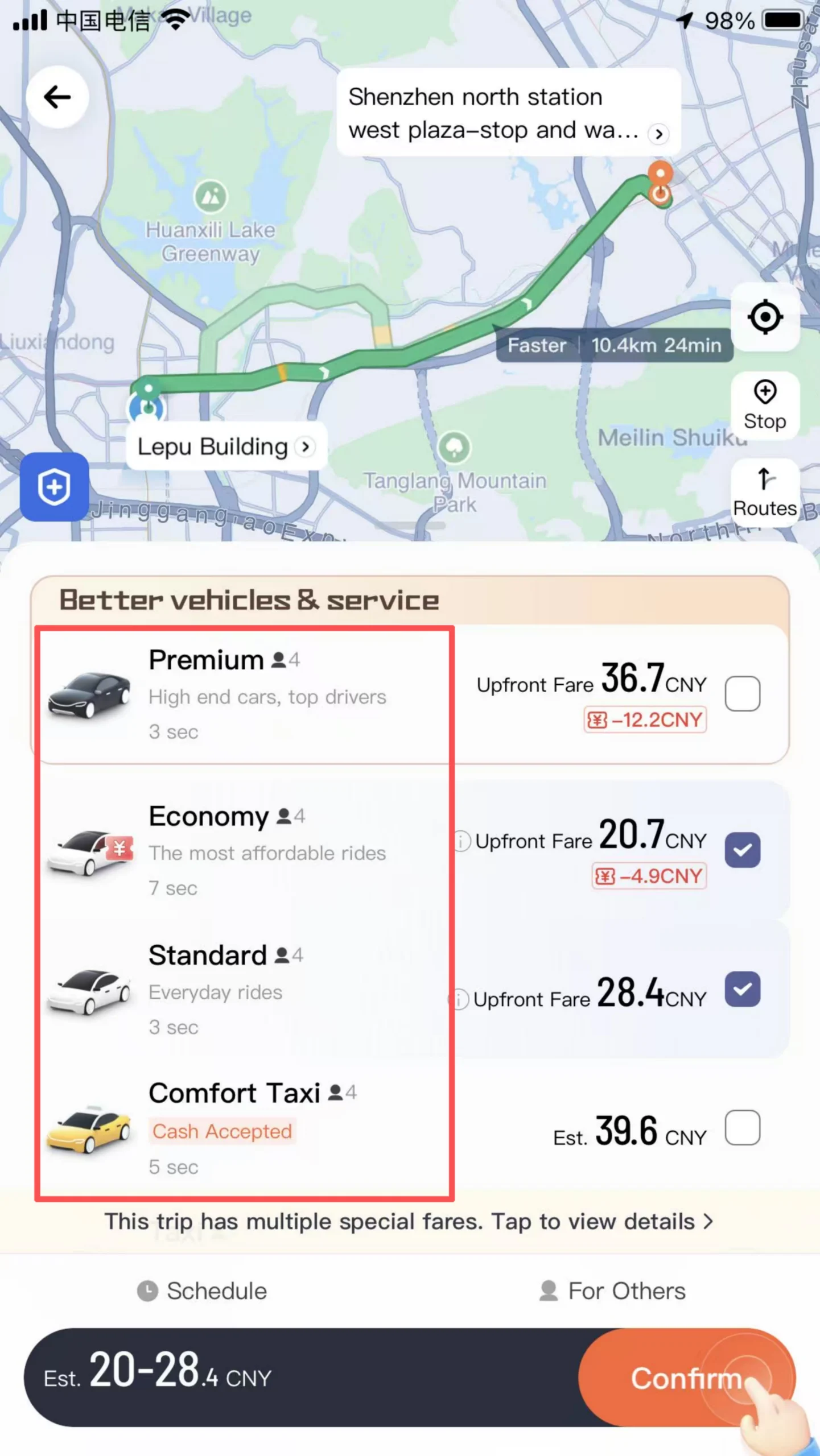
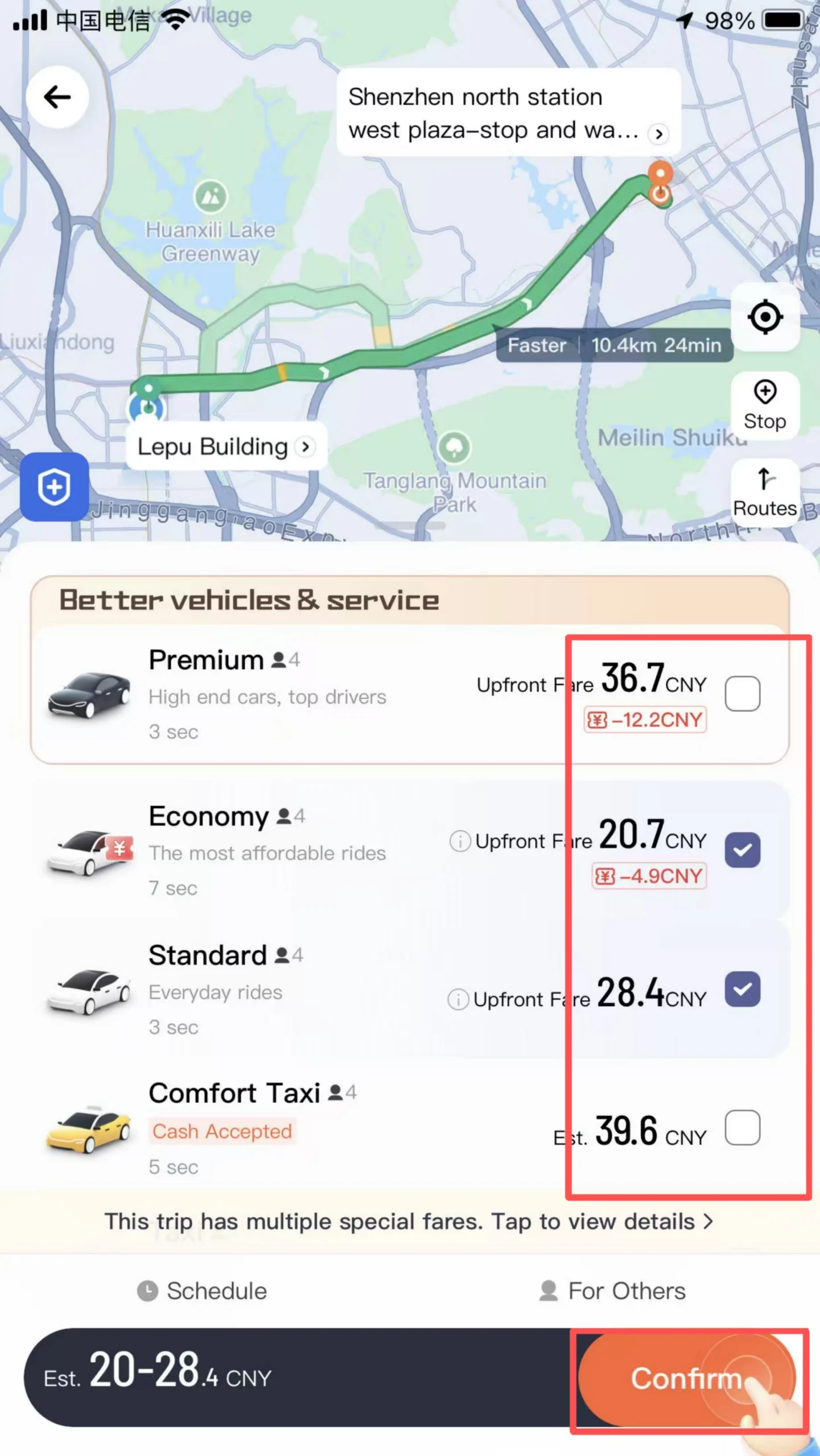
Cost details: After selecting the vehicle model, the page shows the estimated cost (including mileage fee, duration fee, starting fee, fuel surcharge, etc.), estimated arrival time (ETA), and driver distance. Intercity orders will also display estimated amounts for tolls, highway fees, and other charges.
Order Initiation and Tracking
After confirming the car model and cost, click ‘Call Express / Private Car’ to initiate the order, and the system will automatically match a nearby driver. Once the order is generated, the page displays the driver’s name, avatar, car model, license plate number, and real-time vehicle location, supporting ‘voice calls’ and ‘text communication’ to contact the driver (hiding the real phone number to protect privacy). You can also use the ‘Share Trip’ feature to share the order information (real-time location, estimated arrival time) with friends/family to ensure travel safety.
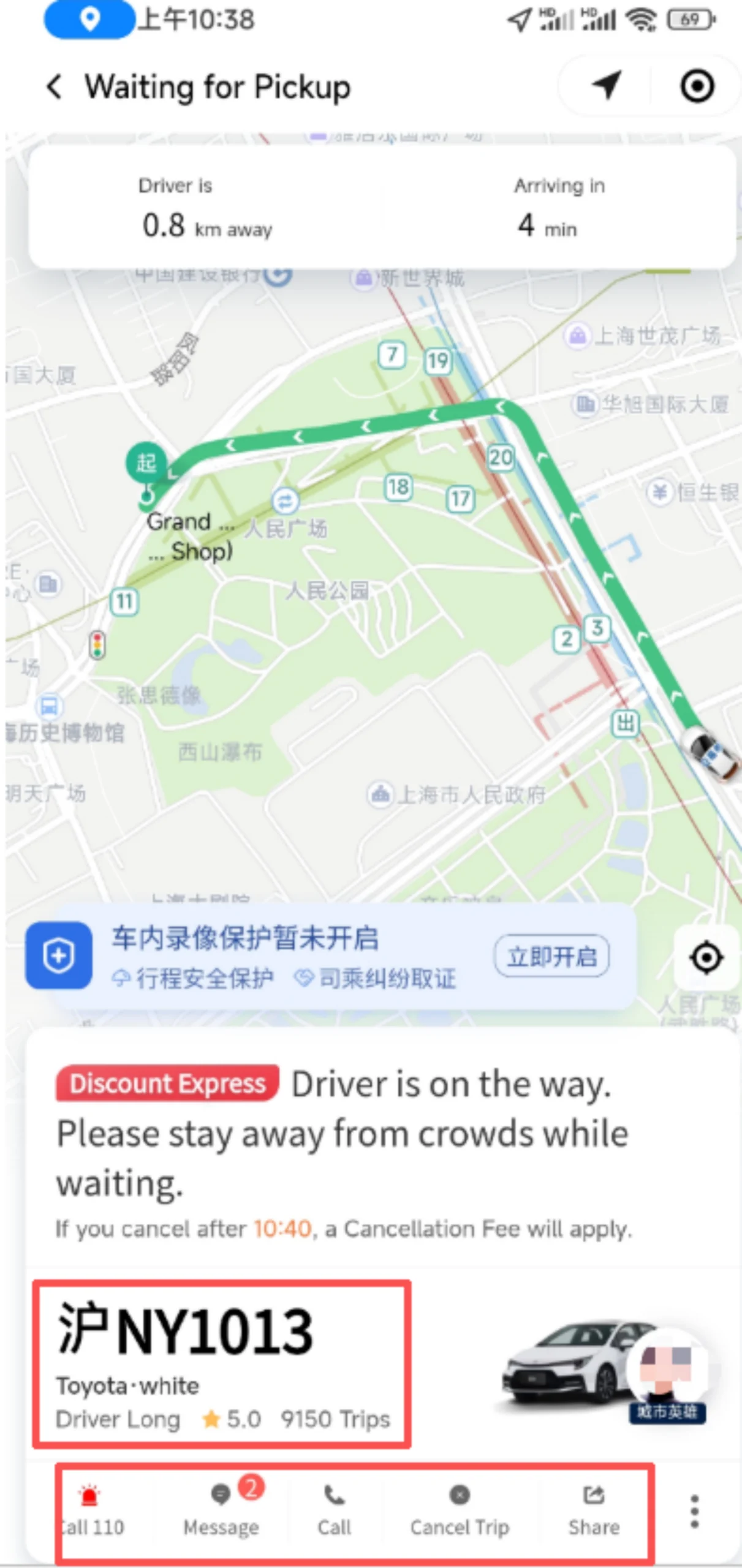
Boarding Confirmation: After the driver arrives, verify that the license plate number and vehicle model are correct, then get on the car and confirm the last four digits of the phone number with your mobile phone.
Payment Process: After arriving at the destination, the driver ends the trip, and the system generates the final fare. Payment methods supported include WeChat Pay, Alipay, bank cards, Didi balance, etc. By default, payment is automatically deducted (you can turn off automatic deduction in “Settings – Payment Settings”). After payment is completed, you can give the driver a star rating (1-5 stars) for service attitude, driving skills, vehicle cleanliness, etc., and write a review or upload photos as feedback.
Free Cancellation: Canceling the order before the driver accepts it incurs no penalty. Some vehicle types (such as Hitch) support free cancellation within 30 minutes after the driver accepts the order.
📅 (2) Core Functions – Ride Reservation & Order Management
Ride Reservation
Click “Reserve” on the homepage, select the departure date and specific time (accurate to the minute), enter the destination and car type, then submit the order. The system will match a driver in advance to ensure arrival at the pickup point at the reserved time, suitable for time-sensitive situations such as catching a flight or high-speed train.
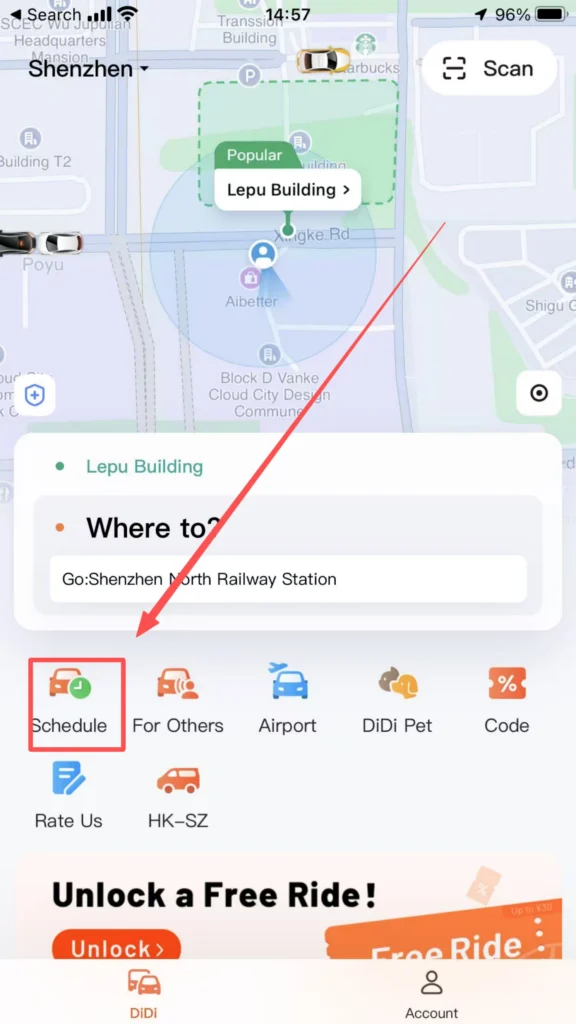
1/3
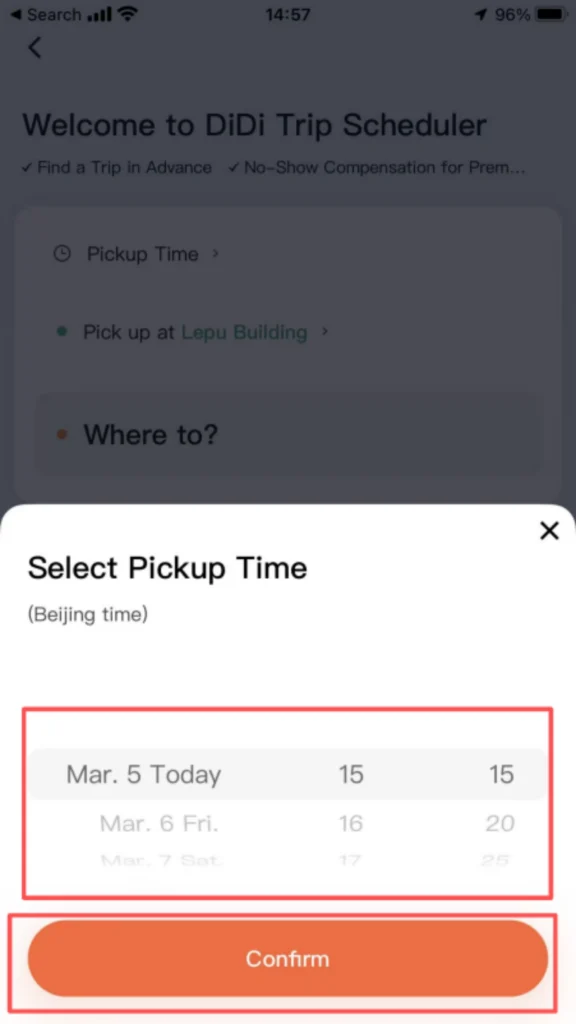
2/3
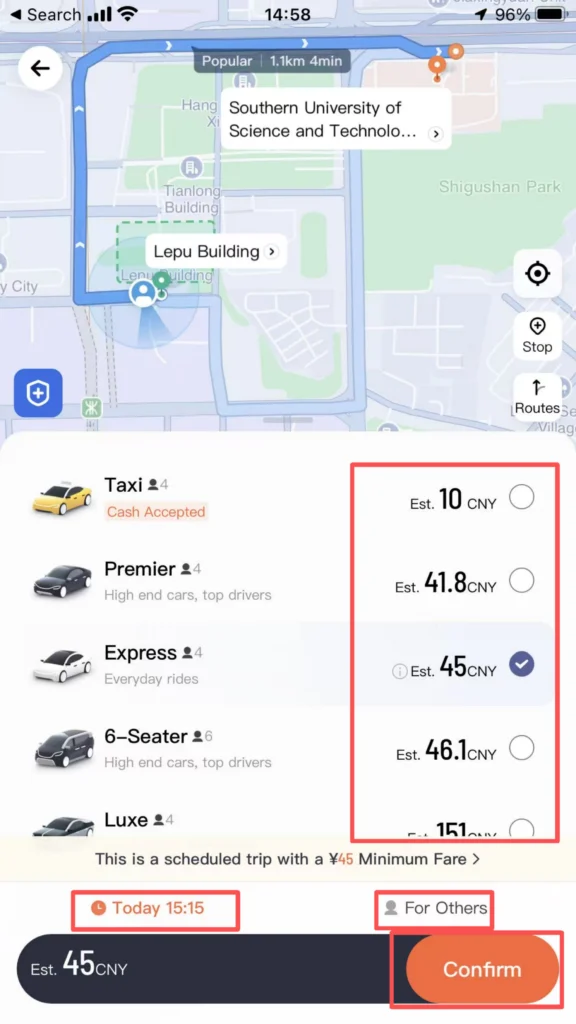
3/3
Order Management
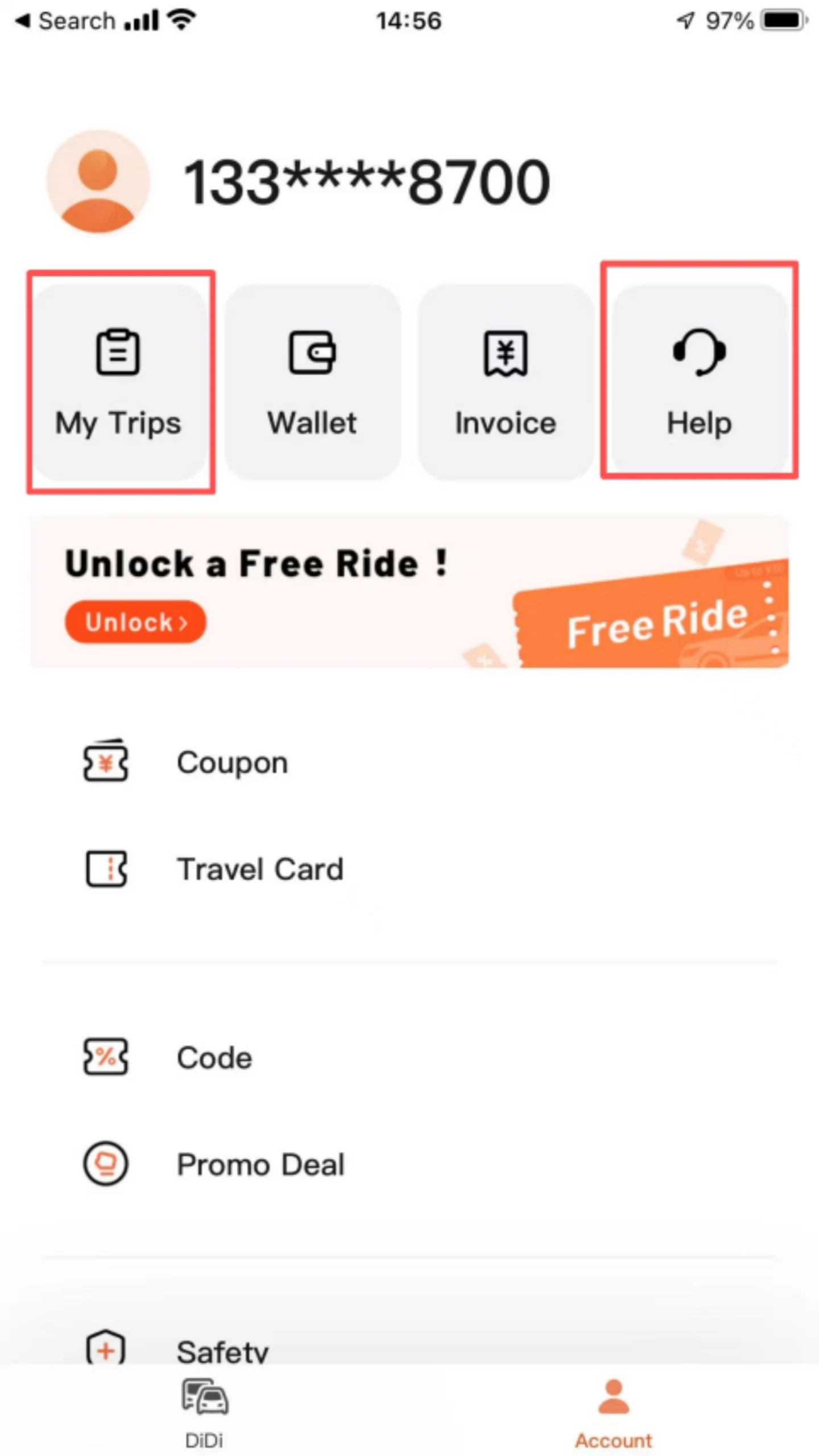
Go to ‘My – Trips’ to view all orders (pending payment, completed, canceled). Click on order details to view trip route, cost details, and invoice application entry. Support ‘Trip Complaints’ (such as driver taking a detour, poor service attitude), and ‘Lost Item Recovery’ (contact the driver or customer service for assistance in finding the item).
✅ Quick Summary
Why Choose DiDi?
✅ Full English Interface: Easy to navigate for international users.
✅ International Credit Cards: No Chinese bank account needed.
✅ Fixed Pre-Calculated Fares: No surprises — price is confirmed before booking.
✅ Built-in Translation: Instant translation for driver communication.
✅ Safety Features: Share trip routes and emergency calls.
✅ Ride Reservation: Book in advance for time-sensitive travel.
✅ 24/7 English Support: Round-the-clock customer service.
✅ Intercity Service: Travel between nearby cities.
📥 Download Complete PDF Manual
Multi-Language • Offline Printable • All Screenshots Included
🔗 คู่มือที่เกี่ยวข้อง
 Nihao China is an app helping foreigners learn Chinese and adapt to daily life in China easily.
 WeChat is a popular all-in-one app for chatting, making payments, video calls and daily life services in China.
 SinoGuide is an official allu2011inu2011one app that helps foreigners in China with policies, daily services, news and Chinese learning in English and Chinese.