Meituan은 음식 주문, 호텔 예약, 현지 생활 서비스 딜 구매를 한 번에 할 수 있는 원스톱 앱입니다.
Meituan: China’s All-in-One App for Food Delivery, Restaurant Booking, Groceries & Daily Life Services
Official Step-by-Step Illustrated Guide with Screenshots and Multi-Language PDFs
📱 Official App Downloads
📘 (1) Download and Registration
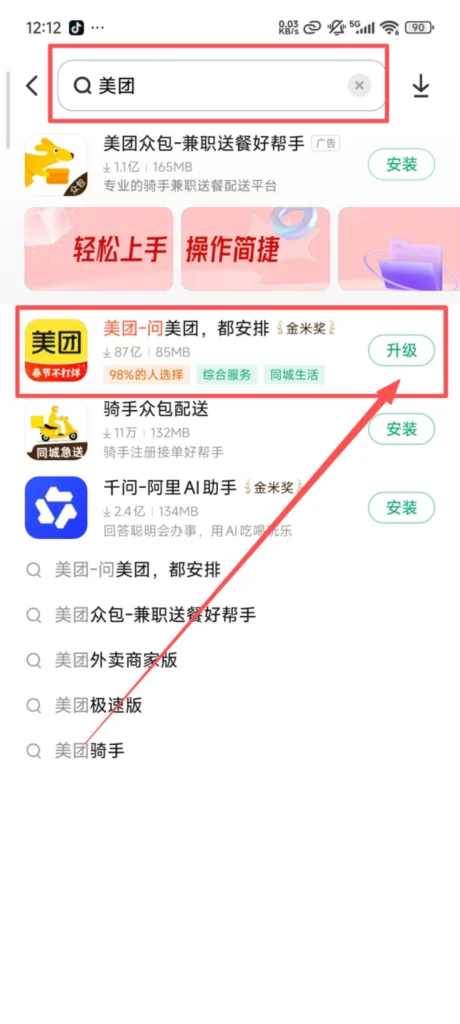
Search & Install Meituan
Search for “Meituan” in the app store, download, and install it.
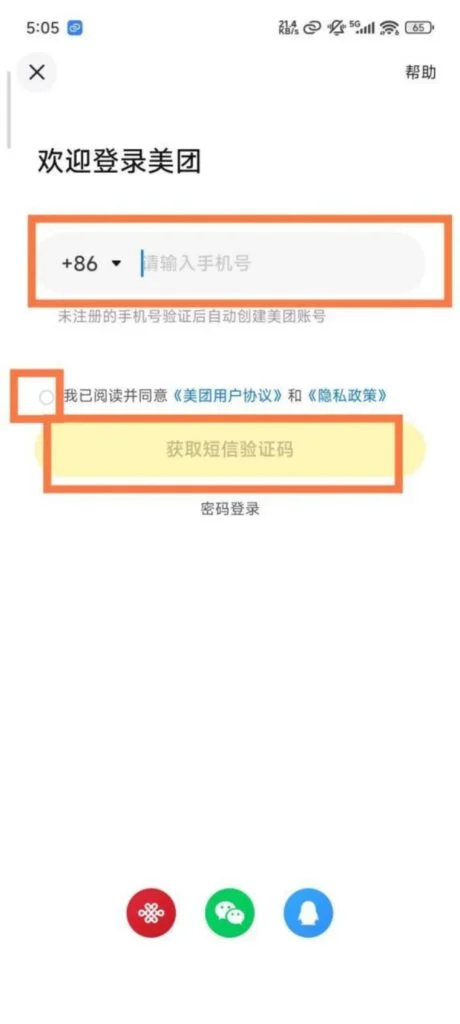
Registration & Login
Supports login with mobile phone verification code or WeChat quick login, no password required; after logging in, you can bind your mobile phone number and complete personal information (such as name and delivery address) for easier use in the future.
1/2
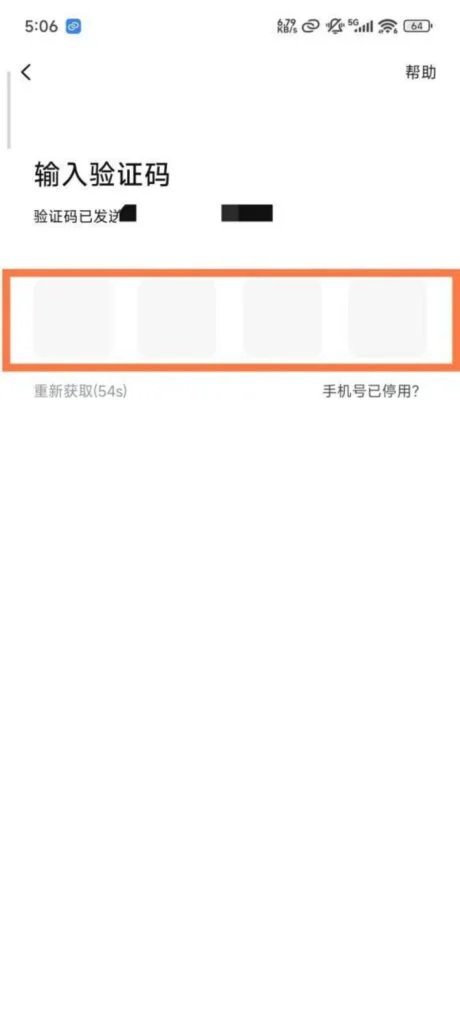
2/2
🍜 (2) Core Function Usage
Food Delivery Ordering – Location and Address Settings
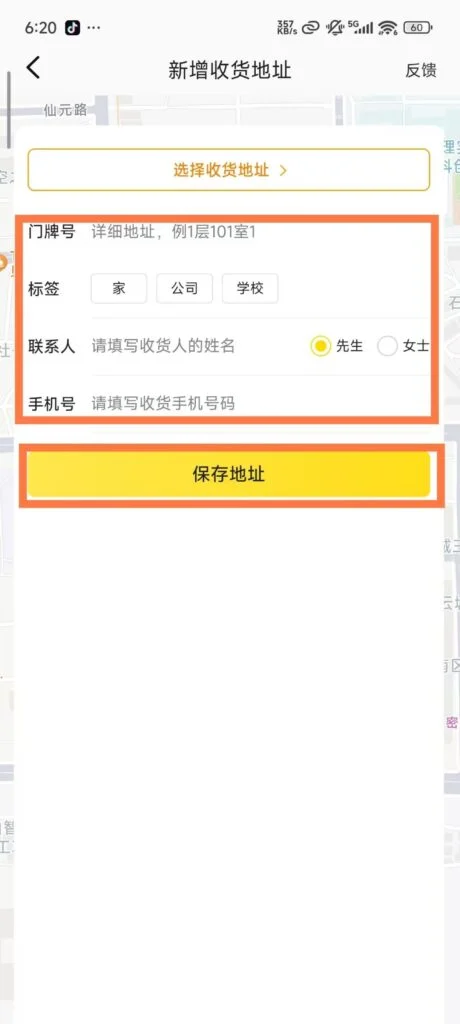
Open the app, enable location permissions, automatically get the current location, and recommend nearby food delivery merchants; go to “My – Delivery Address”, add/edit the delivery address (detailed to the house number), contact information, set the default address, so it can be selected directly next time.
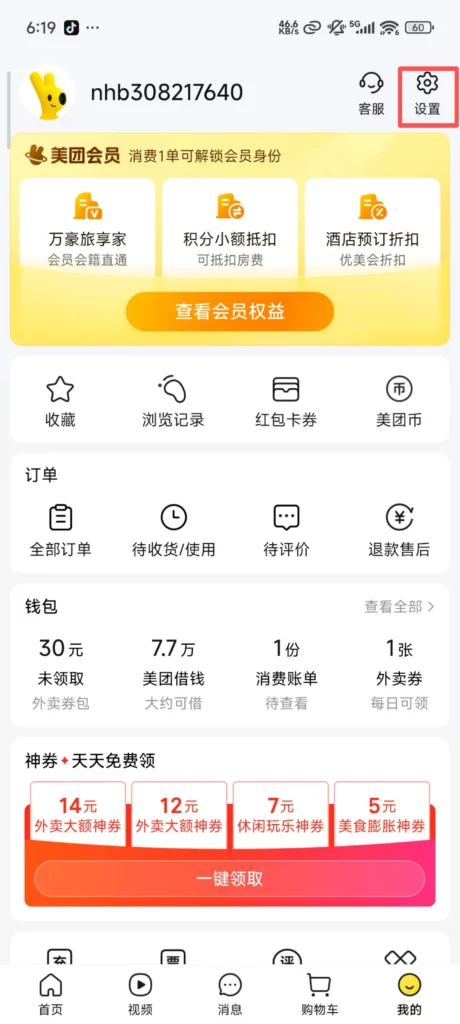
1/4
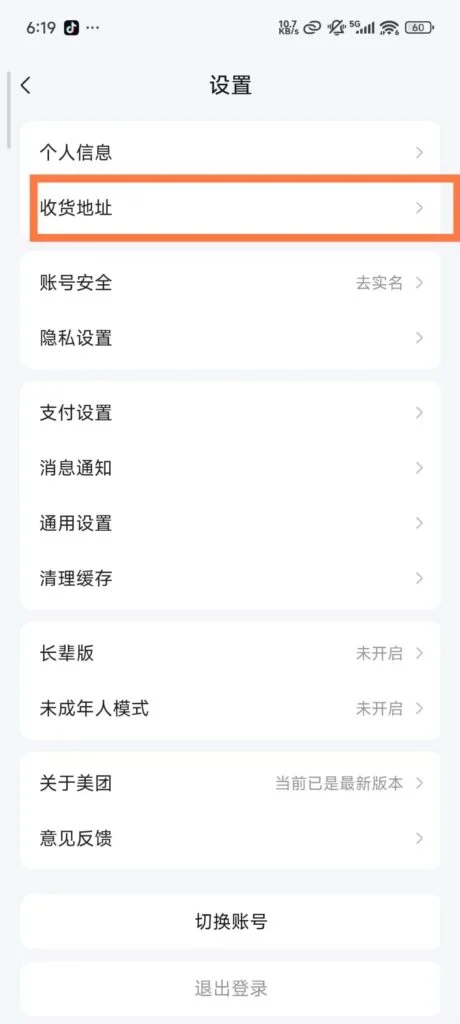
2/4
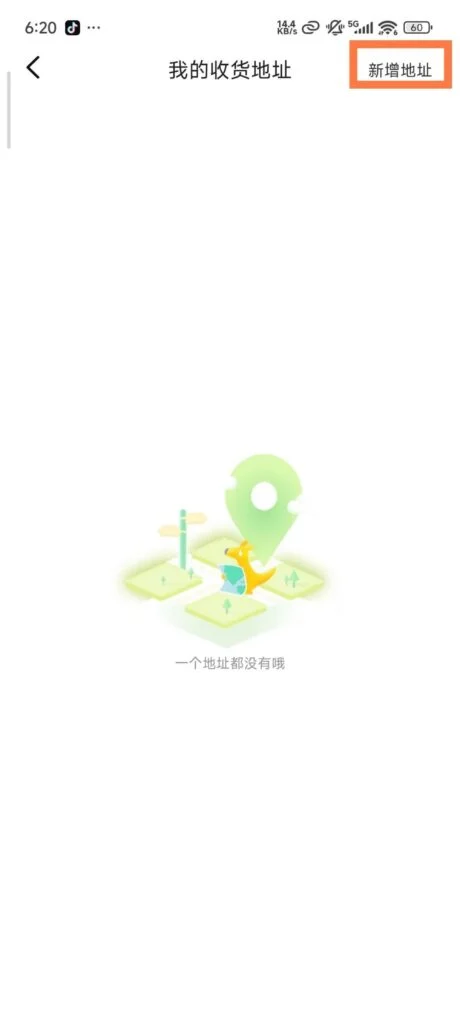
3/4
4/4
Business and Dish Selection – Browse and Filter
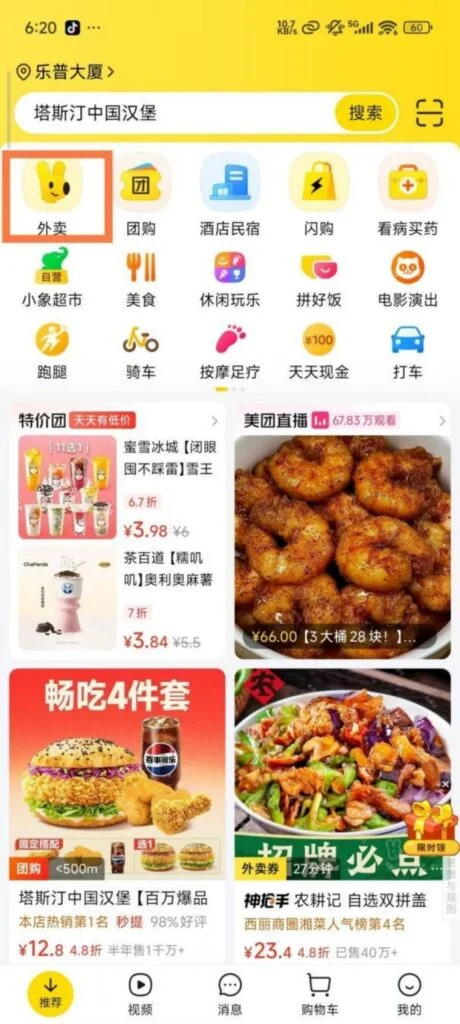
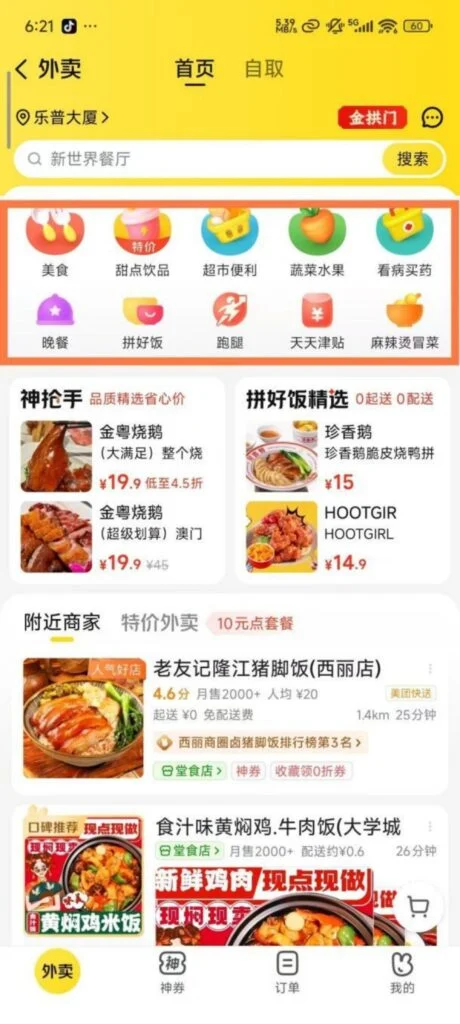
On the homepage, click “Takeout”. By default, nearby businesses are displayed. You can filter by category (food, milk tea, fruit, supermarket convenience, etc.), rating (above 4 points), delivery fee (free delivery), and distance, allowing you to quickly find your desired business.
1/2
2/2
Dish Selection
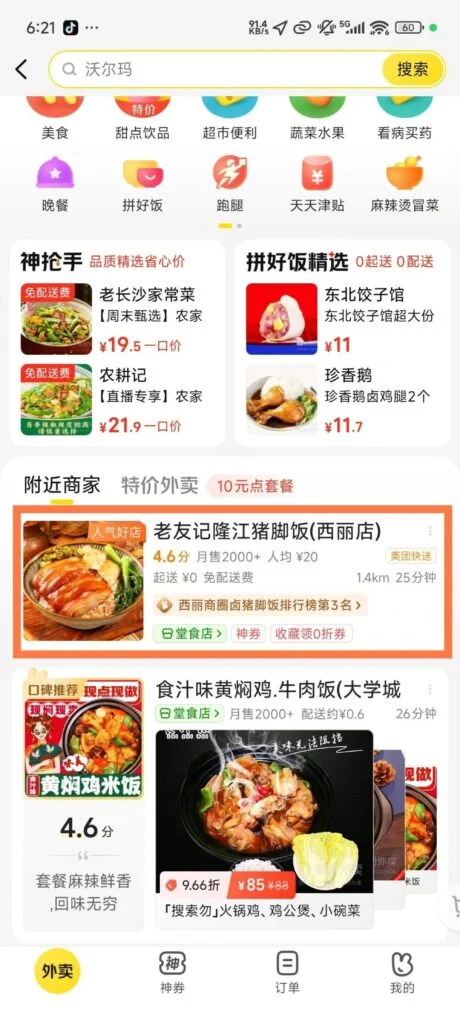
Click on the merchant to enter the details page, view the menu (categorized display), user reviews (including pictures and taste ratings), delivery range, and estimated delivery time; select dishes, add them to the shopping cart, and support adjusting the quantity and adding notes (such as “less sugar”, “mildly spicy”).
1/3
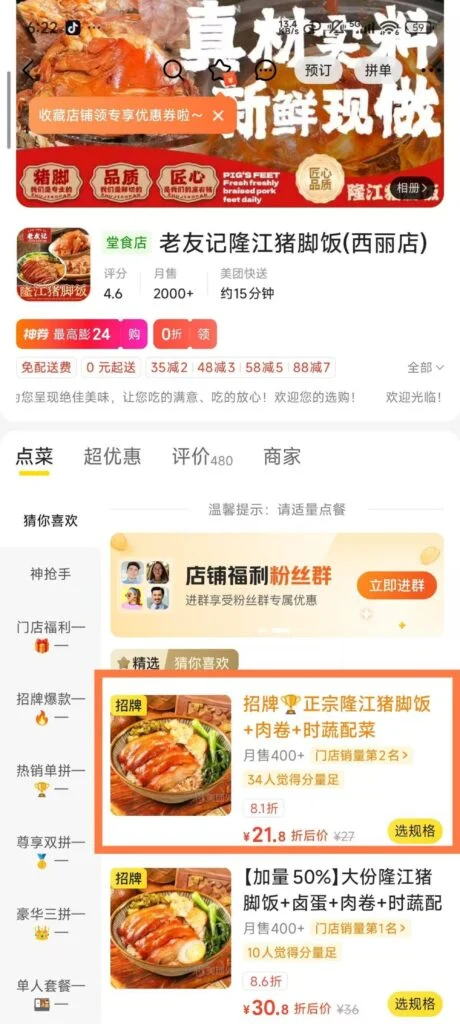
2/3
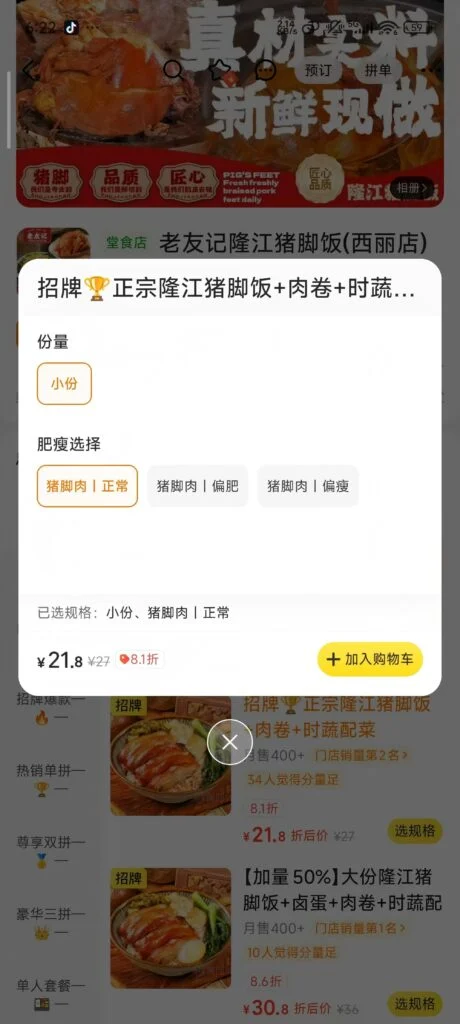
3/3
Settlement & Payment
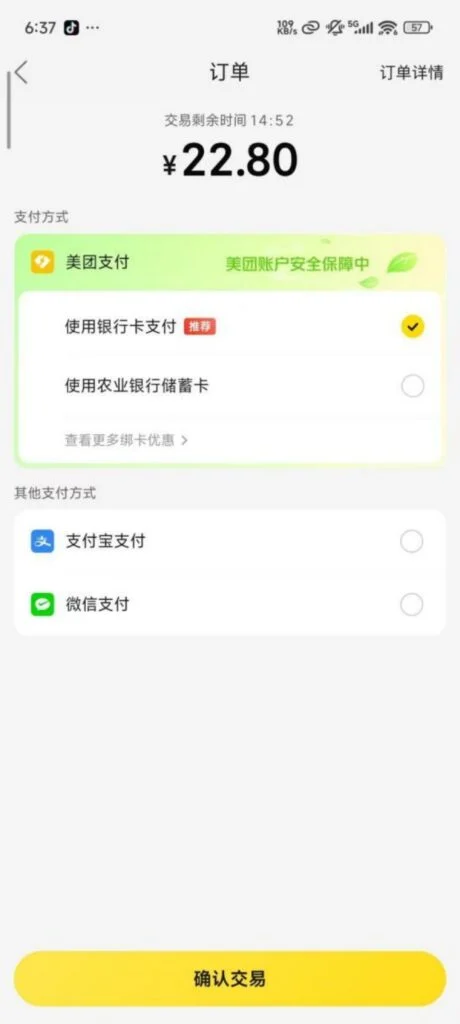
Discount Deduction: Click “Go to Checkout” to view the order amount (food cost + delivery fee), select available merchant coupons, platform red envelopes, Meituan Pay instant discounts, and other offers to automatically deduct the amount.
Payment Methods: Supports WeChat Pay, Alipay, and Meituan Pay (linked to a bank card). After choosing a method, complete the payment to generate a takeout order; you can view the order status (merchant accepted, in delivery, delivered), the rider’s real-time location, and contact information in “My – Orders”.
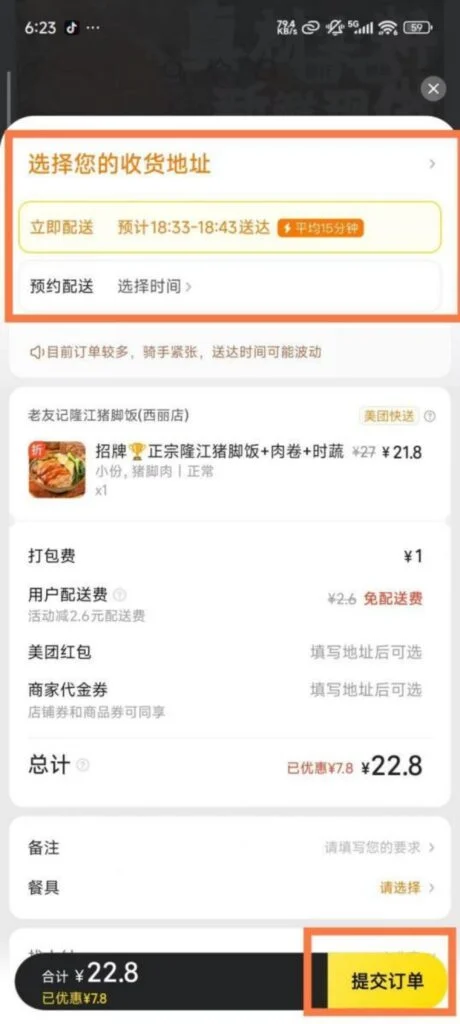
1/3
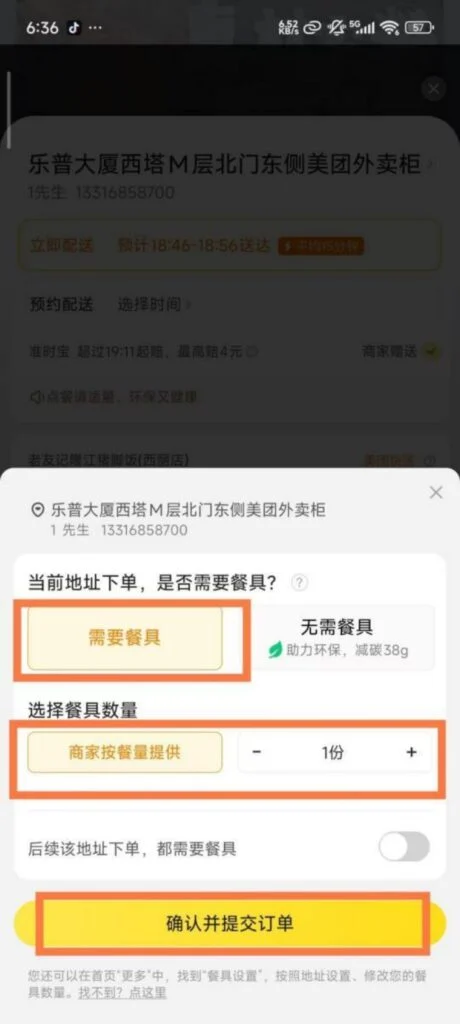
2/3
3/3
🍽️ (3) Restaurant Reservation
Search & Filter Restaurants
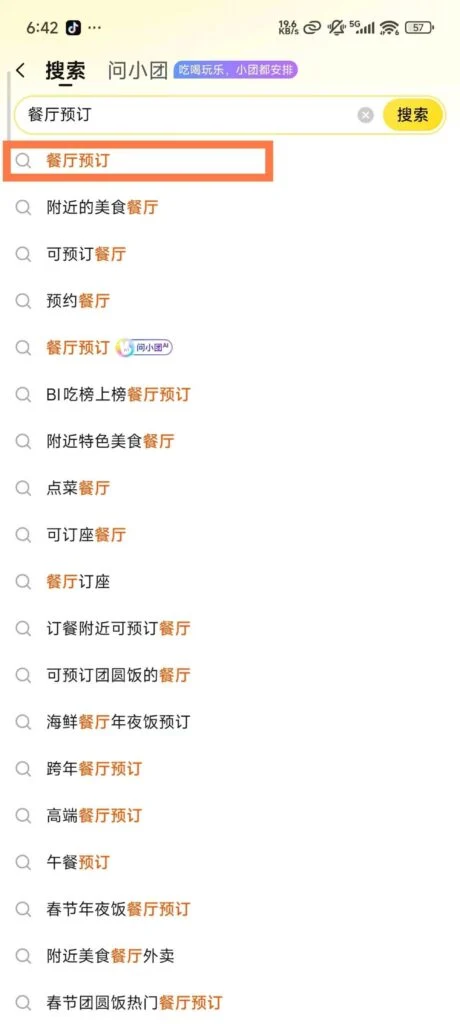
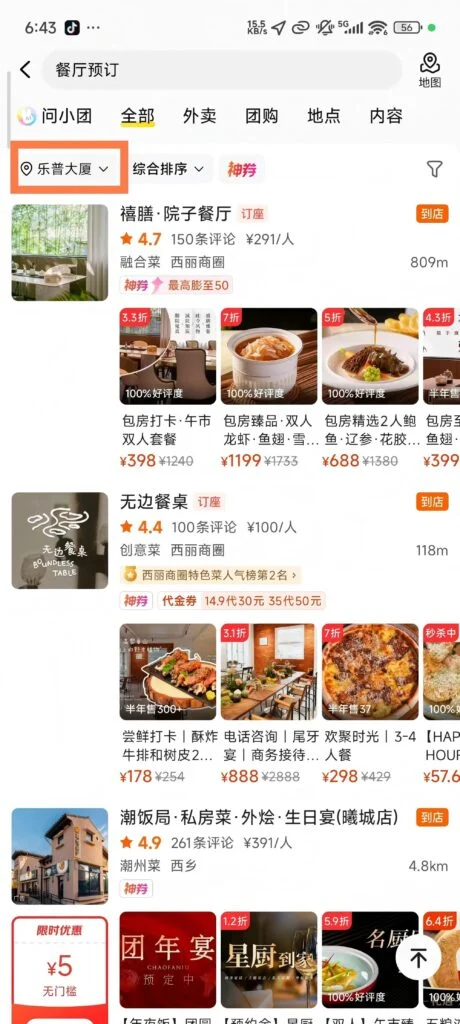
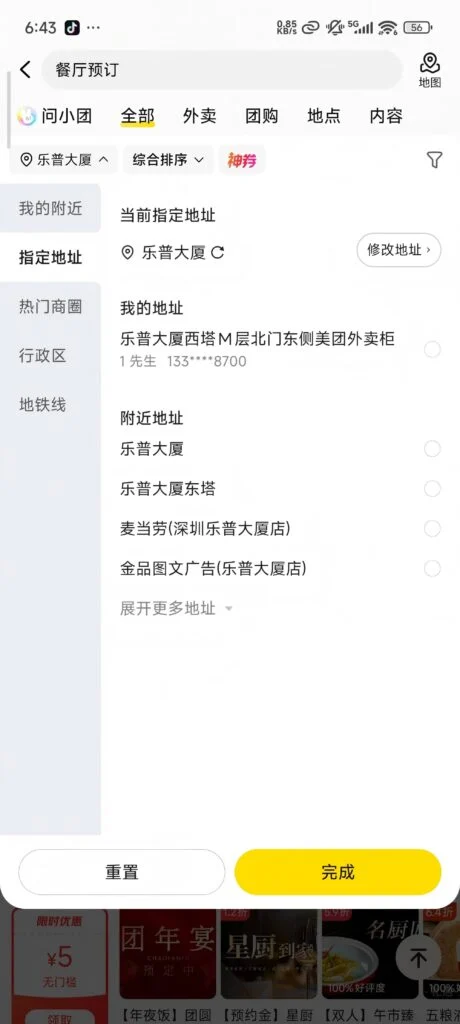
On the homepage, click “Restaurant Reservation”, enter the destination (city, business district, scenic area), select the dining date and time, fill in the number of diners, and click “Search Restaurant”.
1/3
2/3
3/3
Filter function: Supports filtering by restaurant type (Chinese, Western, hotpot, barbecue, etc.), price range, rating, and booking benefits (refundable, free cancellation), and viewing restaurant details (menu, environment photos, user reviews).
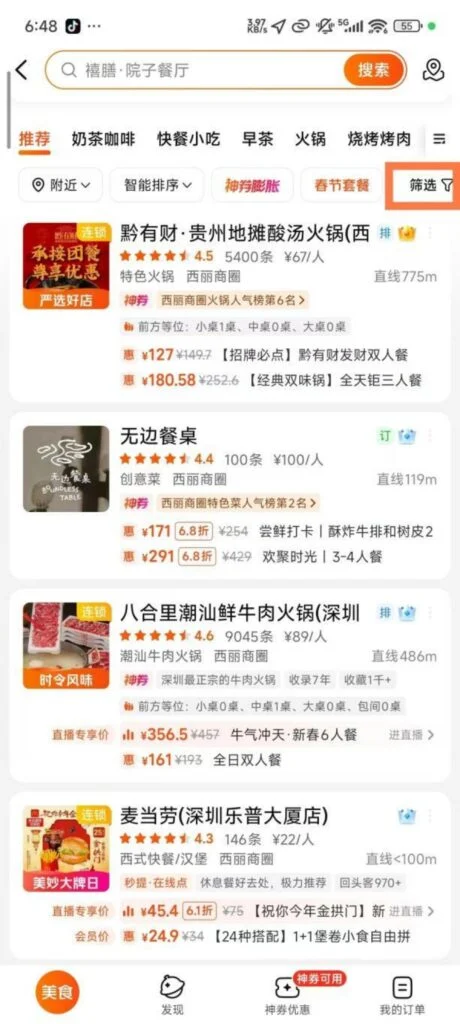
1/2
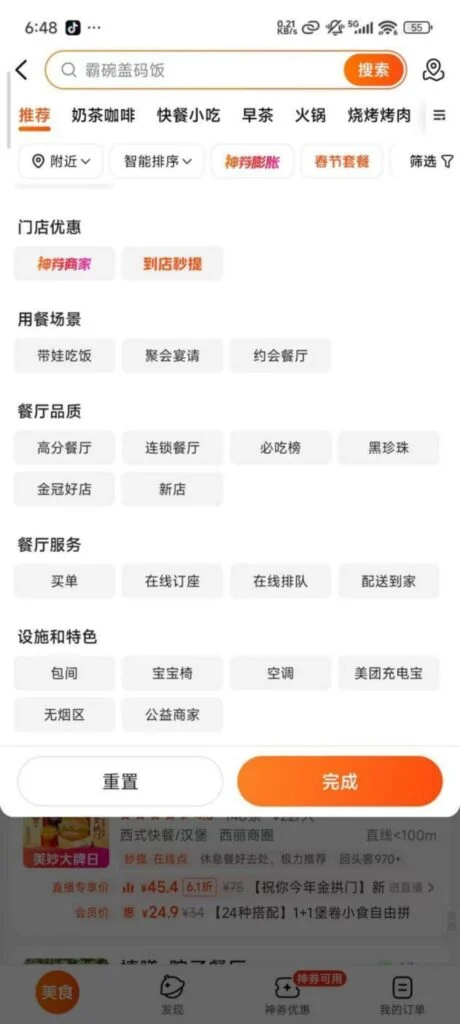
2/2
Reservation Process & Confirmation
Choose a restaurant and set meal (such as a meal for two, a meal for multiple people), fill in contact information, confirm reservation details, submit the order; some restaurants require a deposit (deducted from the meal fee after successful reservation, deposit is non-refundable if not consumed at the restaurant), some support payment at the restaurant.
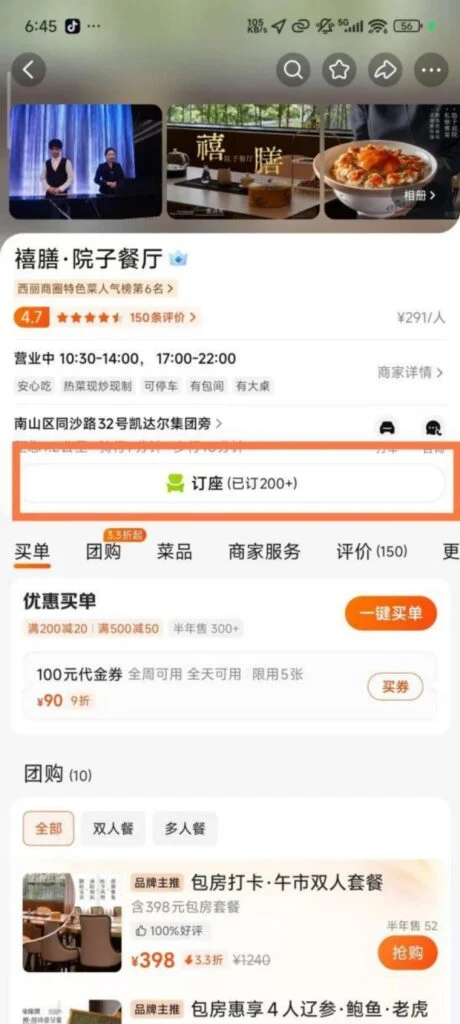
1/2
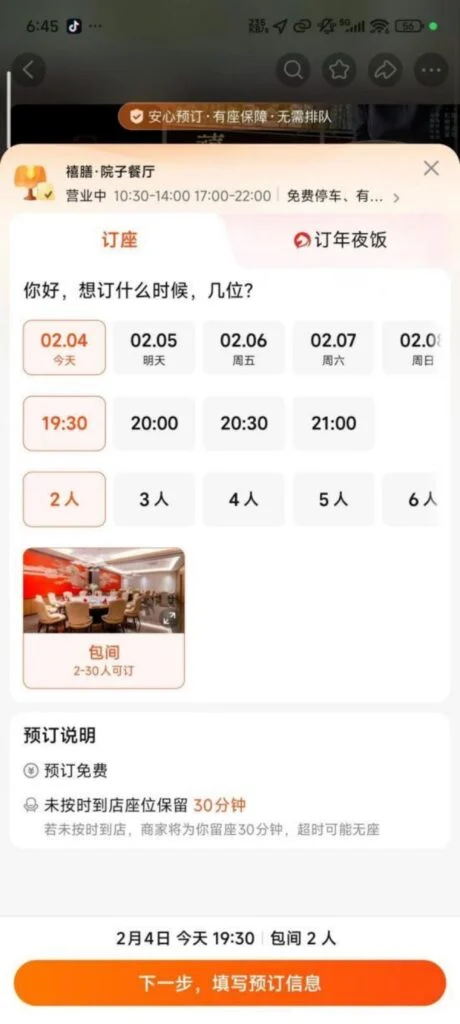
2/2
Booking Confirmation: The system sends a booking success text message, including the restaurant address, contact information, and booking time; you can view booking information on the order details page. If you need to modify or cancel, follow the cancellation and modification rules (such as free cancellation 24 hours in advance).
🎬 (4) Other Services
Additional Services Overview
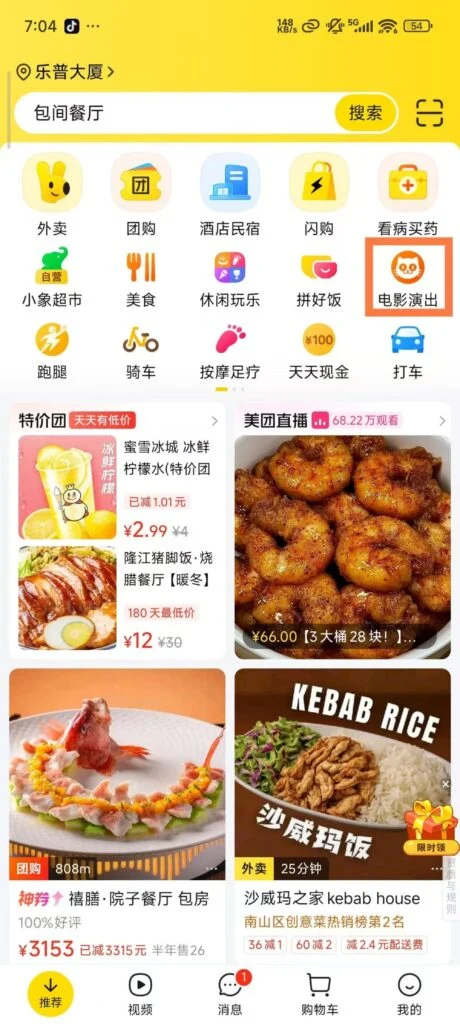
Meituan also supports movie ticket booking, hotel reservations, travel, grocery shopping, medicine purchasing, housekeeping services, and other functions. The operation logic is similar to takeout and restaurant reservations, and you can use them by selecting the corresponding section on the homepage.
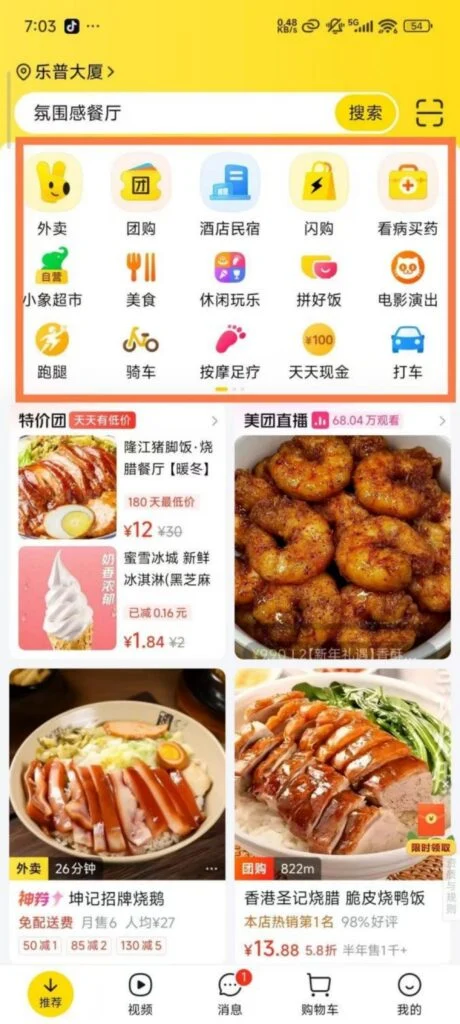
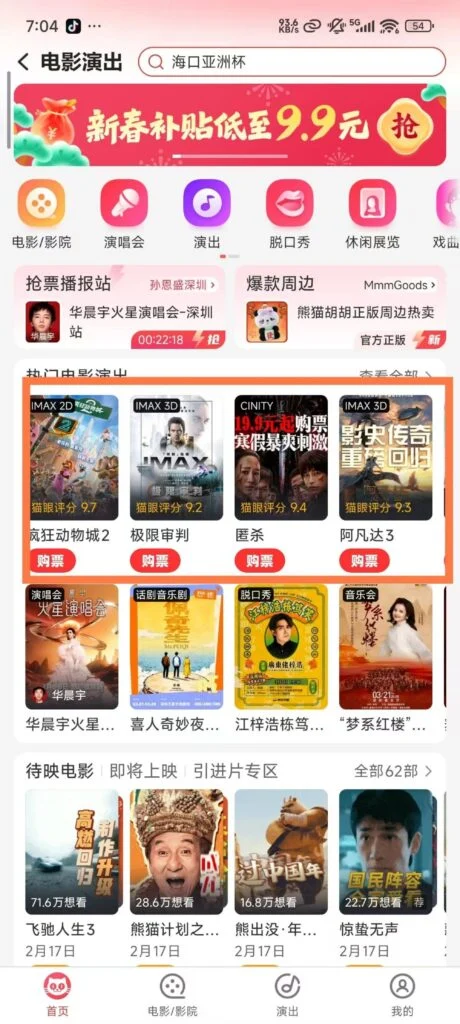
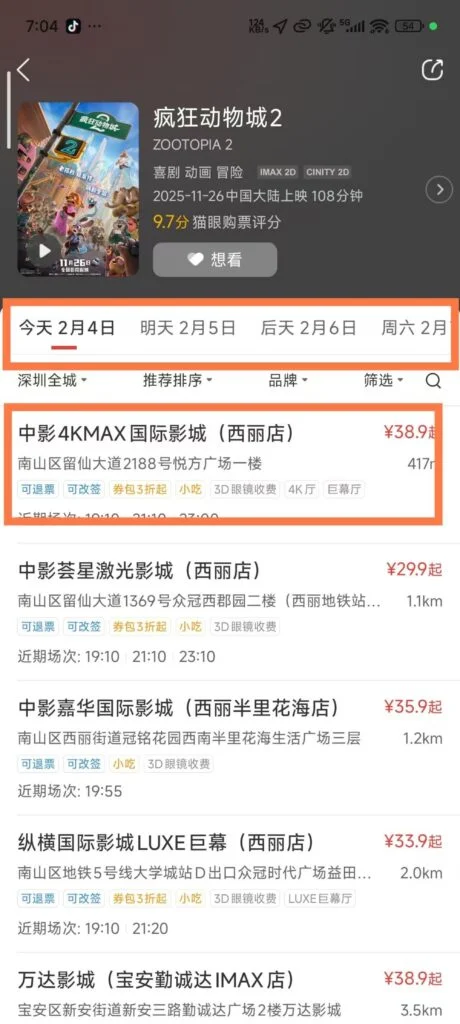
Movie Ticket Booking
Click “Movie / Show”, select the film, cinema, session, and seats, complete the payment, generate an e-ticket, and scan it at the store to enter.
1/6
2/6
3/6
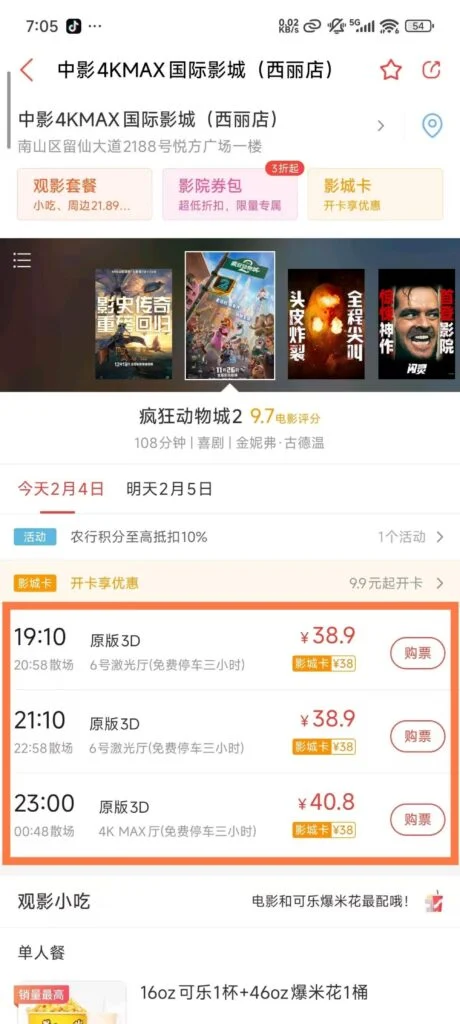
4/6
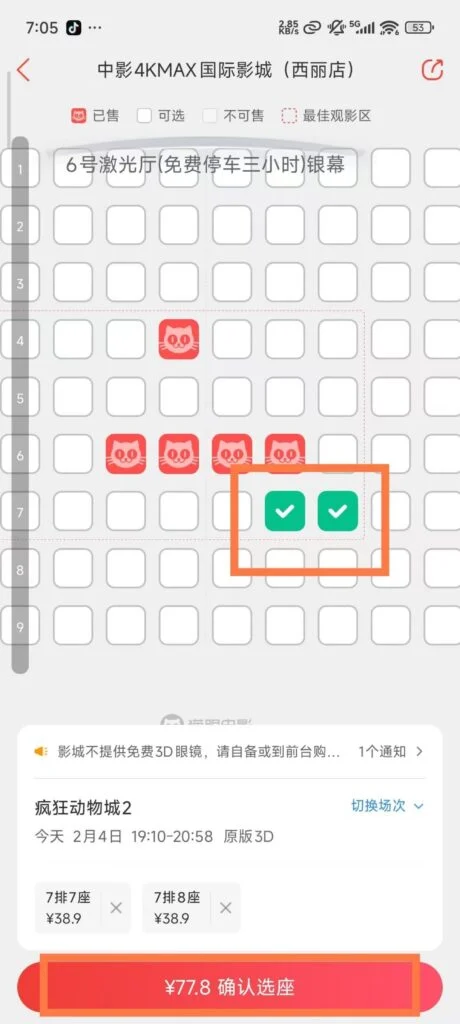
5/6
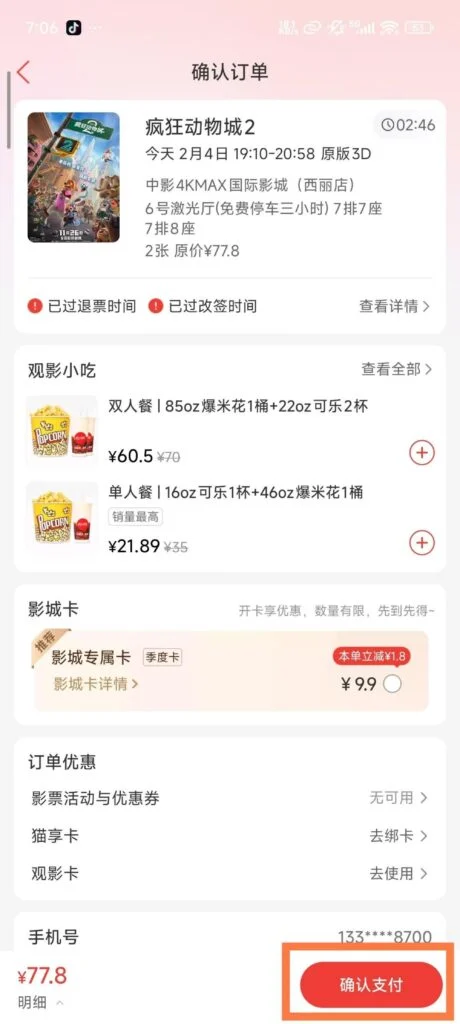
6/6
Grocery Shopping Service
Click “Meituan Grocery”, choose fresh produce, vegetables, fruits, and other products. After placing an order, delivery can be as fast as 30 minutes, with support for scheduling delivery times.
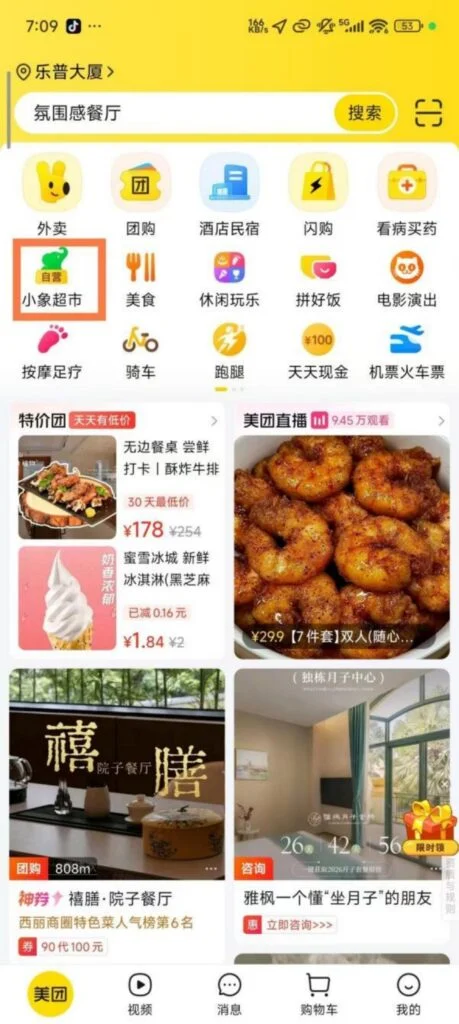
1/4
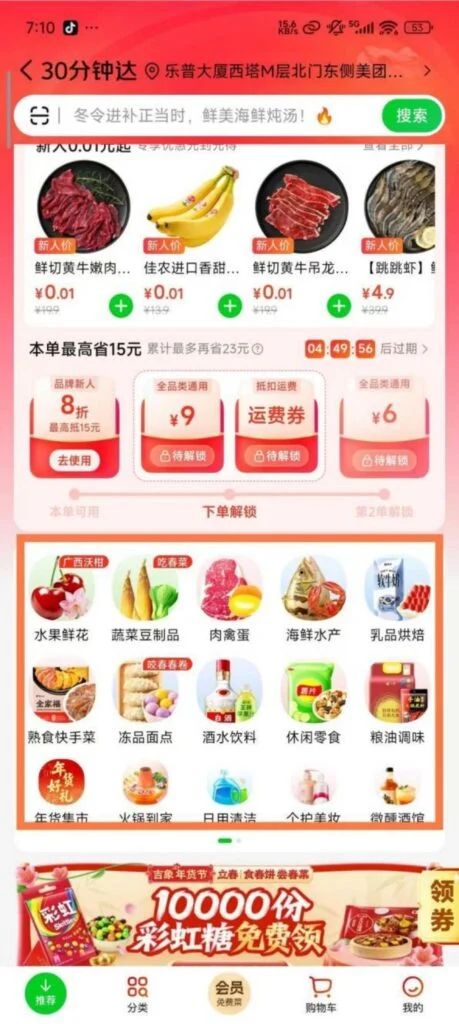
2/4
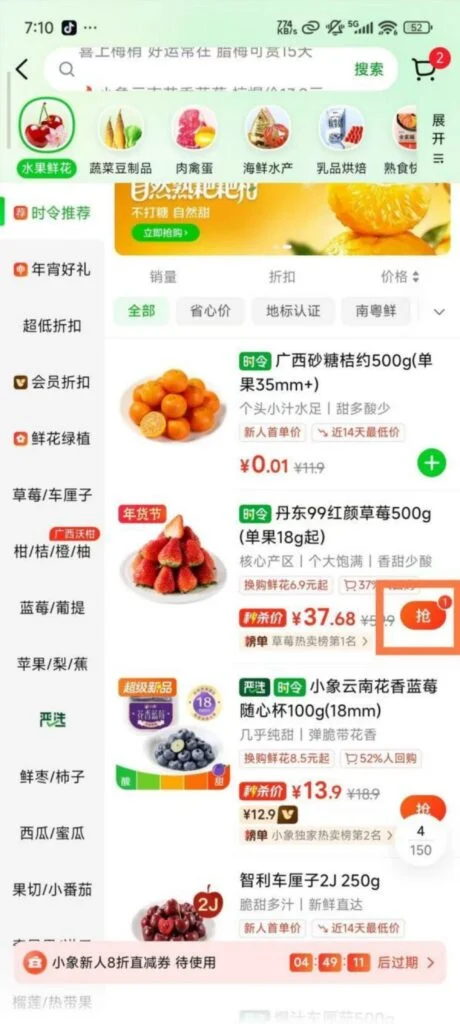
3/4
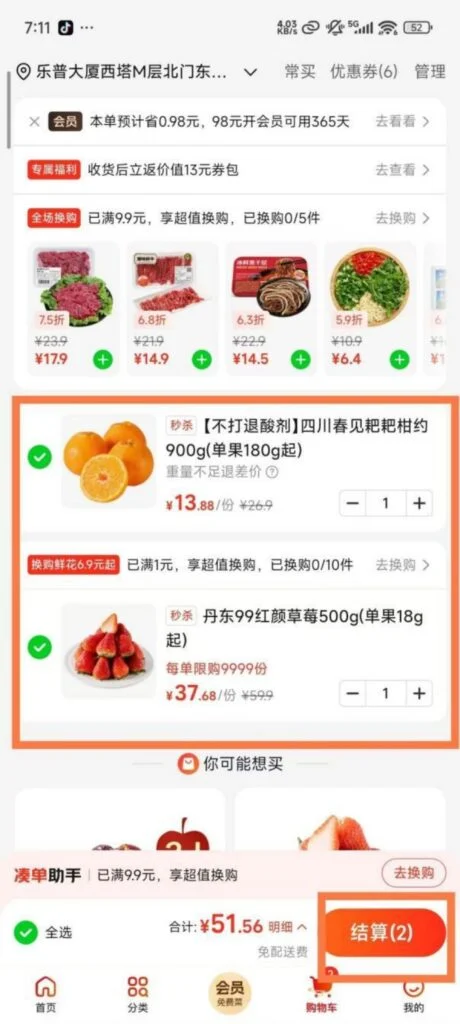
4/4
📥 Download Complete PDF Manual
Multi-Language • Offline Printable • All Screenshots Included