
Alipay ialah aplikasi pembayaran mudah alih dan gaya hidup utama di China, digunakan untuk pembayaran, pemindahan dana, dan perkhidmatan harian di seluruh dunia.
<!-- این را مستقیم در ادیتور، در حالت Text/HTML یا Custom HTML، پیست کنید. نه نیاز است نه — همهچیز از قبل در پلاگین تعریف شده و لایتباکس مشترک روی همهی راهنماها فعال است. -->
Alipay: The Essential Super App for Daily Life in China
Official Step-by-Step Illustrated Guide with Screenshots and Multi-Language PDFs
📱 Official App Downloads
Alipay is a leading digital wallet and super app developed by Ant Group, serving billions of users across China and globally. It offers secure, fast QR code payments for shopping, dining, transportation, utility bills, and online purchases, supporting both domestic and international cards. Foreign users can easily register with a passport and link Visa, Mastercard, or other major cards without a Chinese bank account. Beyond payments, it provides money transfers, hotel and flight bookings, food delivery, taxi hailing, and mini programs for daily services. With strong encryption and biometric verification, Alipay ensures safe transactions and account protection. It also features in-app translation and tourist-friendly services to help foreigners adapt to China’s cashless society. Simple, reliable, and widely accepted at millions of stores and venues, Alipay has become an essential tool for travel, work, and daily life in China.
📘 (1) Download and Registration
Download & Install Alipay
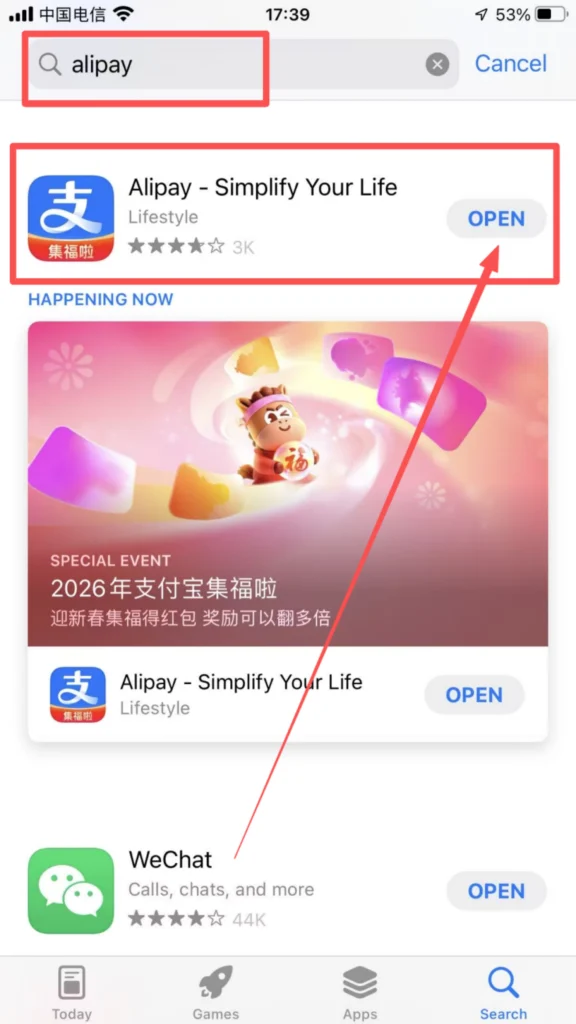
Open your mobile app store (App Store for iOS, Google Play for Android), search for “Alipay”, click ‘Download’ and install it.
1/1
Registration Process
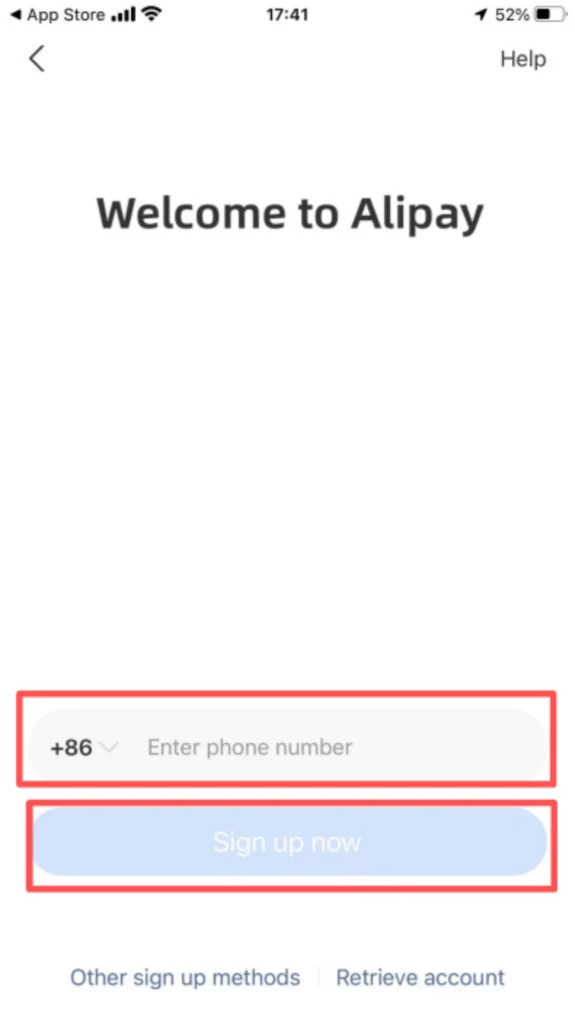
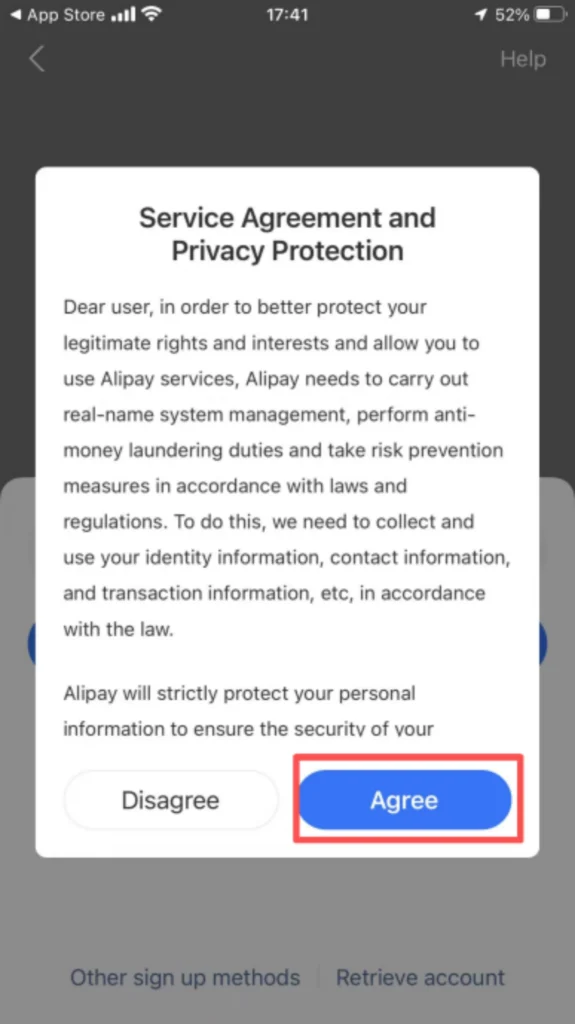
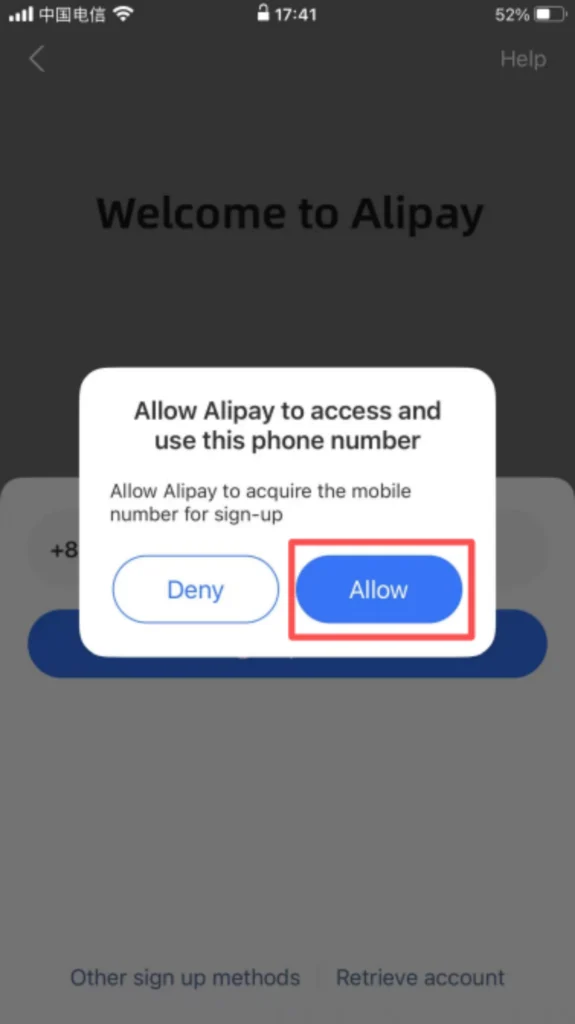
Open Alipay, click ‘Register’, enter your phone number, receive and enter the verification code, set a login password, check the User Agreement and Privacy Policy, and complete the registration. Foreign users can register with a passport without a Chinese bank account.
1/3
2/3
3/3
💳 (2) Core Function Usage
Payment Preparation – Link Identity & Bank Card
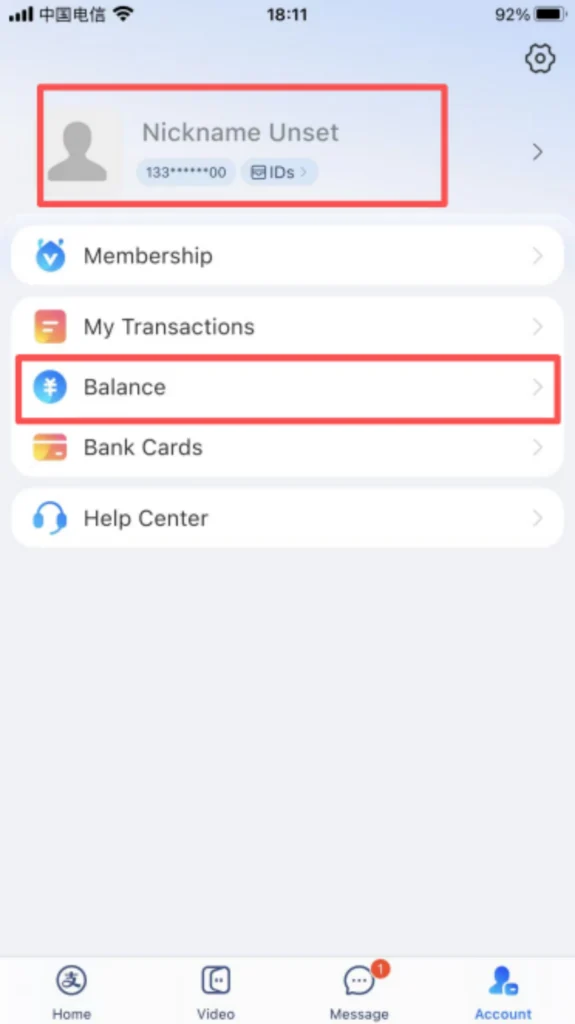
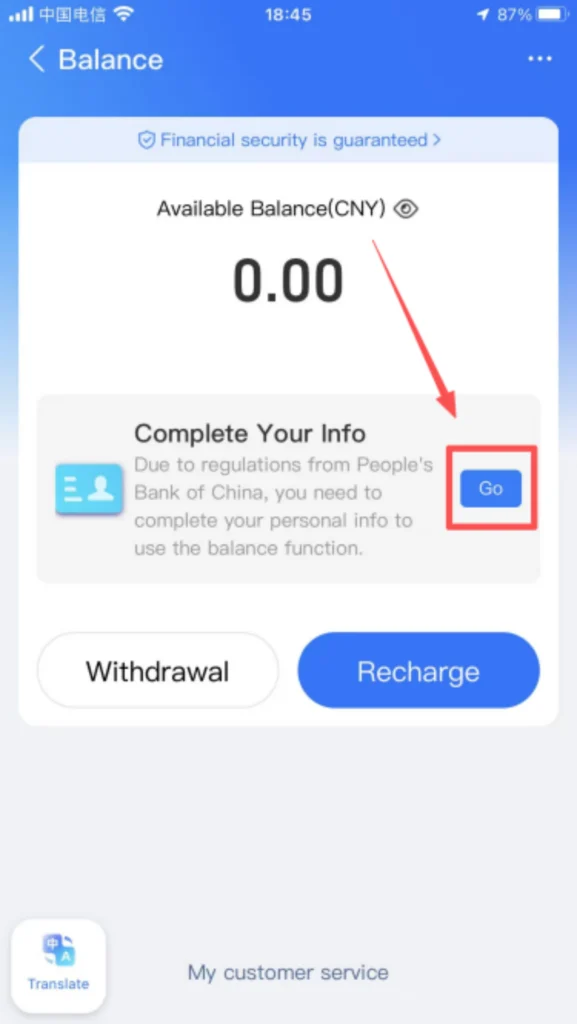
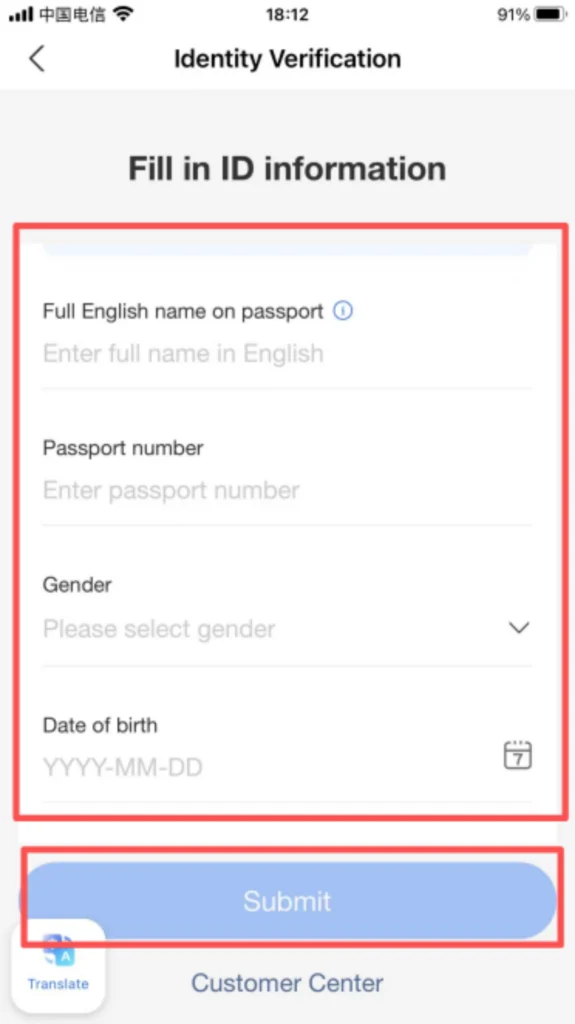
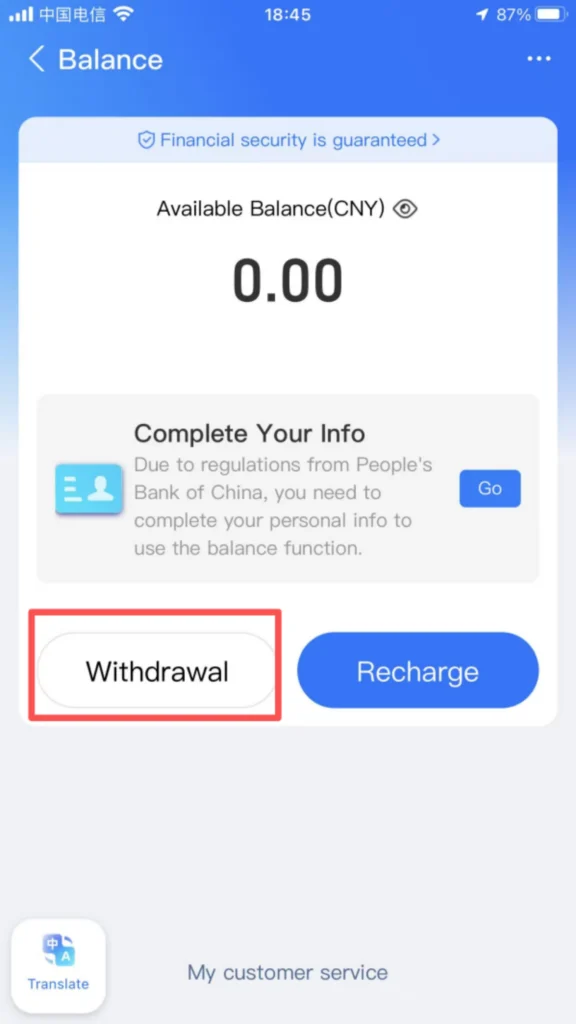
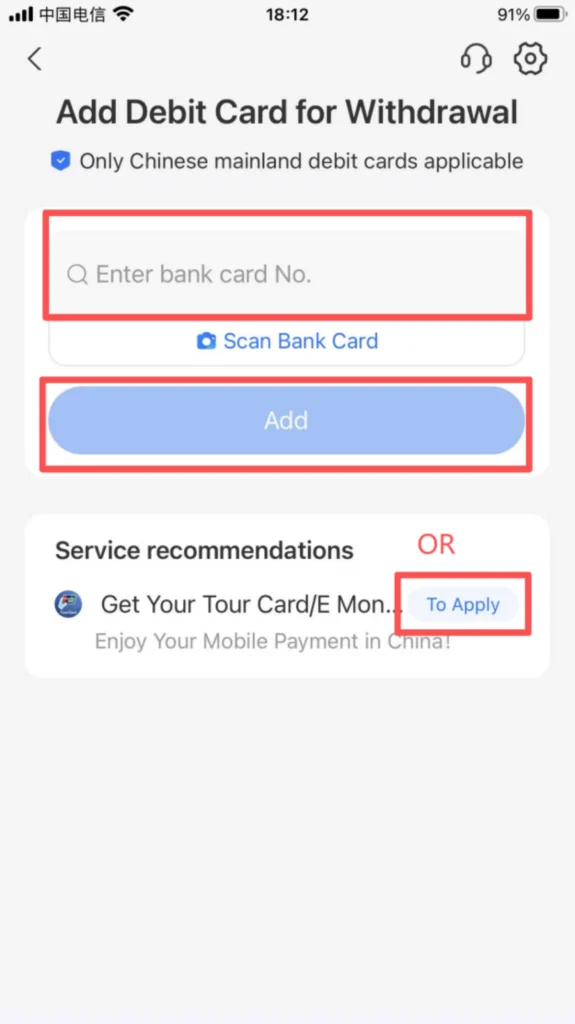
You need to link your identity information before adding a bank card. After registering and logging in to Alipay, go to “Me → Settings → Payment Settings” to choose payment methods. Click “Bank Card → Add Bank Card”, enter the card number and registered phone number, and complete the binding after verification (supports debit and credit cards from multiple banks). Foreign users can link Visa, Mastercard, or other major cards.
1/5
2/5
3/5
4/5
5/5
Payment Operation – Offline & Online
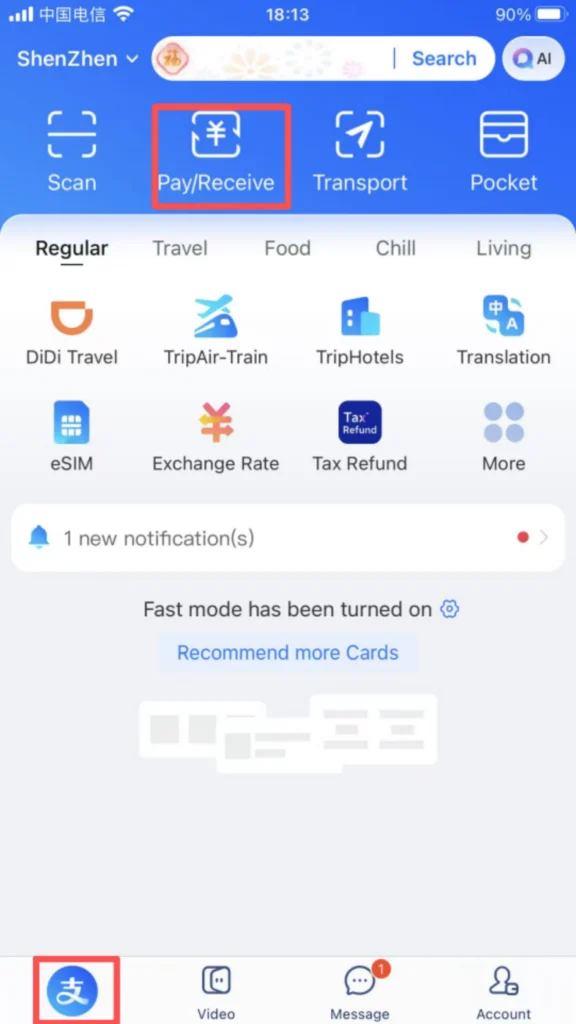
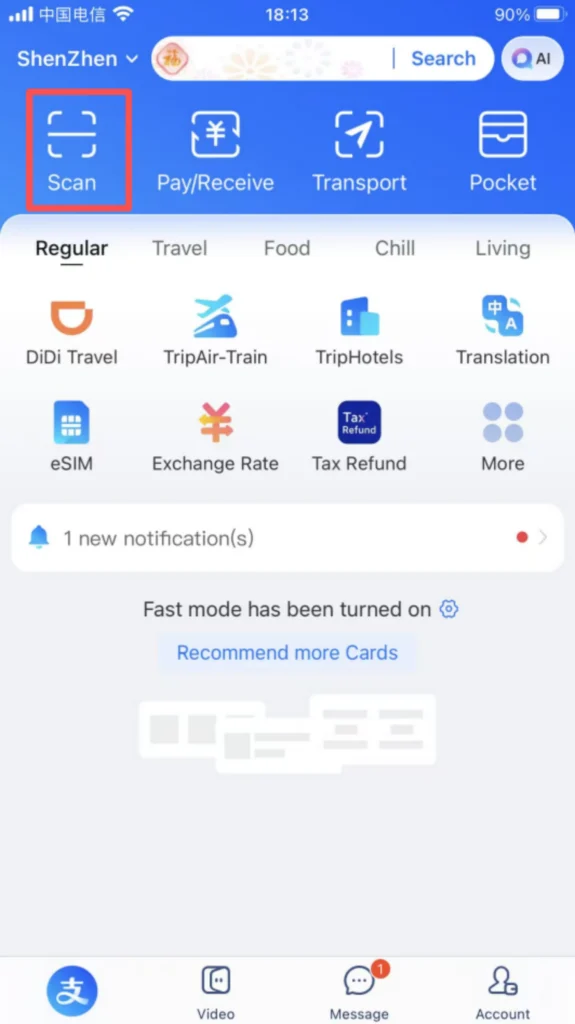
Offline Payment: Click “Pay / Receive” on the homepage, switch to the “Pay” page, and show the payment code to the merchant (you can set the payment code validity period and choose the payment method). The transaction is completed after the merchant scans the code. Some stores allow you to scan the merchant’s QR code and enter the amount to make a payment.
1/3
2/3

3/3
Taxi-Hailing Function (Didi Integrated)
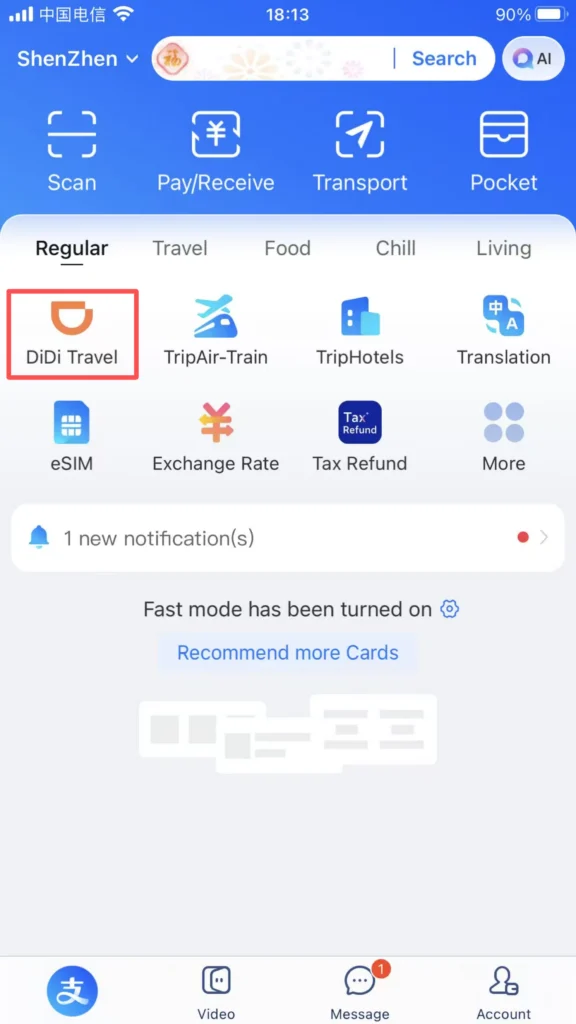
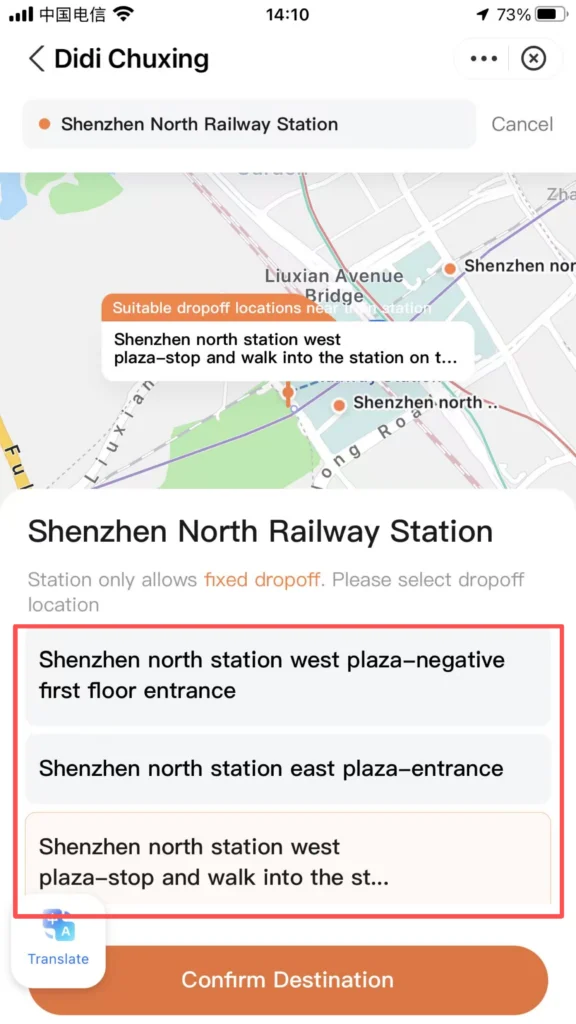
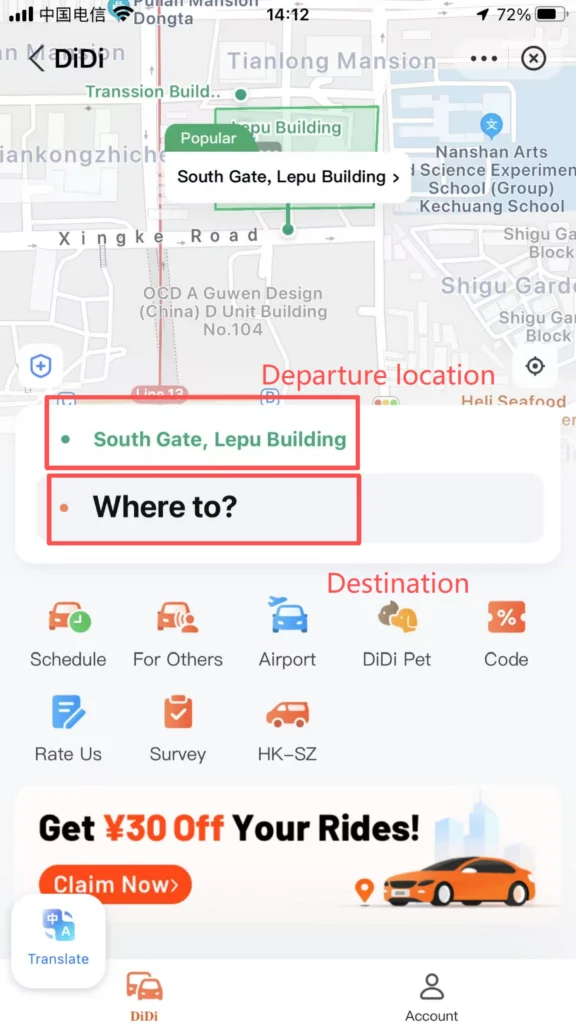
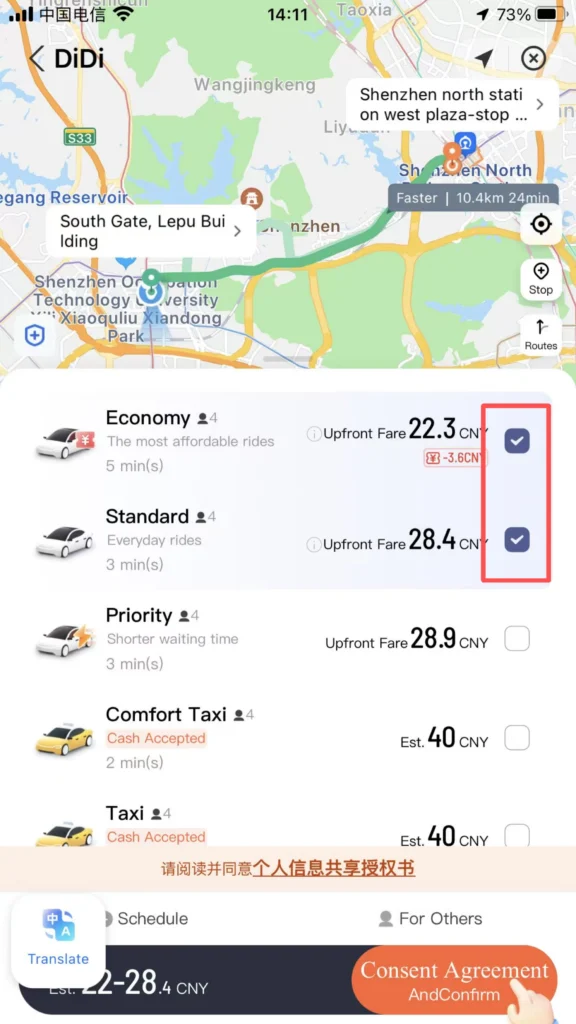
Alipay has a built-in Didi ride-hailing feature. Click to enter the ride-hailing interface, turn on location services, enter your destination, choose the type of car, and once you get a ride, confirm the license plate number and wait for the driver to pick you up. Payment is automatically deducted from your Alipay account after the ride.
1/4
2/4
3/4
4/4
📥 Download Complete PDF Manual
Multi-Language • Offline Printable • All Screenshots Included