
Amap es la aplicaciu00f3n de navegaciu00f3n lu00edder en China para conducciu00f3n en tiempo real, transporte pu00fablico, indicaciones para caminar y bu00fasqueda local de lugares.
Amap (Gaode Map): China’s Most Accurate Navigation & Mapping App
Official Step-by-Step Illustrated Guide with Screenshots and Multi-Language PDFs
📱 Official App Downloads
📘 (1) Download and Registration
Download & Install Amap
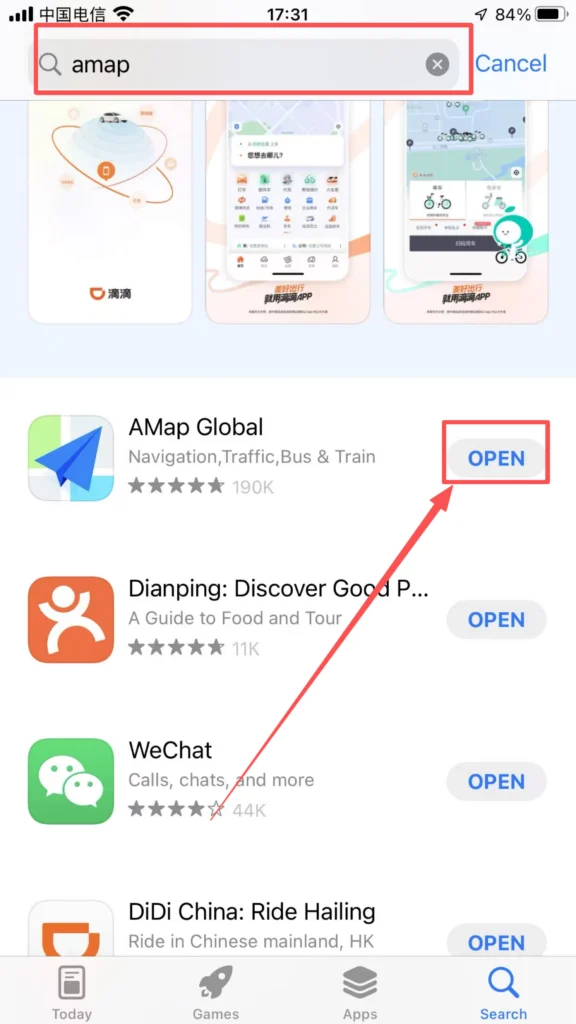
Search for “Amap” or “高德地图” in the app store, download and install it.
1/1
Register an Account
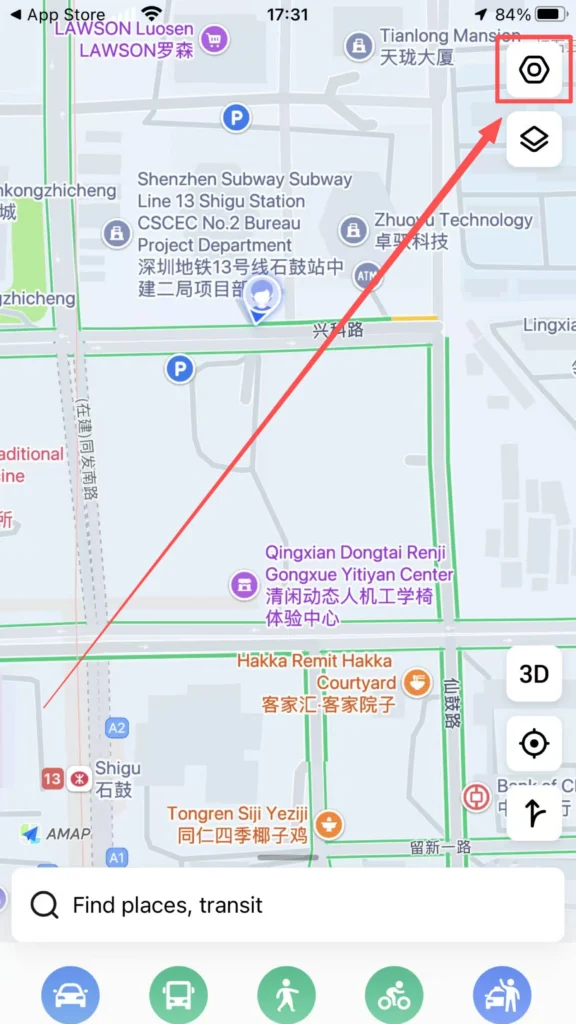
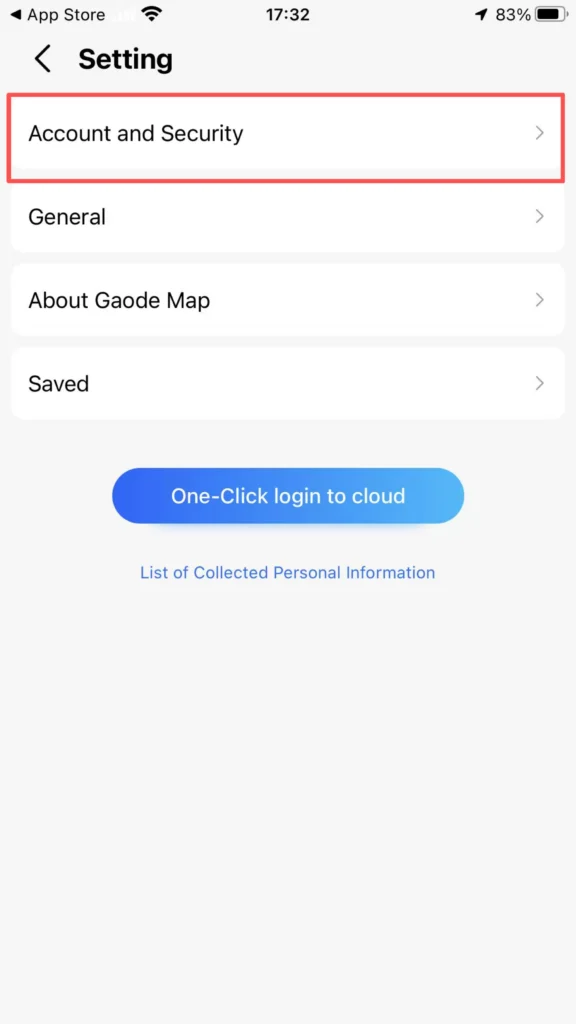
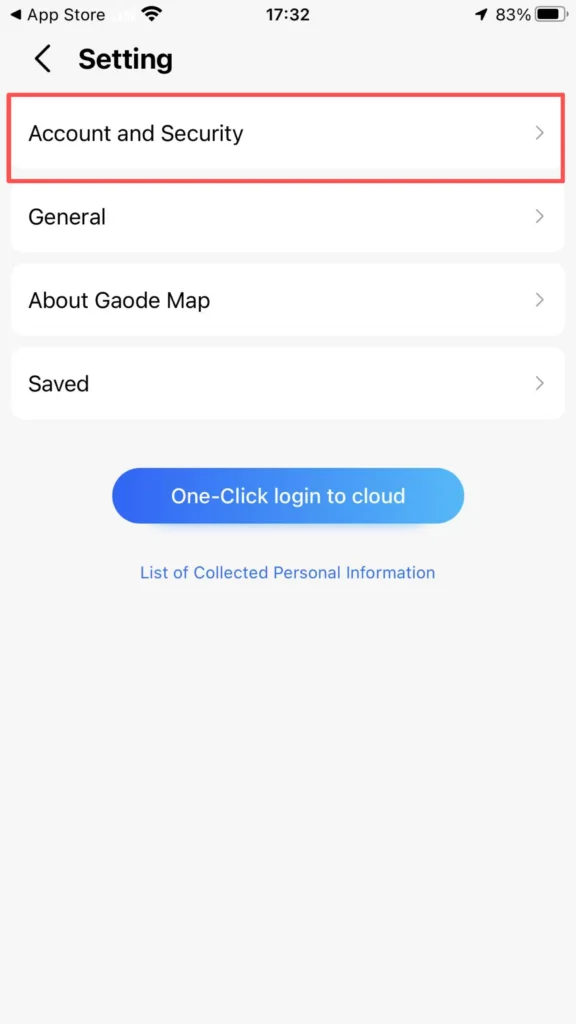
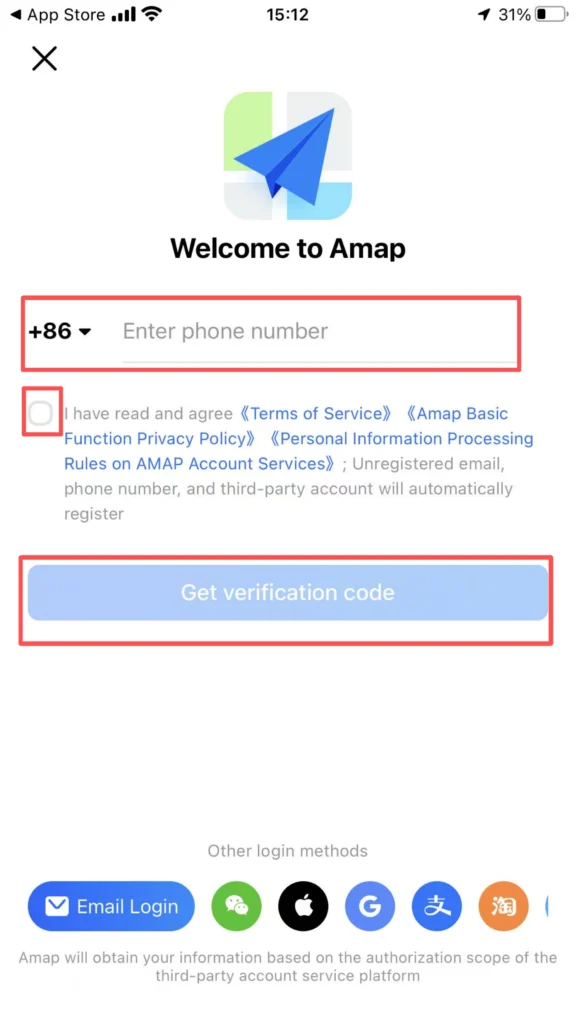
Register with phone number: Open the app, tap the settings icon in the top left corner, tap Account and Security, enter your Chinese phone number (86). Tap Get Code, enter the SMS verification code.
1/4
2/4
3/4
4/4
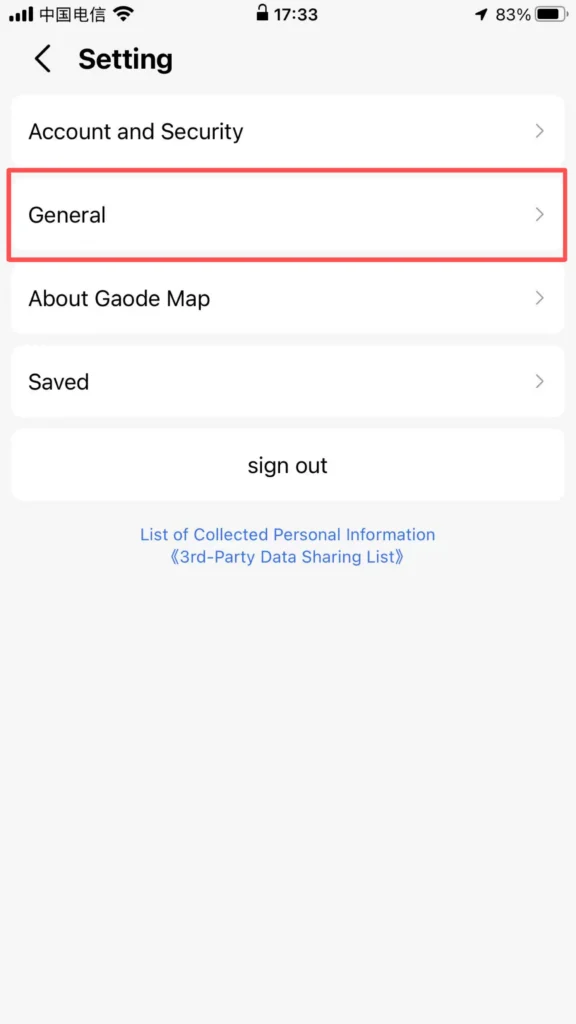
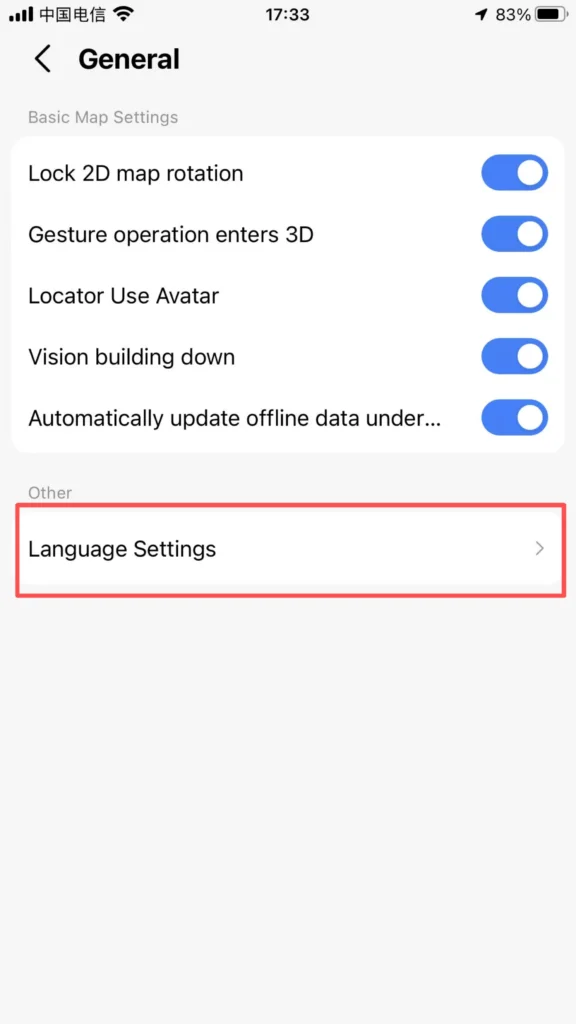
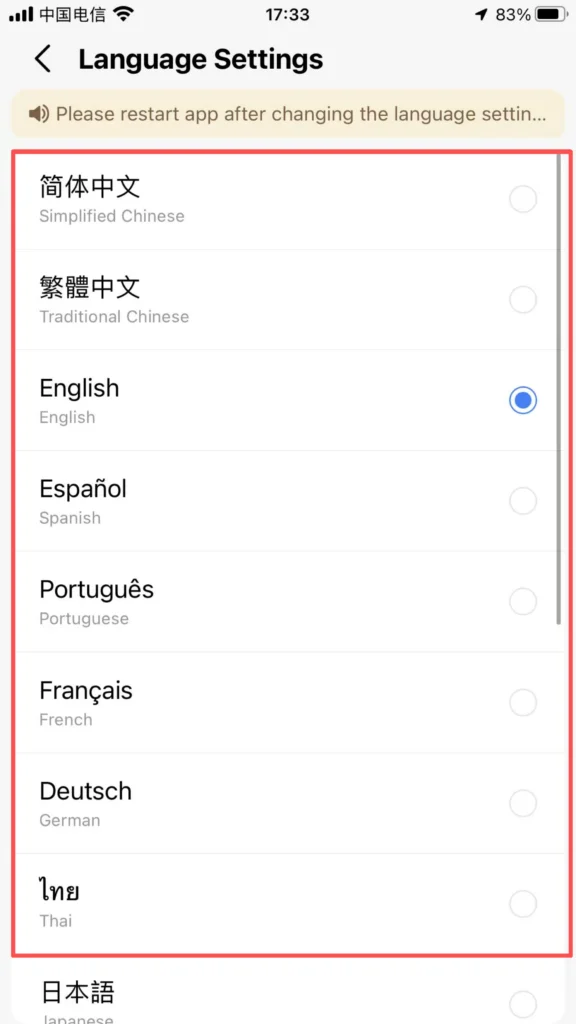
You can choose different languages: Amap supports multiple languages including English, Chinese, and more.
1/3
2/3
3/3
Real-name authentication: Daily navigation does not require real-name authentication; only taxi/rides, payments, and developer functions require real-name authentication (using a passport/residence permit).
🧭 (2) Core Functions – Route Planning
Route Planning (Most Commonly Used)
Entrance: Search Bar at the top of the homepage.
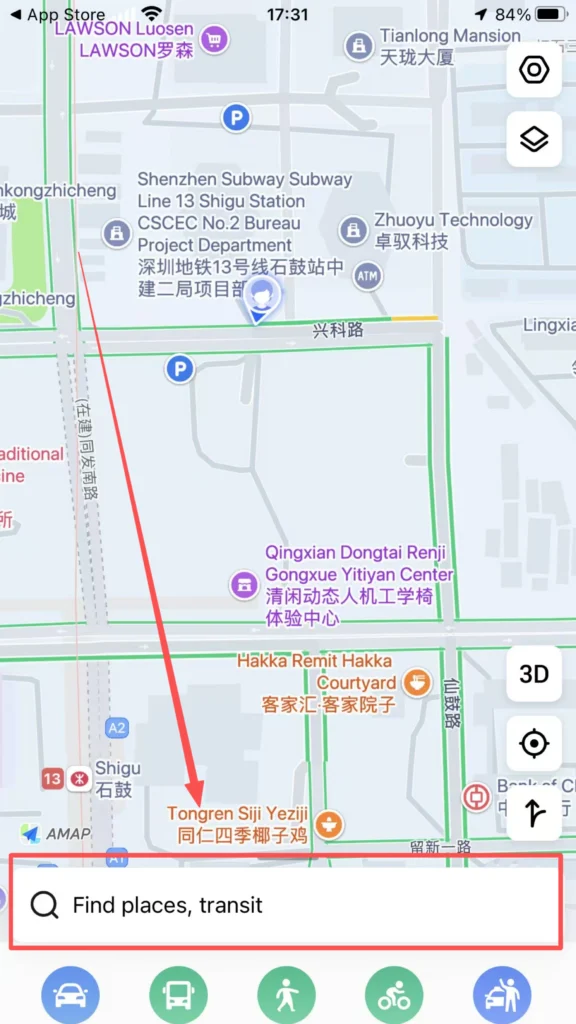
Enter From (starting point, default is current location) and To (destination). Supports: English / Pinyin / Chinese (e.g., Window of the World, Shijiezhichan, 世界之窗).
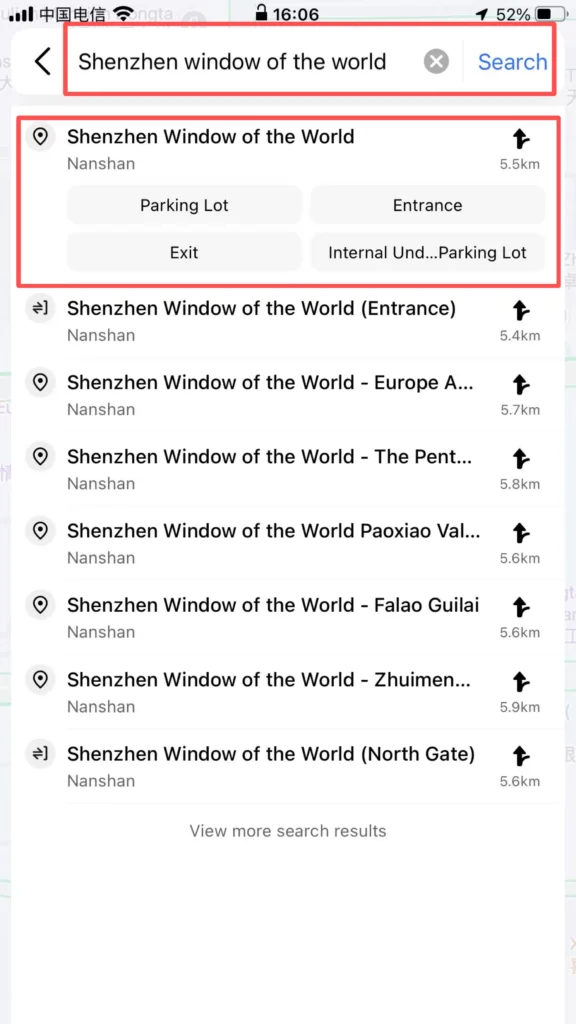
1/2
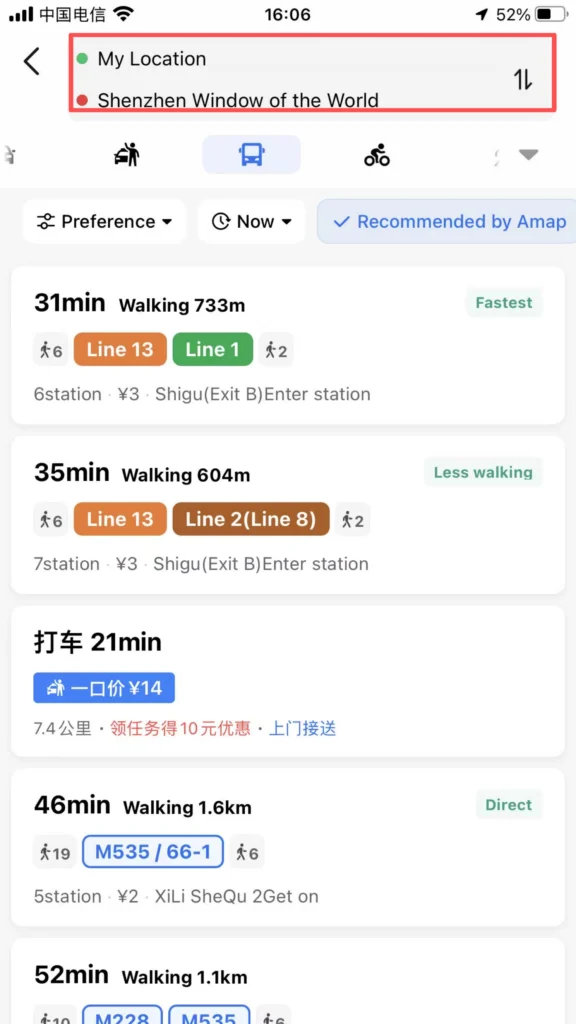
2/2
Choose the mode of travel:
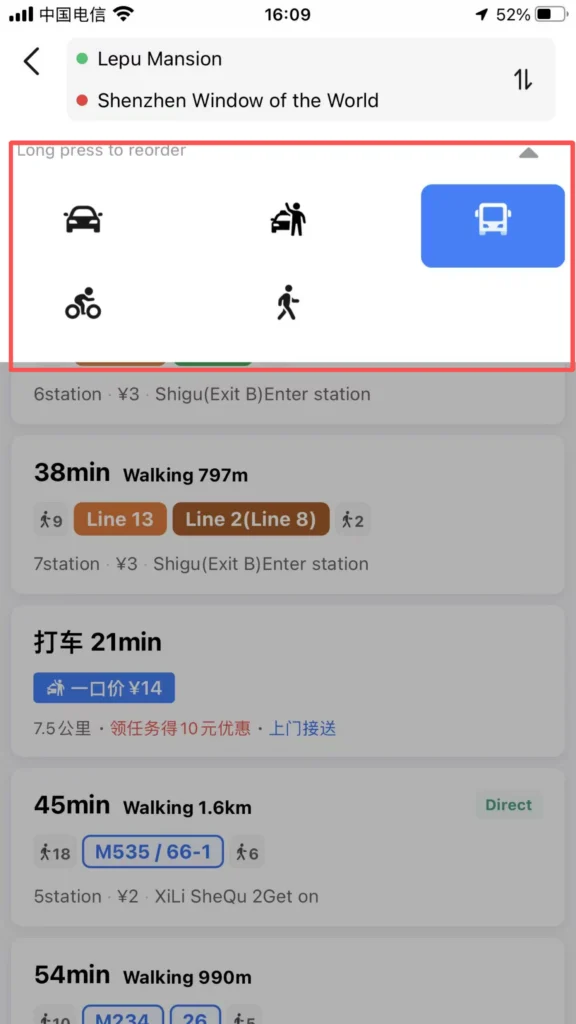
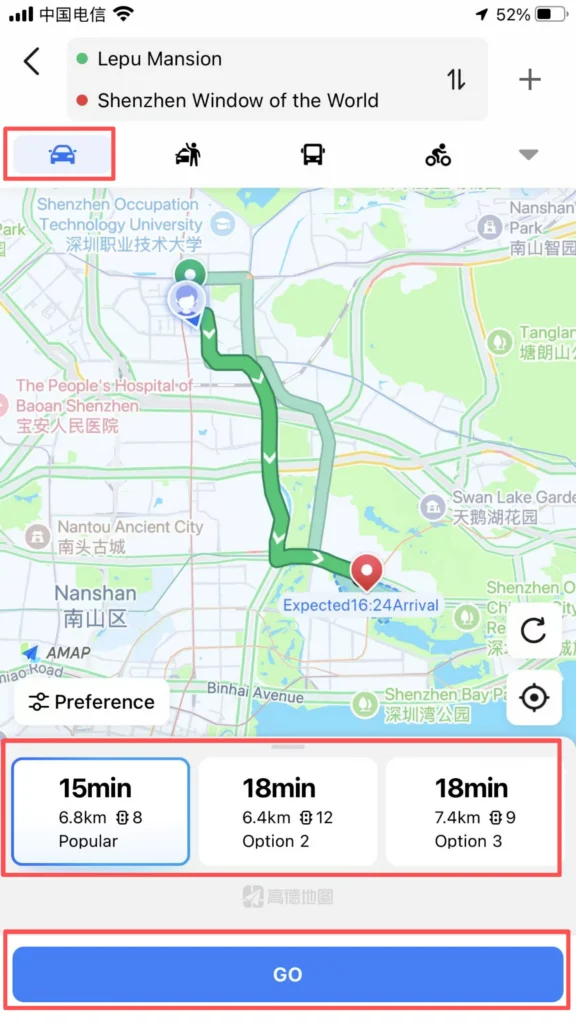
Travel Modes – Driving, Transit, Walking, Cycling
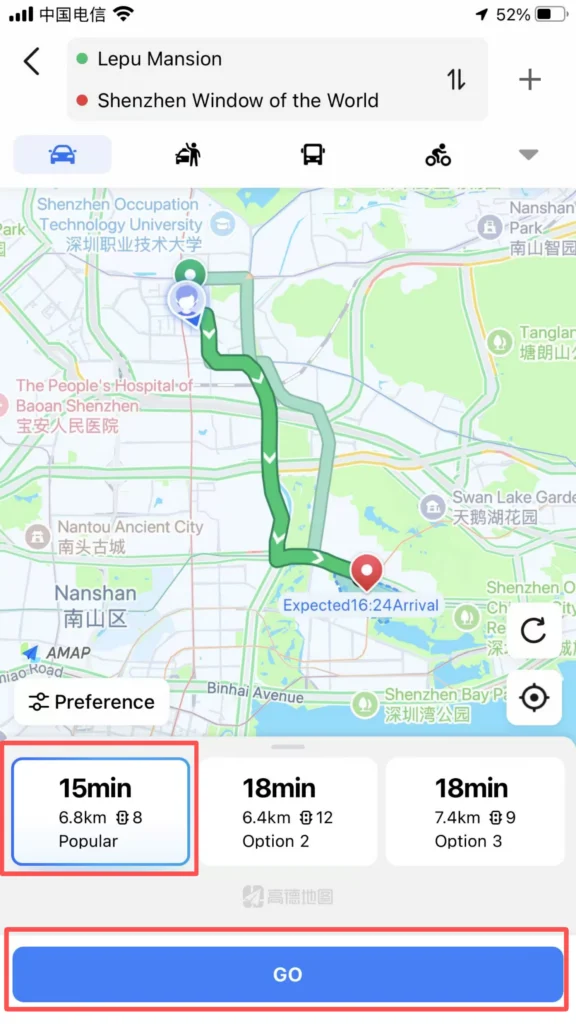
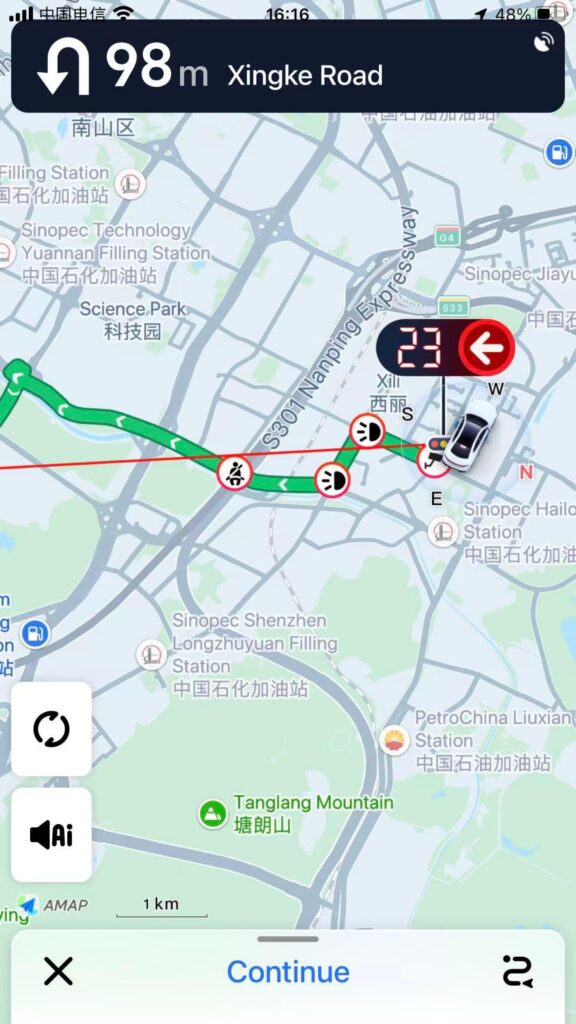
Drive: Fastest route, avoid congestion, traffic lights / speed camera alerts.
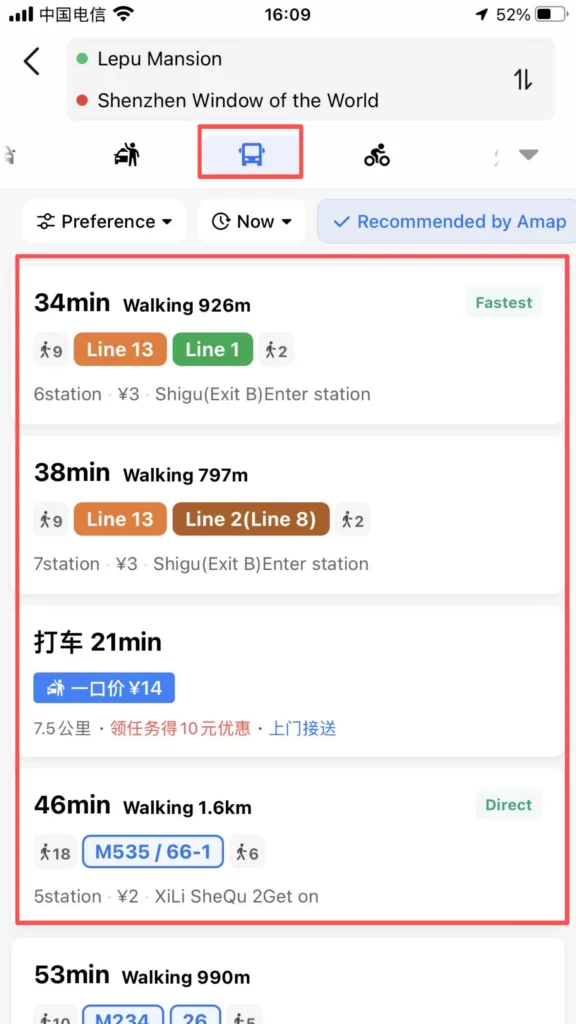
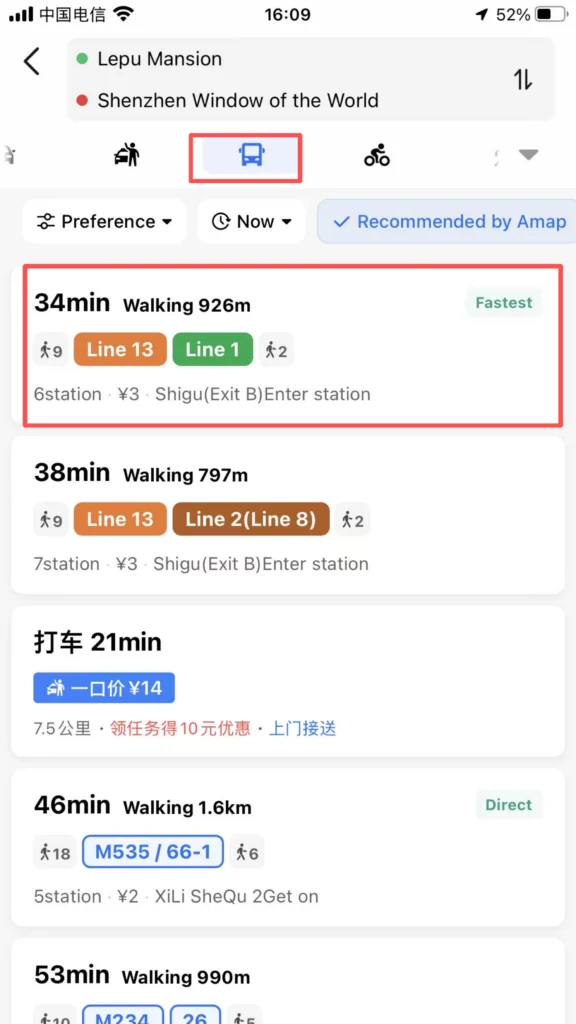
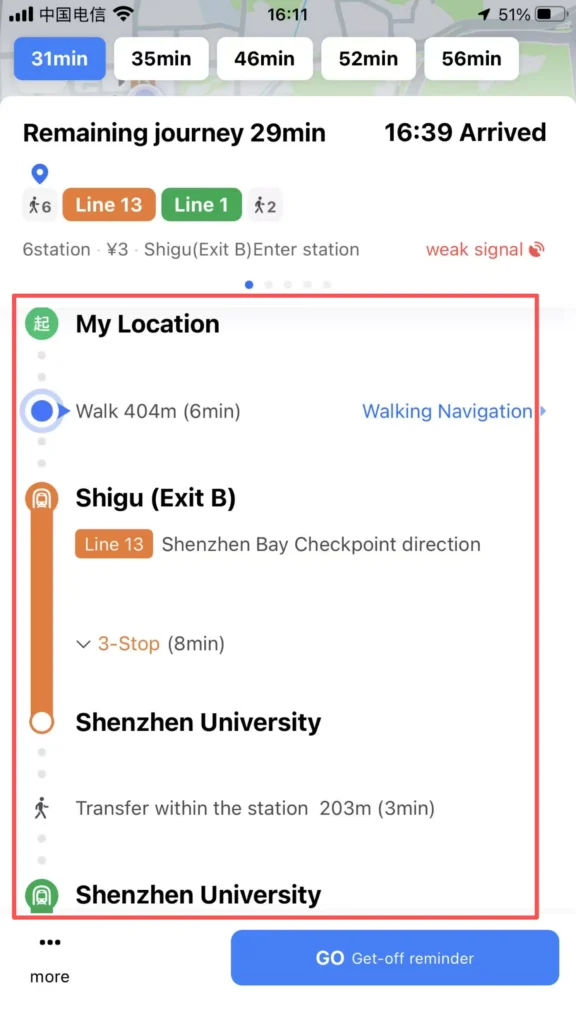
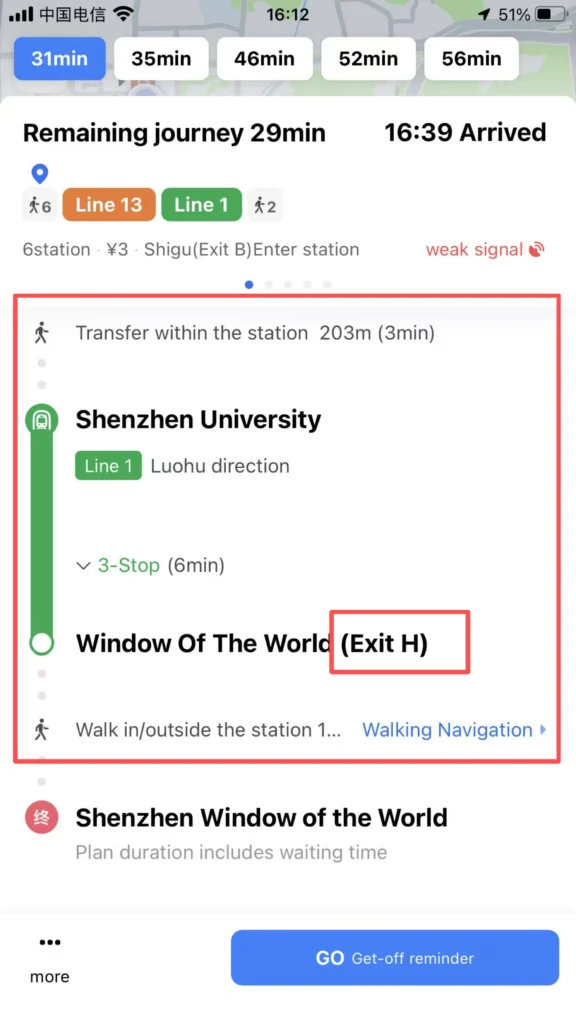
Transit (Public Transportation): Subway, Bus, Walking — including transfers, fares, duration, first and last departure times.
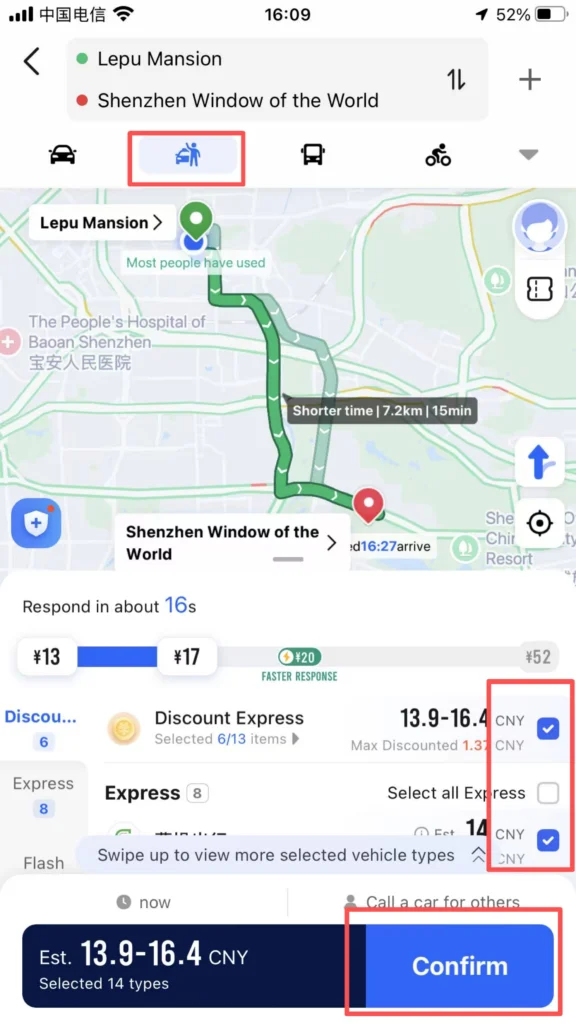
Taxi (Ride-hailing): Call a ride with one click, supports foreign cards (Alipay, Visa/Mastercard) for payment.
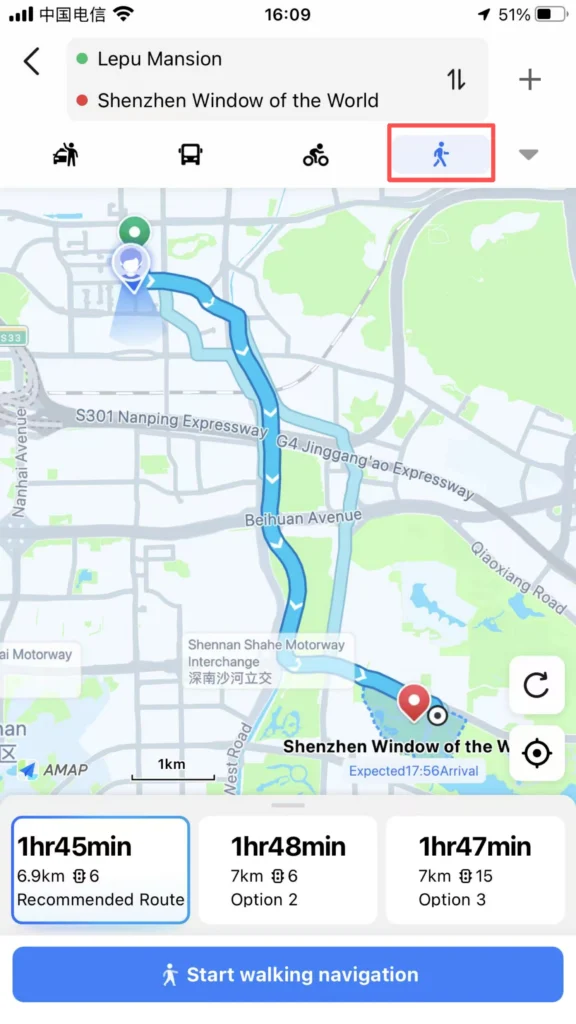
Walk: AR real-scene navigation, shortest path, street-crossing reminders.
Bike (Cycling): Dedicated route for bicycles / electric bikes.
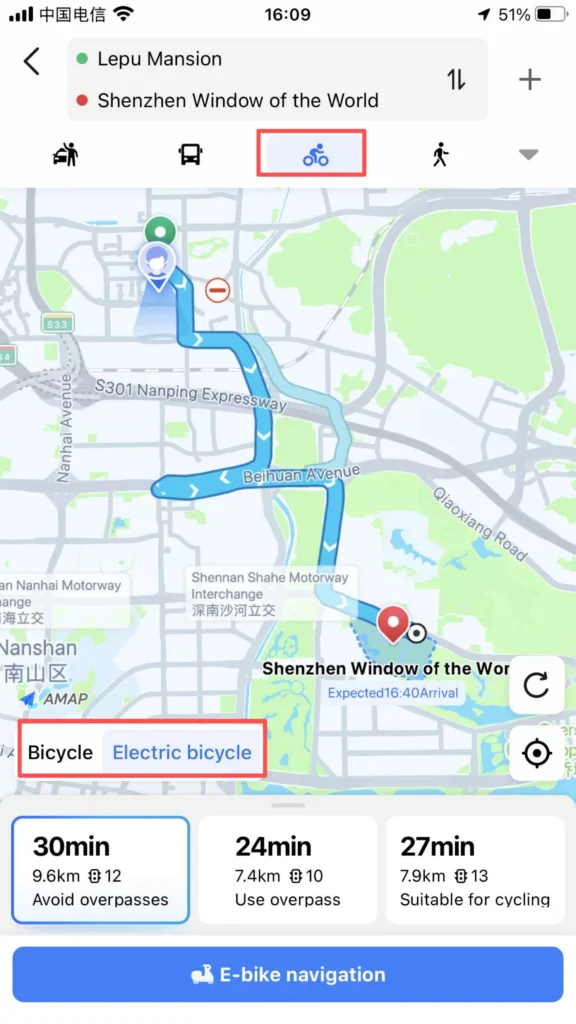
Click Start Navigation: Full English voice guidance and on-screen directions.
Subway / Bus Navigation (Frequently Used by Foreigners)
Core Features: Display subway map in English, transfer stations, exit information (Exit A/B/C). Real-time bus arrival alerts, vehicle location tracking. Fare: Displayed in CNY (RMB), supports QR code / transit card payment.
1/3
2/3
3/3
🗺️ (3) Map Browsing and Positioning
Map Browsing & POI Exploration
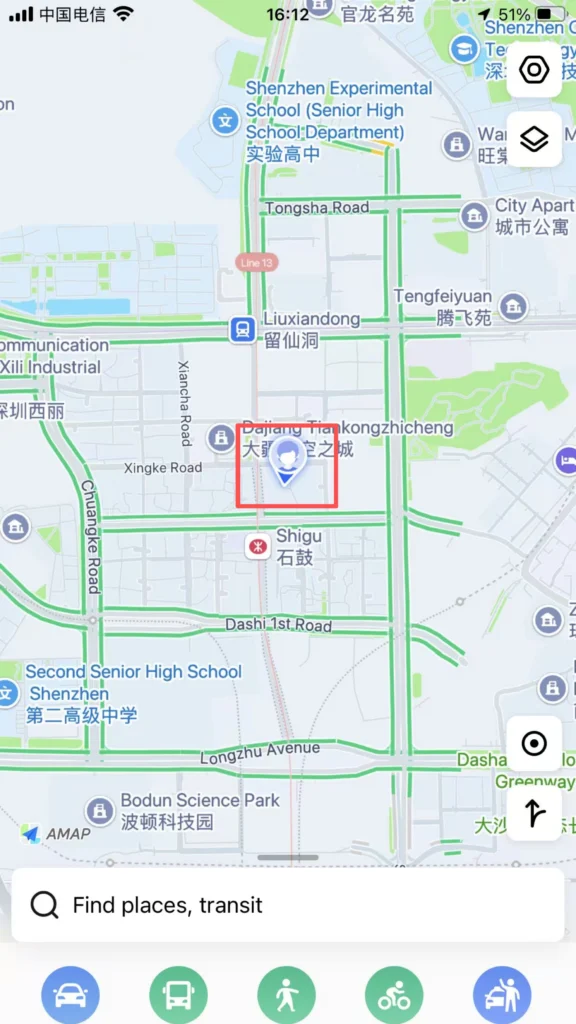
Home: Blue dot = your real-time location.
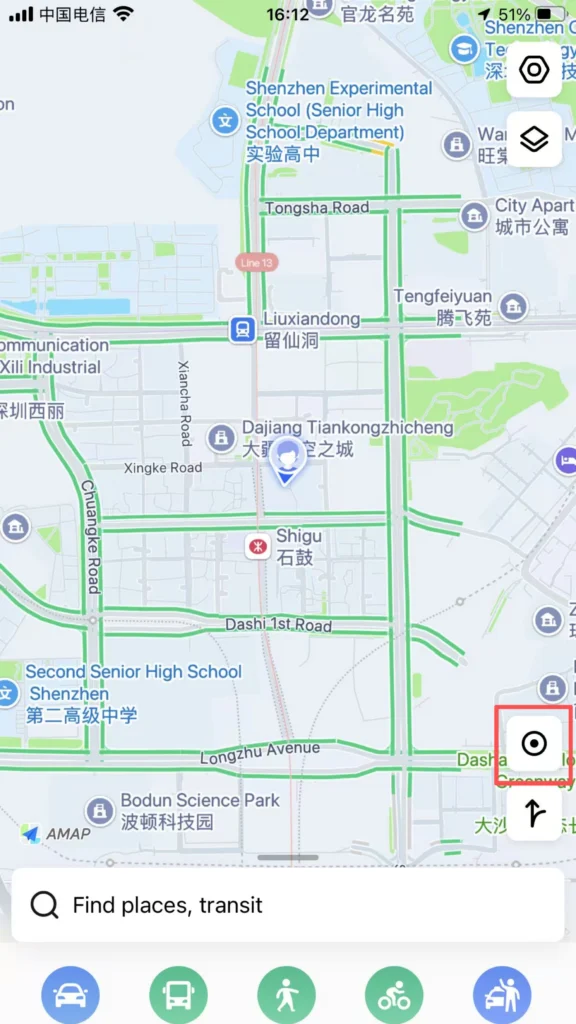
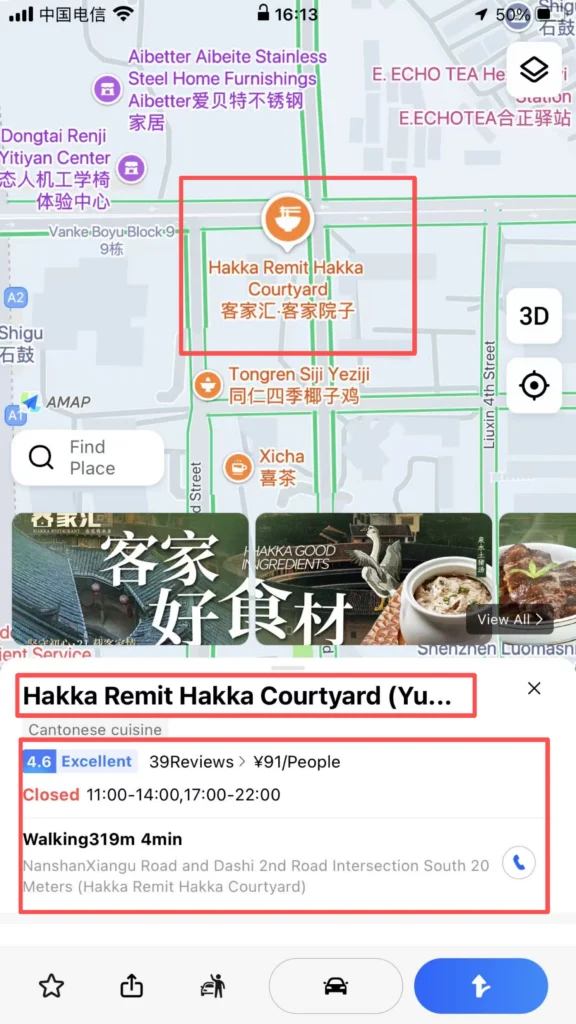
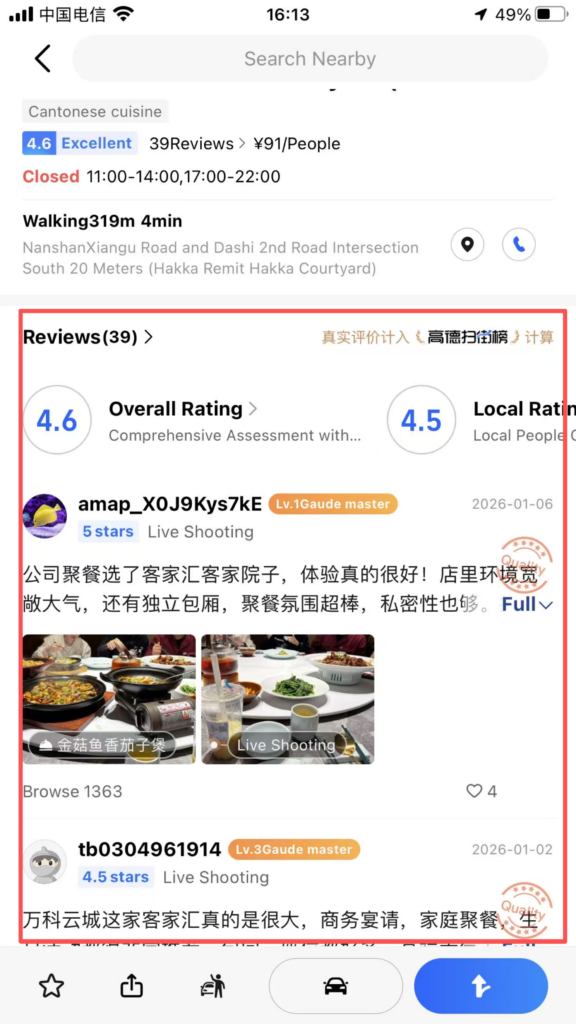
Operations: Pinch with two fingers to zoom / drag to view the map. Tap the location icon to quickly return to your current location. Tap a POI (place) to view details (address, phone number, rating, business hours, reviews).
1/2
2/2
1/2
2/2
🚖 (4) Taxi Feature
Ride-Hailing with Amap
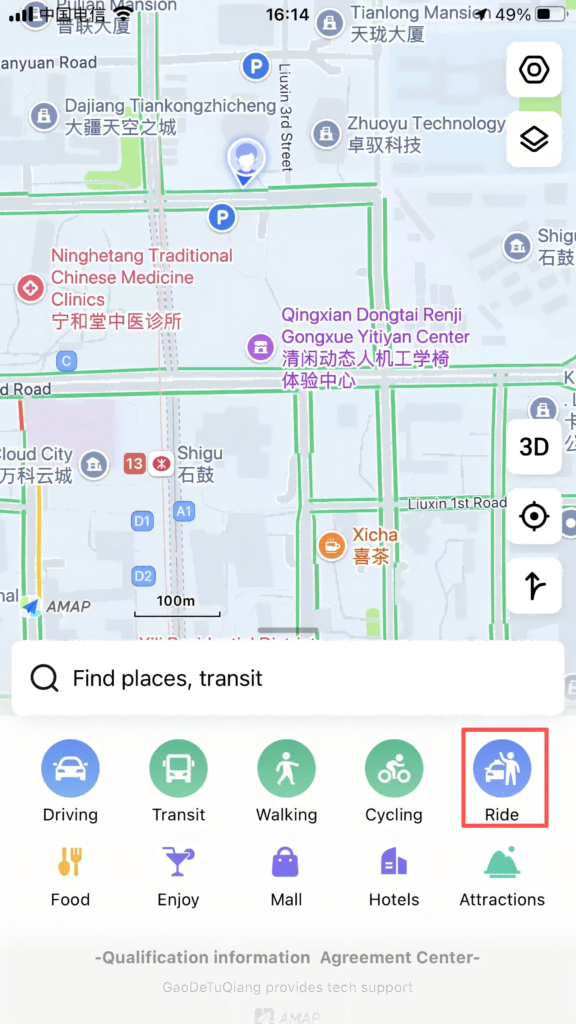
Entrance: Home Page Bottom Ride button.
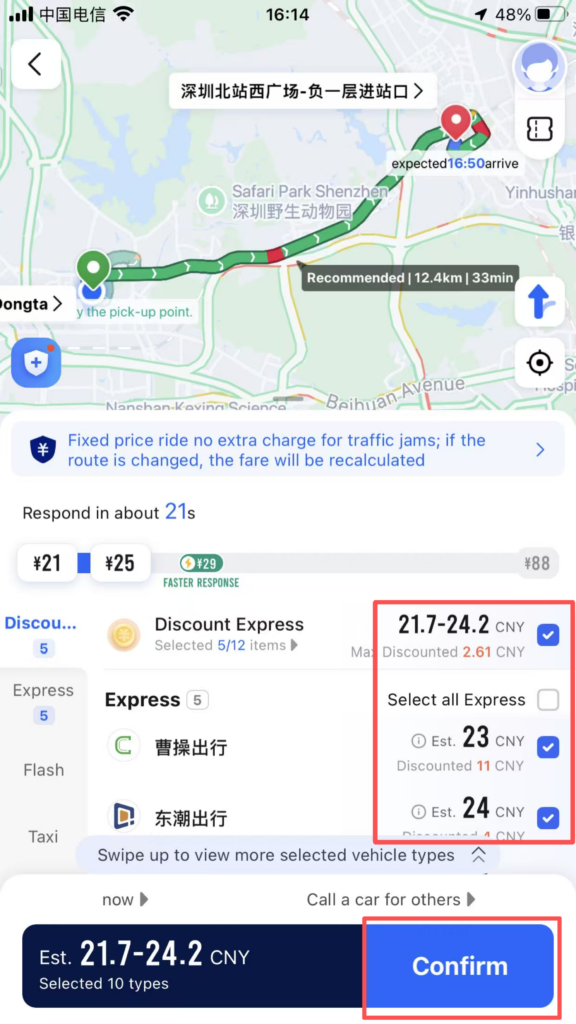
Operation: Automatically locate the starting point, enter the destination. Choose the car type (Express/Comfort Ride / Special Car). Confirm the ride and track the vehicle location, driver information, and estimated arrival time in real time.
1/2
2/2
🔧 (5) Other Practical Features
Voice Navigation, Traffic, & Favorites
Voice Navigation: English voice, enlarged intersection maps, lane-level guidance to avoid taking the wrong route.
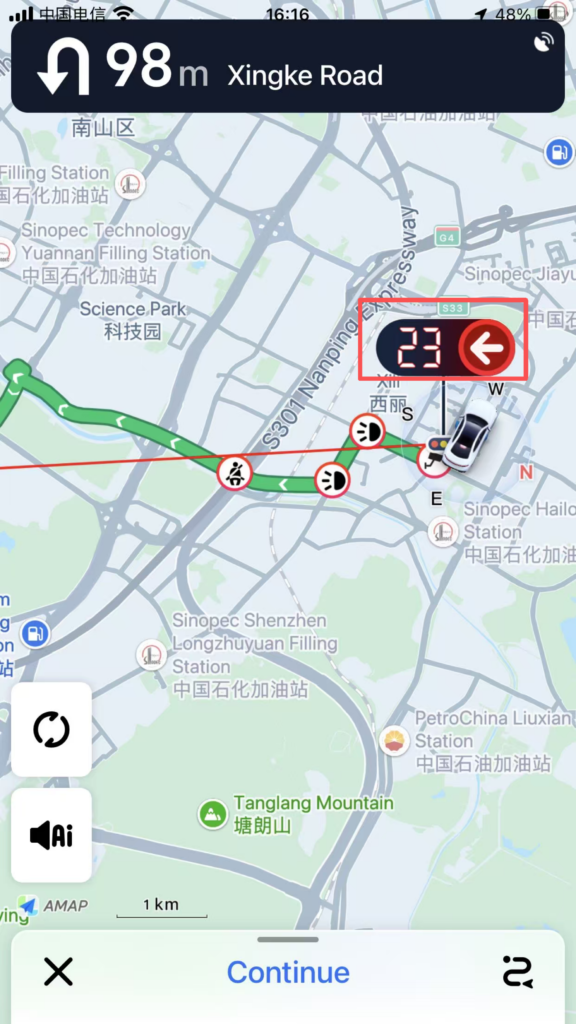
Real-time traffic: Red = Congested, Green = Smooth. Smartly avoid traffic jams.
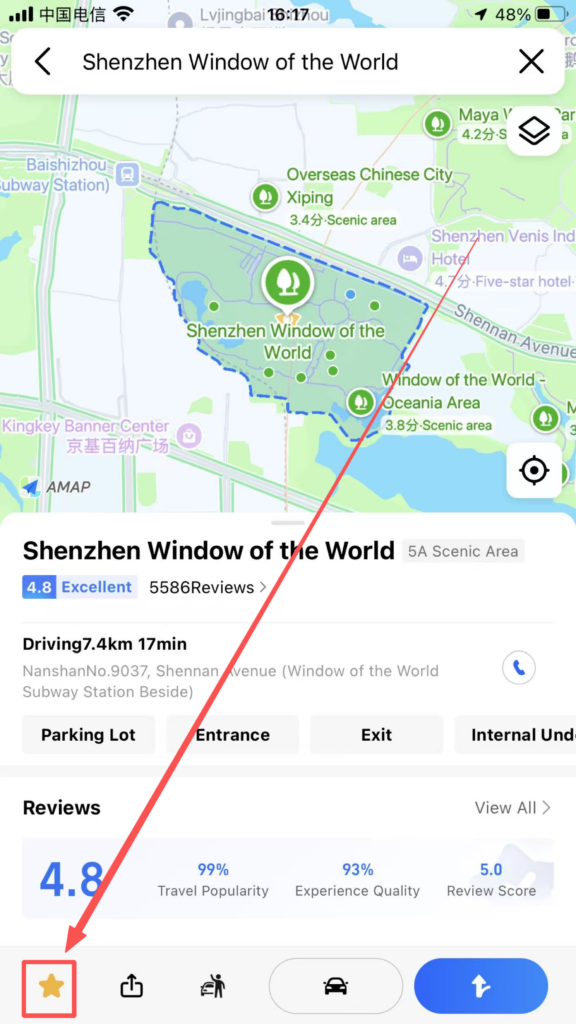
Favorites Management: Save frequently used locations/routes with one click, and call them directly next time.
✅ Quick Summary
Why Choose Amap?
✅ Works in China Without VPN: Unlike Google Maps, Amap works smoothly.
✅ English Interface: Full English language support.
✅ Real-Time Traffic: Live traffic updates with color-coded congestion.
✅ Multiple Travel Modes: Driving, transit, walking, cycling.
✅ Subway & Bus Navigation: Exit information, transfer guidance, arrival alerts.
✅ Integrated Ride-Hailing: Book taxis and rides directly from the app.
✅ Offline Maps: Download maps for use without internet.
✅ POI Search: Find restaurants, ATMs, attractions, and more.
📥 Download Complete PDF Manual
Multi-Language • Offline Printable • All Screenshots Included