
Amap est lu2019application chinoise de navigation la plus utilisu00e9e pour les itinu00e9raires en temps ru00e9el en voiture, en transports en commun ou u00e0 pied, ainsi que pour la recherche de lieux locaux.
Amap (Gaode Map): China’s Most Accurate Navigation & Mapping App
Official Step-by-Step Illustrated Guide with Screenshots and Multi-Language PDFs
📱 Official App Downloads
📘 (1) Download and Registration
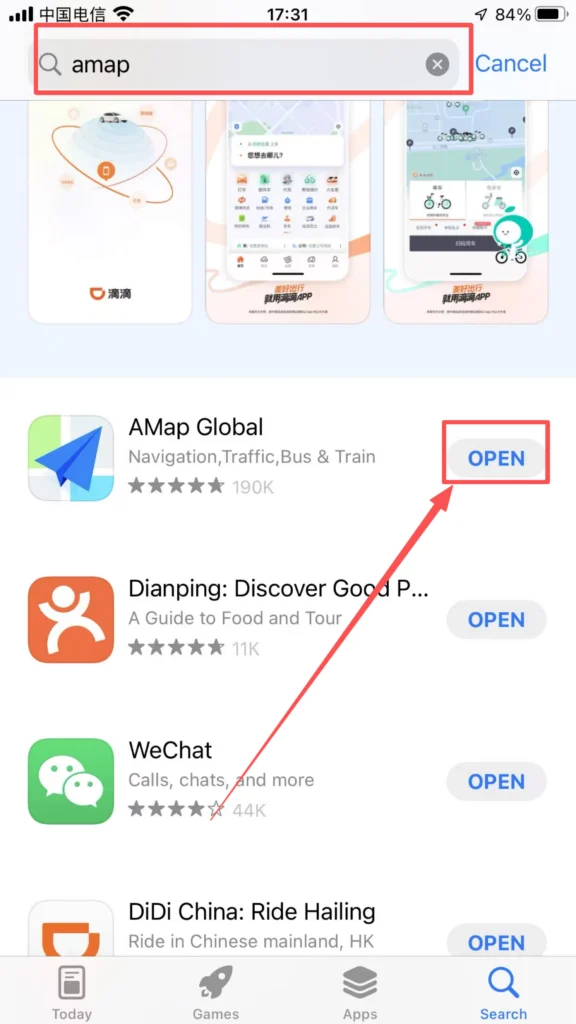
Download & Install Amap
Search for “Amap” or “高德地图” in the app store, download and install it.
1/1
Register an Account
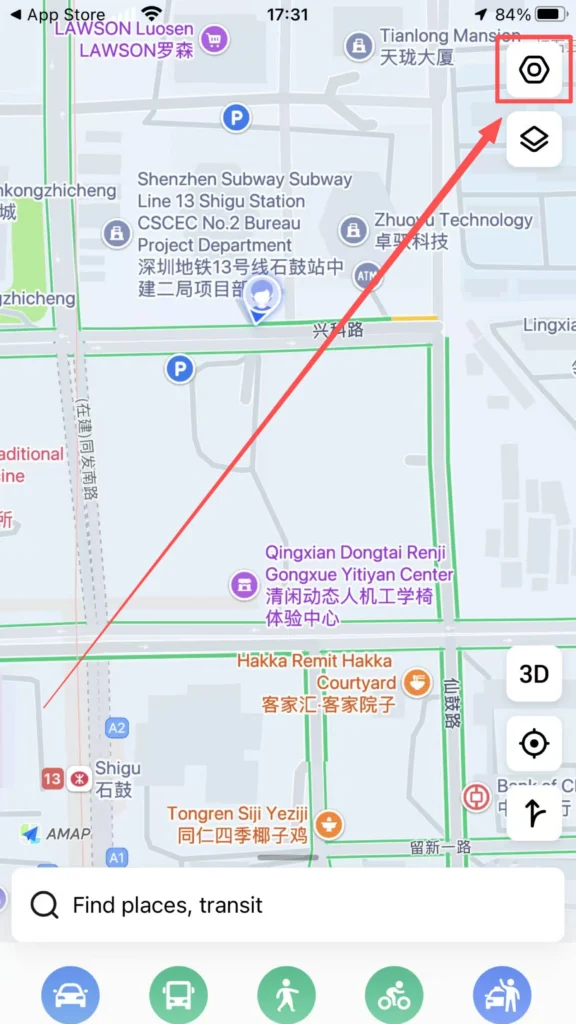
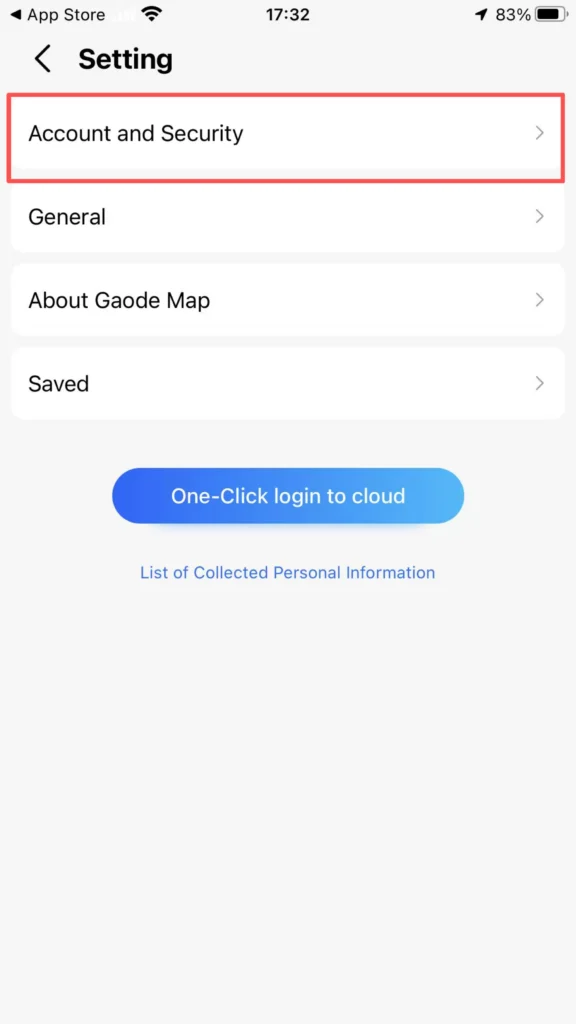
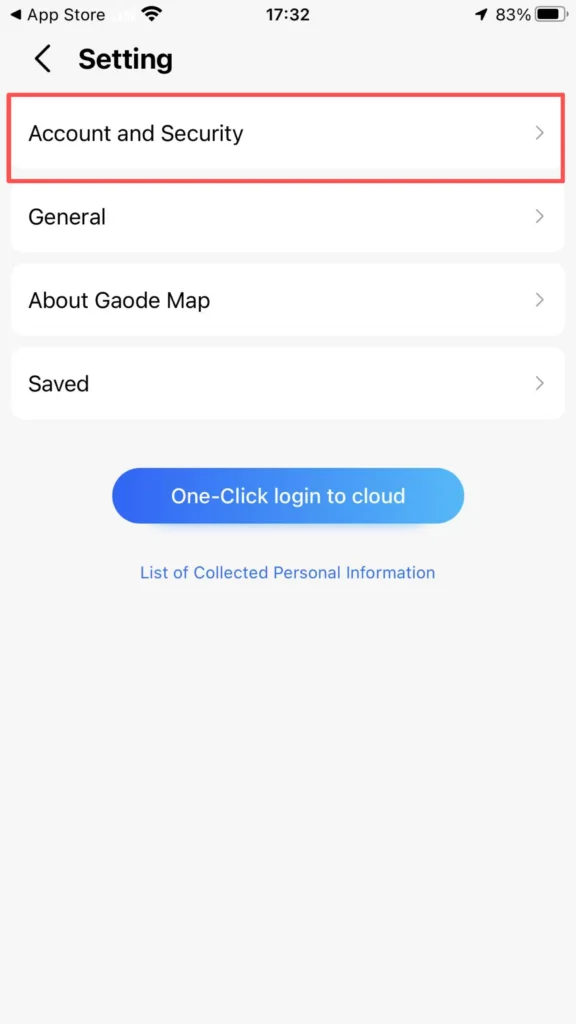
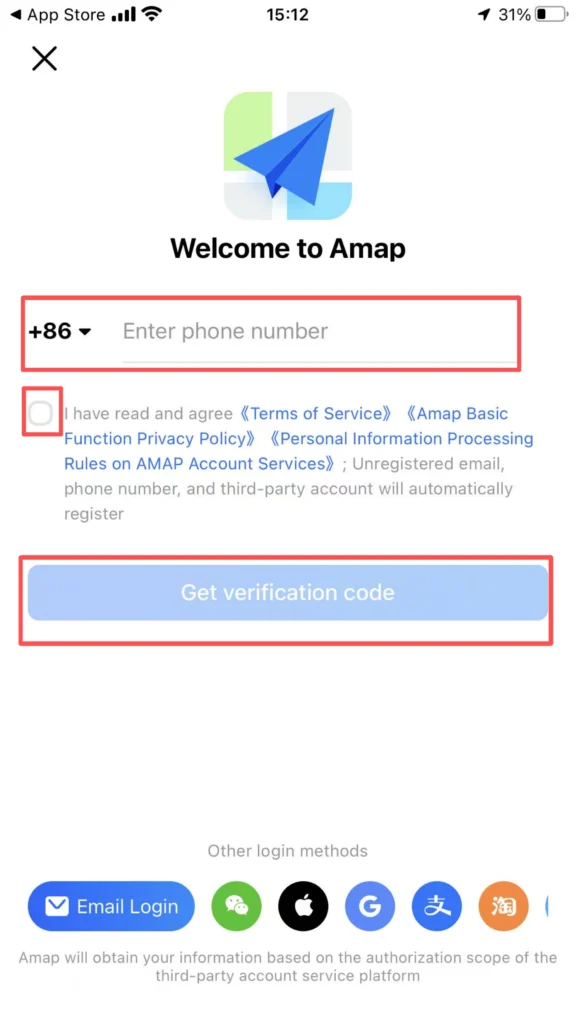
Register with phone number: Open the app, tap the settings icon in the top left corner, tap Account and Security, enter your Chinese phone number (86). Tap Get Code, enter the SMS verification code.
1/4
2/4
3/4
4/4
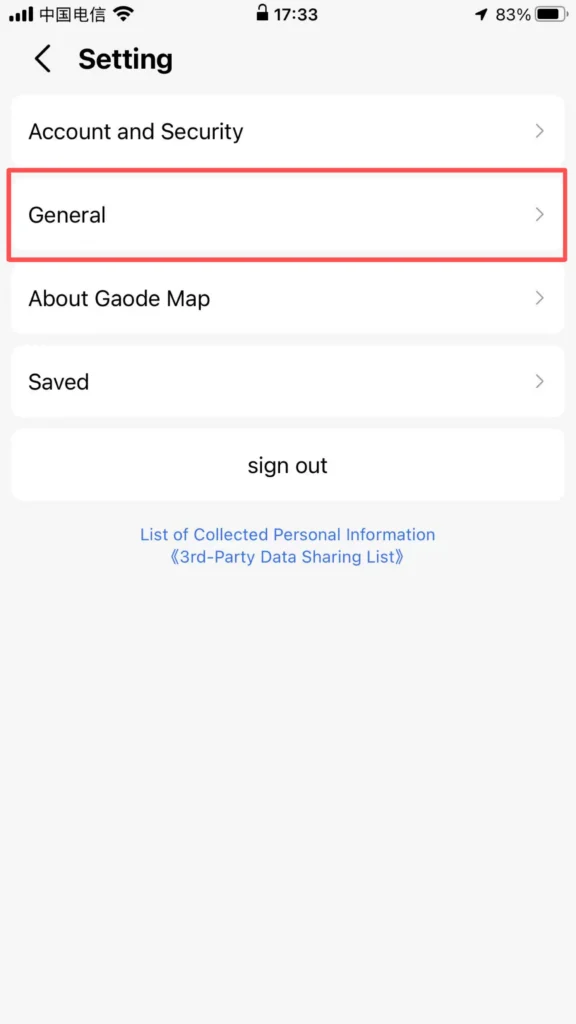
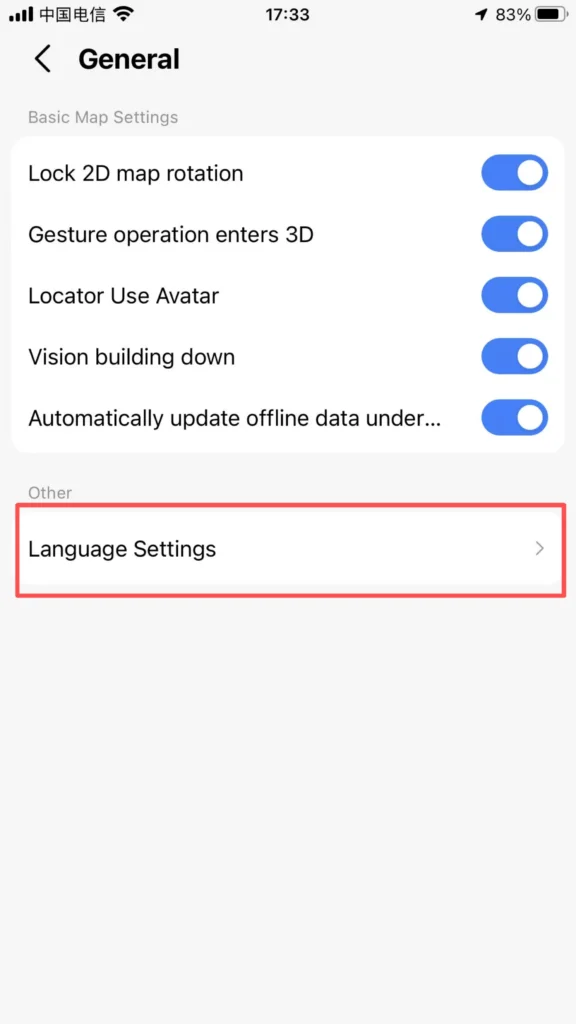
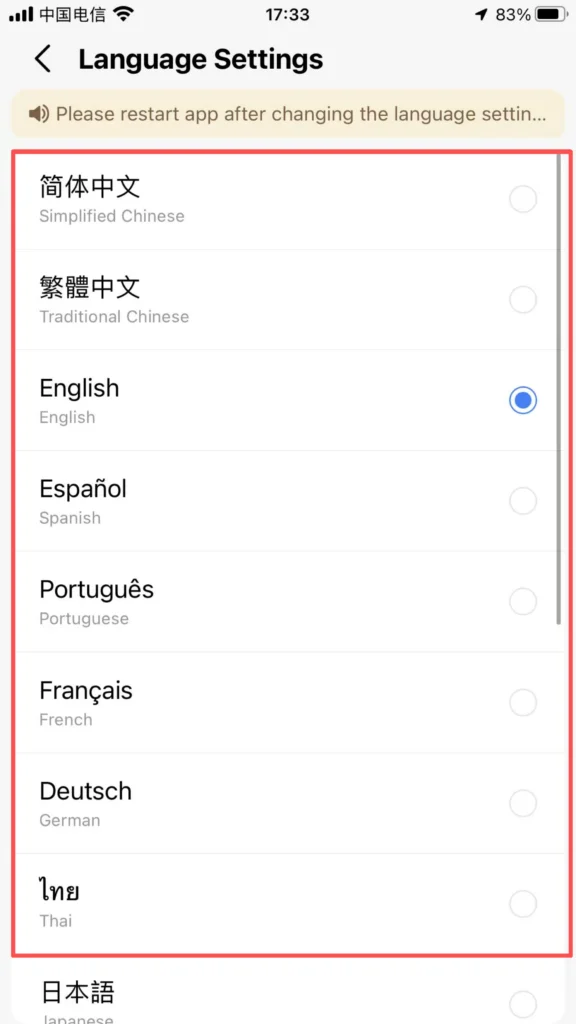
You can choose different languages: Amap supports multiple languages including English, Chinese, and more.
1/3
2/3
3/3
Real-name authentication: Daily navigation does not require real-name authentication; only taxi/rides, payments, and developer functions require real-name authentication (using a passport/residence permit).
🧭 (2) Core Functions – Route Planning
Route Planning (Most Commonly Used)
Entrance: Search Bar at the top of the homepage.
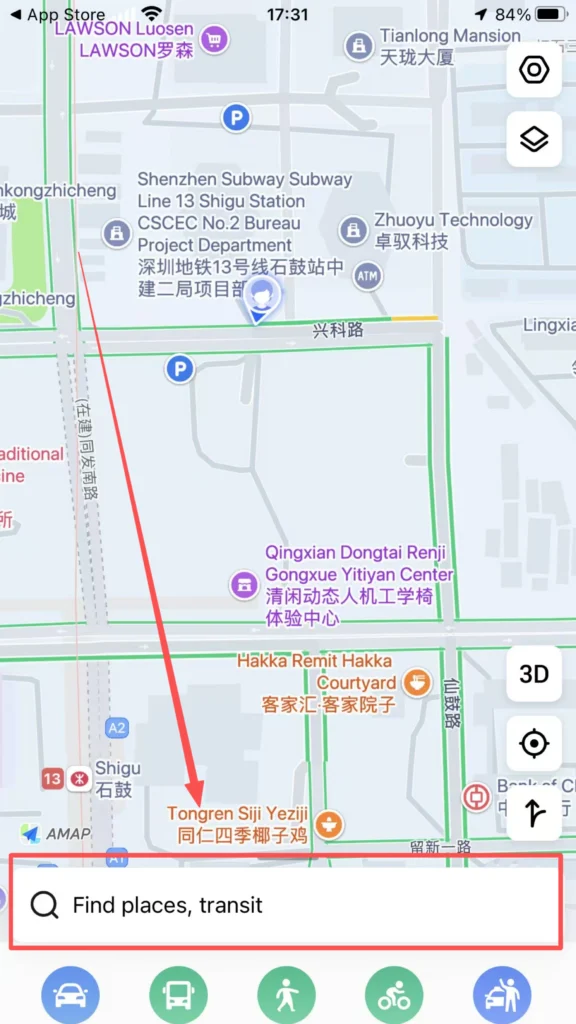
Enter From (starting point, default is current location) and To (destination). Supports: English / Pinyin / Chinese (e.g., Window of the World, Shijiezhichan, 世界之窗).
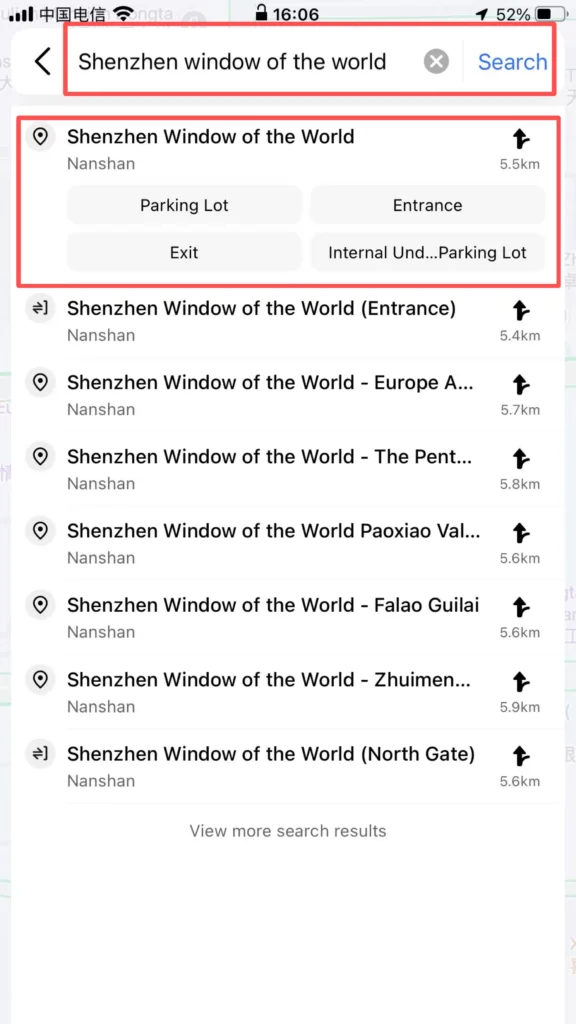
1/2
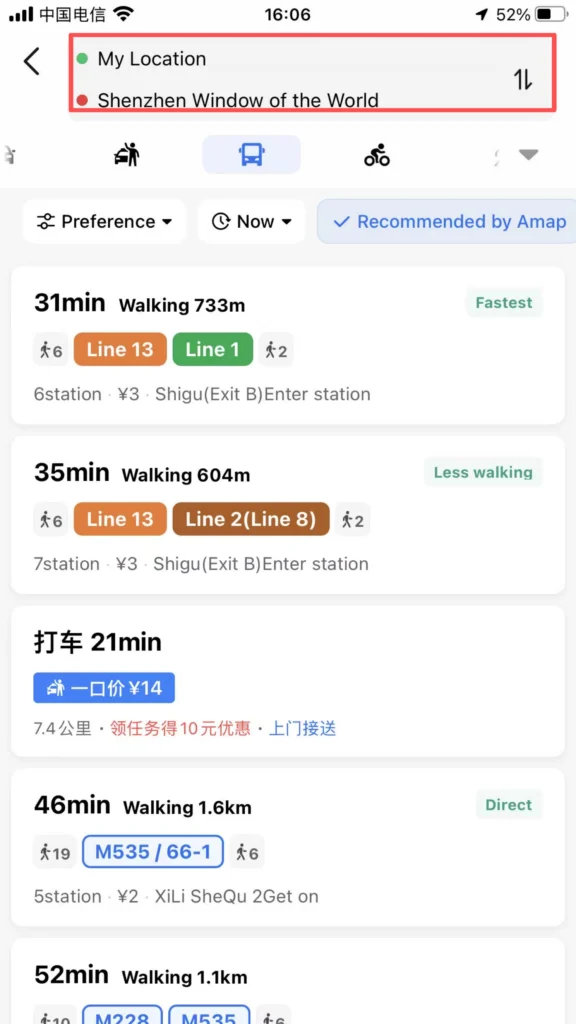
2/2
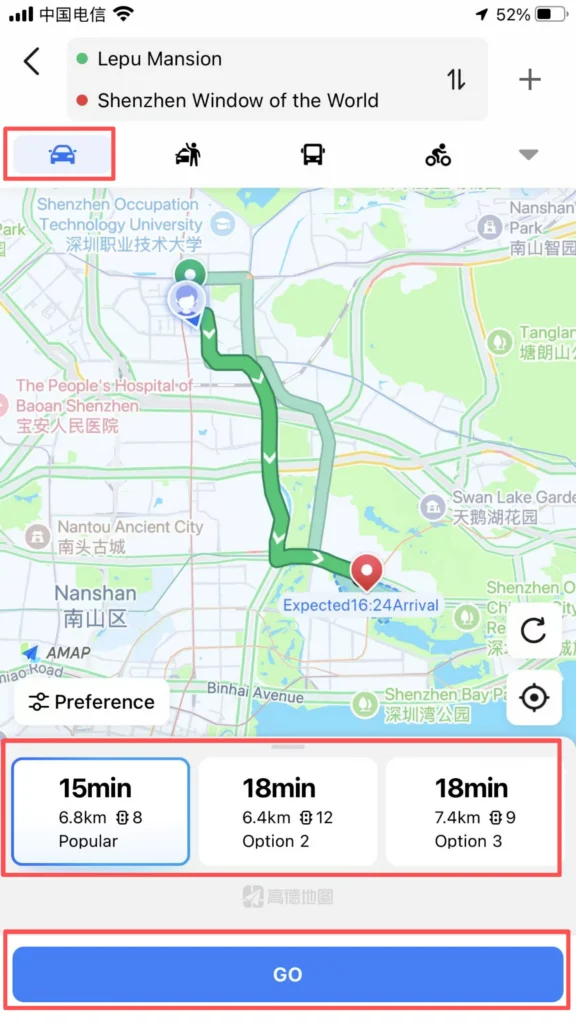
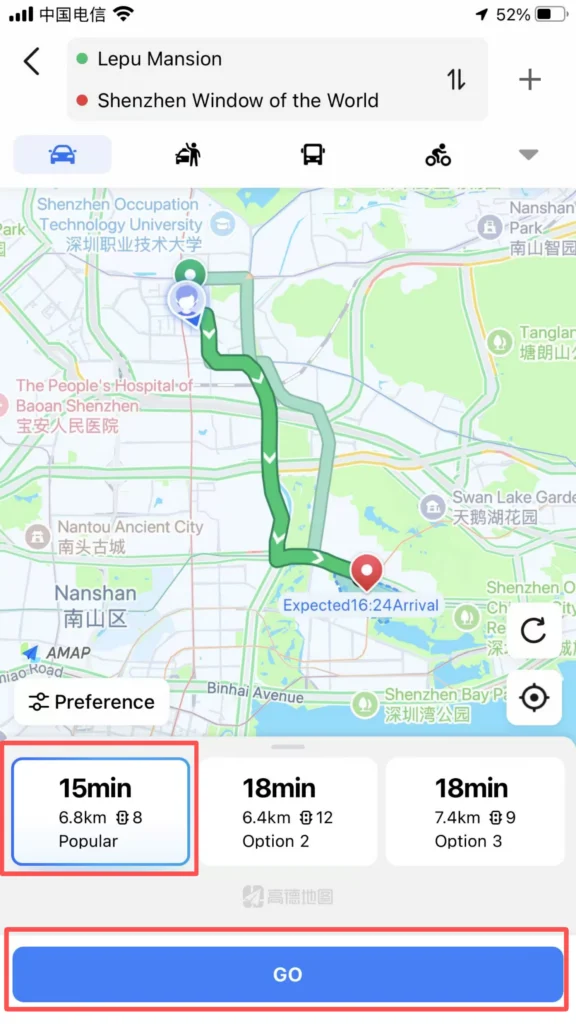
Choose the mode of travel:
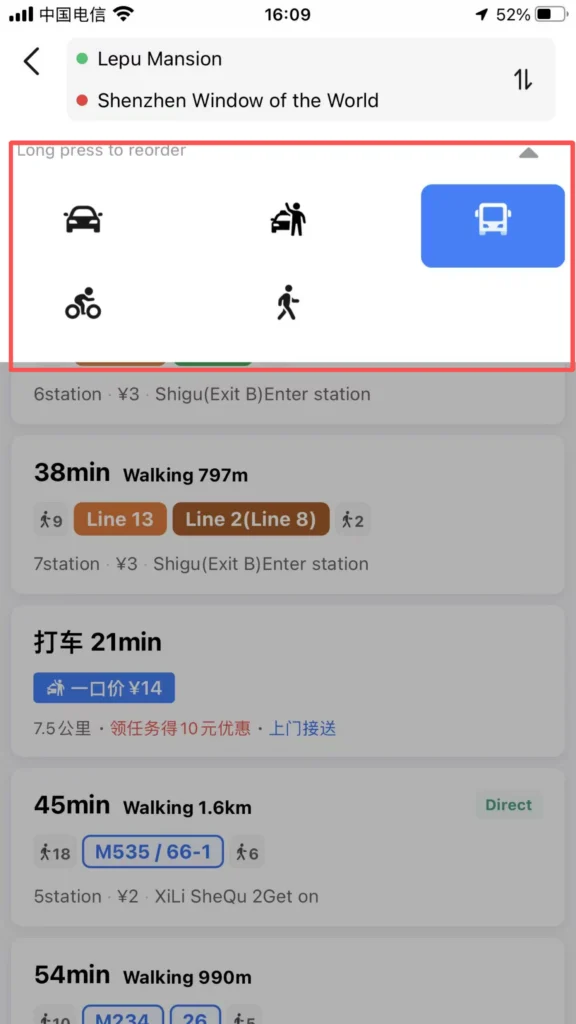
Travel Modes – Driving, Transit, Walking, Cycling
Drive: Fastest route, avoid congestion, traffic lights / speed camera alerts.
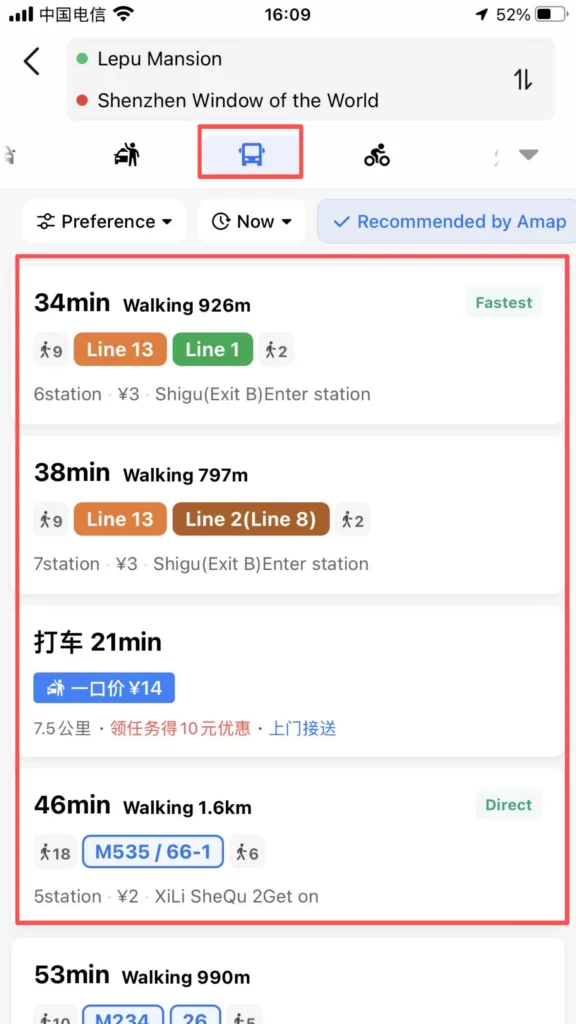
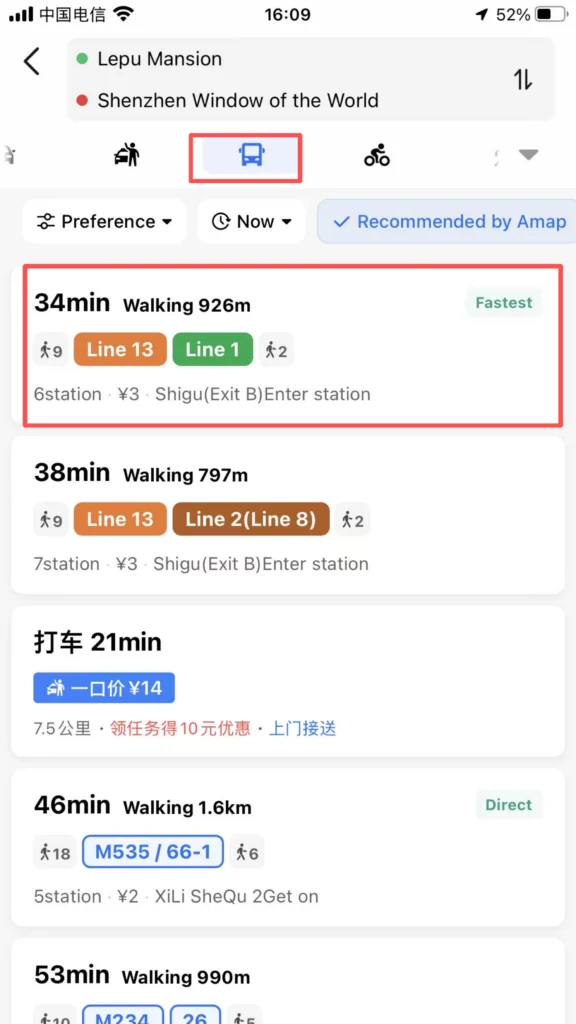
Transit (Public Transportation): Subway, Bus, Walking — including transfers, fares, duration, first and last departure times.
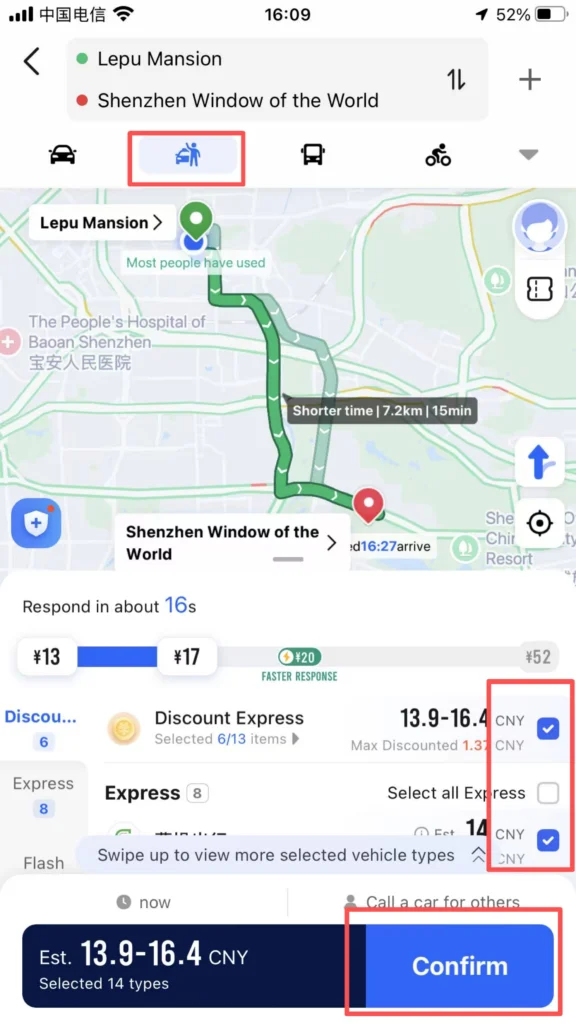
Taxi (Ride-hailing): Call a ride with one click, supports foreign cards (Alipay, Visa/Mastercard) for payment.
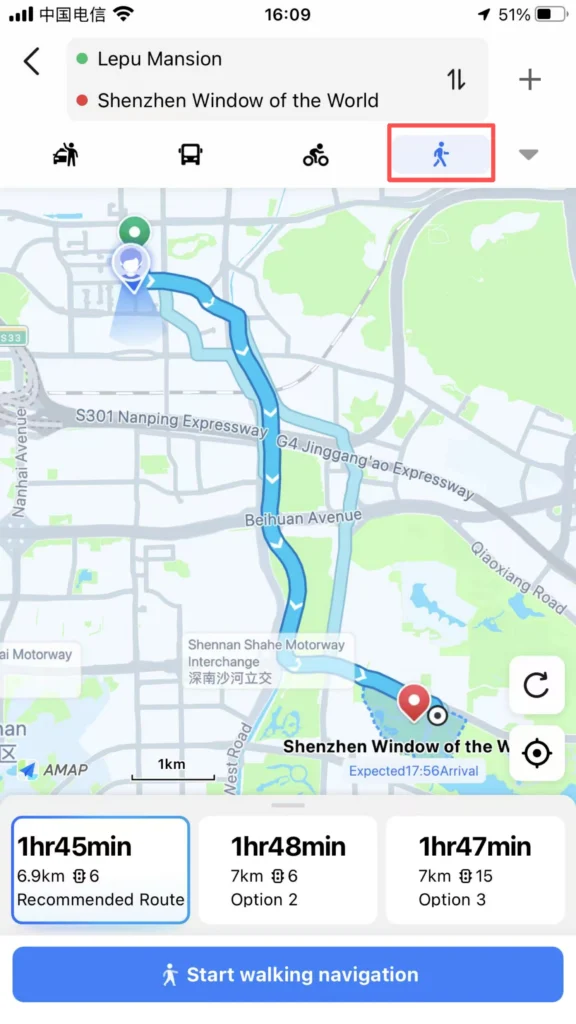
Walk: AR real-scene navigation, shortest path, street-crossing reminders.
Bike (Cycling): Dedicated route for bicycles / electric bikes.

Click Start Navigation: Full English voice guidance and on-screen directions.
Subway / Bus Navigation (Frequently Used by Foreigners)
Core Features: Display subway map in English, transfer stations, exit information (Exit A/B/C). Real-time bus arrival alerts, vehicle location tracking. Fare: Displayed in CNY (RMB), supports QR code / transit card payment.
1/3
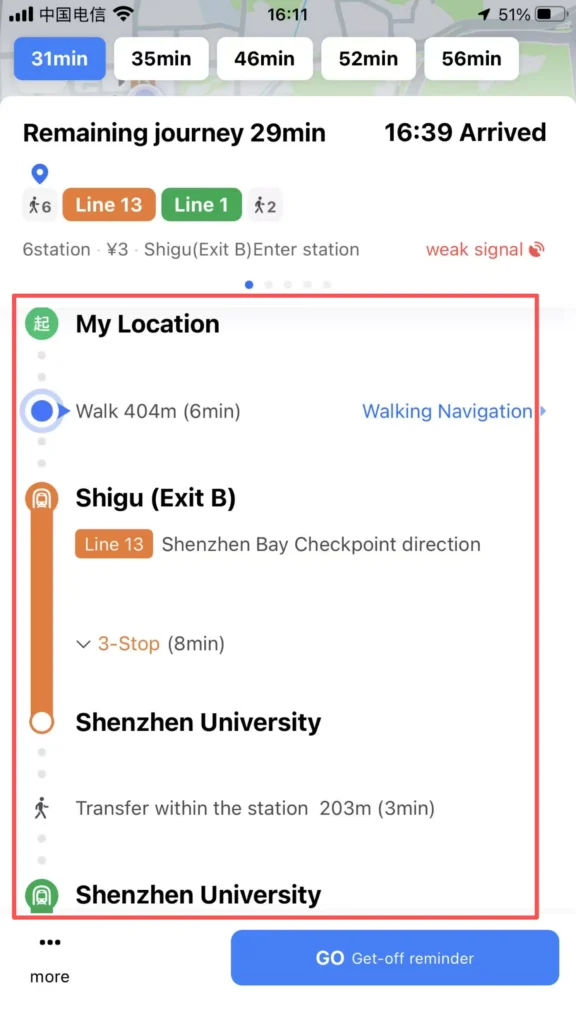
2/3
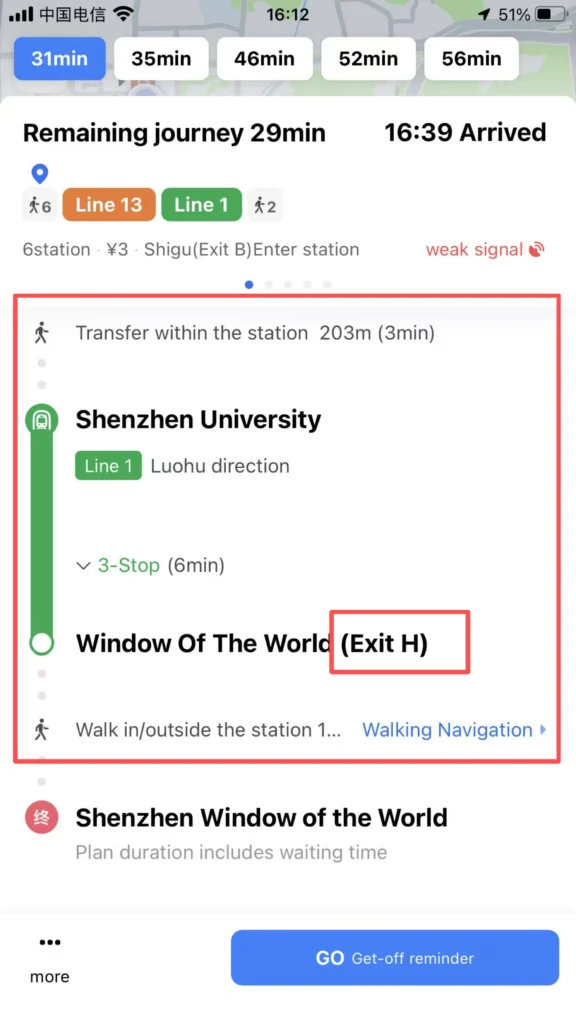
3/3
🗺️ (3) Map Browsing and Positioning
Map Browsing & POI Exploration
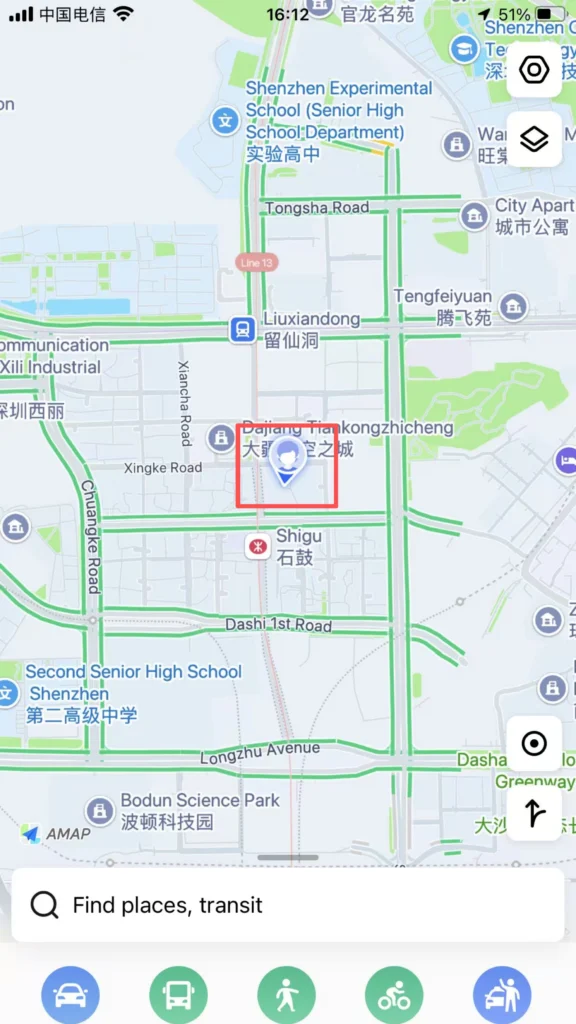
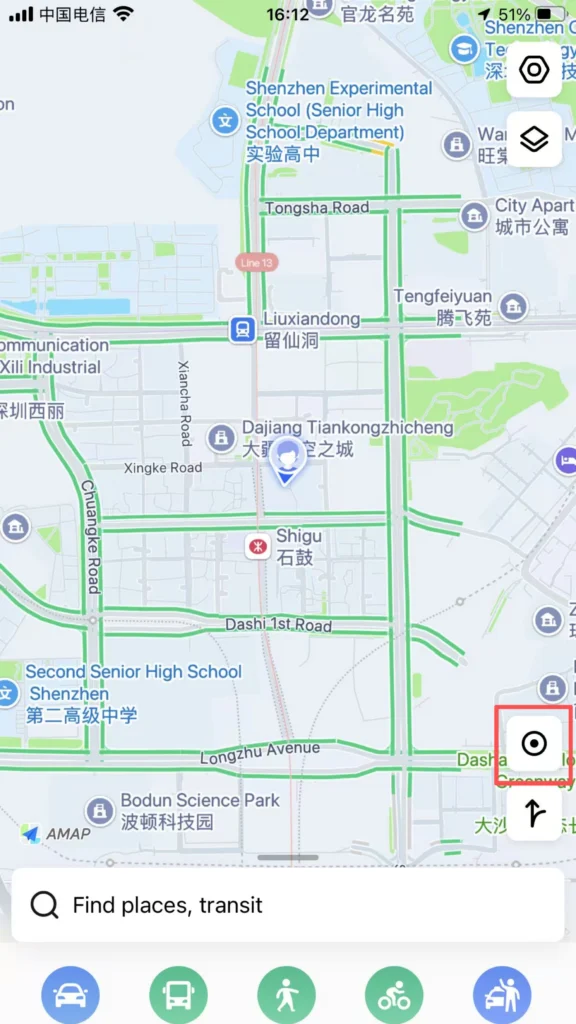
Home: Blue dot = your real-time location.
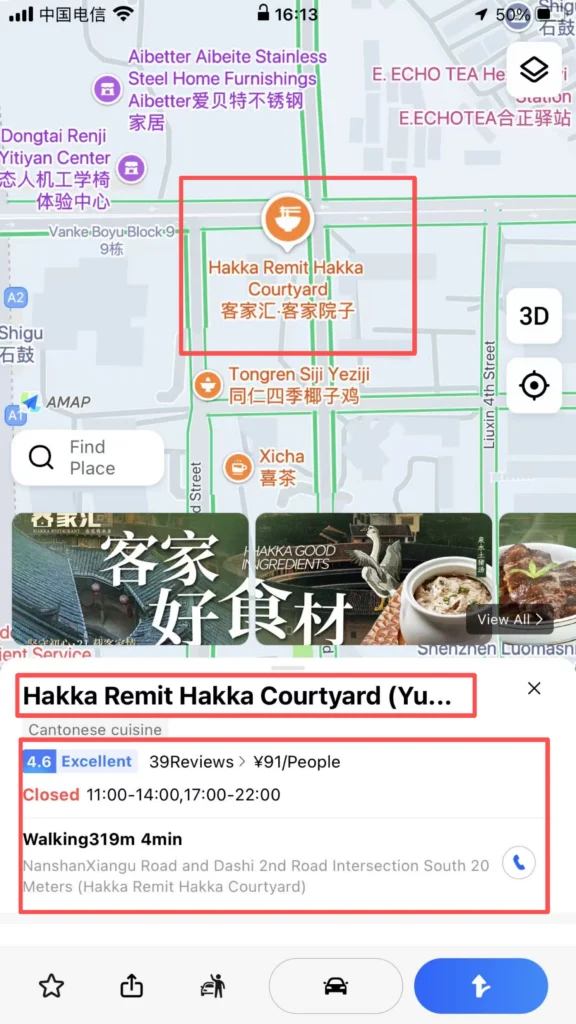
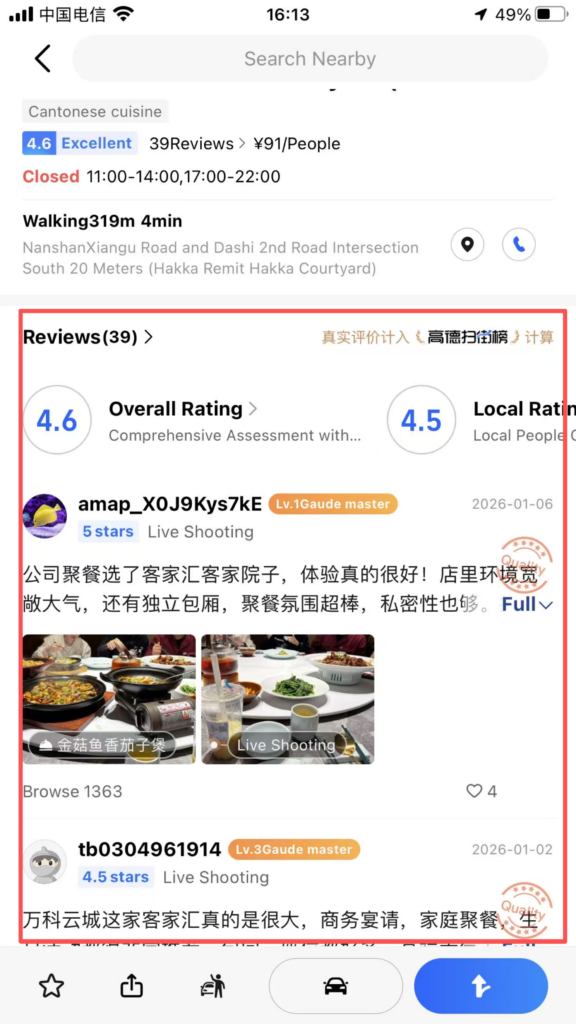
Operations: Pinch with two fingers to zoom / drag to view the map. Tap the location icon to quickly return to your current location. Tap a POI (place) to view details (address, phone number, rating, business hours, reviews).
1/2
2/2
1/2
2/2
🚖 (4) Taxi Feature
Ride-Hailing with Amap
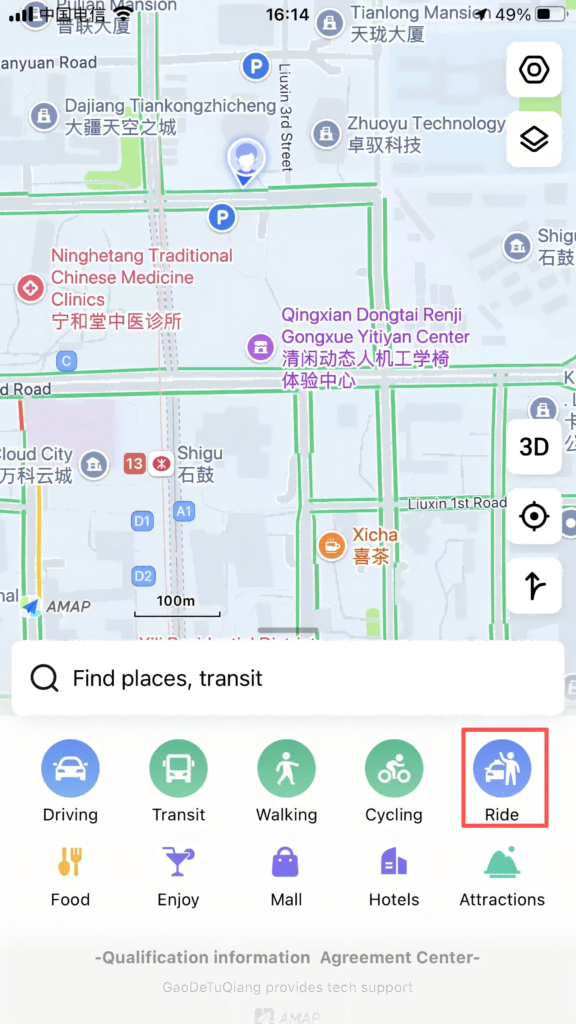
Entrance: Home Page Bottom Ride button.
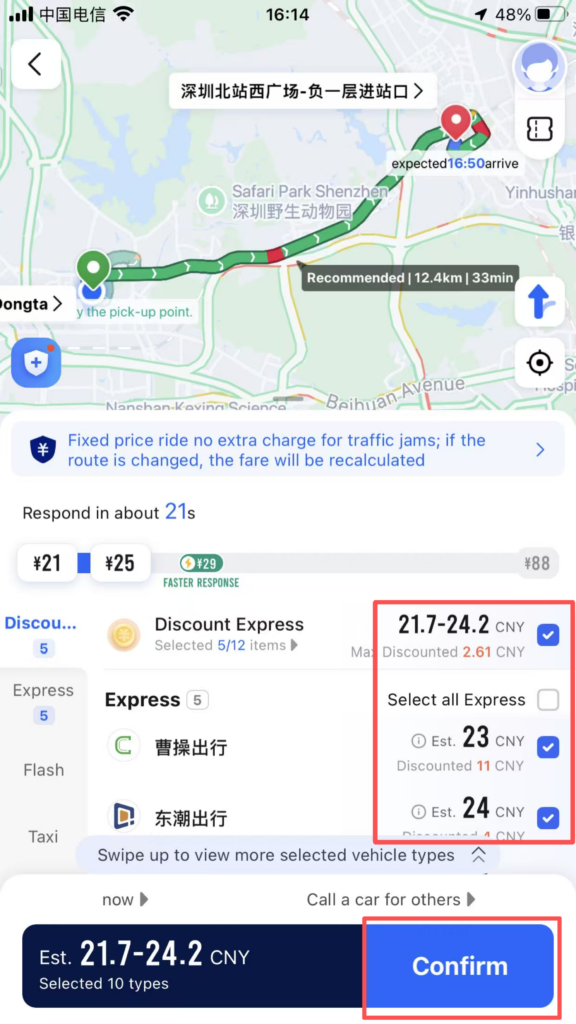
Operation: Automatically locate the starting point, enter the destination. Choose the car type (Express/Comfort Ride / Special Car). Confirm the ride and track the vehicle location, driver information, and estimated arrival time in real time.
1/2
2/2
🔧 (5) Other Practical Features
Voice Navigation, Traffic, & Favorites
Voice Navigation: English voice, enlarged intersection maps, lane-level guidance to avoid taking the wrong route.
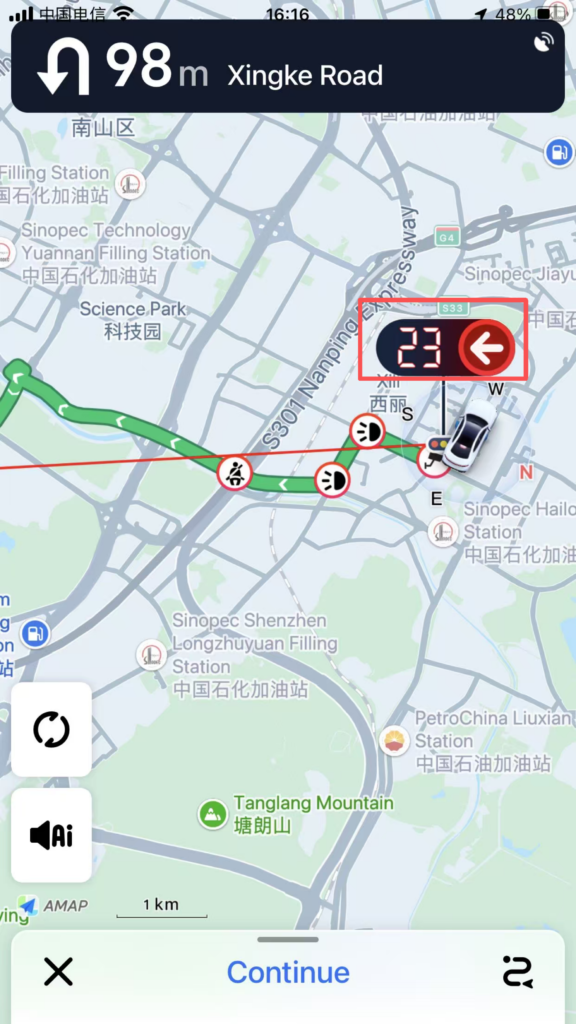
Real-time traffic: Red = Congested, Green = Smooth. Smartly avoid traffic jams.
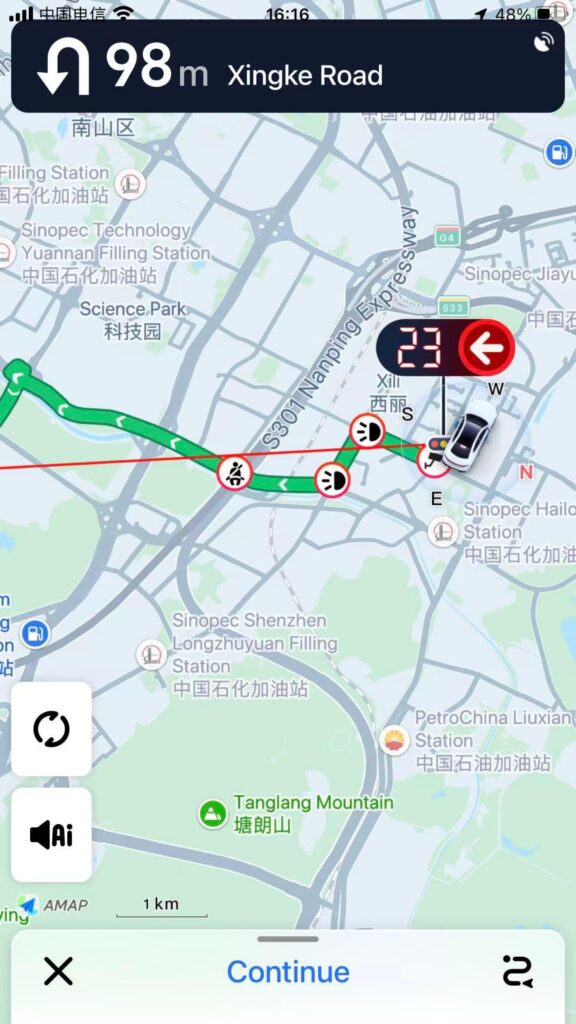
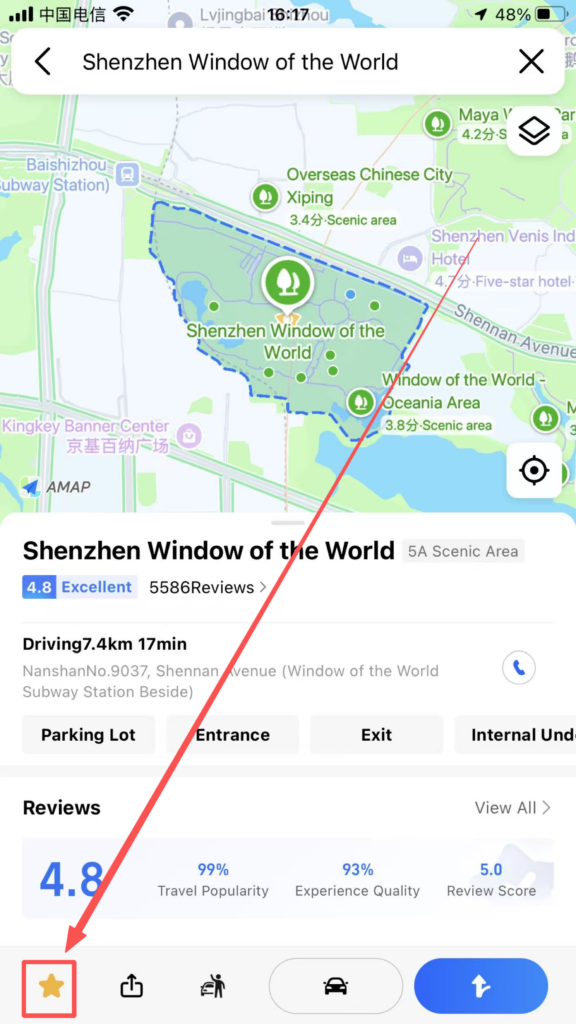
Favorites Management: Save frequently used locations/routes with one click, and call them directly next time.
✅ Quick Summary
Why Choose Amap?
✅ Works in China Without VPN: Unlike Google Maps, Amap works smoothly.
✅ English Interface: Full English language support.
✅ Real-Time Traffic: Live traffic updates with color-coded congestion.
✅ Multiple Travel Modes: Driving, transit, walking, cycling.
✅ Subway & Bus Navigation: Exit information, transfer guidance, arrival alerts.
✅ Integrated Ride-Hailing: Book taxis and rides directly from the app.
✅ Offline Maps: Download maps for use without internet.
✅ POI Search: Find restaurants, ATMs, attractions, and more.
📥 Download Complete PDF Manual
Multi-Language • Offline Printable • All Screenshots Included