
Baidu Maps ofrece navegaciu00f3n, planificaciu00f3n de rutas y bu00fasqueda de lugares cercanos en toda China.
Baidu Maps: Your Essential Navigation App in China
Official Step-by-Step Illustrated Guide with Screenshots and Multi-Language PDFs
📱 Official App Downloads
📘 (1) Download and Registration
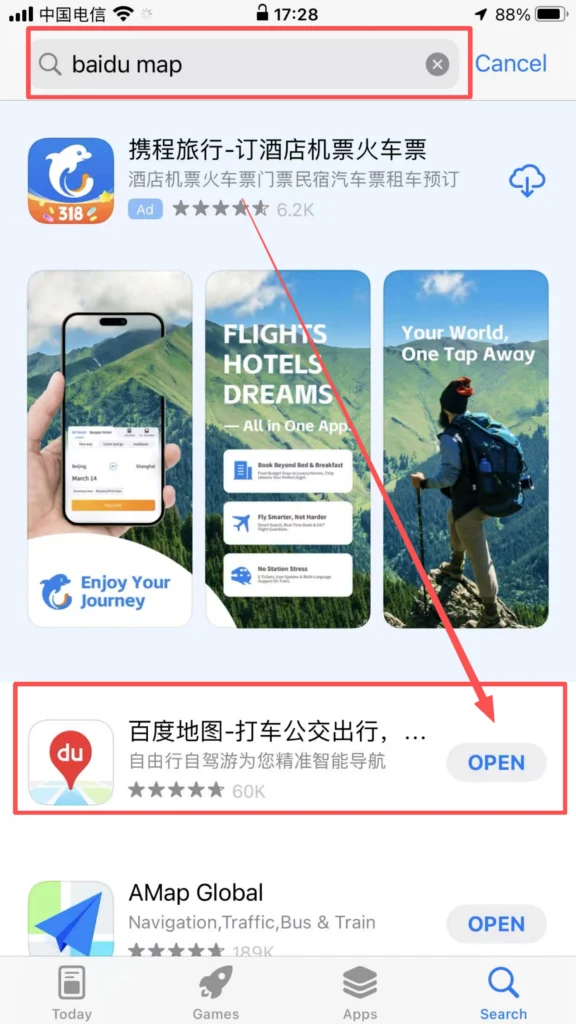
Download & Install
Search for “Baidu Maps” or “百度地图” in the app store, download and install it.
Registration and Login
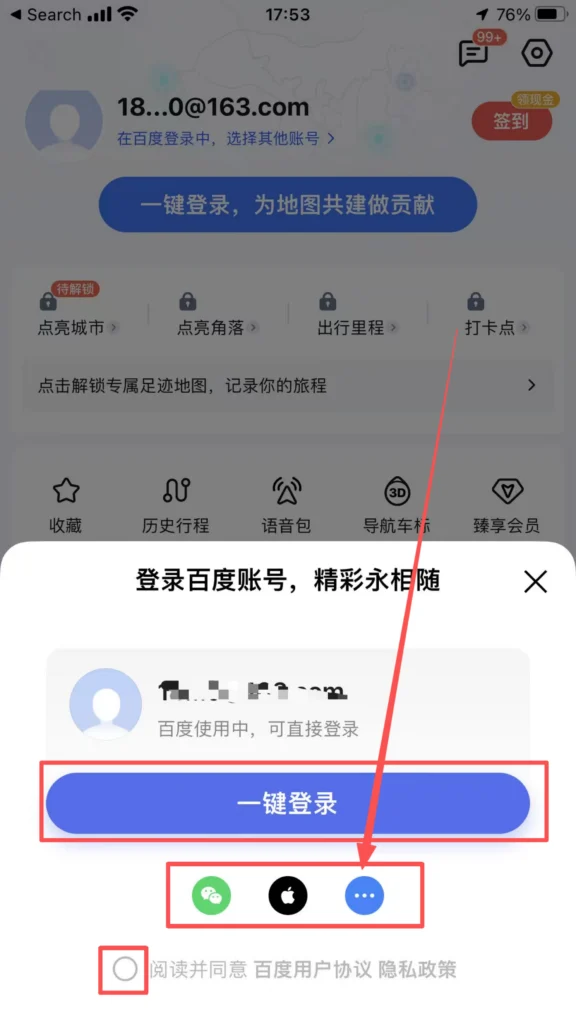
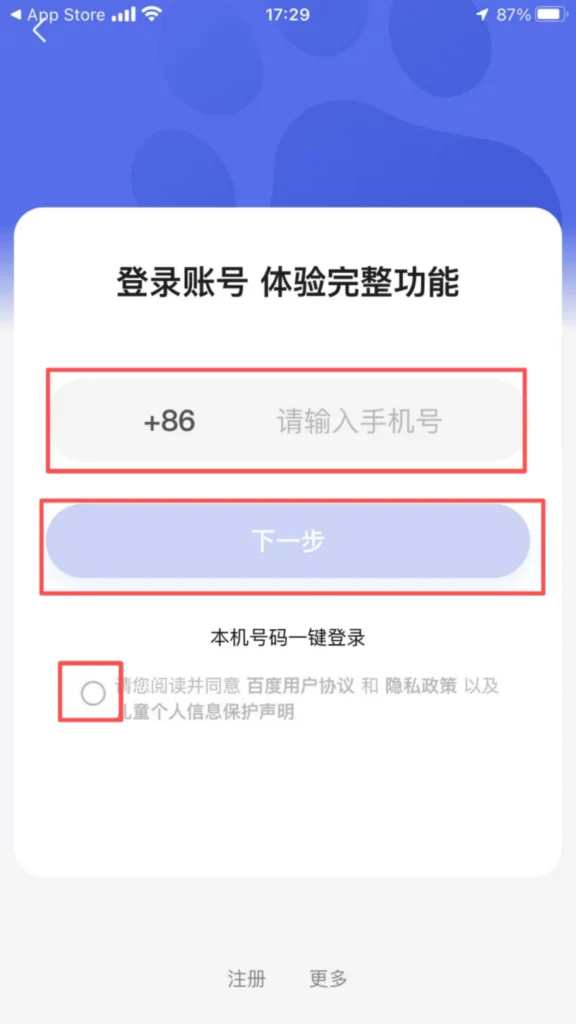
Supports quick login with WeChat, QQ, and Baidu accounts. After logging in, you can sync your favorite locations, route planning records, offline maps, and other data, making cross-device usage more convenient.
1/2
2/2
📍 (2) Core Functions – Positioning & Search
Basic Positioning and Destination Search
Positioning Activation: After opening the APP, the system prompts ‘Enable Location Permission.’ Once allowed, it automatically obtains the current precise location (supports GPS, base station, and WiFi positioning).
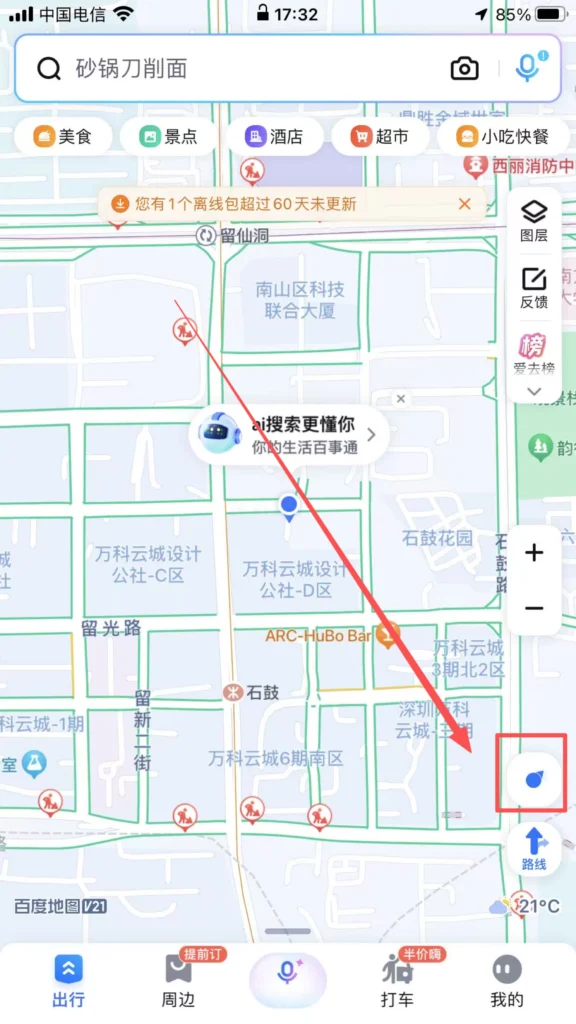
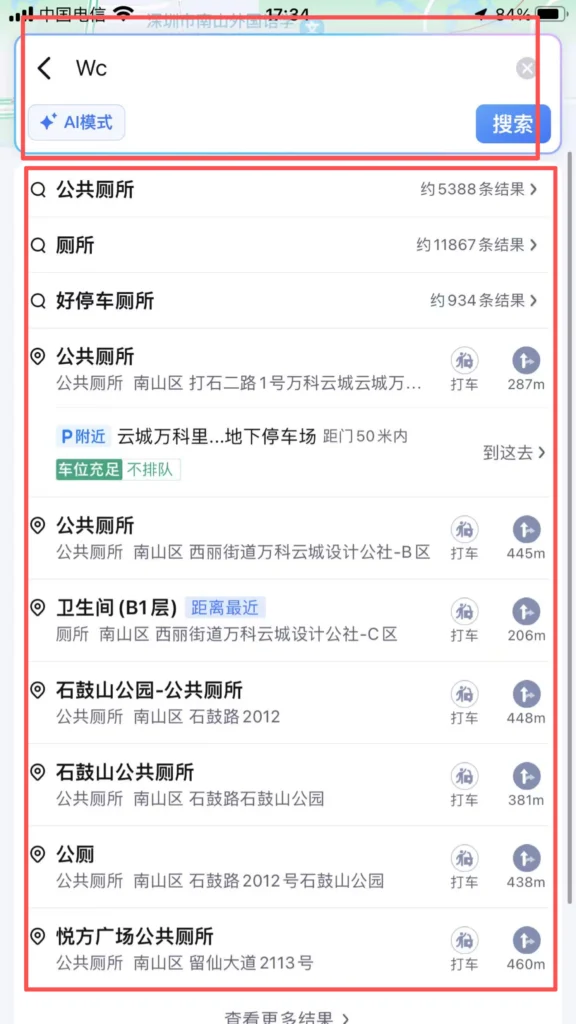
Smart Destination Search
Enter the destination in the input box at the top of the homepage. It supports fuzzy search (e.g., ‘Tiananmen Square’), pinyin initials (e.g., ‘TAMGC’), and voice input (click the microphone icon). The system recommends popular locations and allows searching for nearby facilities (e.g., ‘restroom’, ‘ATM’).
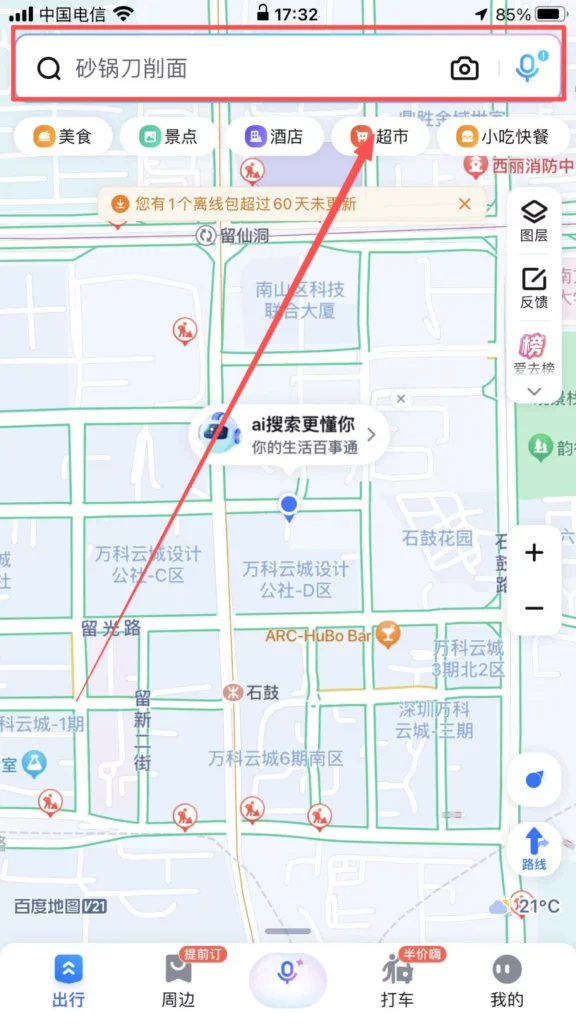
1/2
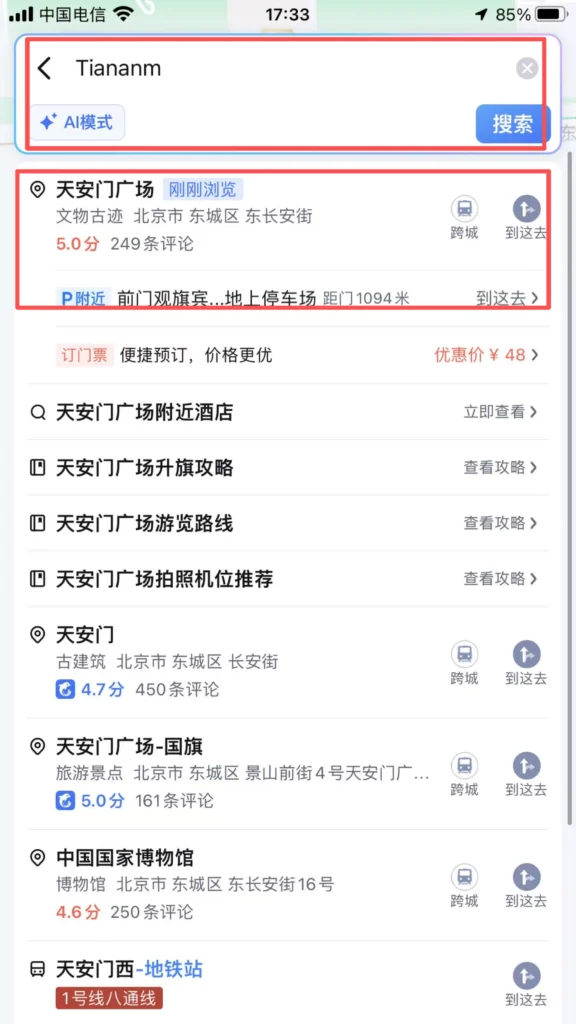
2/2
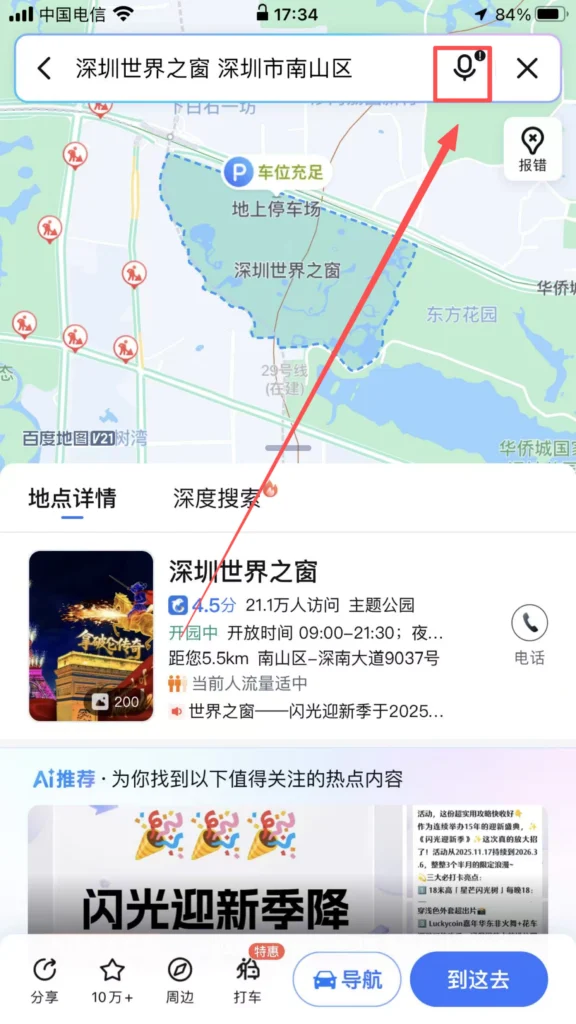
1/2
2/2
🧭 (3) Core Functions – Route Planning & Navigation
Route Planning
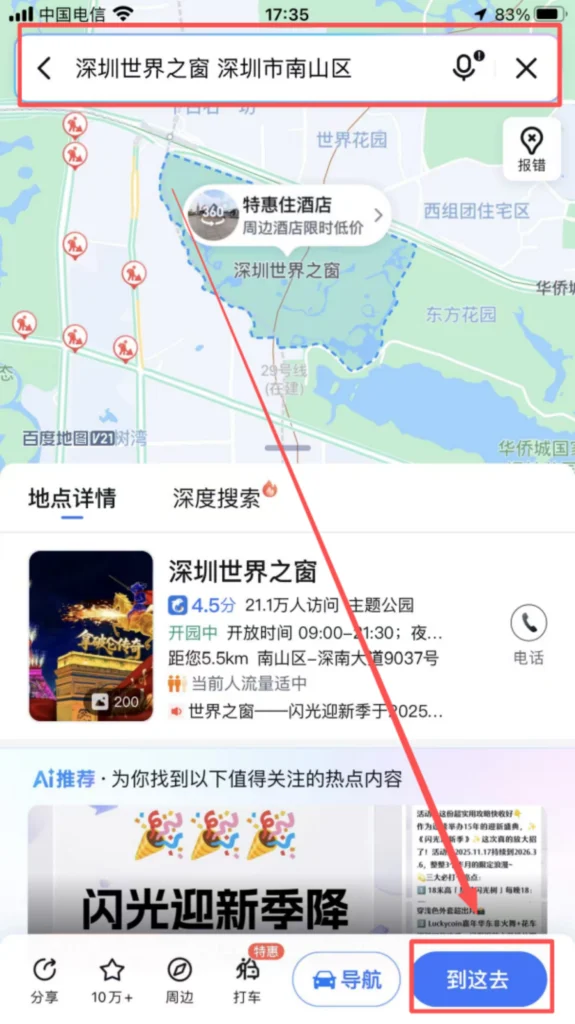
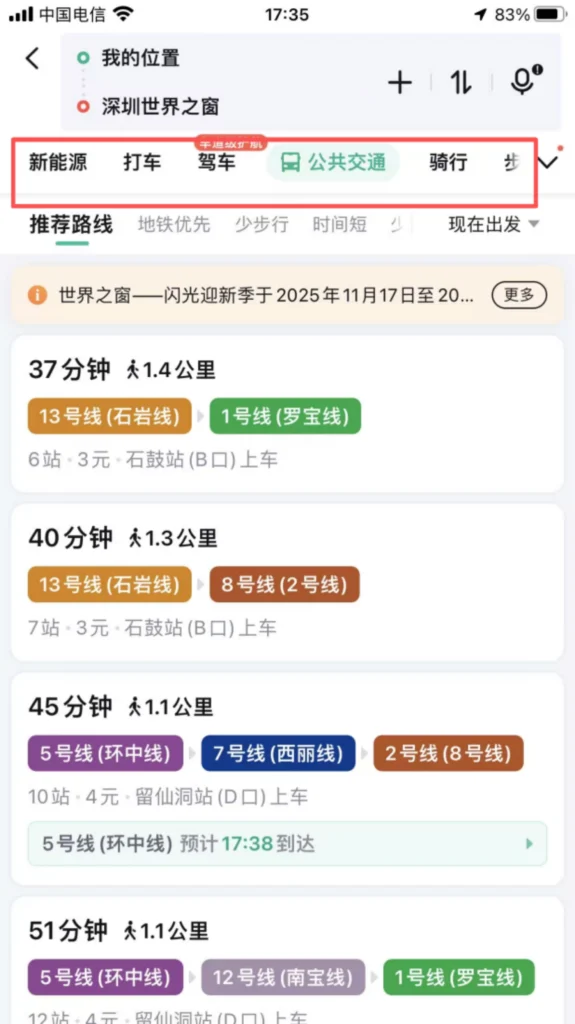
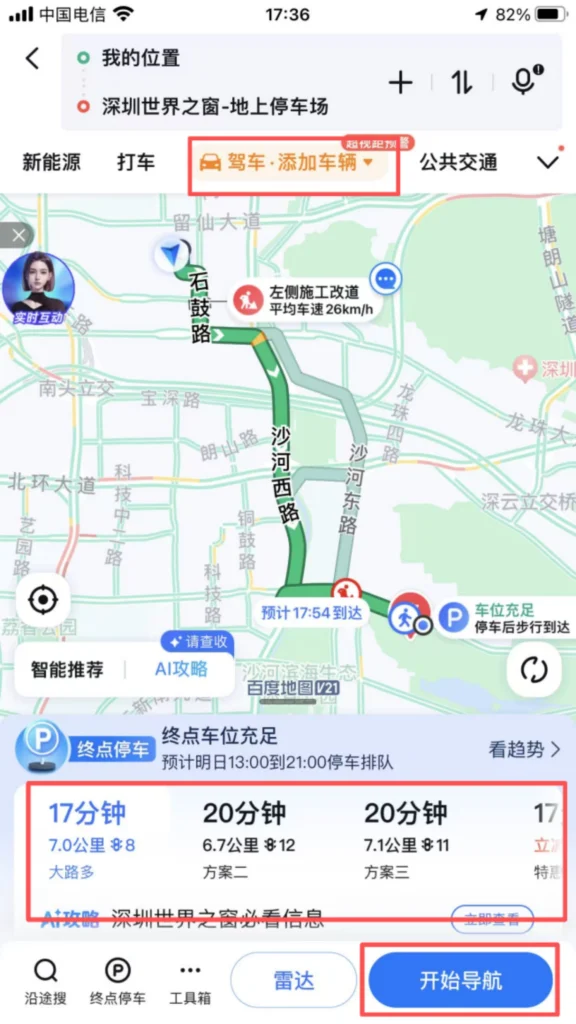
Choice of travel mode: After entering the destination, select the mode of travel (driving, public transport, cycling, walking, subway, ride-hailing). The system generates multiple optimal routes, showing total distance, travel time, ETA, and real-time traffic conditions for driving routes (red = congested, yellow = slow, green = smooth).
1/2
2/2
Driving Navigation
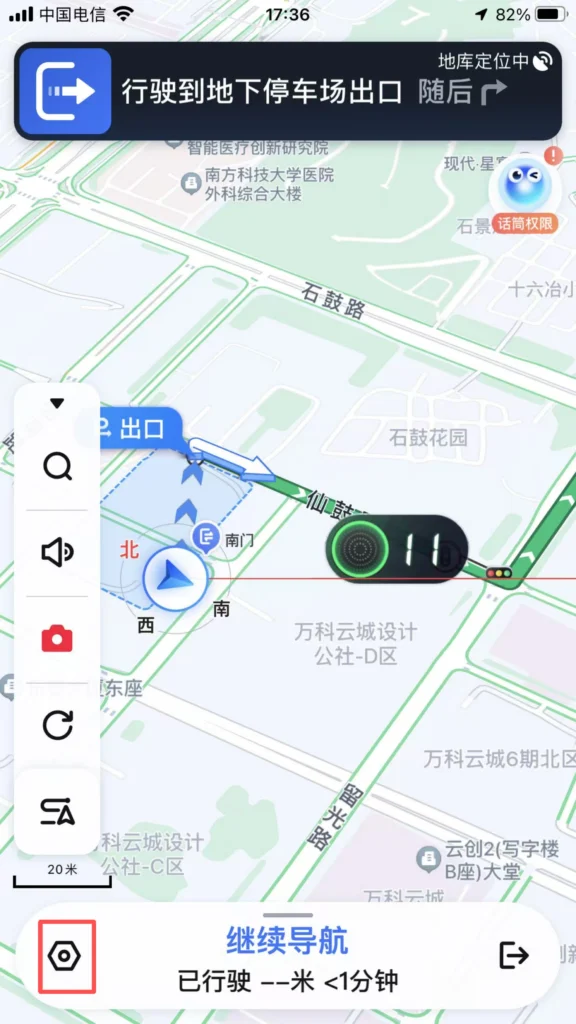
Route Details: Click ‘Start Navigation’ for real-time voice updates on road conditions, speed limit reminders, and red light camera alerts. Supports route preference settings such as ‘Avoid Congestion,’ ‘Avoid Highways,’ and ‘Avoid Tolls.’
1/2
2/2
Real-time Features & Sharing
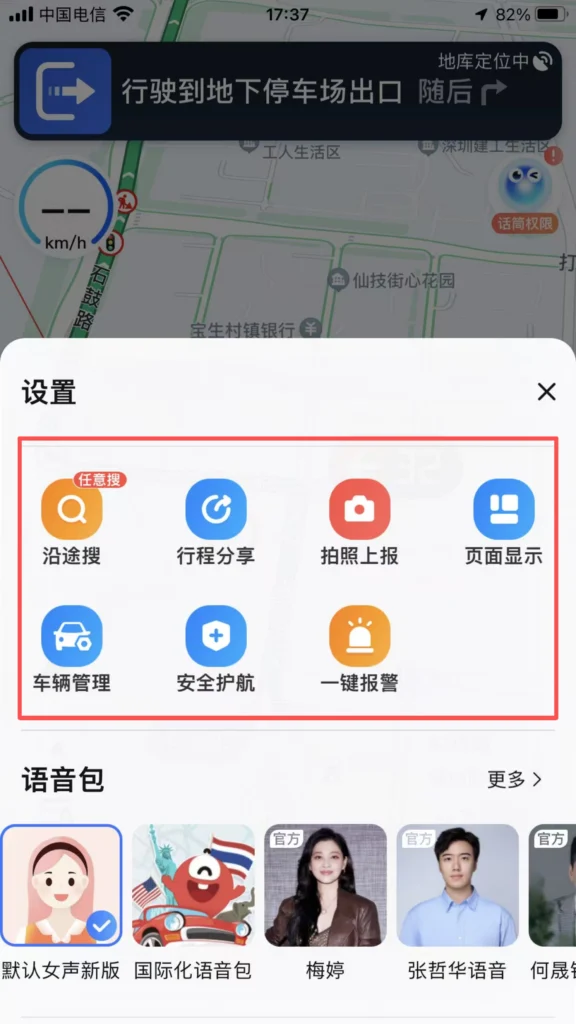
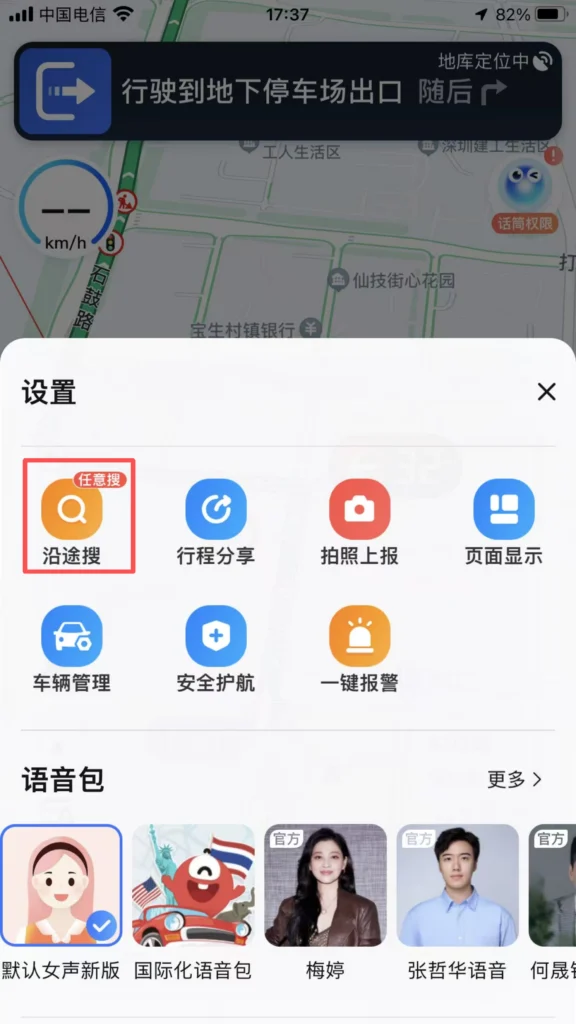
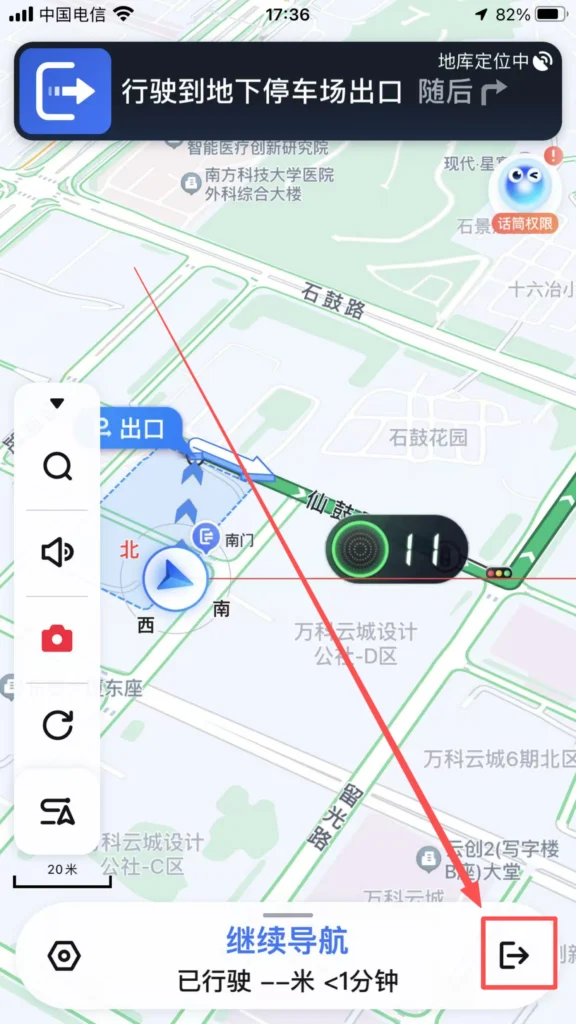
During navigation, view real-time location, remaining mileage, and time. Supports ‘Search Along the Way’ (e.g., gas stations, restaurants) and automatically adjusts the route. Clicking ‘Share’ allows you to share your real-time location and route with friends.
1/3
2/3
3/3
Public Transportation Navigation
Subway Travel: Enter the starting point and destination to prioritize subway routes. It displays transfer stations, walking distances, and subway operating hours. Supports ‘subway map’ view; click on a station to see entrance/exit information and nearby facilities.
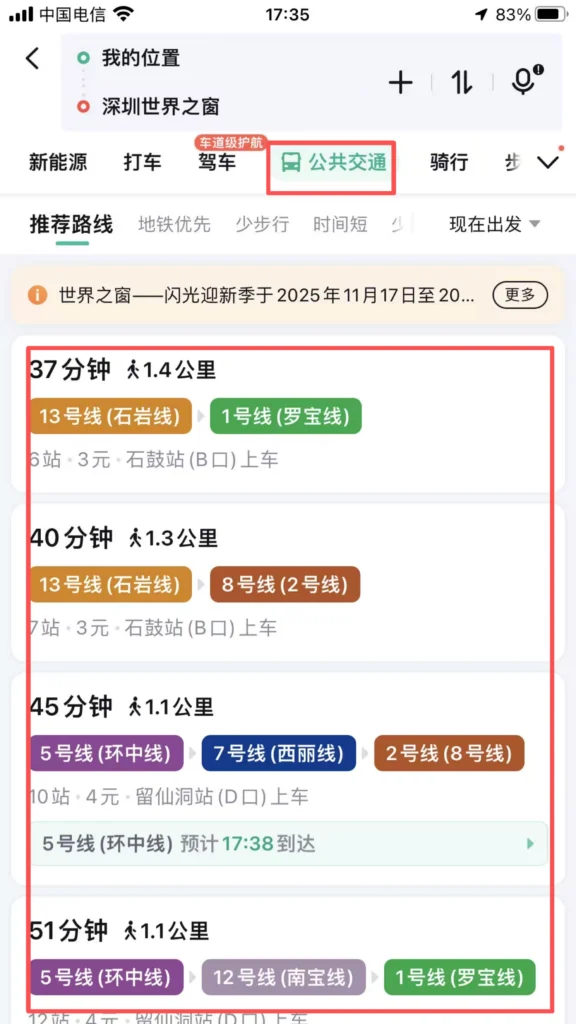
1/2
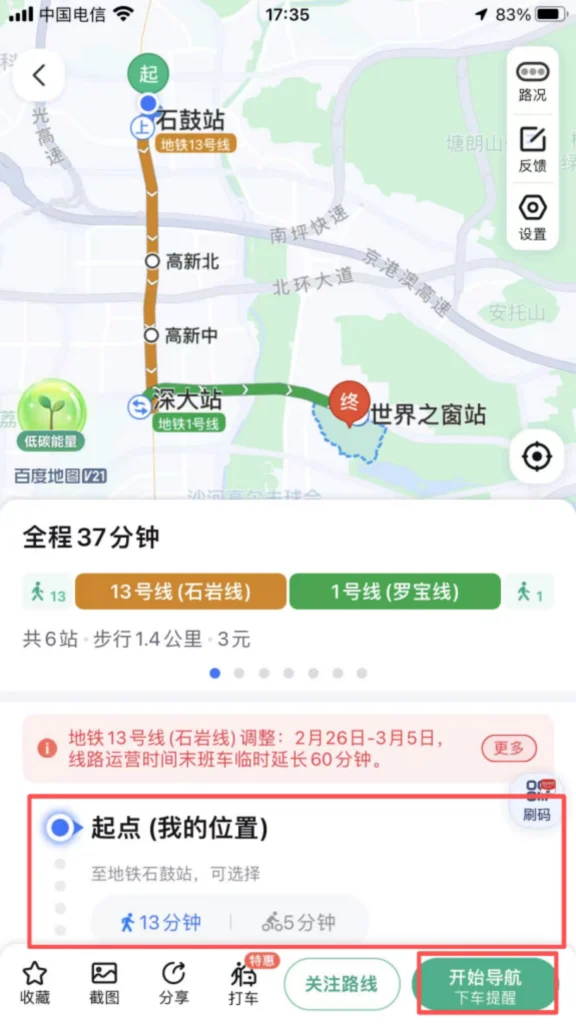
2/2
✅ Quick Summary
Why Choose Baidu Maps?
✅ No VPN Required: Works perfectly across mainland China without restrictions.
✅ Full English Layout: Seamless language switching for overseas tourists and expats.
✅ Multi-Mode Navigation: Precise guidance for driving, subway, walking, cycling, and public transport.
✅ Real-Time Traffic Alerts: Color-coded congestion indicators and voice-guided detours.
✅ Offline Map Downloads: Navigate smoothly even without mobile data.
✅ Comprehensive POI Search: Quickly locate restaurants, hotels, pharmacies, and ATMs.
📥 Download Complete PDF Manual
Multi-Language • Offline Printable • All Screenshots Included