Baidu Translate es una herramienta pru00e1ctica para traducir ru00e1pidamente textos, voz e imu00e1genes entre distintos idiomas.
Baidu Translate: AI-Powered Multilingual Translation App for China
Official Step-by-Step Illustrated Guide with Screenshots and Multi-Language PDFs
📱 Official App Downloads
📘 (1) Download and Registration
Download & Install Baidu Translate
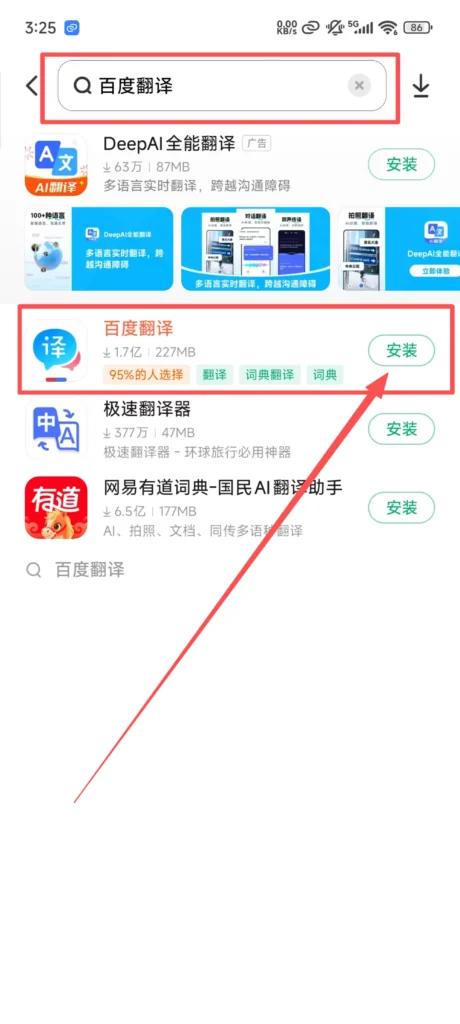
Search for “Baidu Translate” or “百度翻译” in the app store, download and install it.
1/1
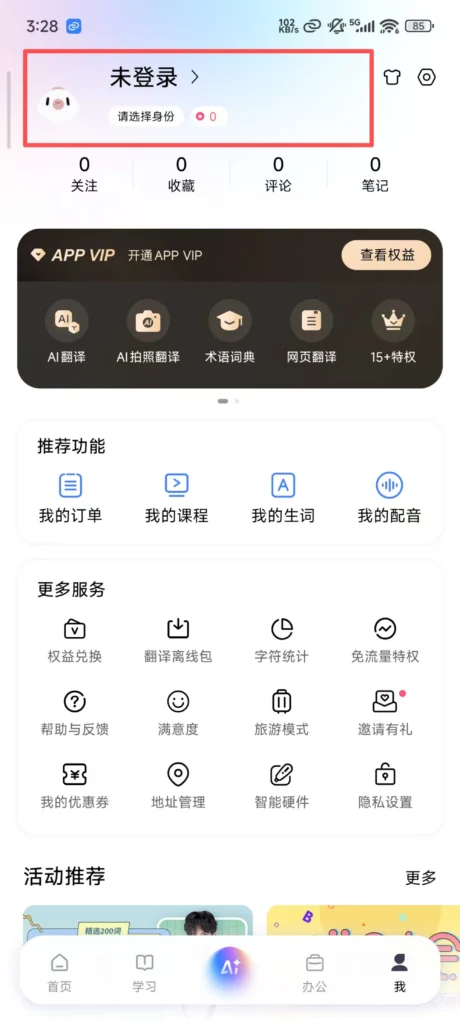
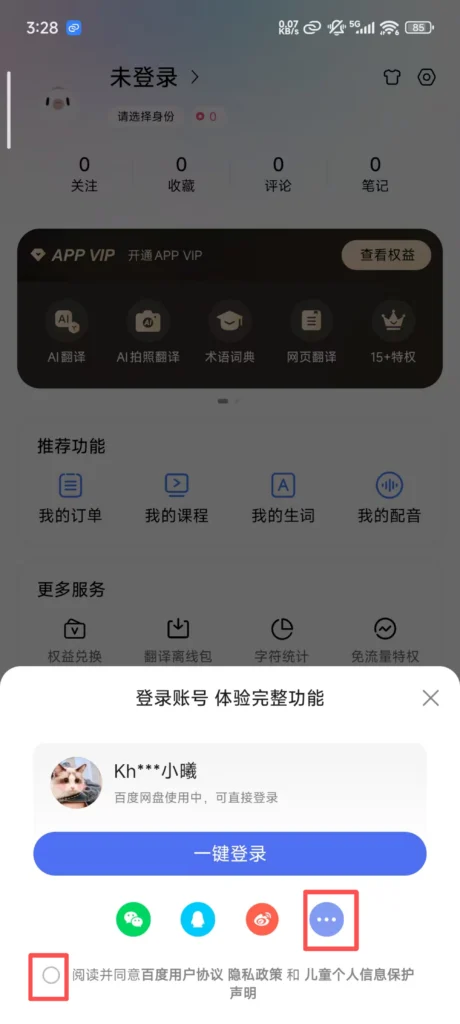
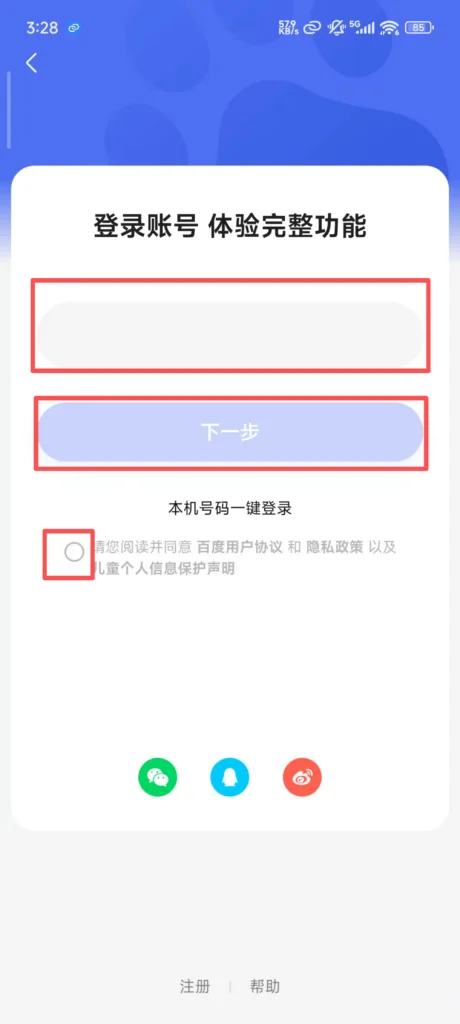
Registration & Login
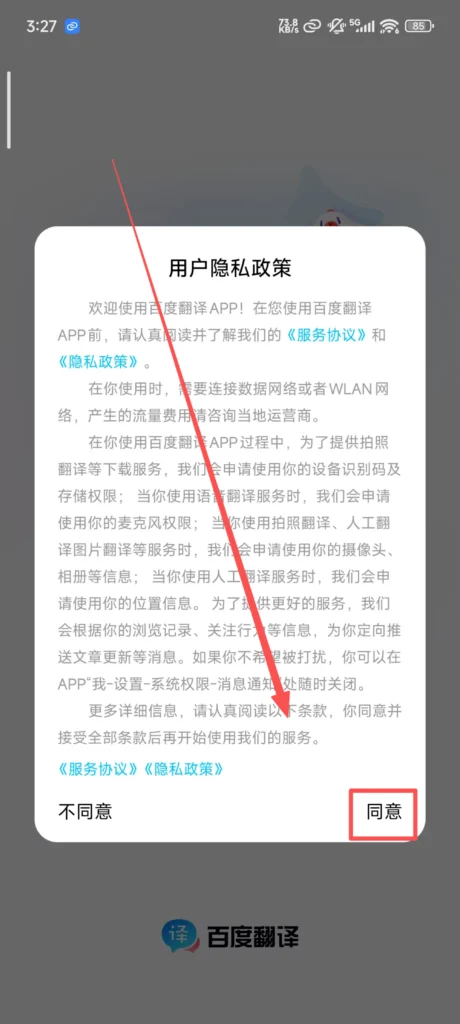
Supports quick login via WeChat, QQ, and Baidu accounts, and you can also log in with your mobile phone number. After logging in, you can sync translation records, favorite words, offline packages, and other data, making it more convenient to use across devices.
1/5
2/5
3/5
4/5

5/5
📝 (2) Core Functions – Text Translation
Text Translation
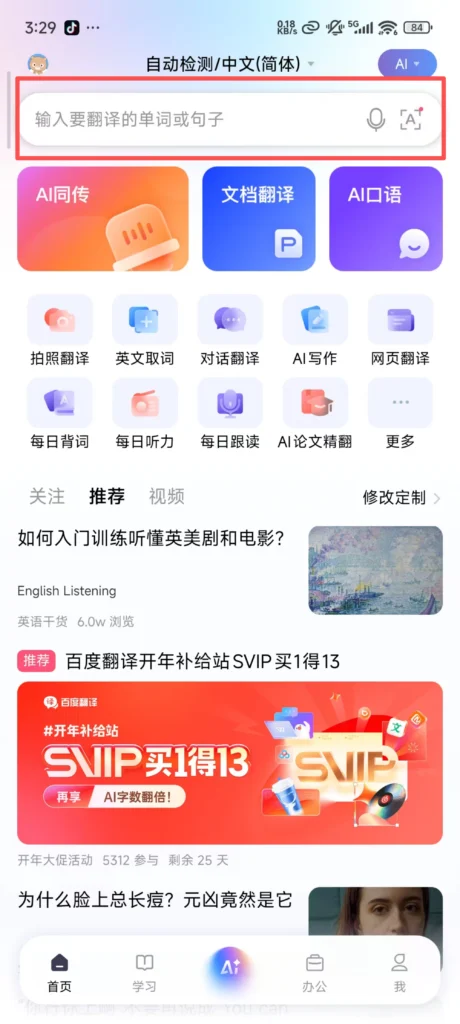
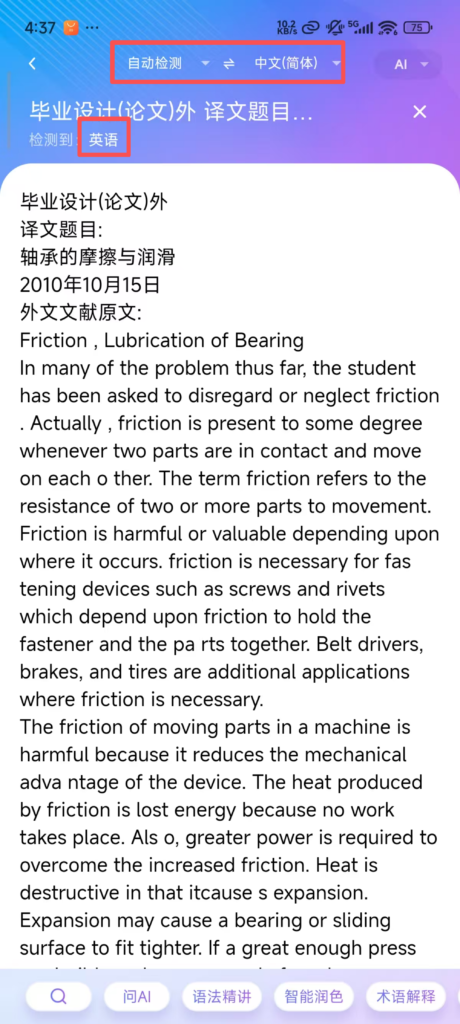
By default, the interface enters the text translation screen. The input box supports manual input, voice input, and pasting text (no character limit, supports translation of long texts in segments). At the top, you can select the source language (default is auto-detect, supports Chinese, English, Japanese, Korean, etc., for 100+ languages) and the target language.
1/2
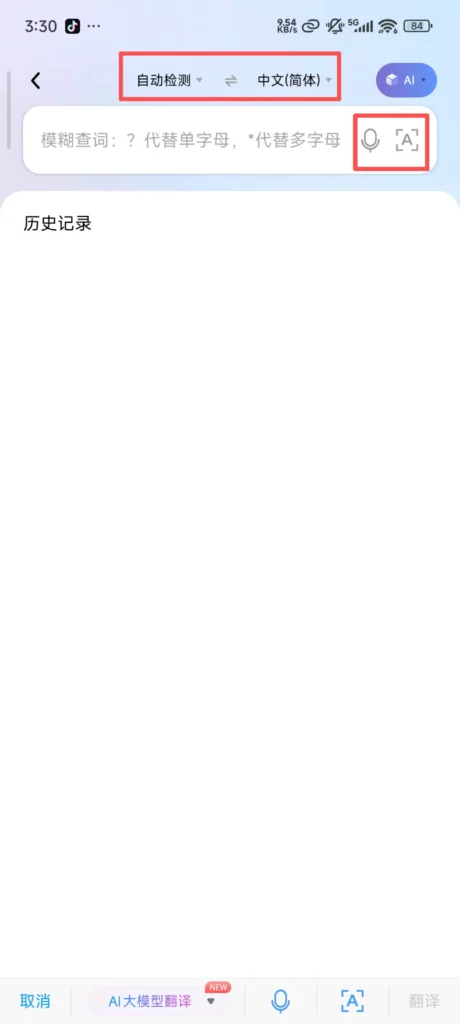
2/2
After inputting text, the translation result is displayed in real time, with support for “Copy,” “Share,” and “Read Aloud” functions (voice speed and tone adjustable).
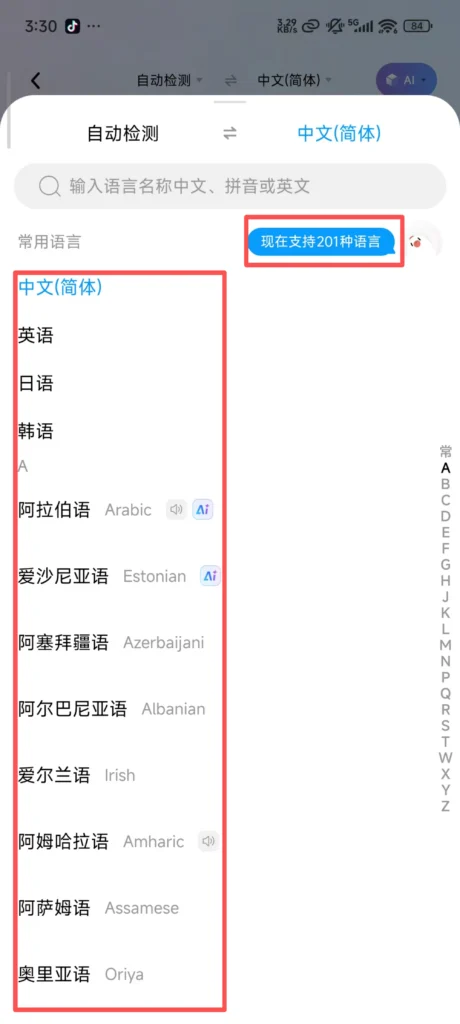
1/2
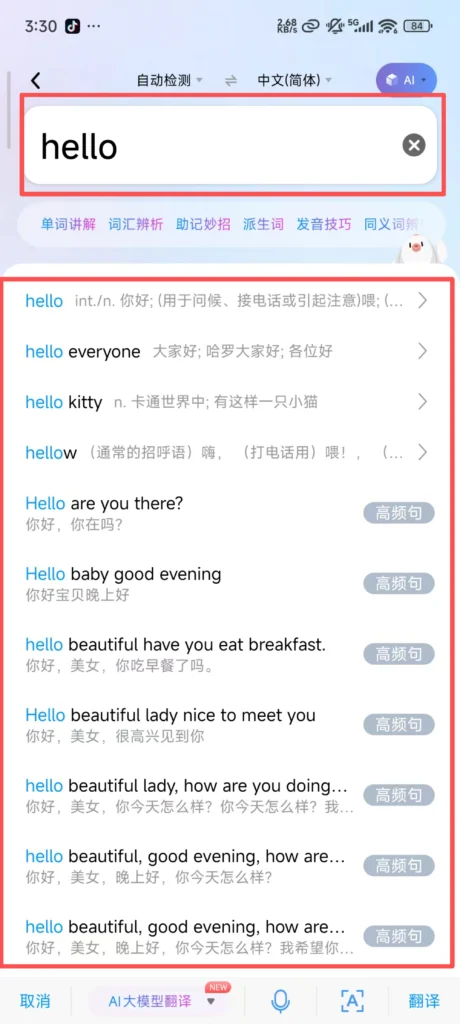
2/2
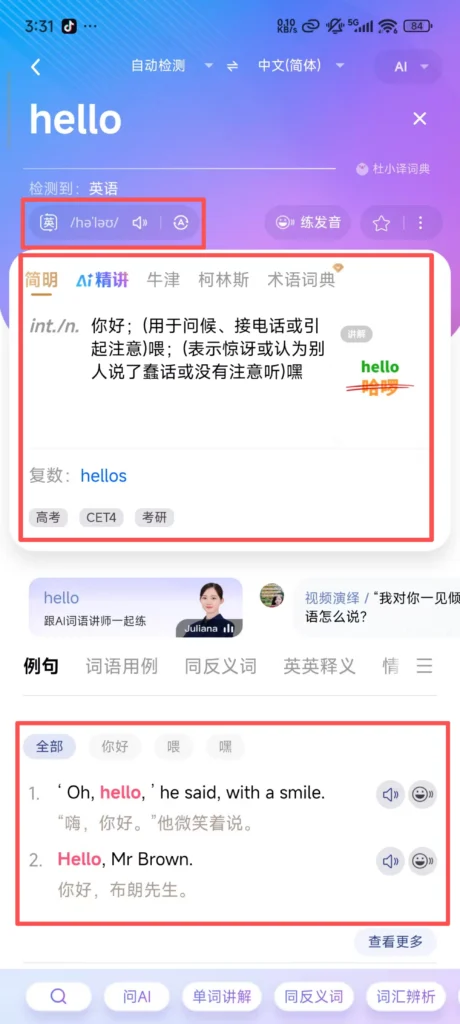
Translation Result Optimization: Click “Expand” below the translation result to see detailed explanations (such as the word’s part of speech, example sentences, collocations), synonyms/antonyms, and register notes (formal/informal). Long text translation supports “paragraph translation” and “full text reading”, and you can also switch between “concise mode” and “detailed mode” to view the results.
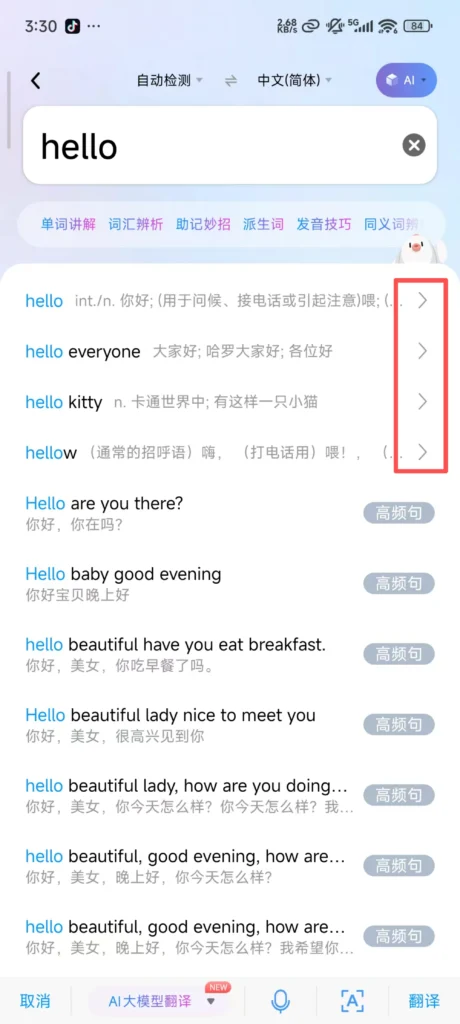
1/2
2/2
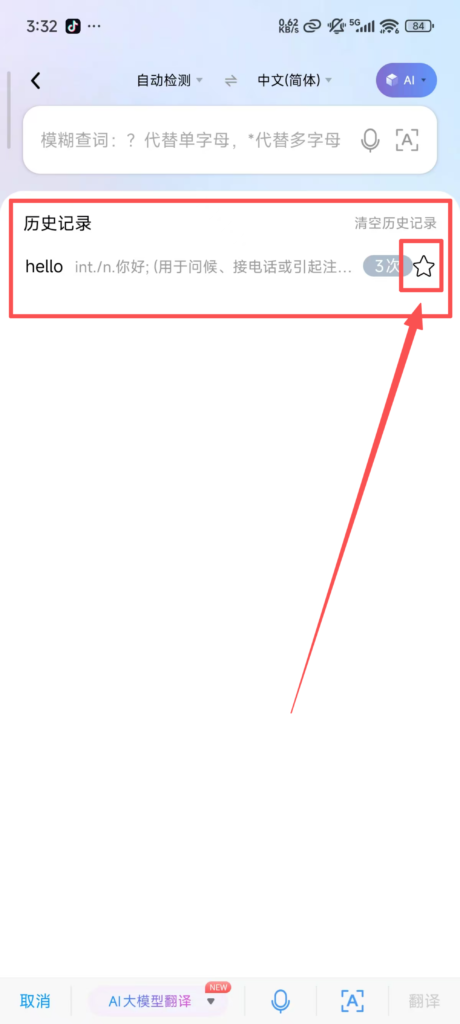
History Record Sync: After logging in, all translation records are automatically synced to ‘My – History’, supporting filtering by time and keyword search, with options to re-translate, favorite, or delete records. When not logged in, history records are only stored locally and will be lost after uninstalling the app.
📷 (2) Core Functions – Image Translation
Image Translation
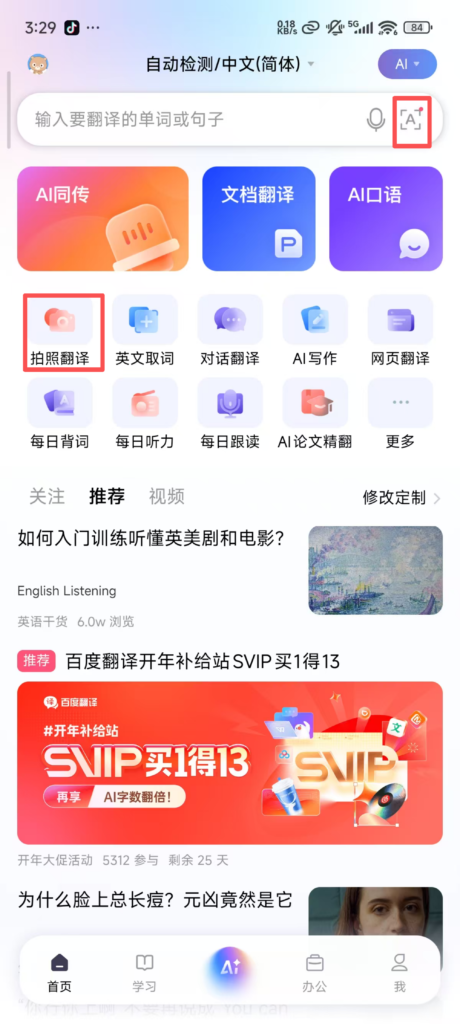
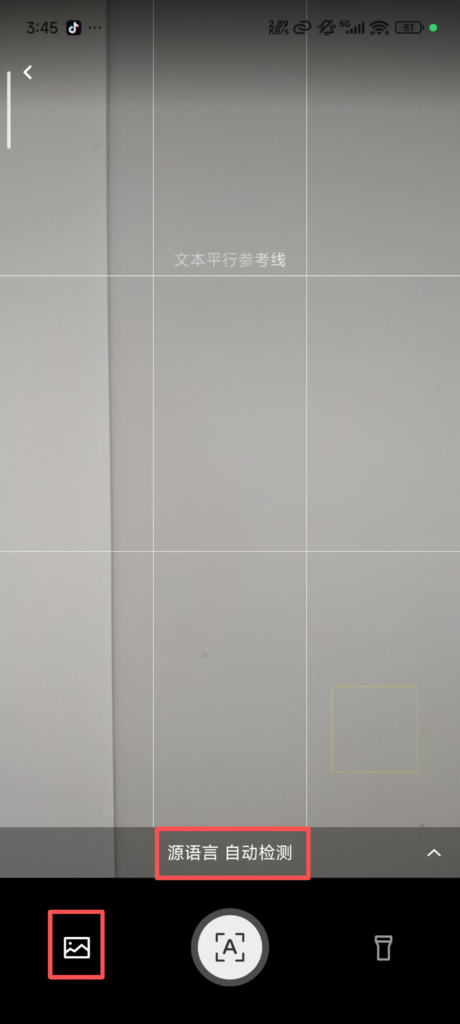
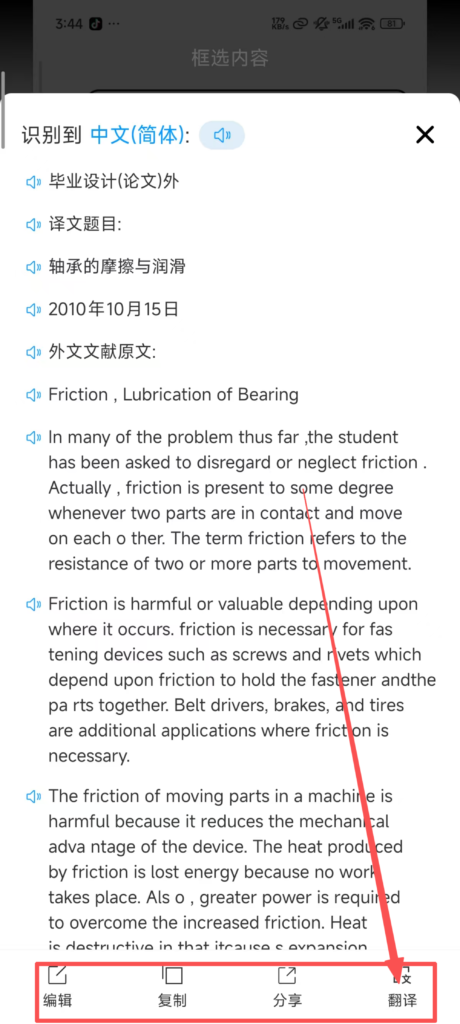
Upload Image for Translation: Click the “Album” icon on the camera interface to select images saved on your phone (supports JPG and PNG formats). The system will automatically recognize the text and translate it. It supports batch uploading of multiple images for efficient and continuous translation.
1/2
2/2
In the image translation interface, you can choose the source and target languages, enable “Auto Language Detection,” “High-Definition Recognition,” and “Night Mode” (to improve recognition in low-light environments). It also supports “Overlay Translation Results” (directly overlaying the text on the original image) or “Split-Screen Display.”
1/2
2/2
🎤 (2) Core Functions – Voice Translation
Voice Translation
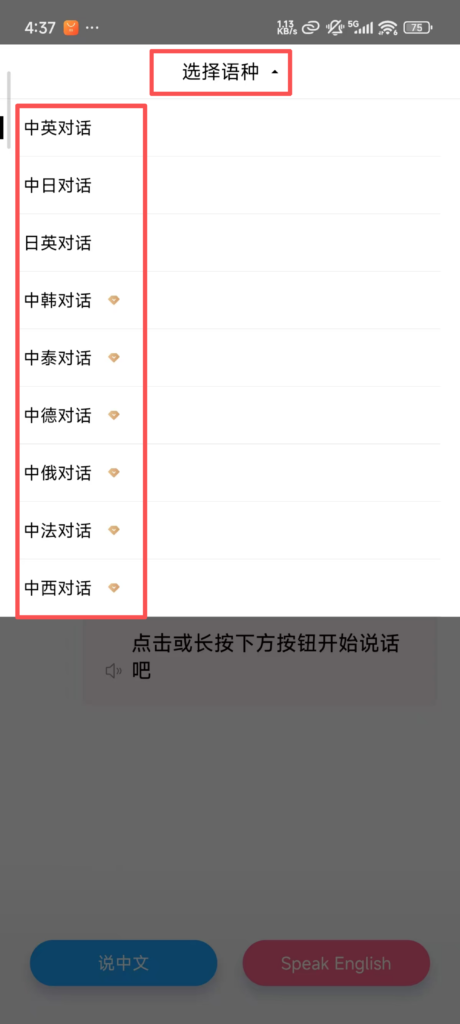
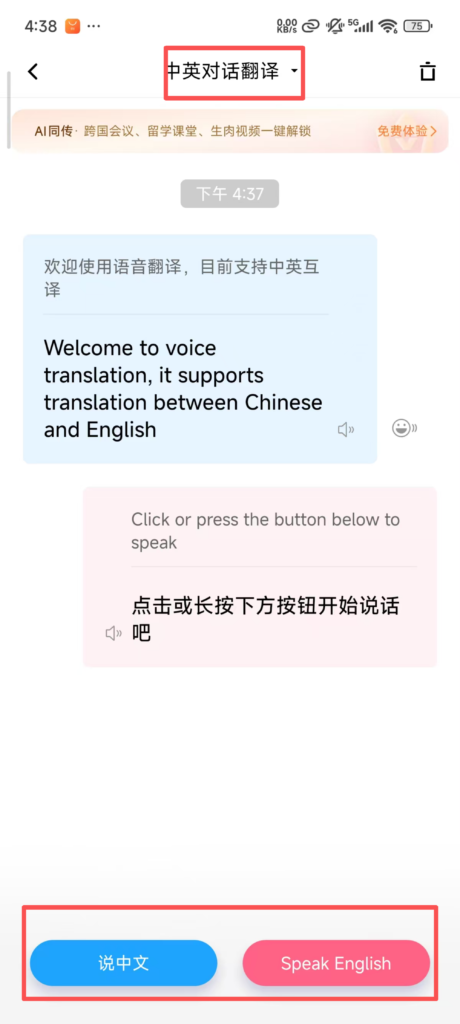
Conversation Mode: In the voice translation interface, click the “Conversation” icon to switch to two-person conversation mode. The system automatically alternates in recognizing and translating the languages of both parties, supporting common language combinations such as “Chinese – English” and “Chinese – Japanese.”

1/3
2/3
3/3
Conversation records are automatically saved and can be copied or shared.
✅ Quick Summary
Why Choose Baidu Translate?
✅ 200+ Languages: Supports over 200 global languages.
✅ AI-Powered: Continuously updated machine translation technology.
✅ Camera Translation: Instant translation of documents, menus, and signs.
✅ Voice Translation: Real-time conversation translation with auto language detection.
✅ Offline Mode: Download language packages for use without internet.
✅ File Translation: Translate PDF and Word files.
✅ Completely Free: No hidden charges or paid memberships.
✅ History Sync: Translations sync across devices when logged in.
📥 Download Complete PDF Manual
Multi-Language • Offline Printable • All Screenshots Included