
Dianping is an app to find restaurants, shops and local services with reviews and discount deals.
Dianping: China’s Leading Local Lifestyle Review & Consumption Guide
Official Step-by-Step Illustrated Guide with Screenshots and Multi-Language PDFs
📱 Official App Downloads
📘 (1) Download and Registration
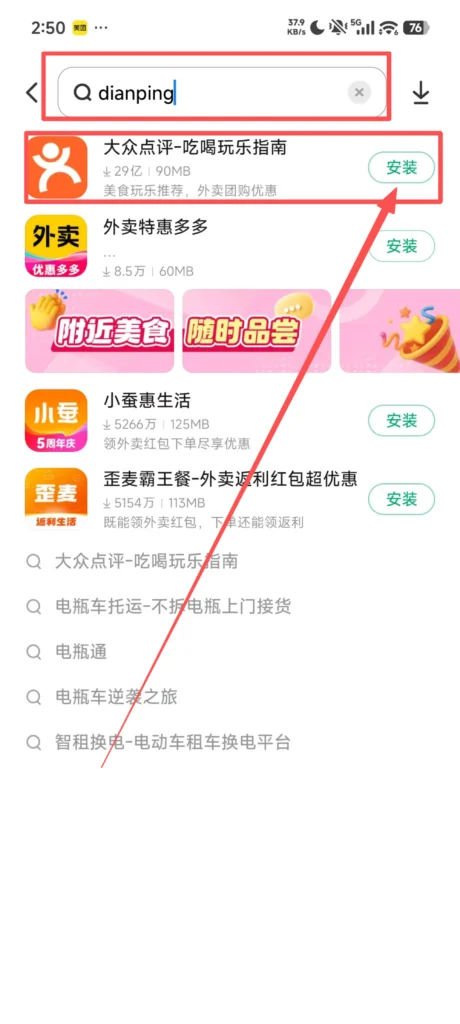
Download & Install Dianping
Search for “Dianping” or “大众点评” in the app store, download, and install it.
1/1
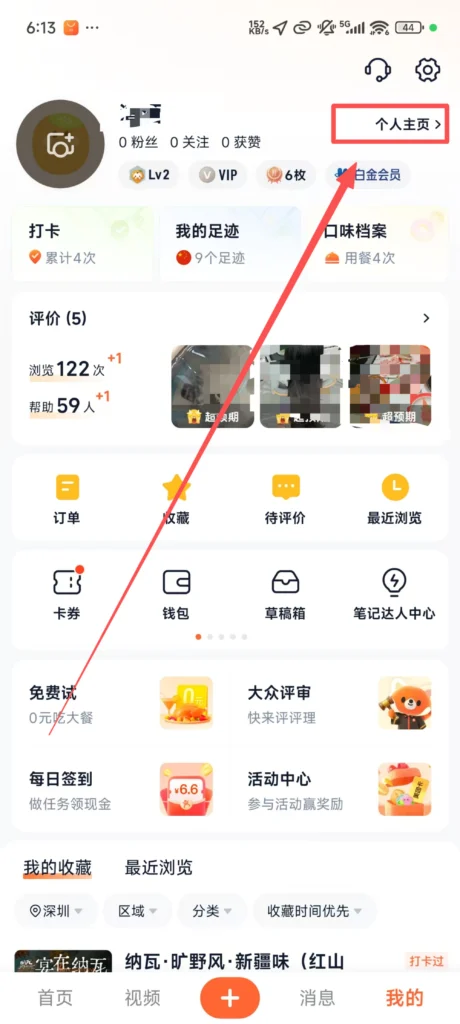
Registration & Login
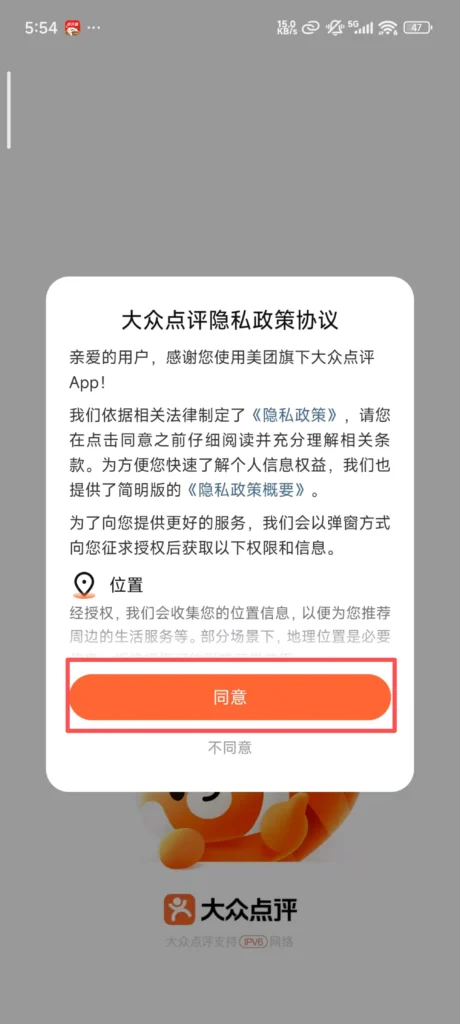
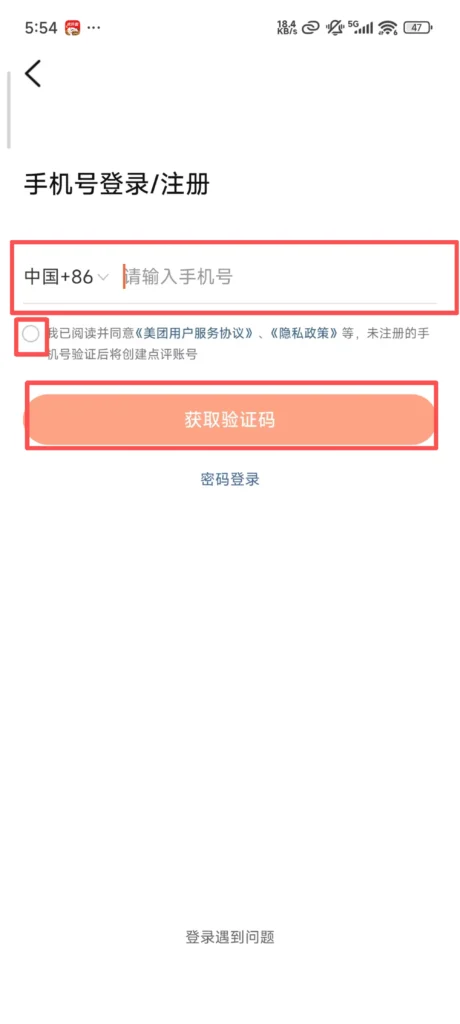
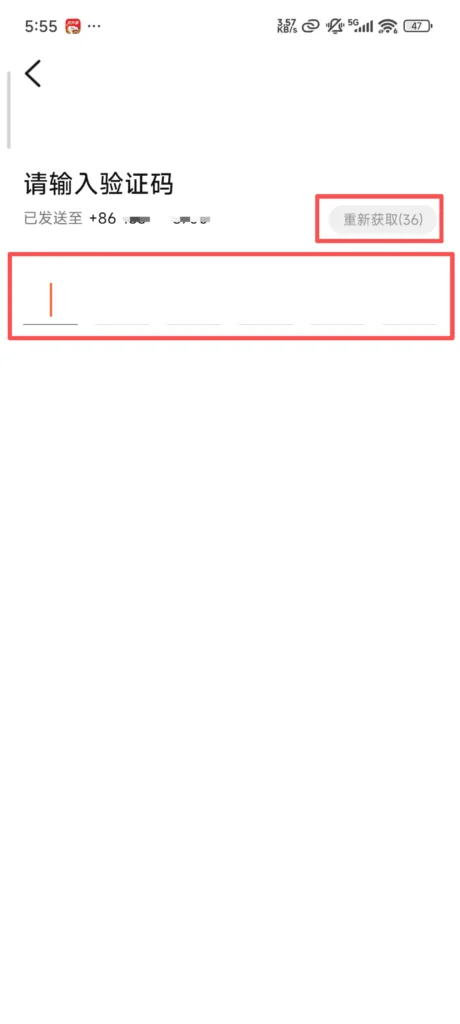
Supports quick login via WeChat, QQ, or mobile number. After logging in, you can complete your personal information (nickname, avatar), bind your mobile number, and synchronize Meituan account data (such as orders and favorites).
1/4
2/4
3/4
4/4
🔍 (2) Core Function Usage
Local Service Browsing and Filtering
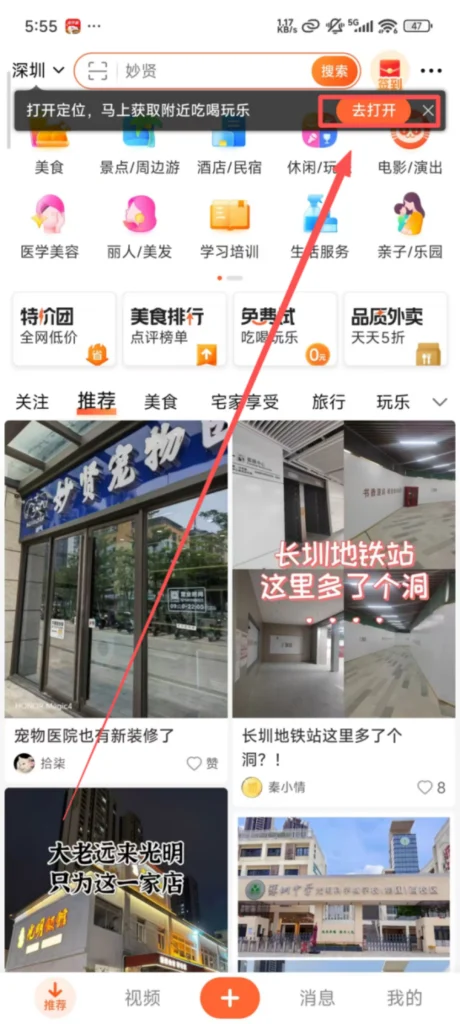
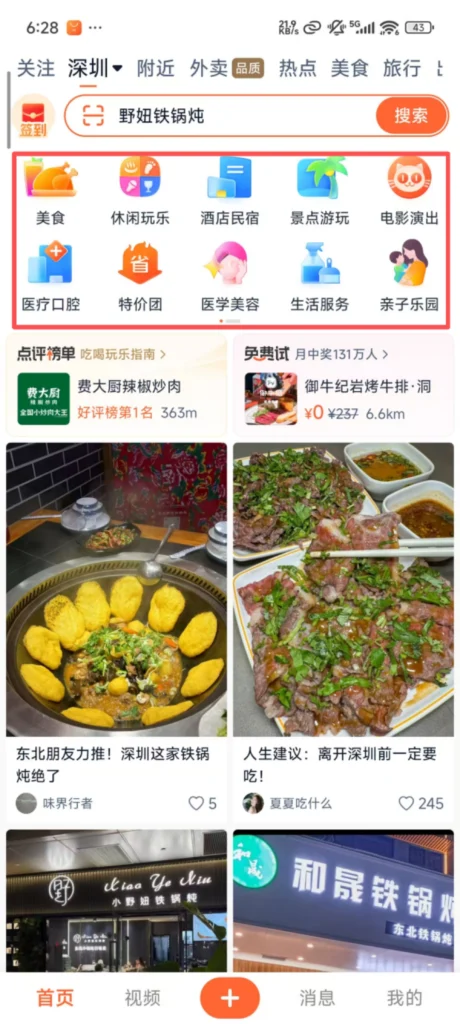
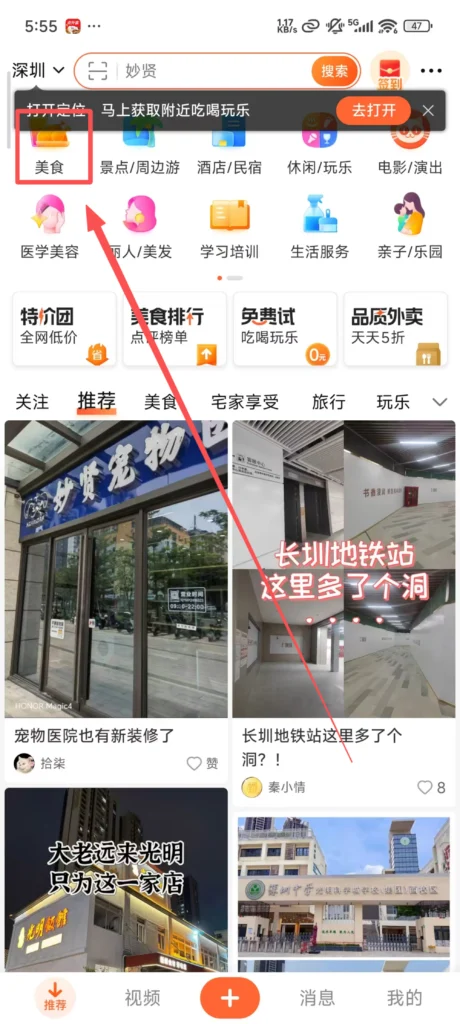
Location Activation: Open the APP, enable location permissions, and the local service providers in the current city will be displayed automatically. The default recommended category is ‘Food’, and it supports switching to categories such as ‘Hotels’, ‘Leisure & Entertainment’, ‘Beauty’, ‘Parent-Child’, and ‘Fitness’.
1/2
2/2
Precise Filtering: After selecting a category, you can filter by distance (near to far), rating (above 4 / above 4.5), price range (average spending per person), taste (such as Sichuan cuisine, Cantonese cuisine), and facilities (free WiFi, free parking) to quickly find businesses that meet your needs.
1/3
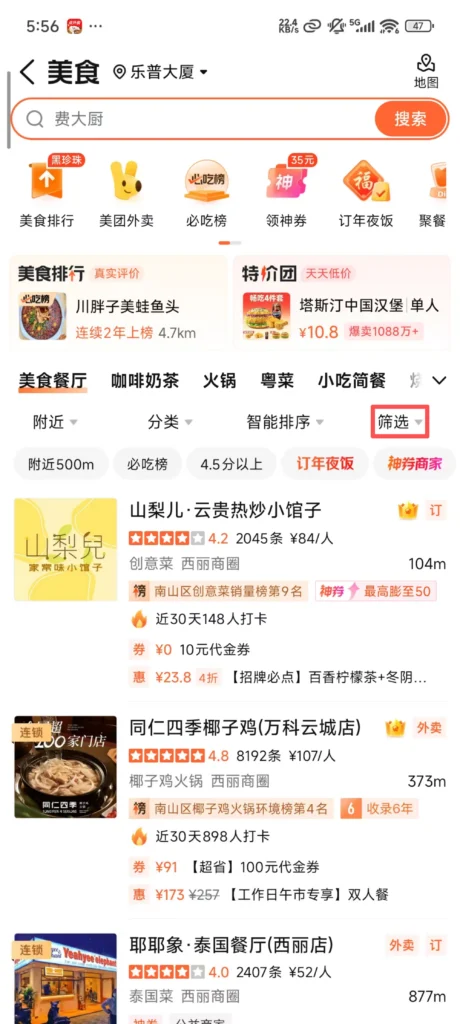
2/3
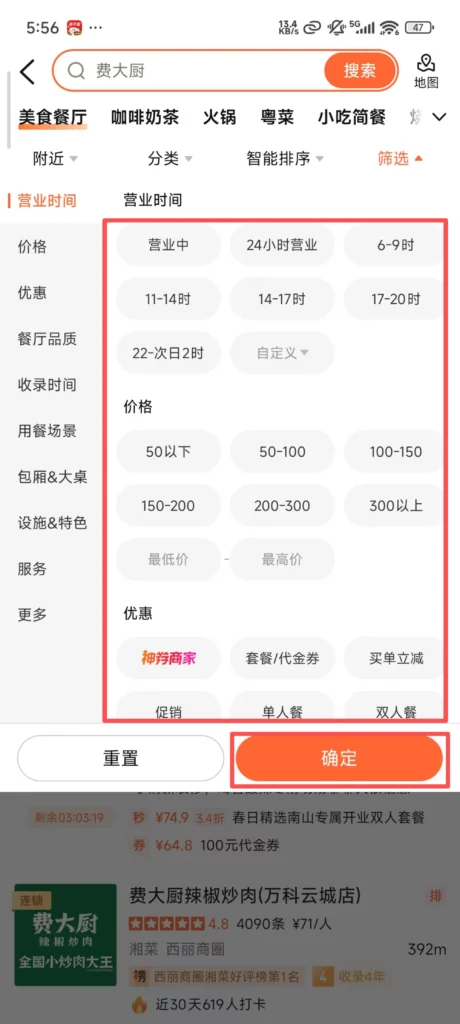
3/3
Merchant Details Inquiry
Detail Page: Click on the merchant to enter the detail page to view the merchant’s profile (business hours, address, contact information), user reviews (including real photos, taste/environment/service ratings, experience sharing), average spending per person, recommended dishes/items.
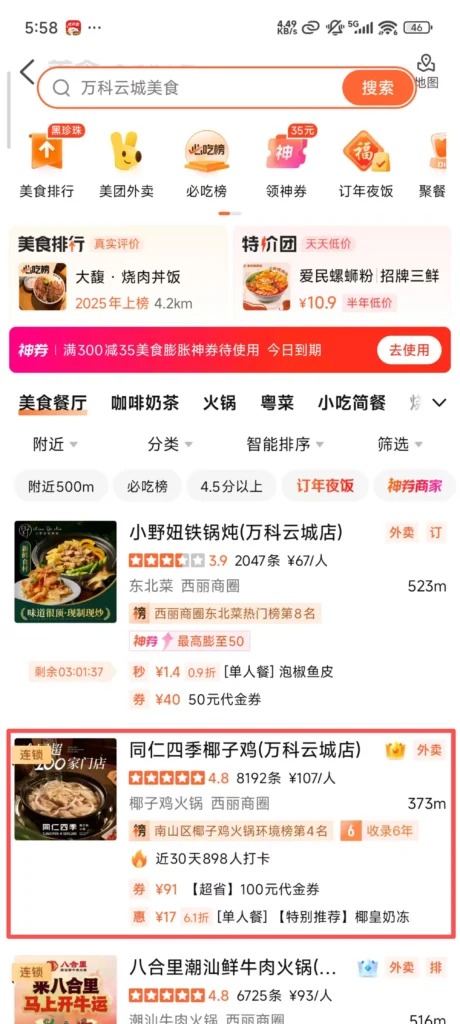
1/2
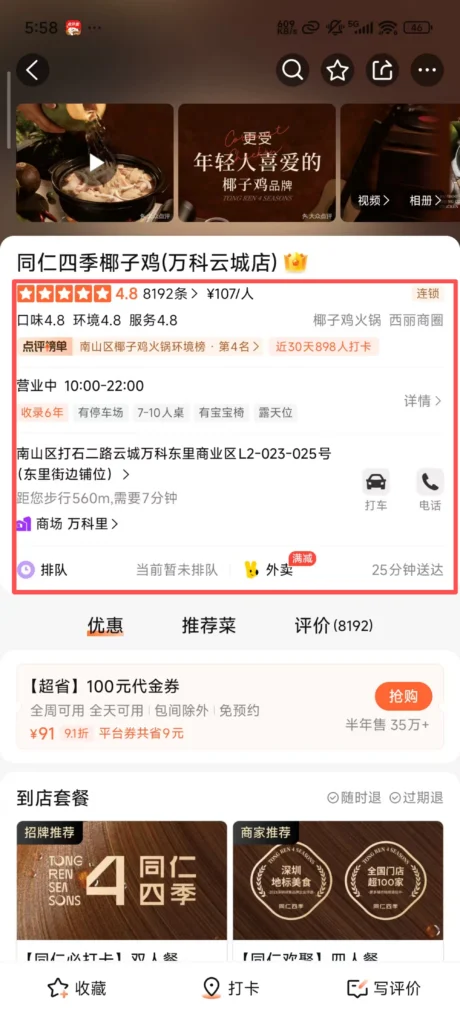
2/2
Practical Information: Check merchant packages (such as food packages, beauty packages), promotional activities (such as vouchers, discount coupons), reservation rules, parking information, and whether takeout is supported; some merchants offer “merchant live streaming” to intuitively understand the environment and products.
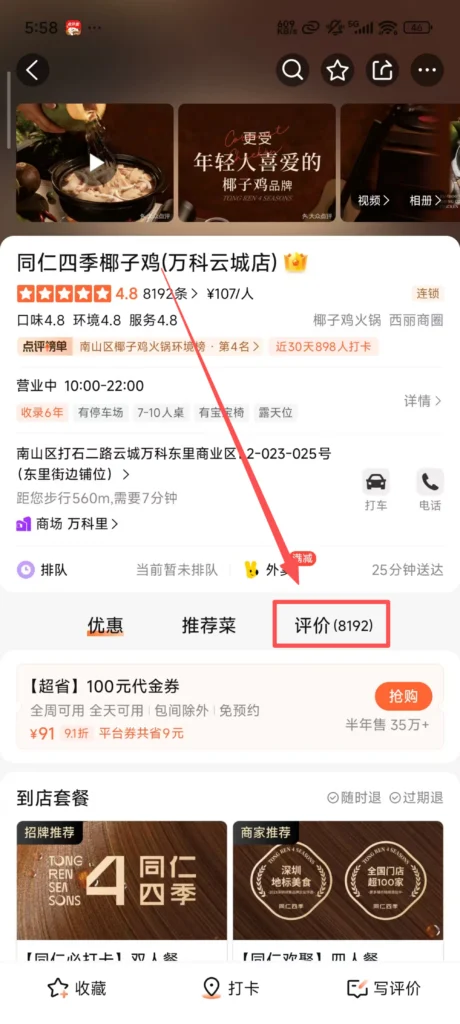
1/2
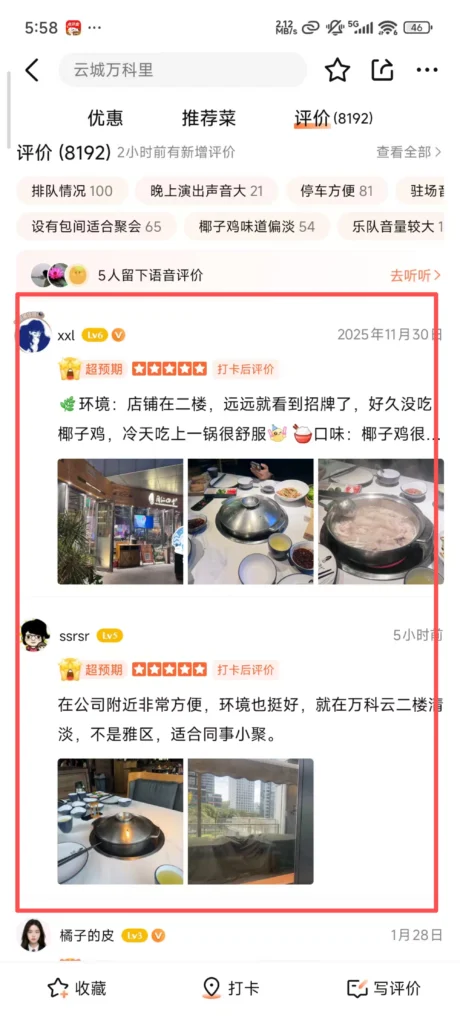
2/2
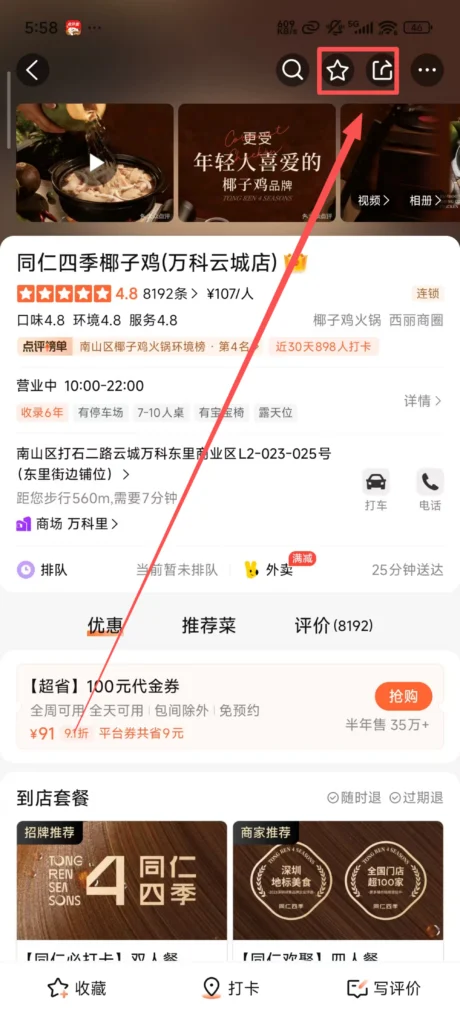
Favorites and Sharing: Click the ‘Favorite’ icon to add your preferred merchants to ‘My – Favorites’ for easy future reference; support sharing merchant information to WeChat and Weibo to recommend to friends.
Reviews and Interaction
Post a Review: After your purchase, you can find the corresponding merchant in ‘My – Orders’, click ‘Write a Review’, upload pictures (up to 9), fill in ratings (taste / environment / service / value for money), and write your experience. Once published, it will be available for other users to reference.
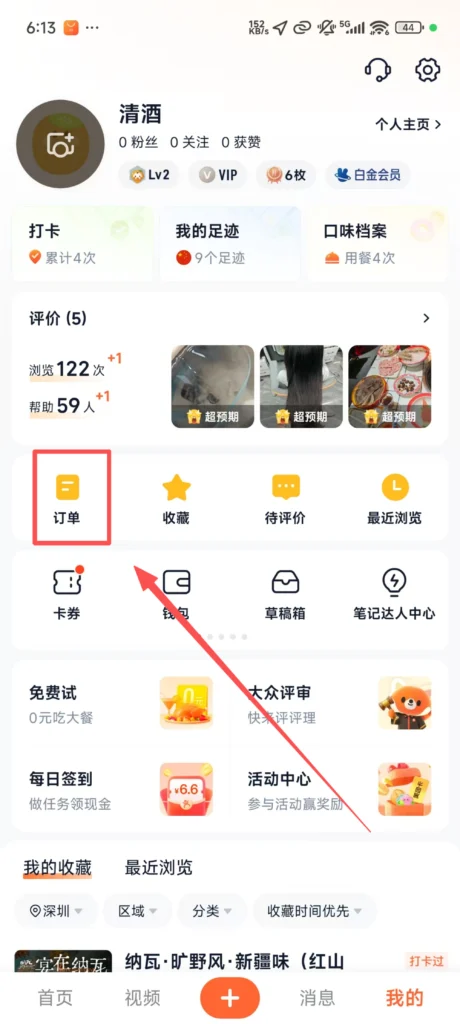
1/3
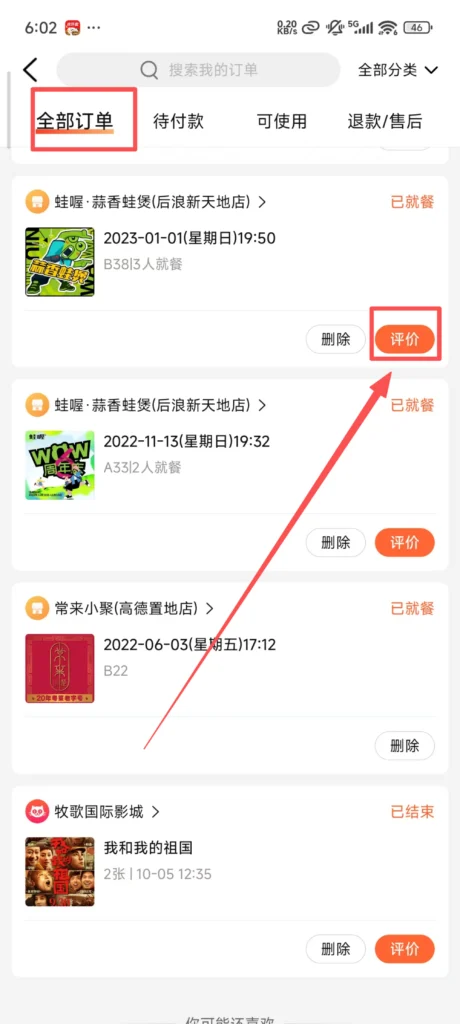
2/3
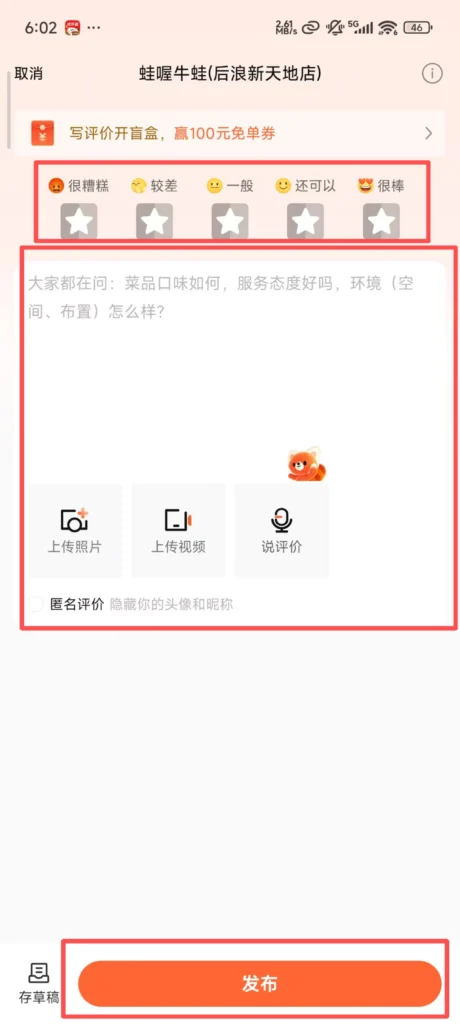
3/3
Interactive features: Users can like or comment on other users’ reviews, consult merchants on related questions (such as ‘Is an appointment needed?’ or ‘Is there parking available?’), and merchants or other users will reply with answers.
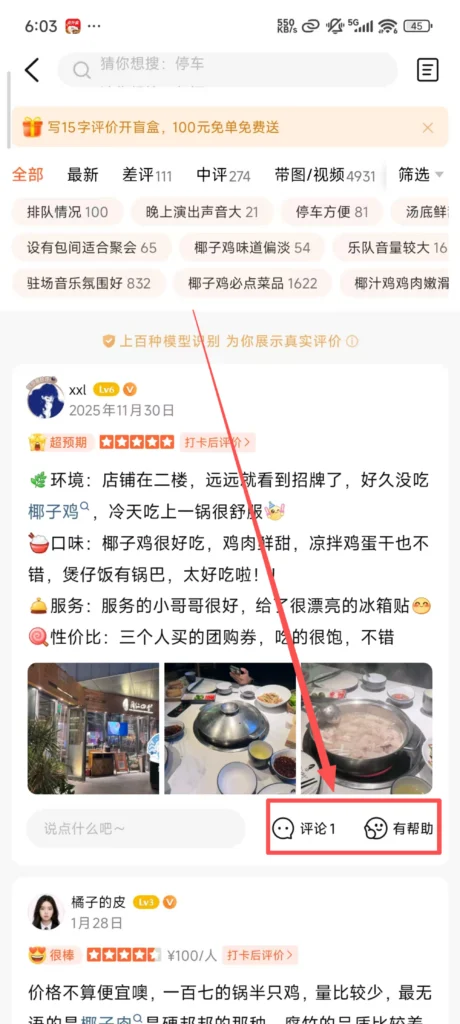
Online Booking
Booking Process: Some merchants support online booking (such as restaurants, hotels, beauty and nail services). On the merchant’s detail page, click ‘Book’, select the booking date, time, number of people / service items, fill in the contact information, confirm the booking rules (such as cancellation policy, deposit requirements), and submit the order.
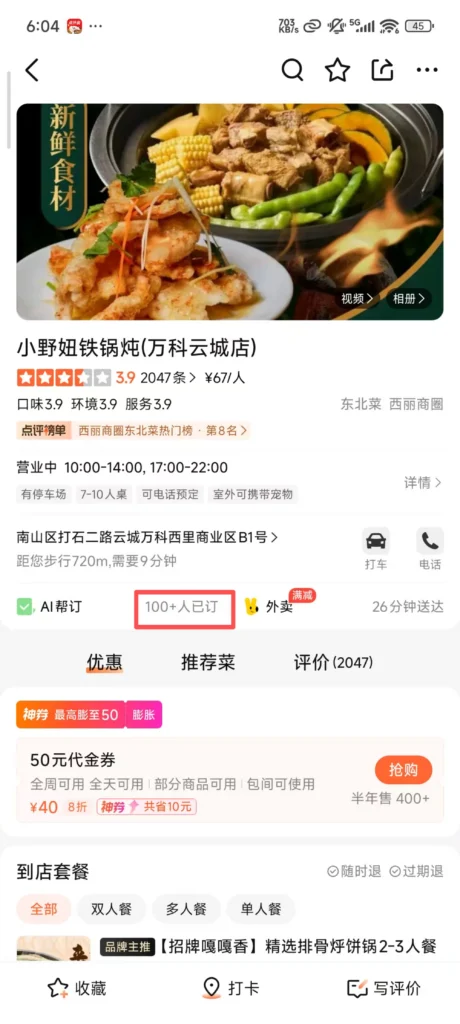
1/2
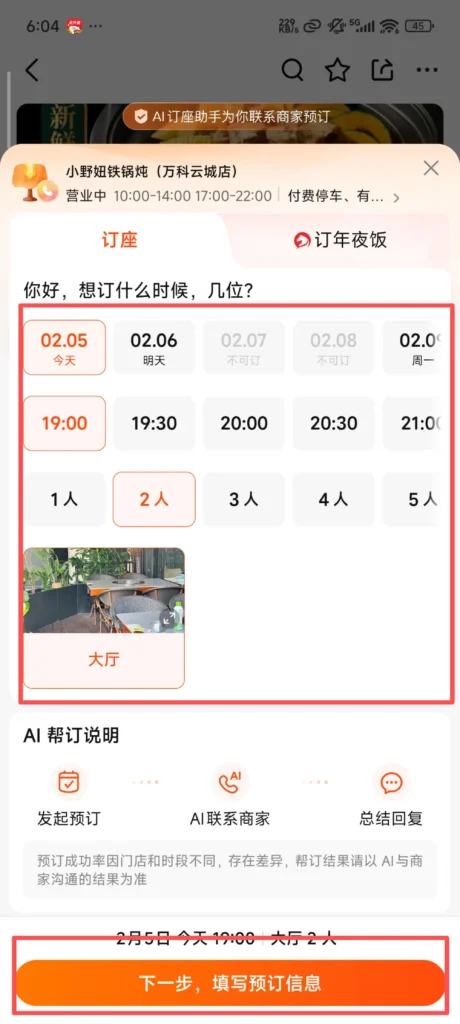
2/2
In-Store Use: Use the booking information (order number or phone number) to verify in-store and enjoy the service; some bookings require a deposit, which can be deducted from the meal or service fee upon consumption in-store.
📥 Download Complete PDF Manual
Multi-Language • Offline Printable • All Screenshots Included