
Feizhu Travel est lu2019application de voyage tout-en-un du2019Alibaba pour ru00e9server des vols, des hu00f4tels, des billets de train, des billets du2019entru00e9e pour sites touristiques, des visas et des forfaits voyages dans le monde entier.
Feizhu Travel: Alibaba’s All-in-One Travel Booking Platform
Official Step-by-Step Illustrated Guide with Screenshots and Multi-Language PDFs
📱 Official App Downloads
📘 (1) Download and Installation
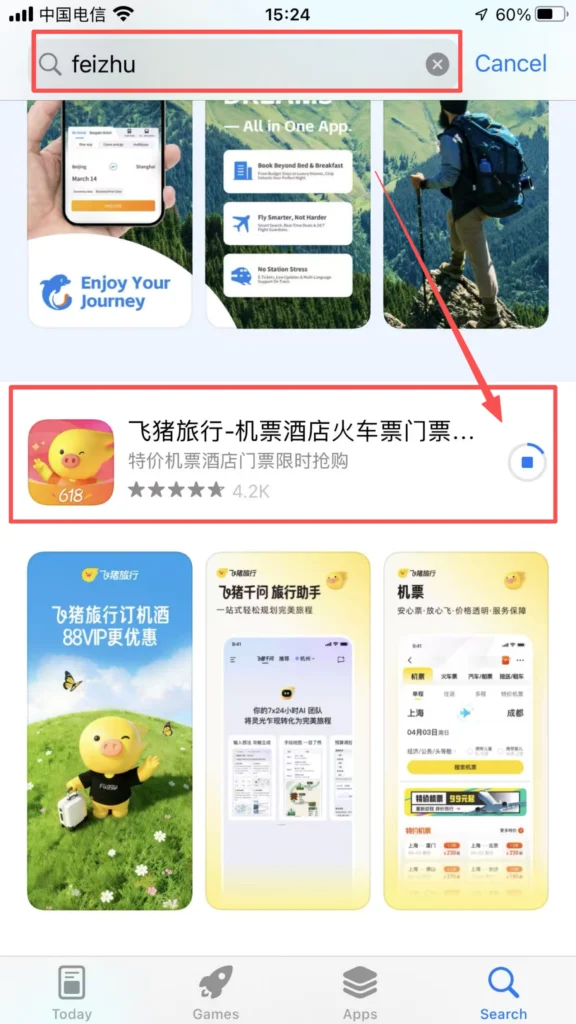
Download & Install Feizhu Travel
Open the app store, search for “Feizhu Travel” or “飞猪旅行” (blue pig icon), and click “Download” to install.
1/1
Registration and Login
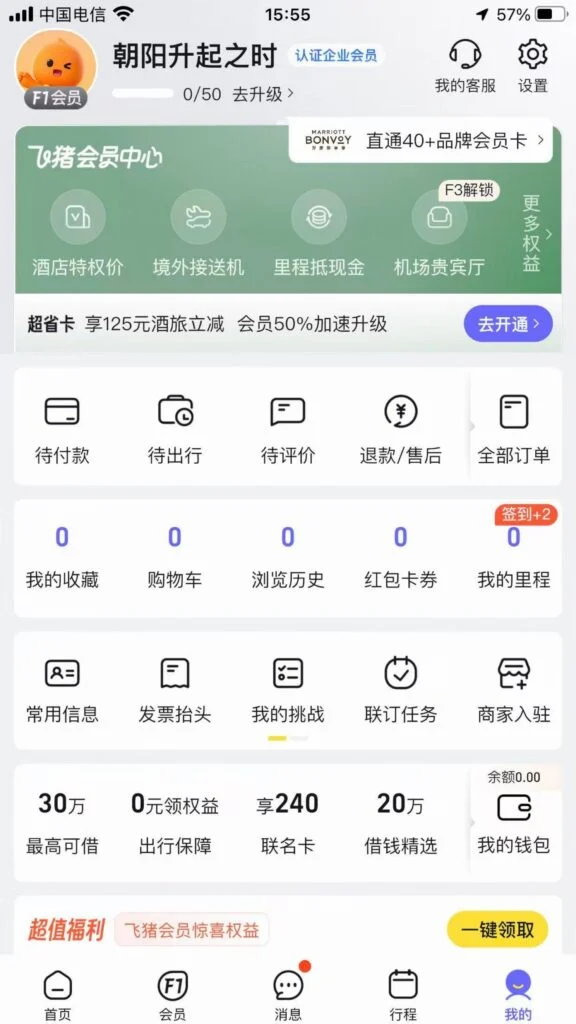
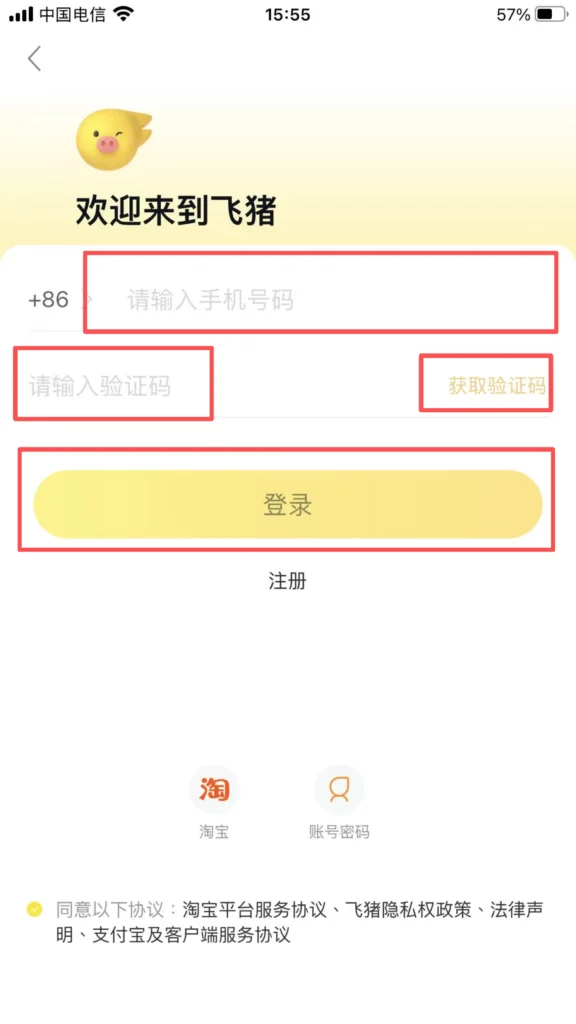
After opening the APP, choose any of the following methods to log in (Alibaba system accounts are interoperable).
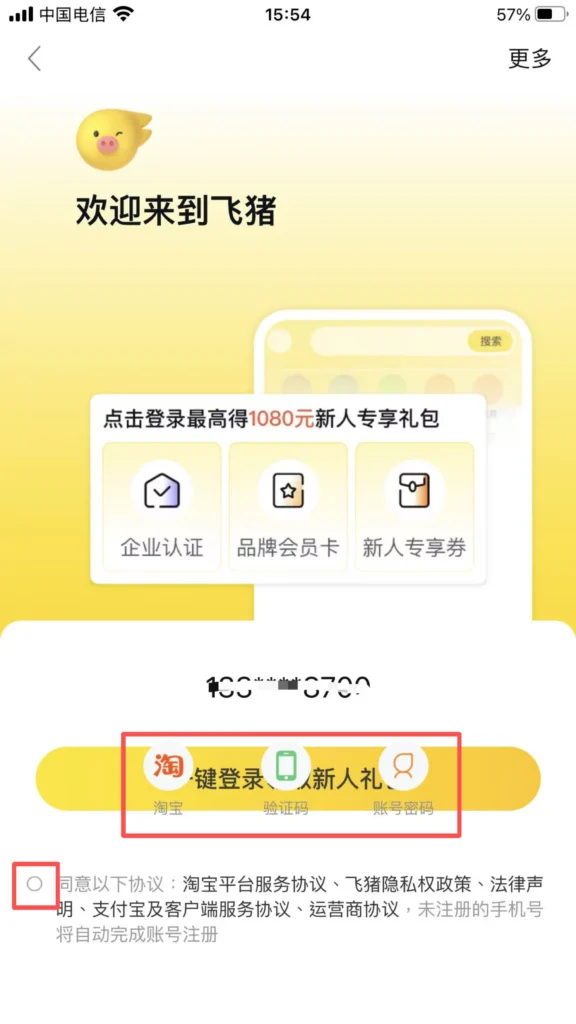
Mobile number registration and login: Enter your mobile number → receive a verification code → log in directly.
1/2
2/2
🏠 (2) Home Page Navigation
Home Page Layout
After logging in, you enter the home page, which has a clear layout and full coverage of core functions.
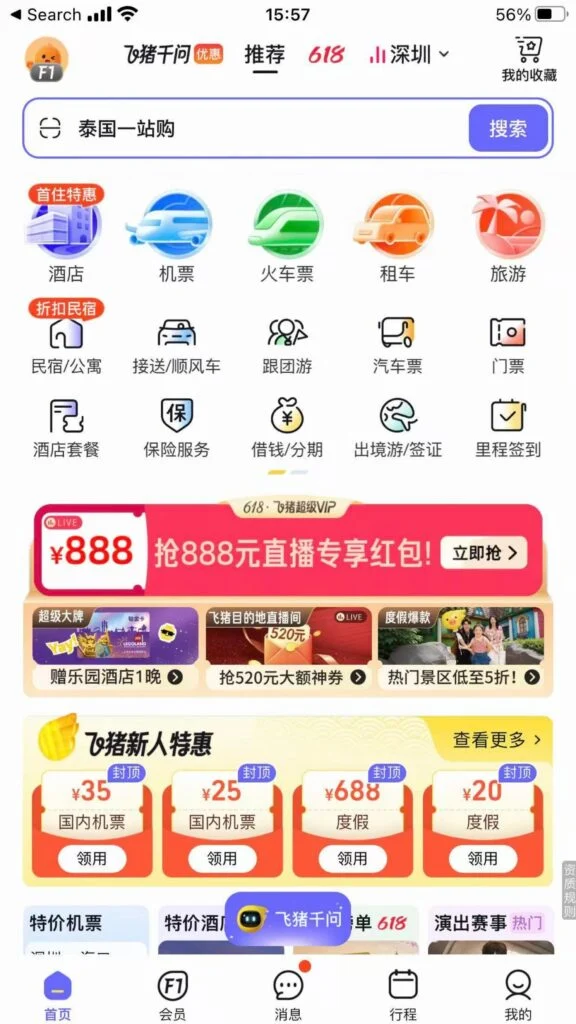
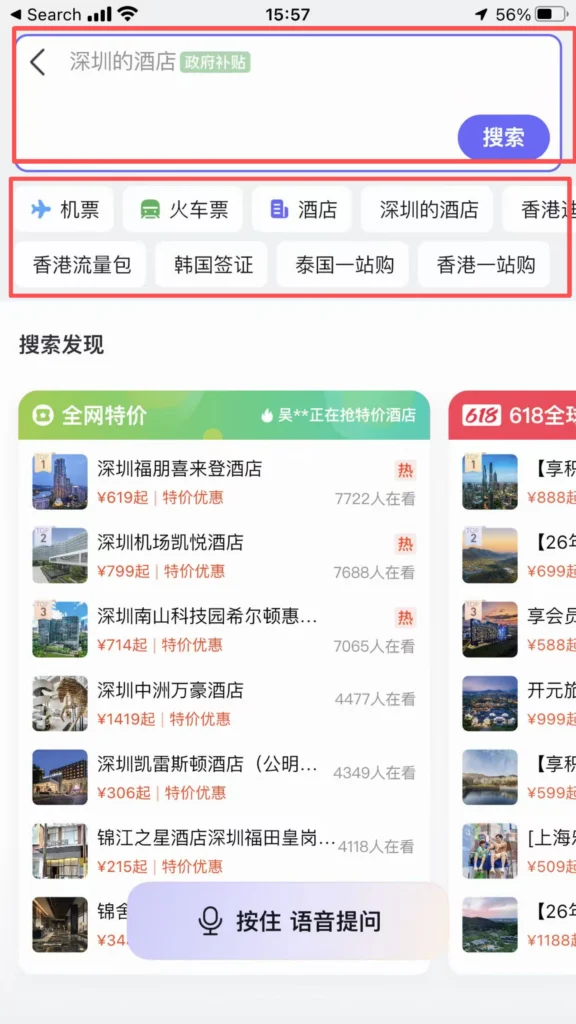
Top search bar: You can search for cities, hotels, attractions, and flight numbers, quickly locating your needs.
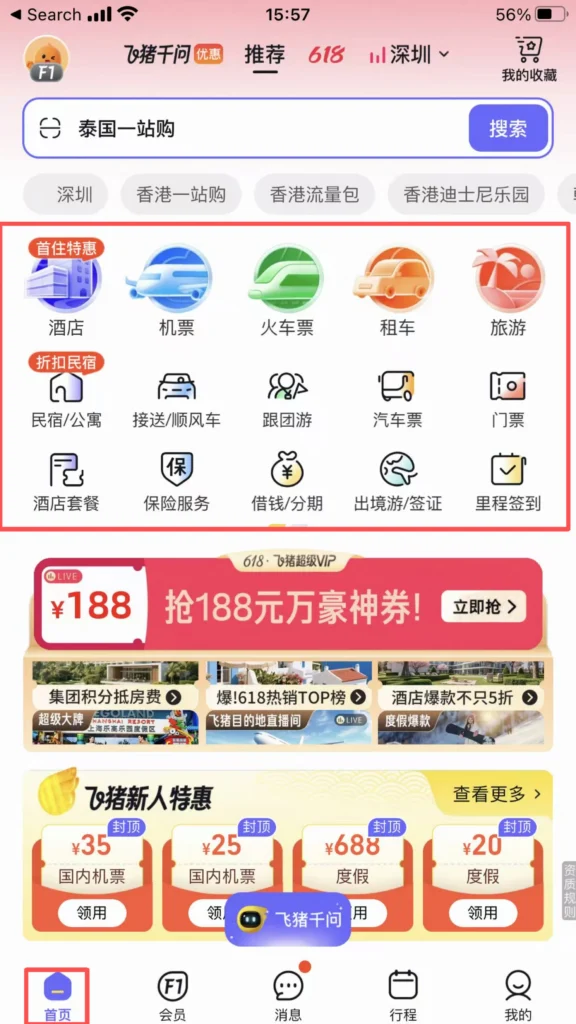
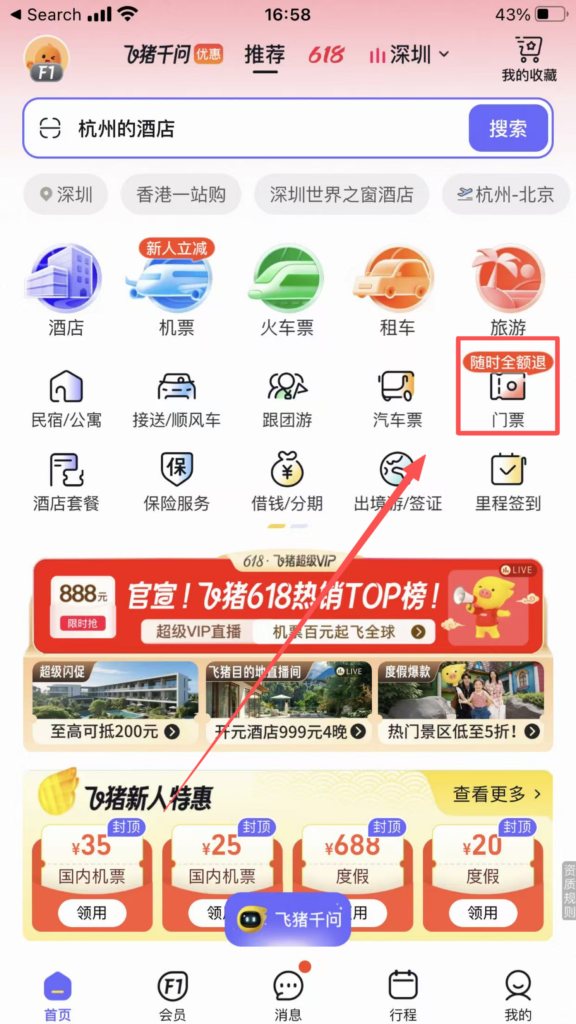
Core Function Area (Icon Bar): Flights, Hotels, Train Tickets, Tickets, Vacation, Visa, Car Rental, Guide, Cruise, Business Travel.
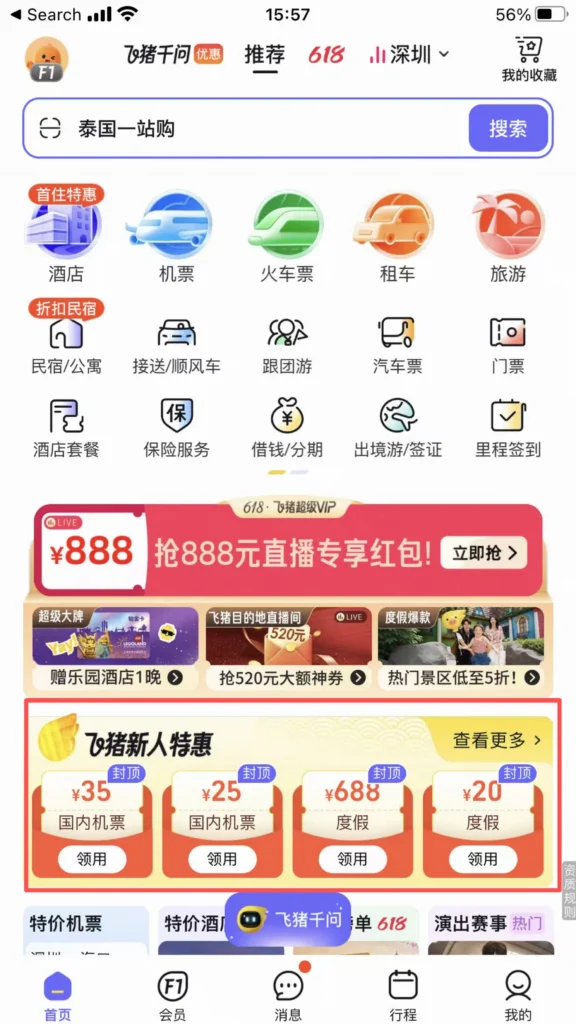
Promotions Section: New user coupons, limited-time flash sales, Member Day, discounted flights / hotels, updated daily.
1/2
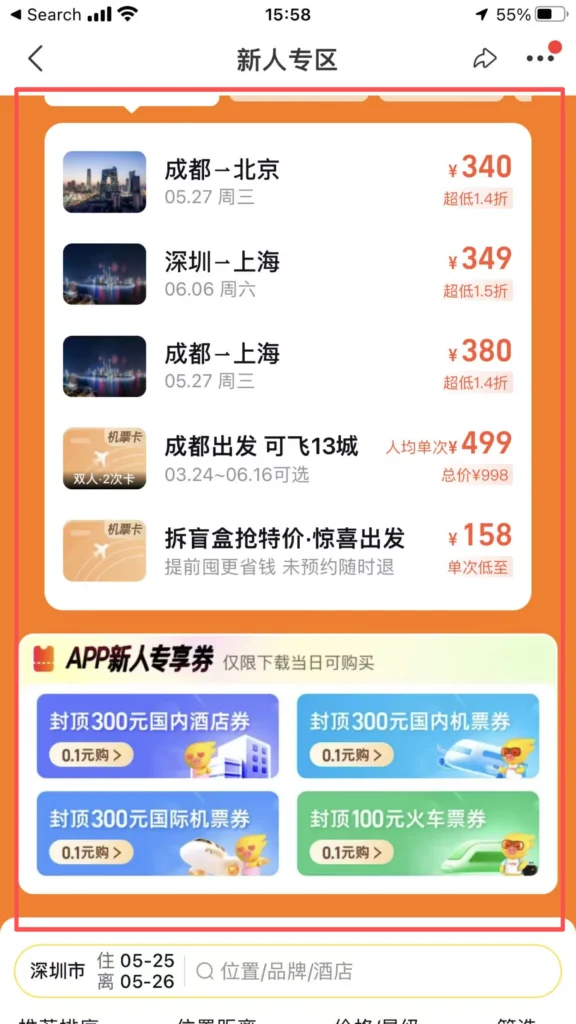
2/2
✈️ (3) Core Functions – Flight Booking
Book Flights
On the homepage, click ‘Flights’ → choose One-way / Round-trip / Multi-city.
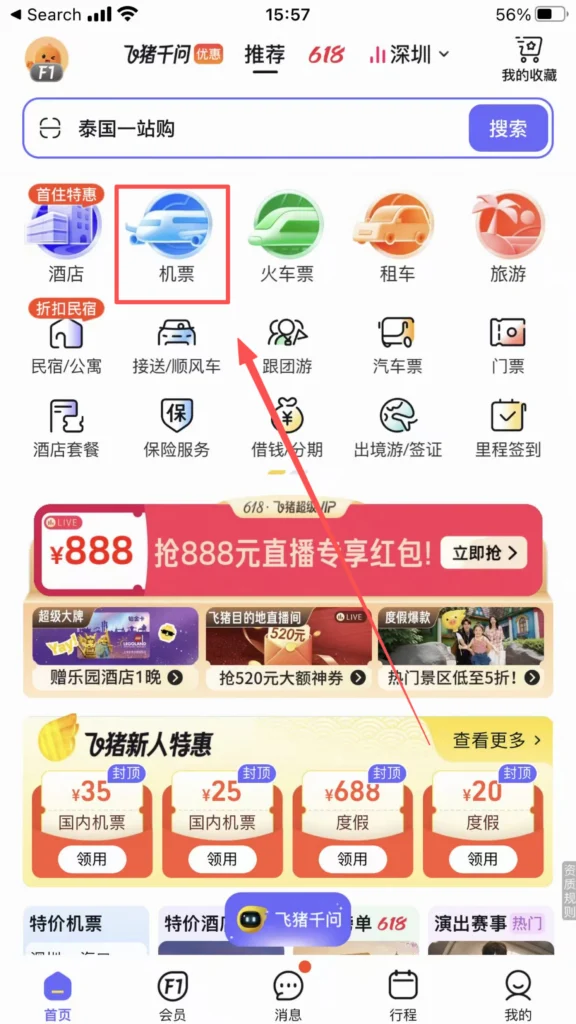
1/2
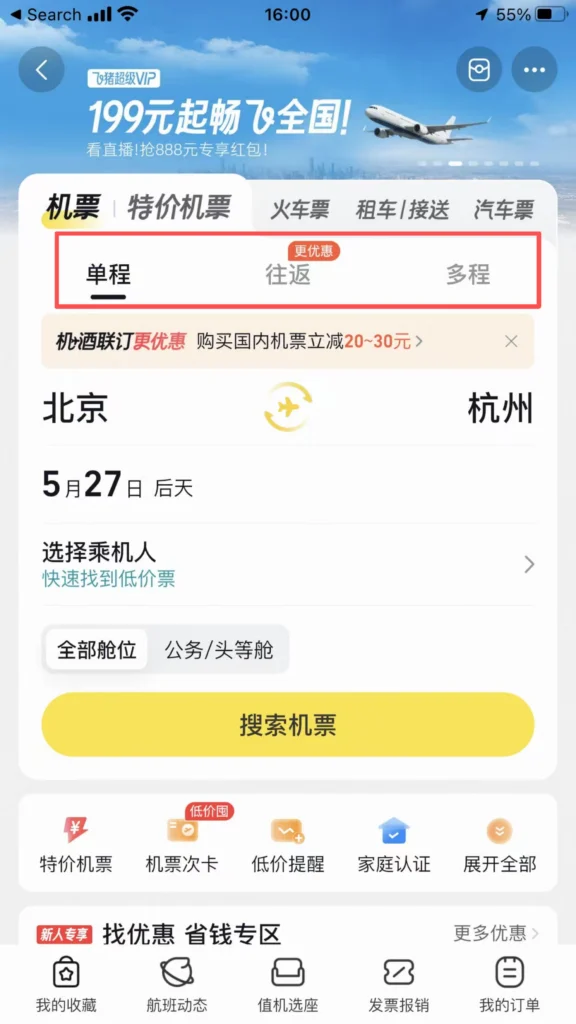
2/2
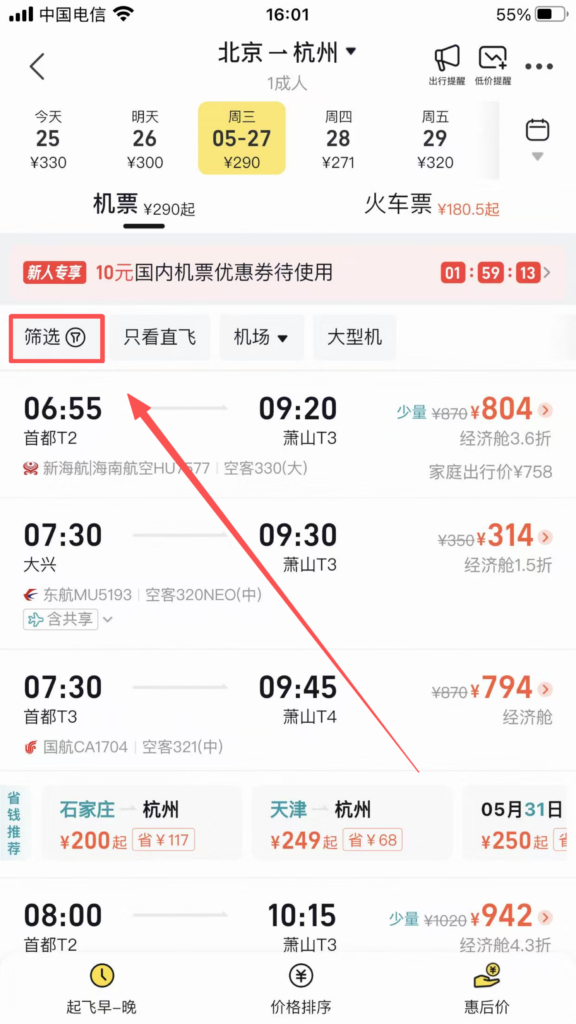
Enter the departure city, destination, and date → Click ‘Search Flights’.
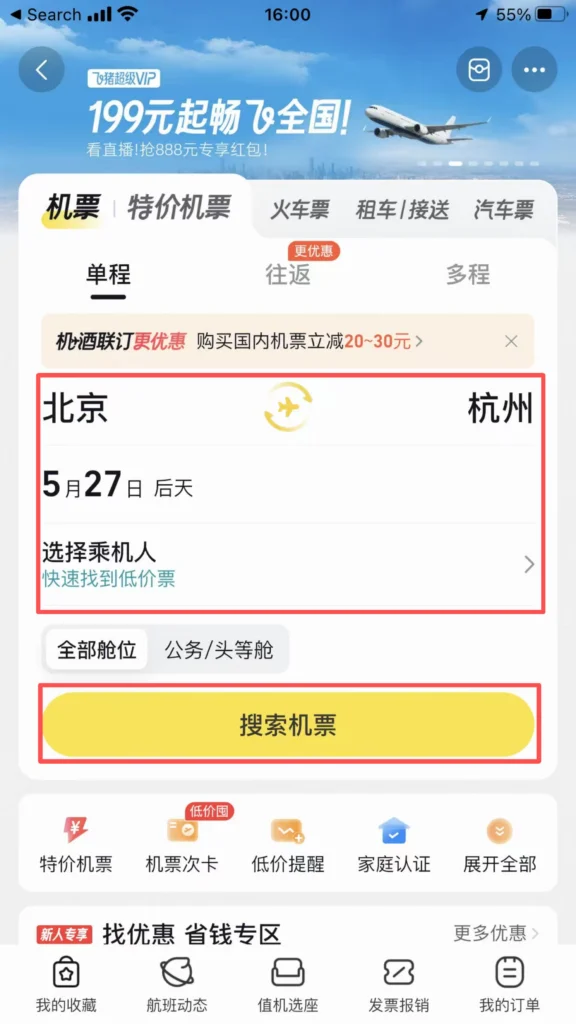
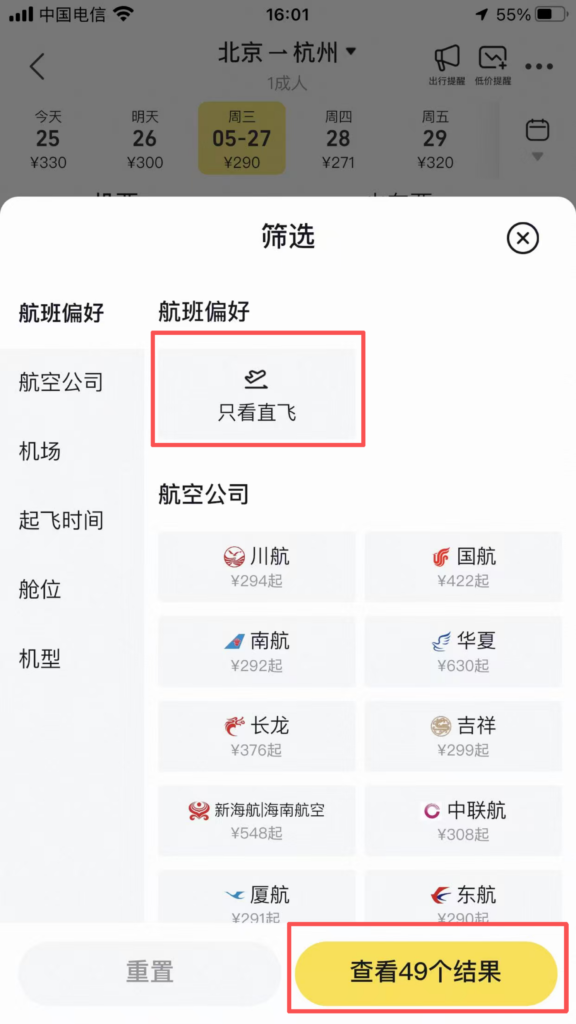
Filter and sort: sort by price / time / airline / departure and arrival time; check conditions such as “direct flight / baggage allowance / flexible refund and change.”
1/2
2/2
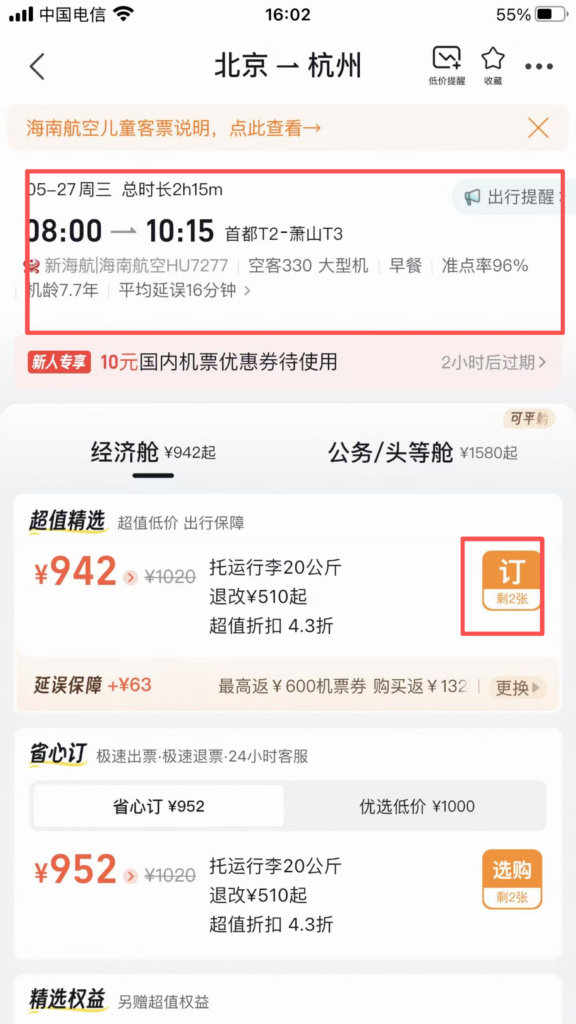
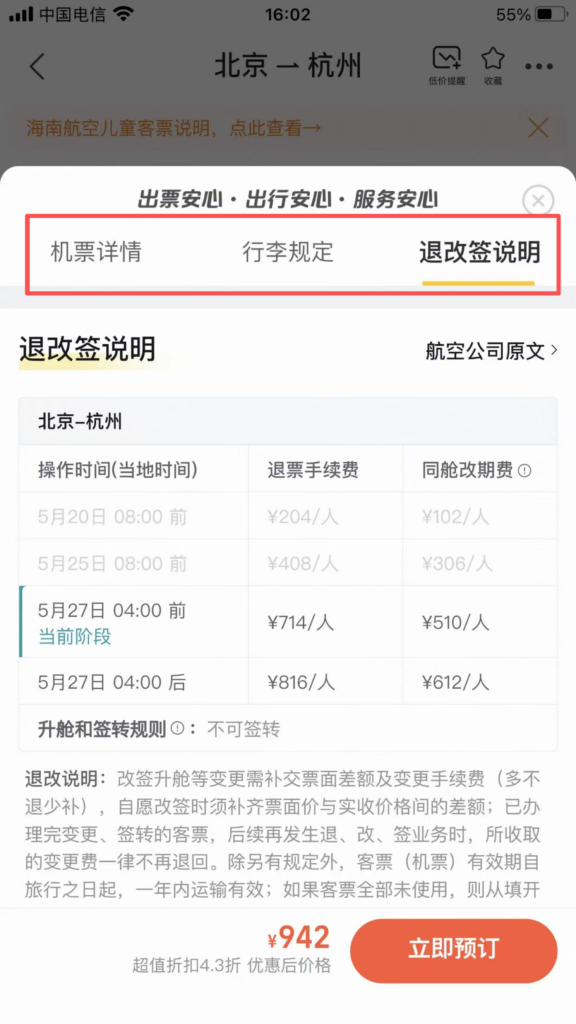
Choosing a flight: check whether the price includes taxes, baggage allowance, and cancellation/change policies.
1/2
2/2
Fill in the passenger information: name, ID number / passport number (must match the document).
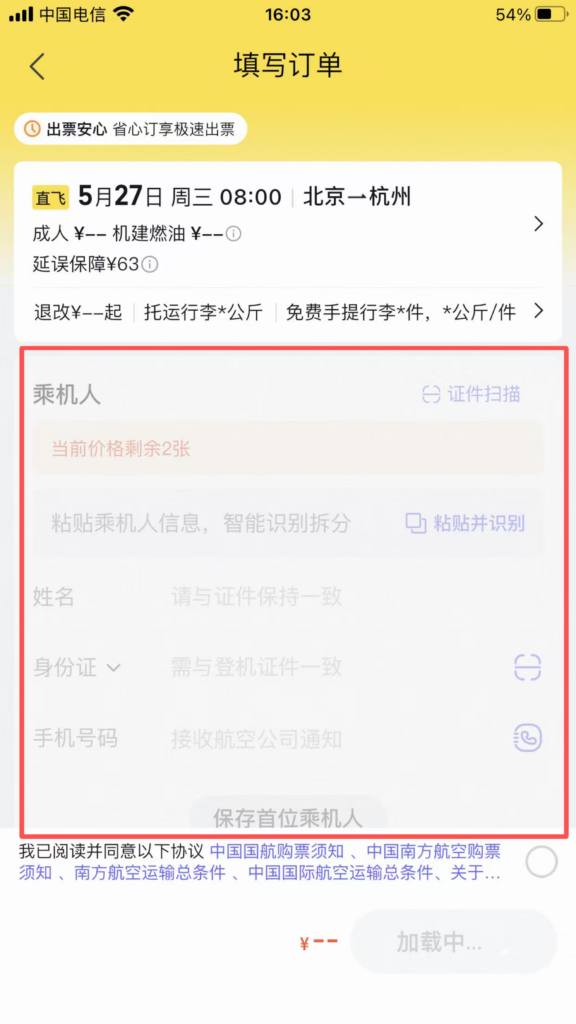
Payment: Choose Alipay / WeChat / Bank Card payment, after successful payment, receive SMS and APP order notification.
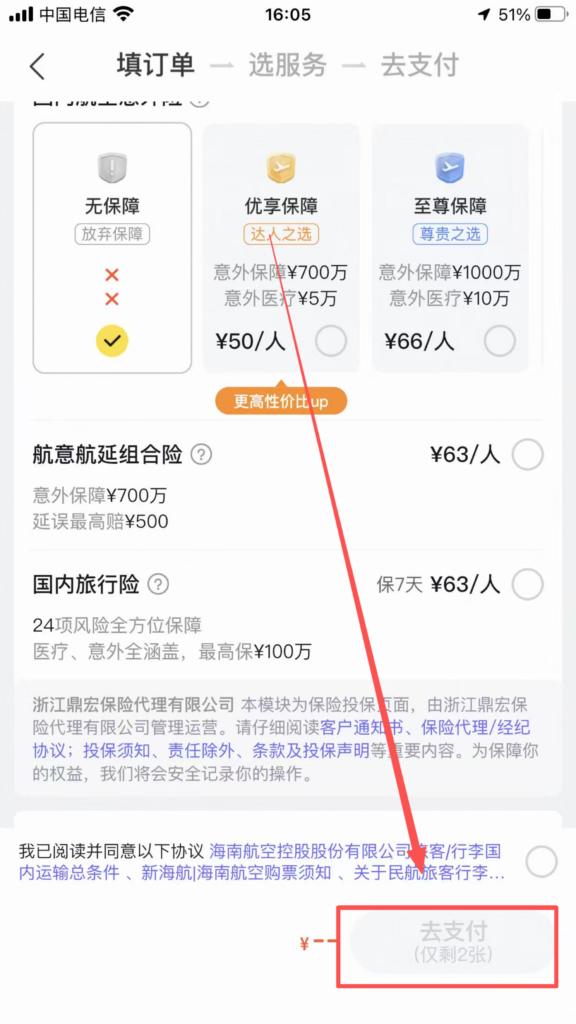
Follow-up actions: Flight status: Check delays and gate changes in real time, with APP push notifications.
🏨 (3) Core Functions – Hotel Booking
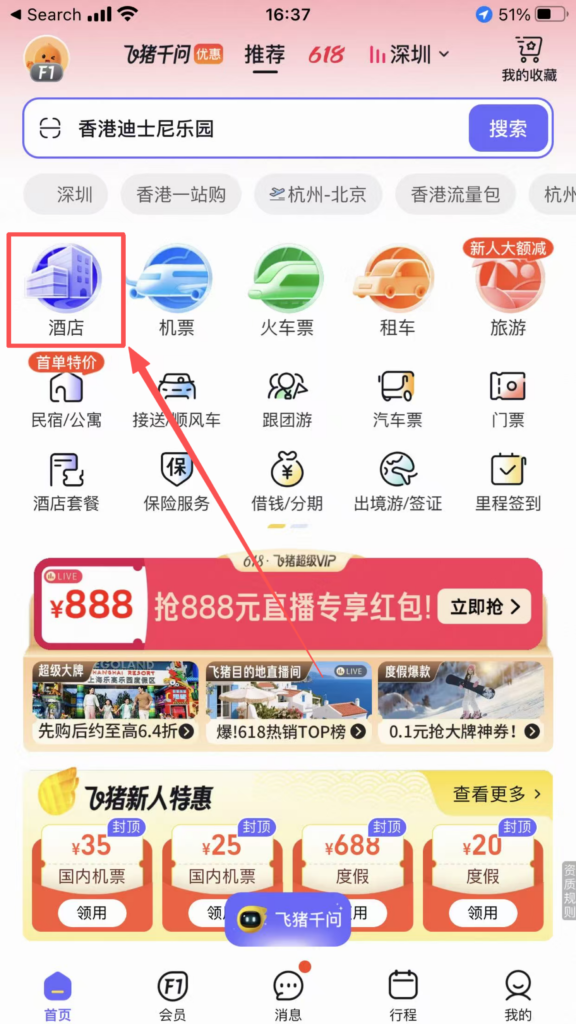
Book Hotels
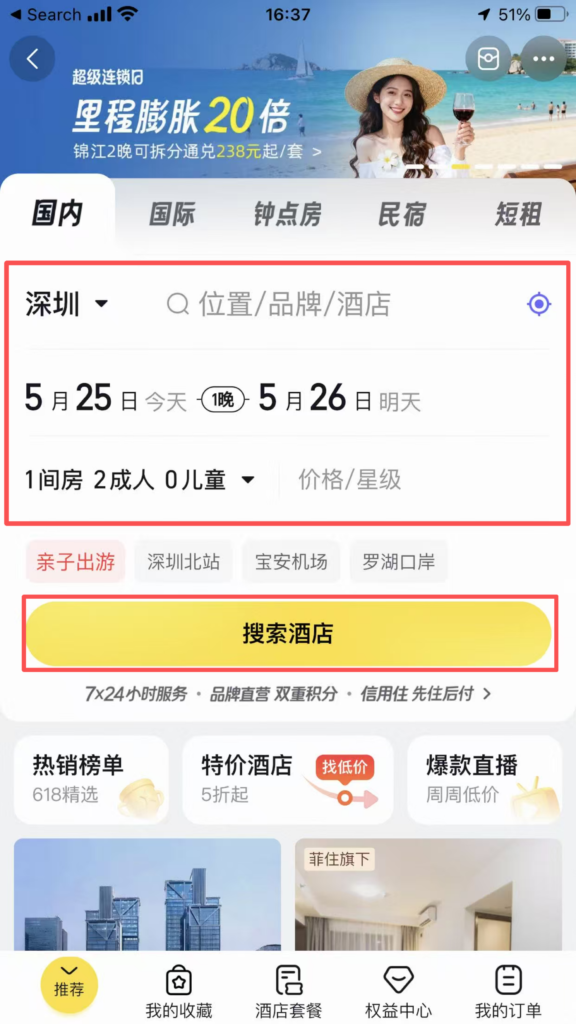
On the homepage, click ‘Hotels’ → enter the destination, check-in/check-out dates, number of people → Search.
1/2
2/2
Filter: Filter by price, star rating, review score, location (near subway / attractions), amenities (Wi-Fi / breakfast / pool), cancellation policy (free cancellation).
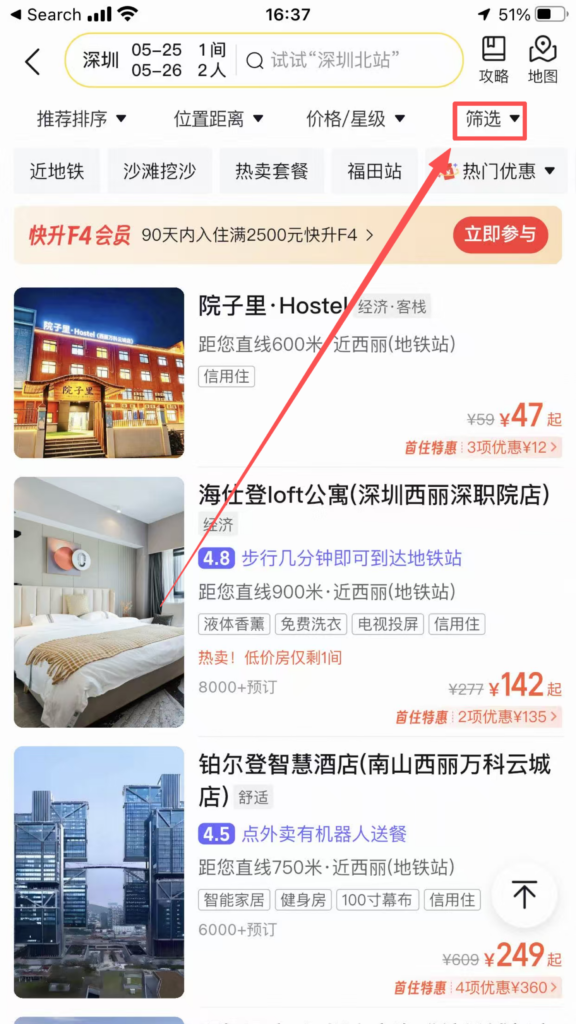
1/2
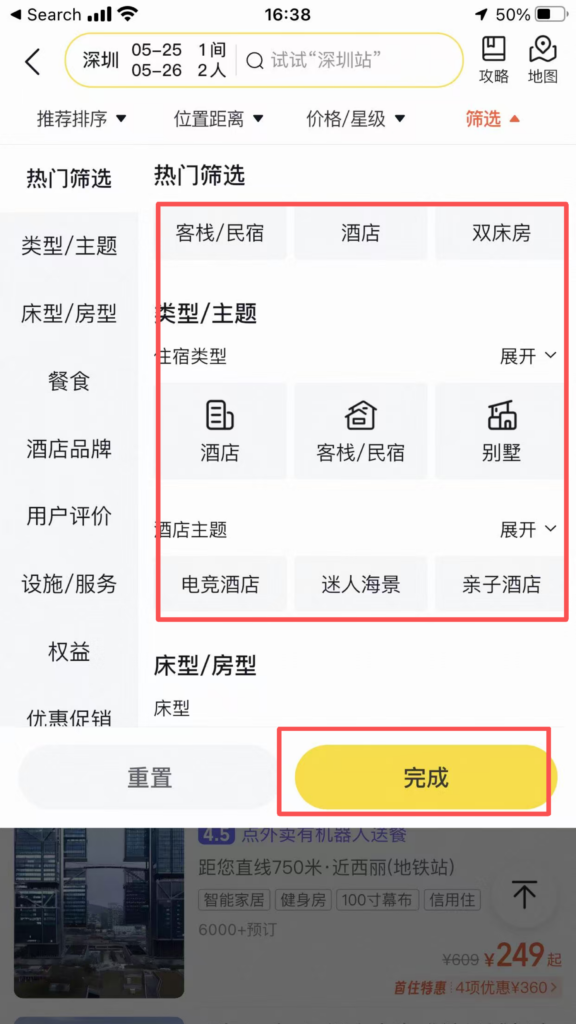
2/2
Choose a hotel / room type: look at real user reviews, actual photos, bed type, breakfast, and check-out time.
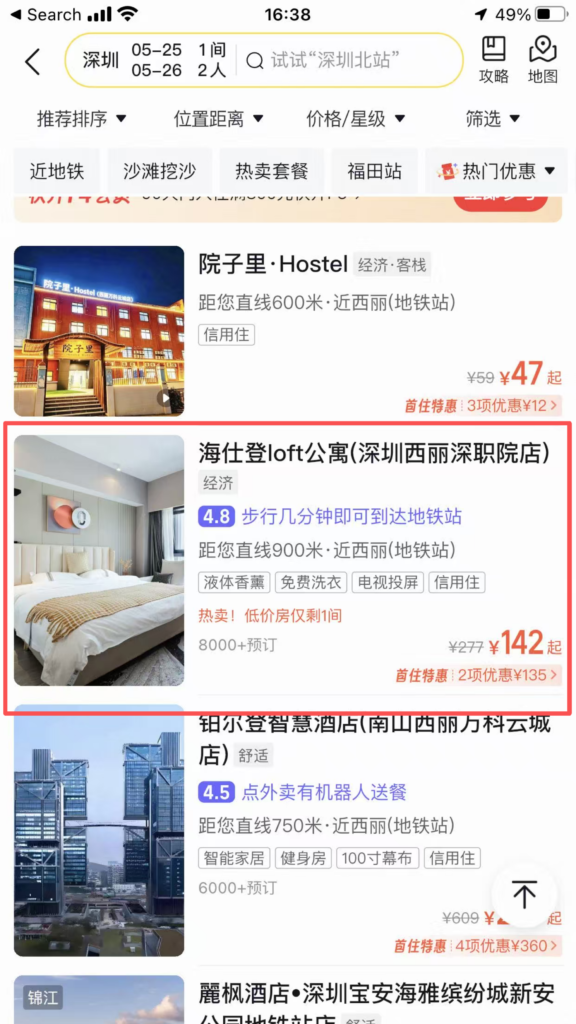
1/5
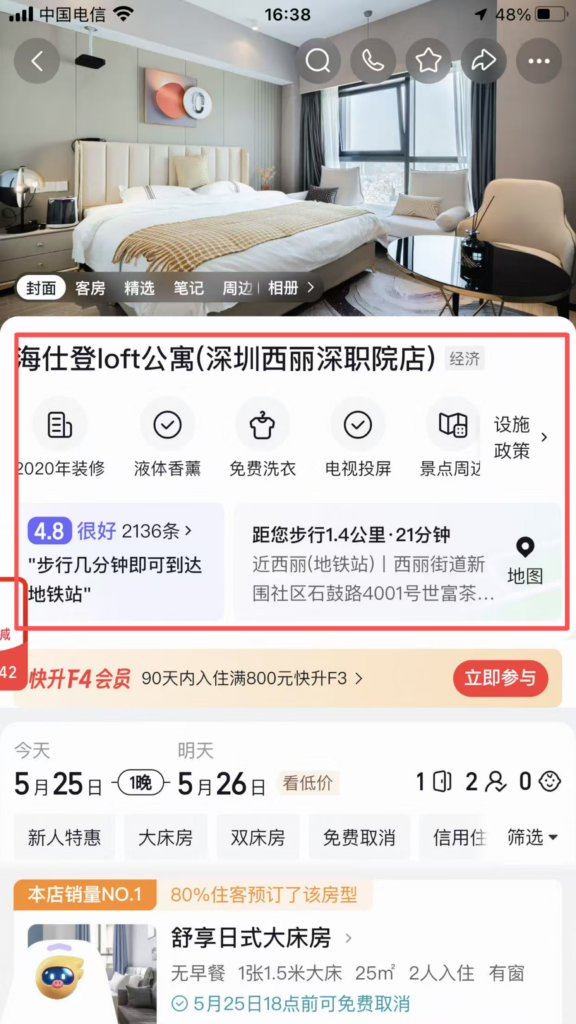
2/5
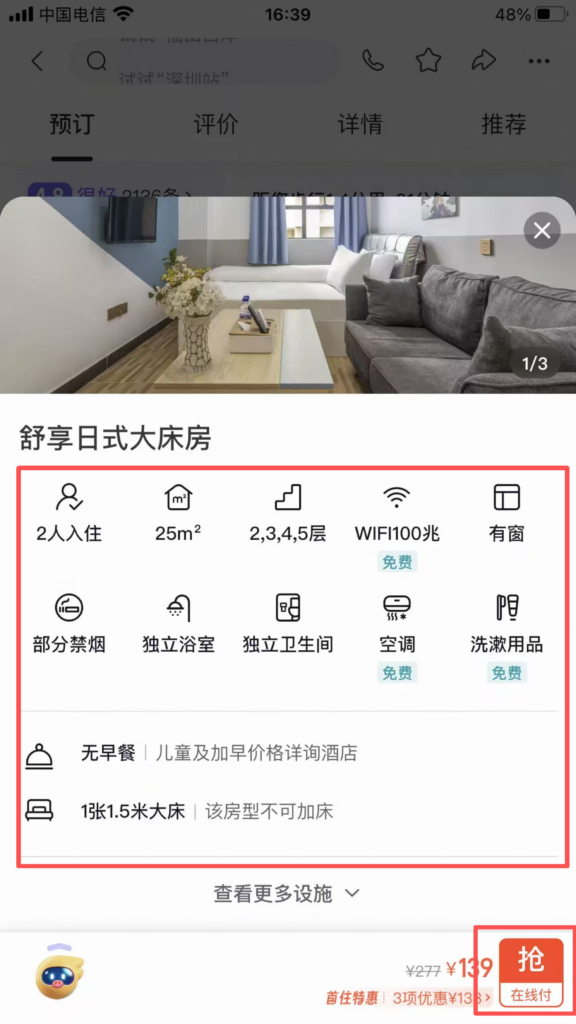
3/5
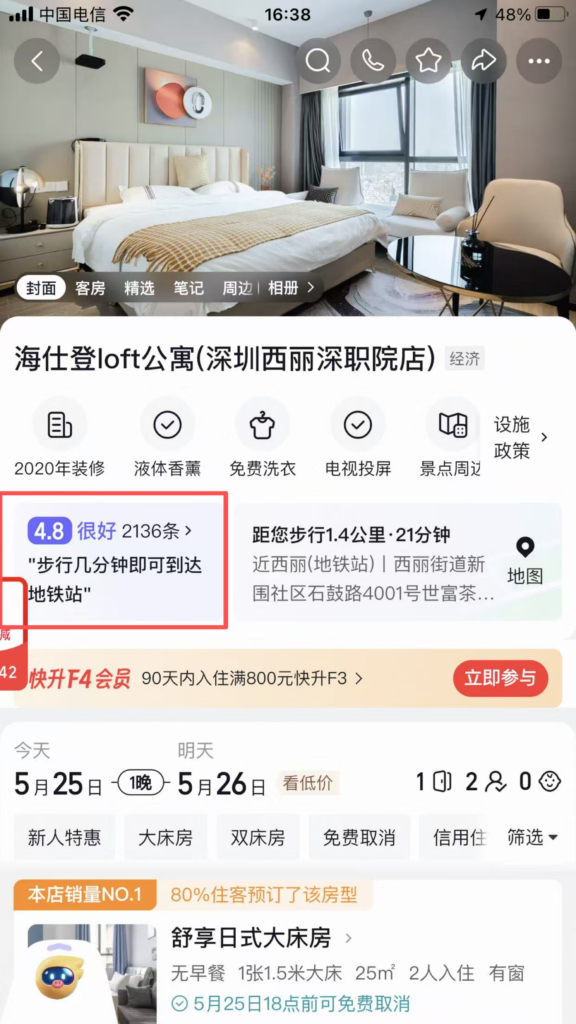
4/5
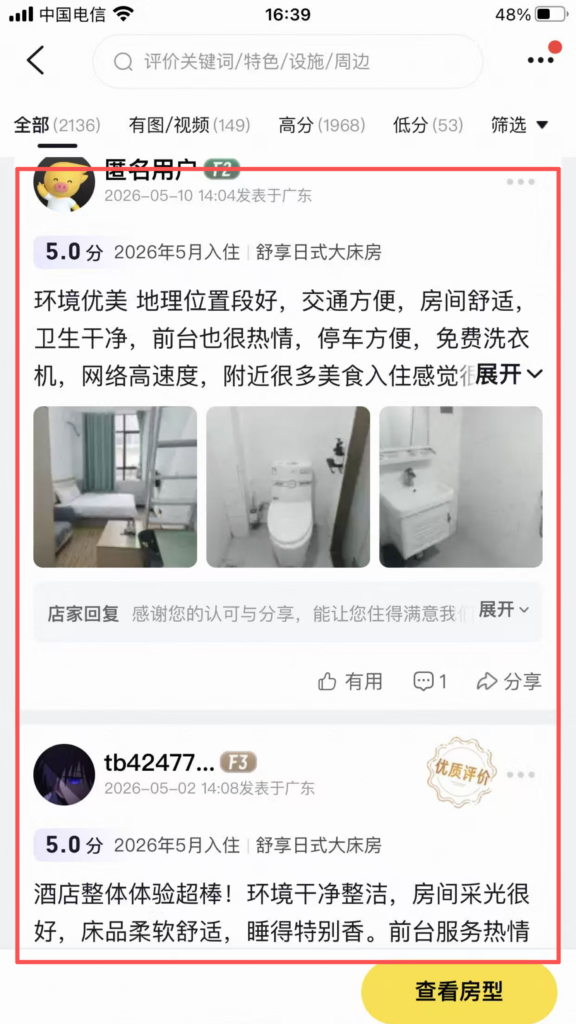
5/5
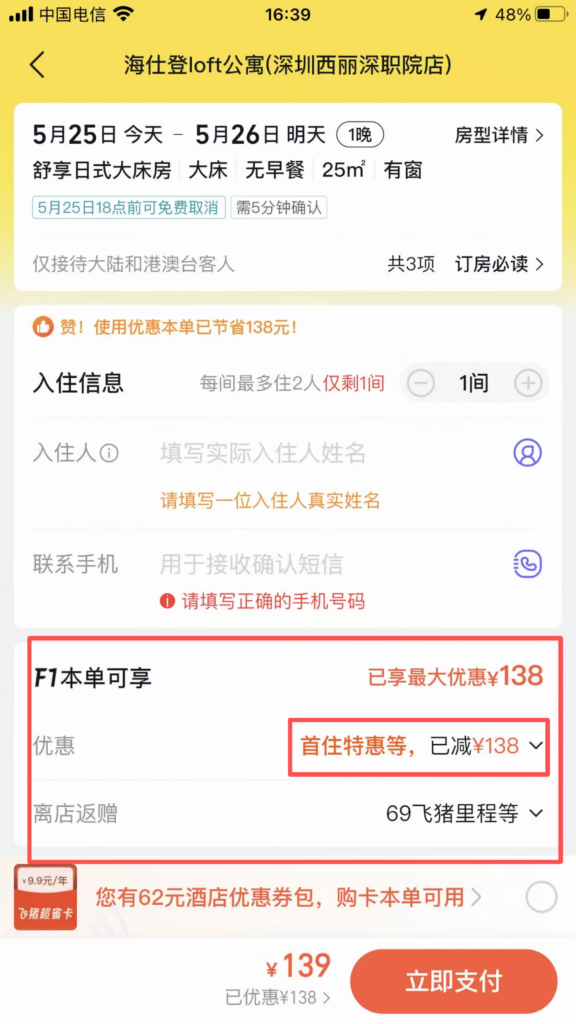
Booking: New users can get coupons for discounts; members enjoy points, late check-out, and free upgrades.
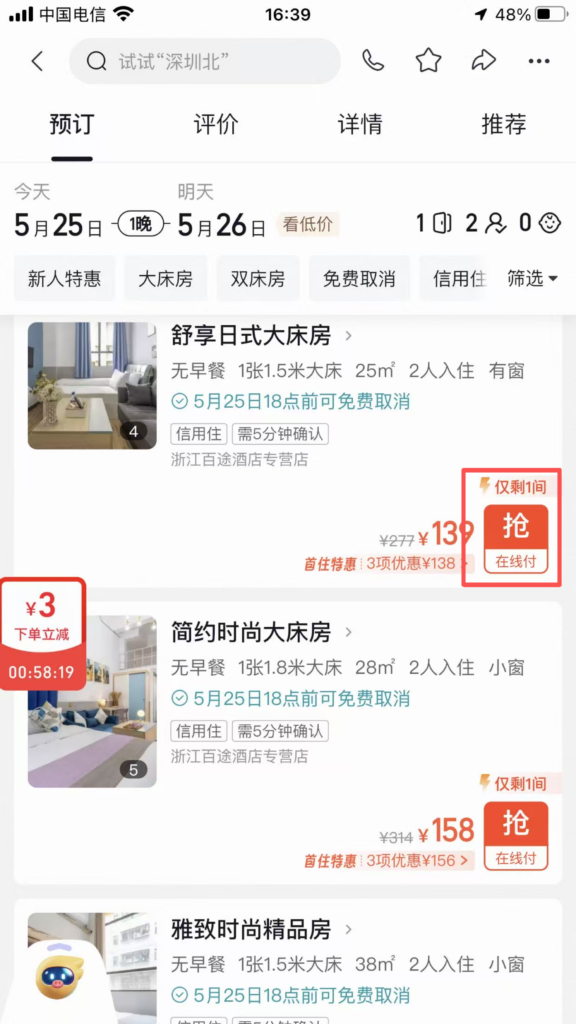
1/2
2/2
Fill in the check-in person: name, phone number → submit order → payment (no prepayment required for credit stay).
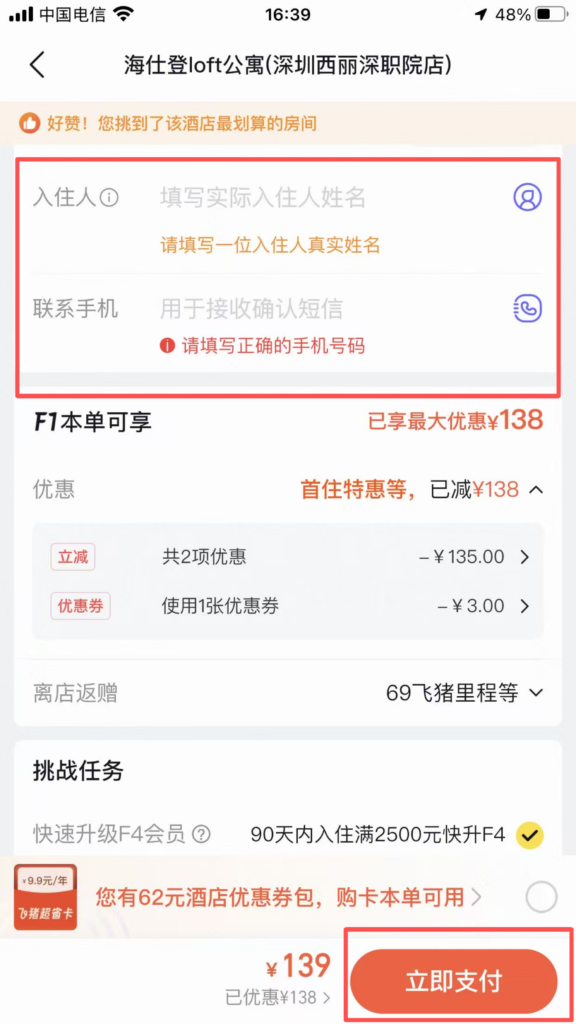
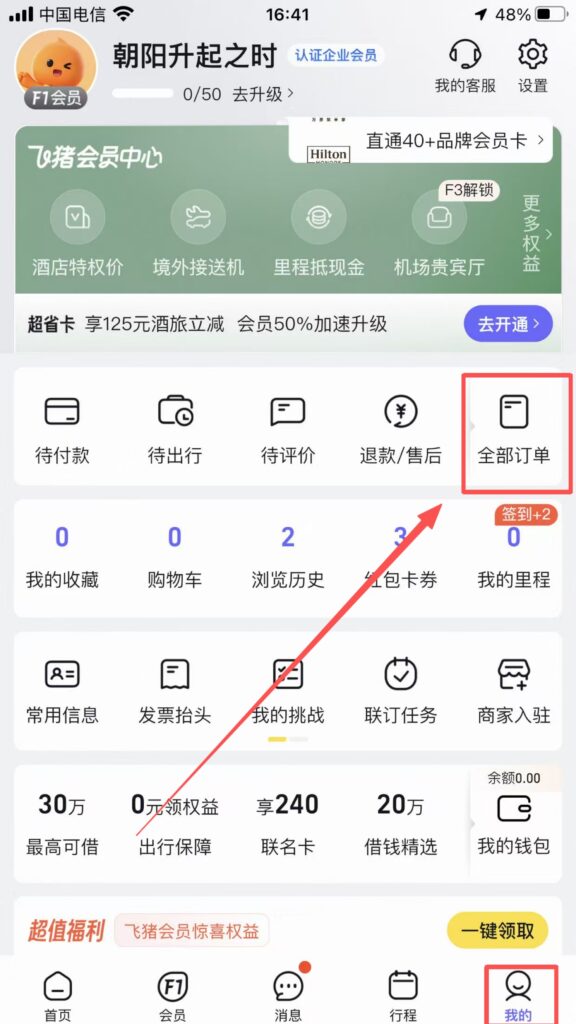
Check-in: With ID card, handle the order directly; orders can be viewed in ‘All Orders’.
🚄 (3) Core Functions – Train Ticket Booking
Book Train Tickets
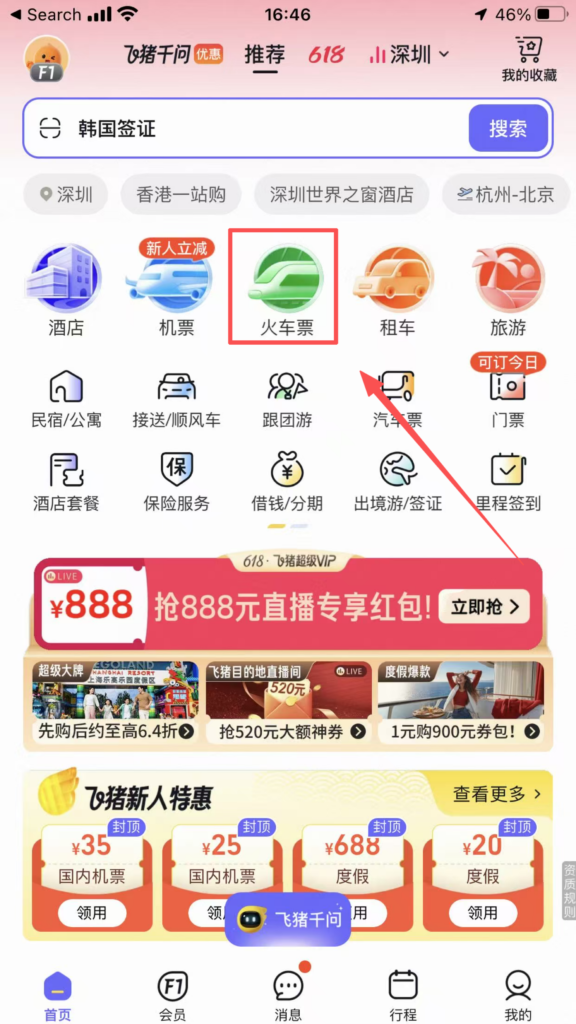
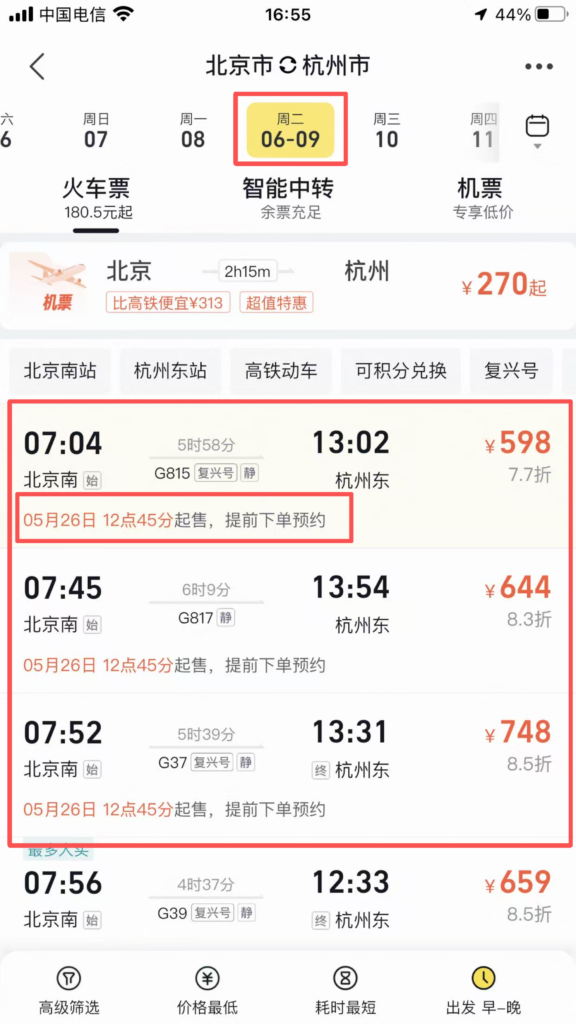
On the homepage, click ‘Train Tickets’ → Enter the departure city, destination, and date → Search.
1/2
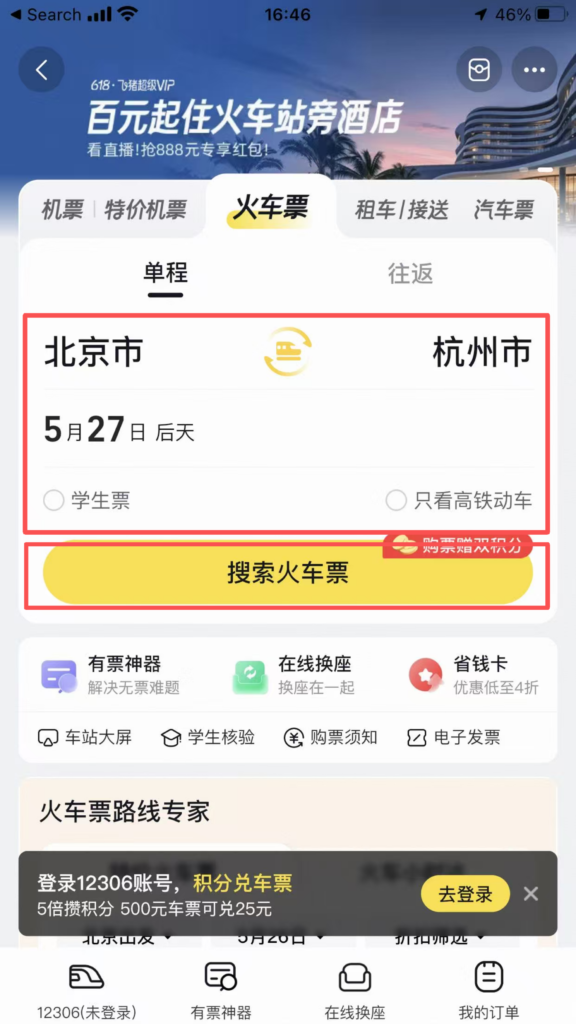
2/2
Filter: by time / train number / seat class (second class / first class / business); sort; check ‘High-speed rail / EMU / Regular’.
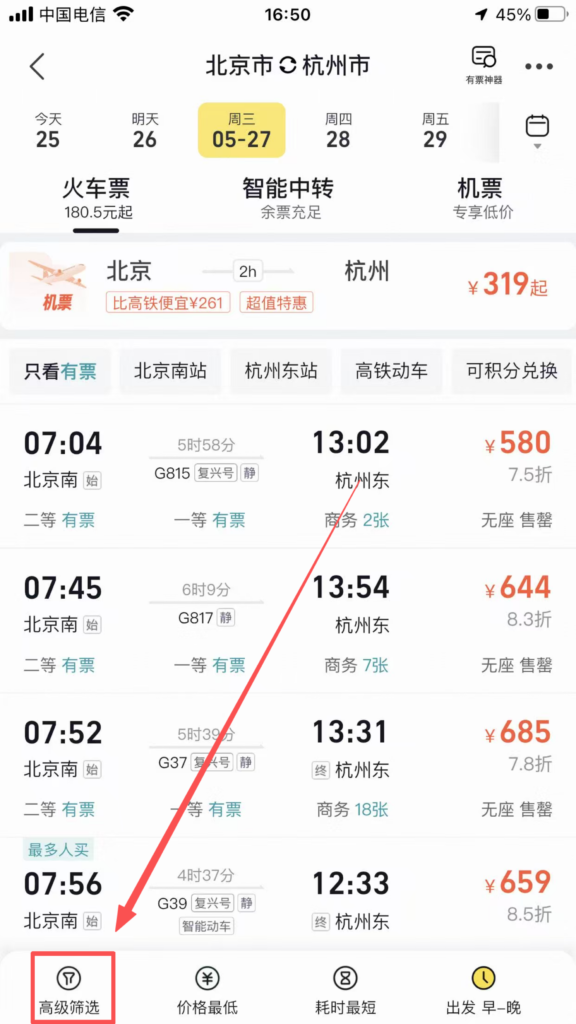
1/2
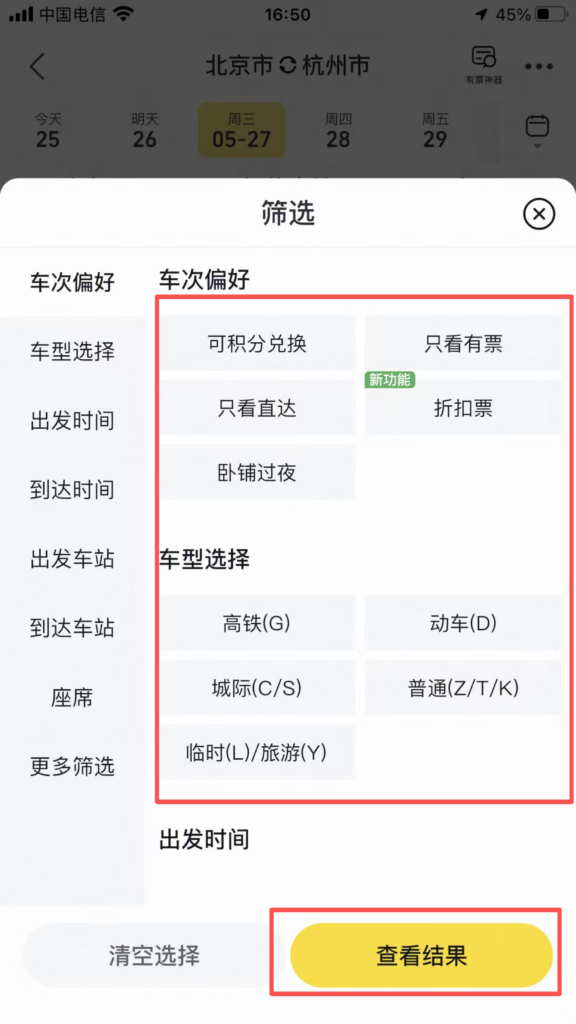
2/2
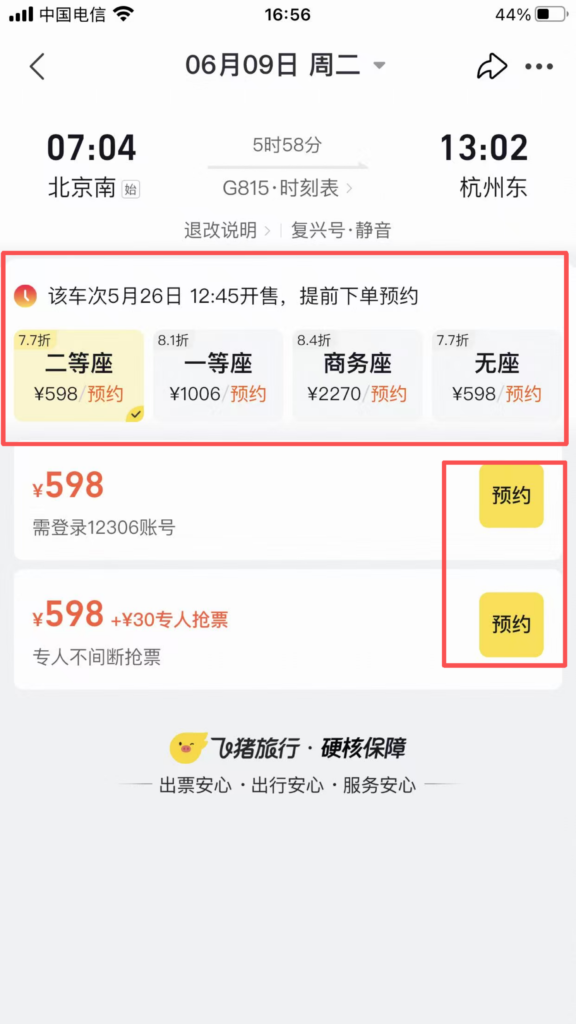
Select a train: Check the departure/arrival time, duration, and remaining tickets.
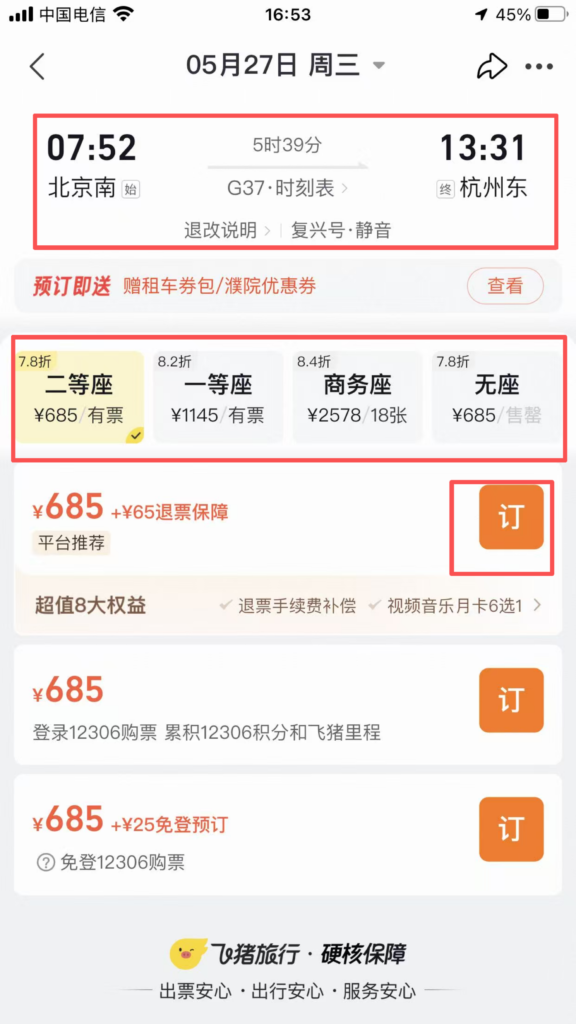
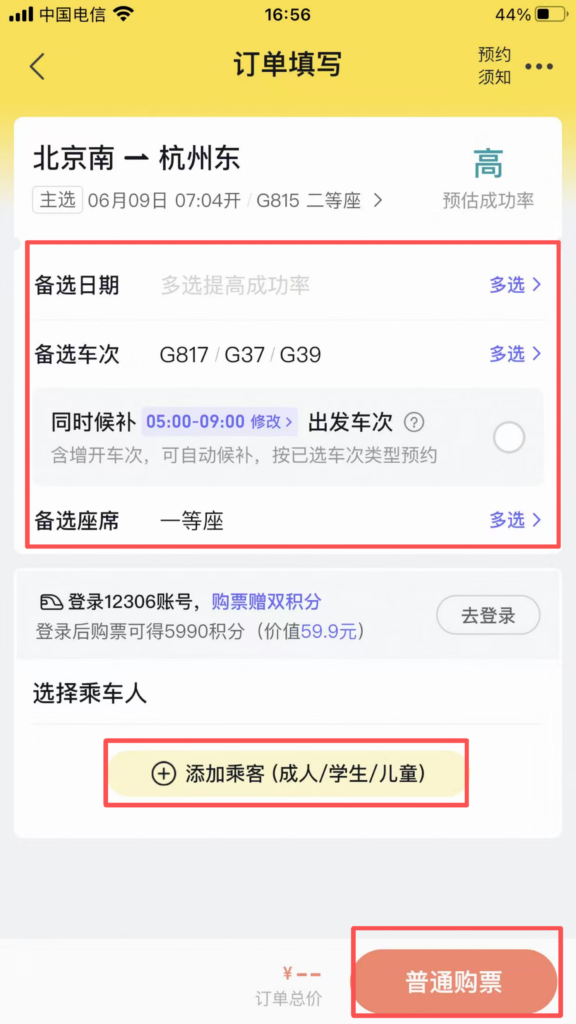
Fill in the passenger: name, can switch to passport number (frequently used passengers can be added in advance).
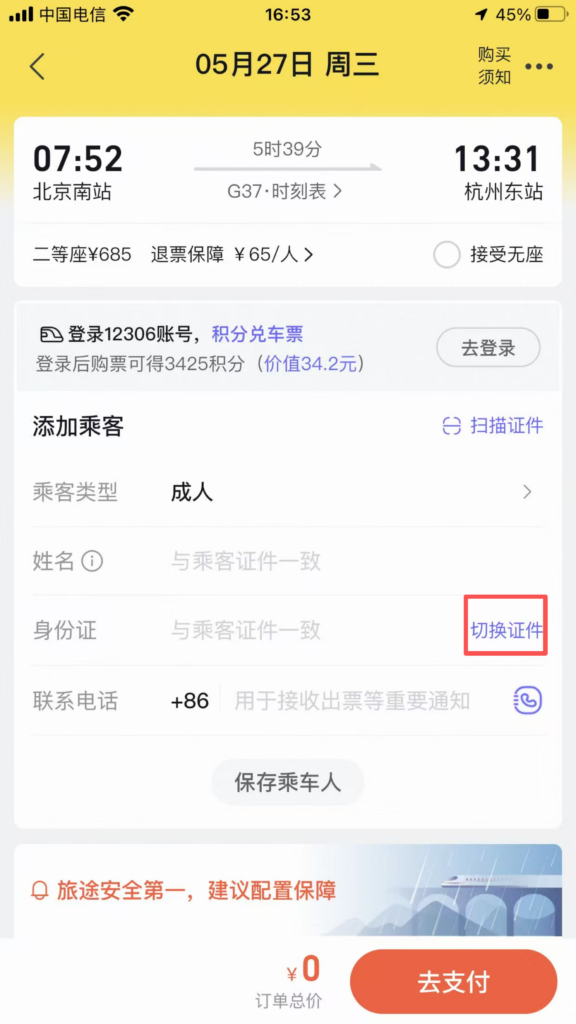
1/3
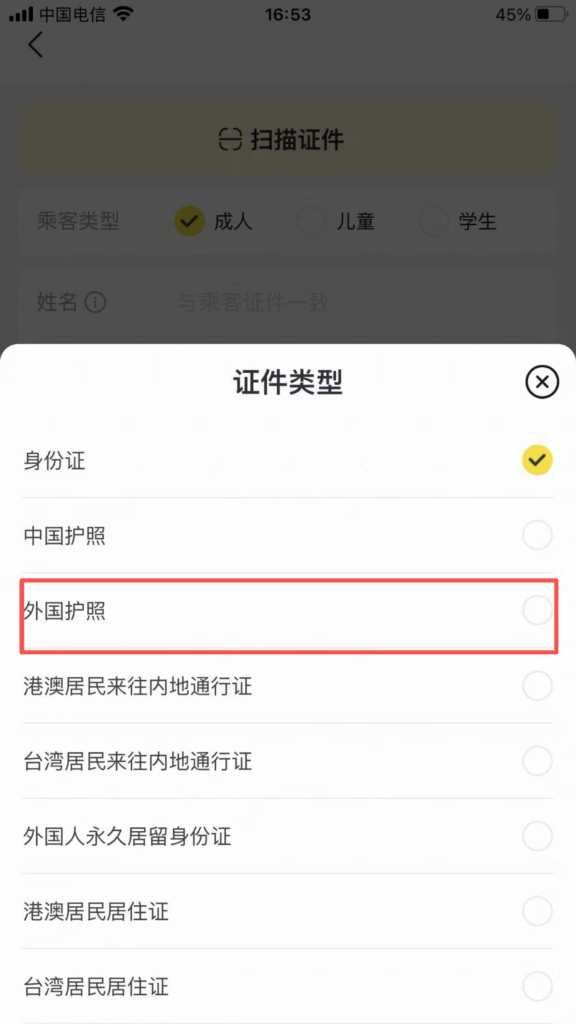
2/3
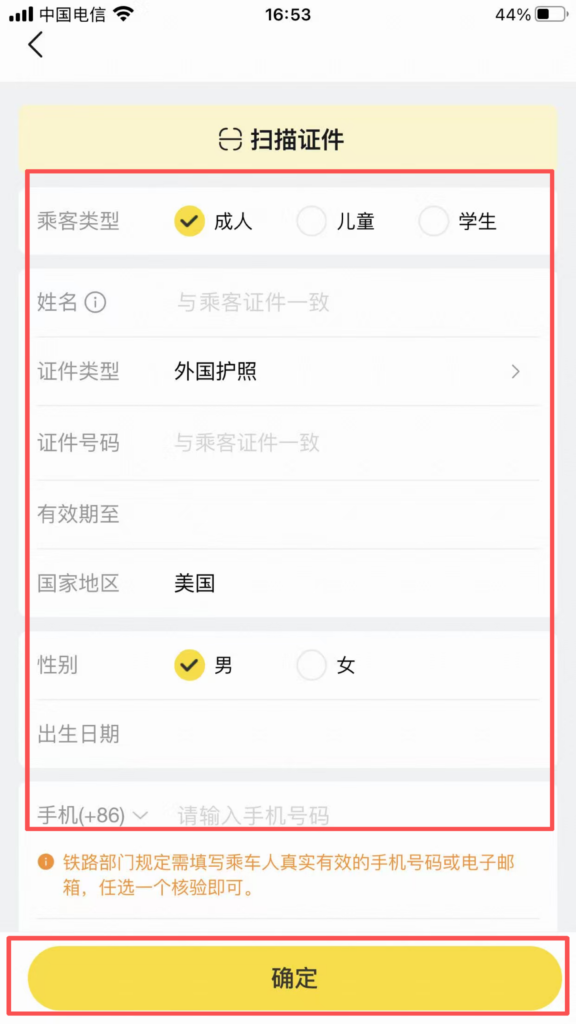
3/3
Ticket rush (when no tickets are available): Click ‘Reserve to Rush Tickets’ → Select multiple trains / multiple seats → Pay the ticket rush service fee (full refund if tickets are not secured).
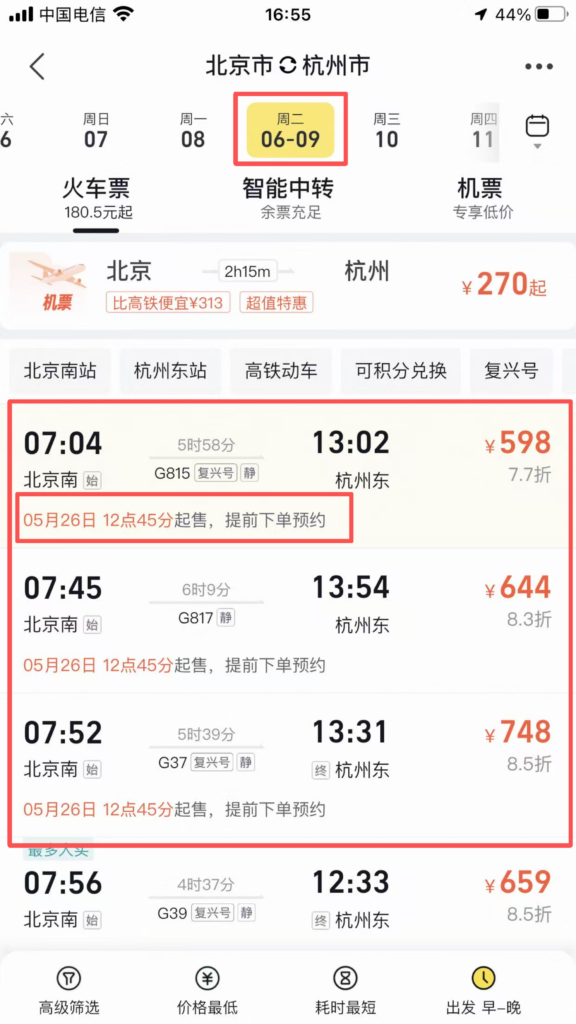
1/4
2/4
3/4
4/4
Payment: Receive an SMS after successful payment; board the train directly with your ID card.
🎫 (3) Core Functions – Tickets, Vacation & Visa
Tickets, Vacation Packages & Visa Services
Tickets: Home ‘Tickets’ → Search for attractions → Select date / ticket type → Book → Enter with QR code (skip the line).
1/5
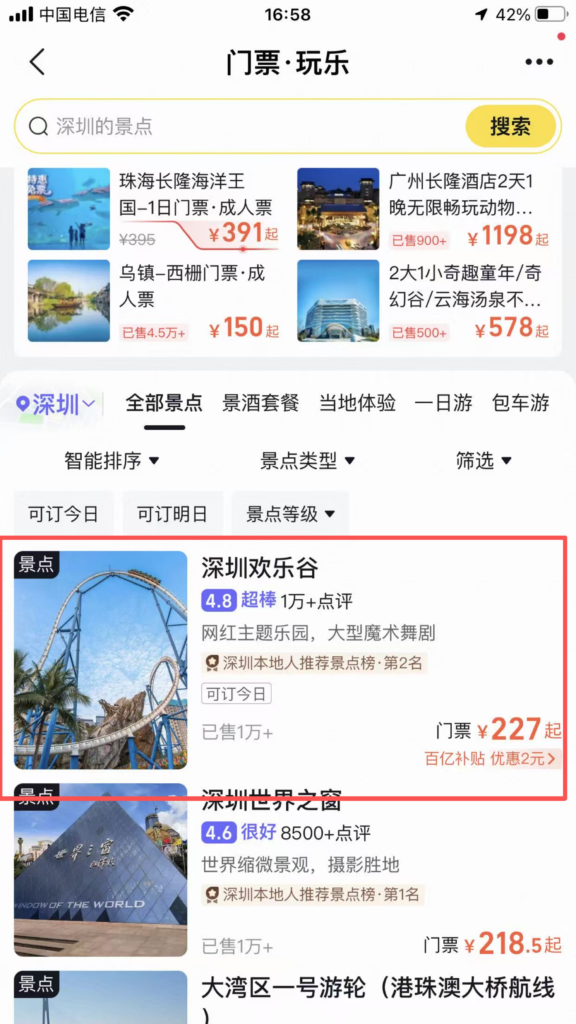
2/5
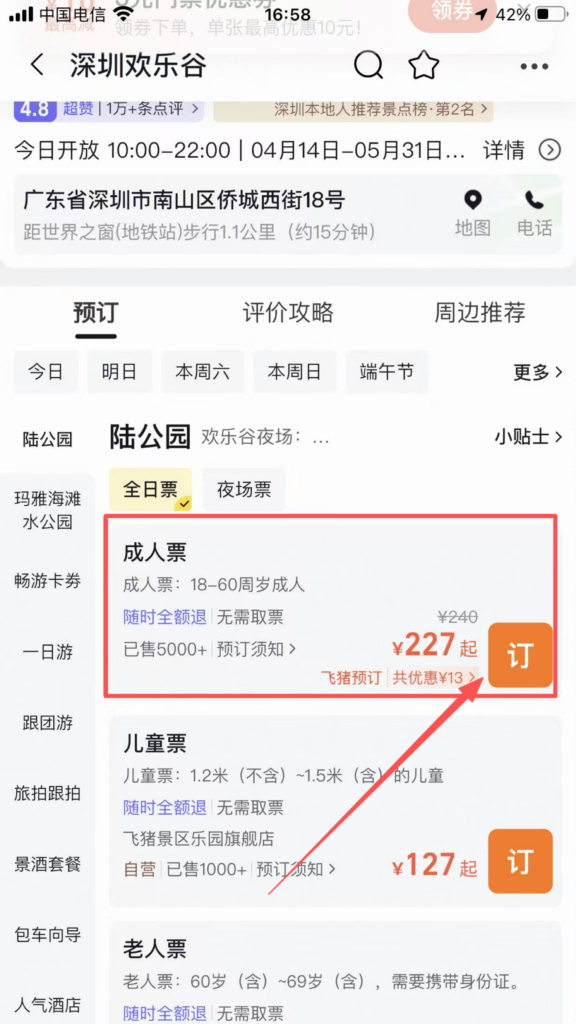
3/5
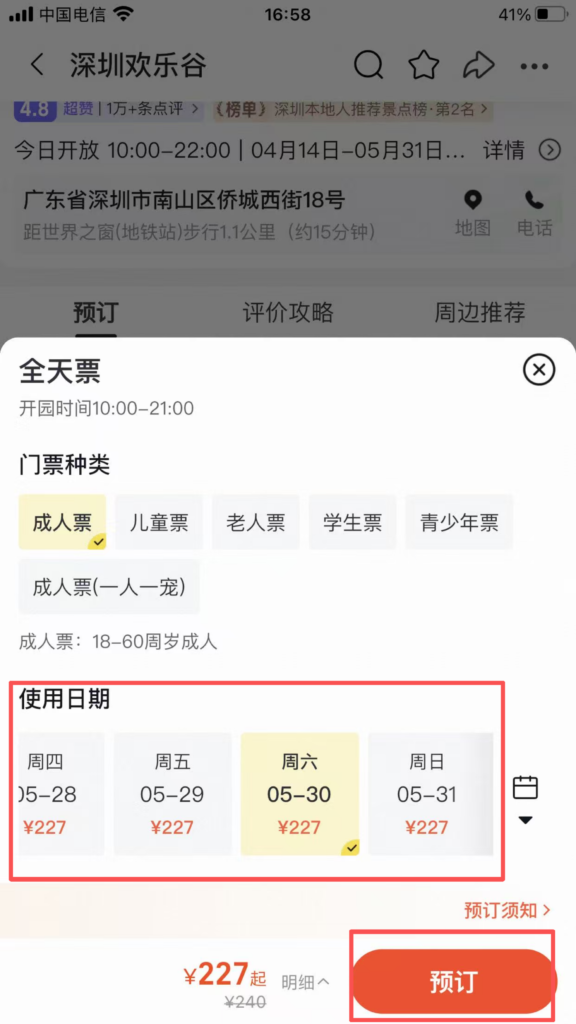
4/5
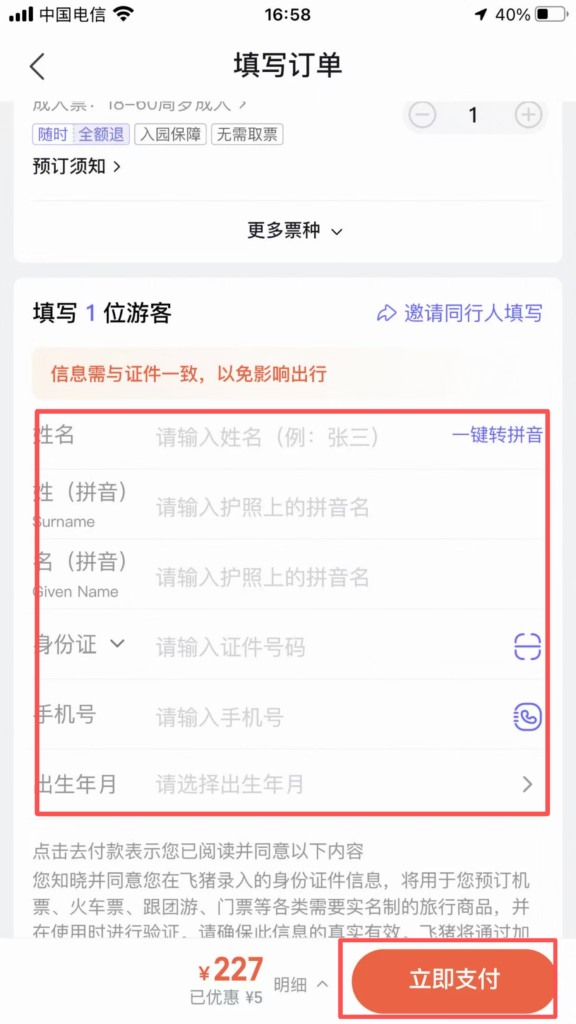
5/5
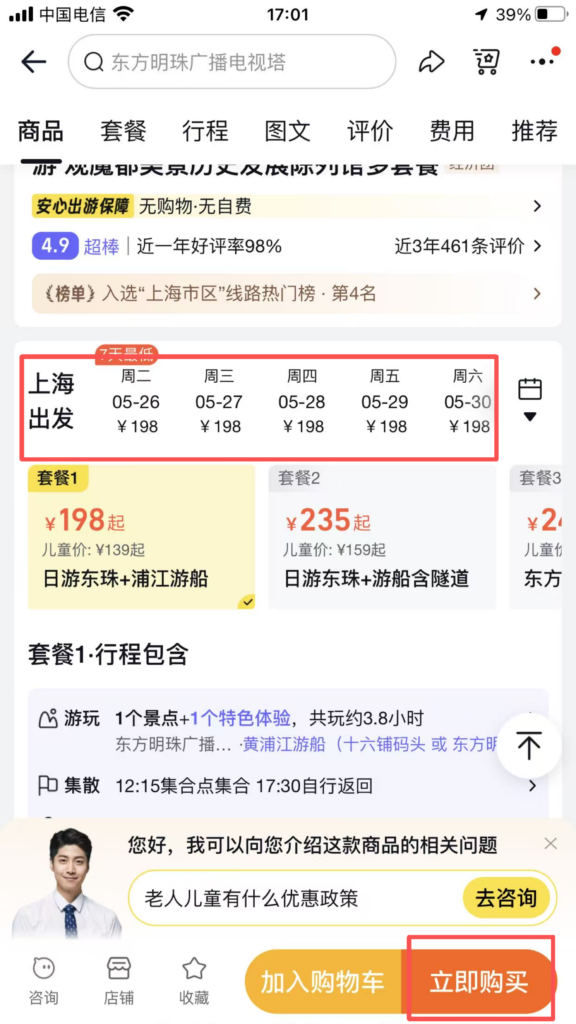
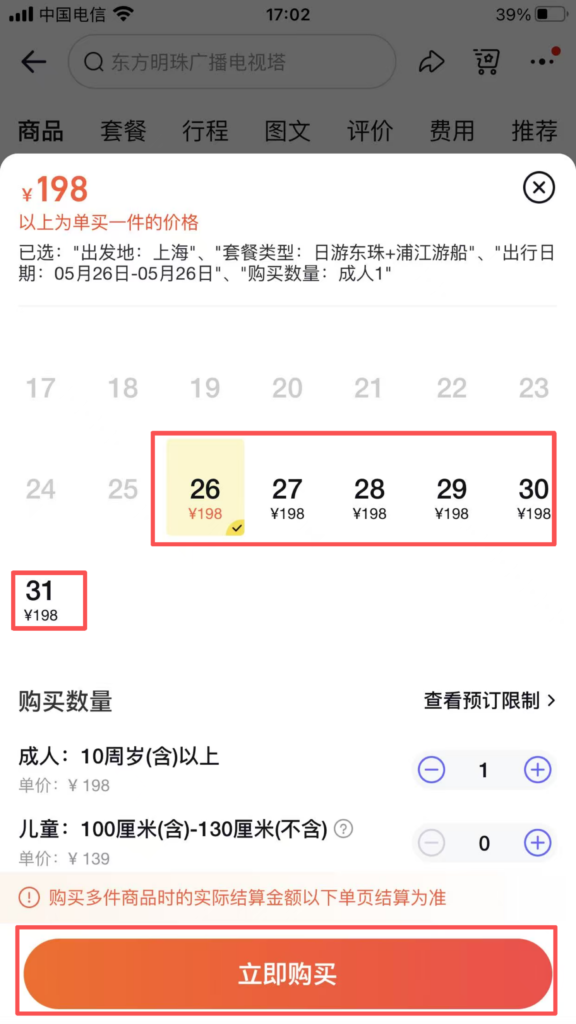
Vacation: Home ‘Travel’ → Choose destination → Group tour / Independent travel / Self-driving tour → View itinerary / Price → Book.
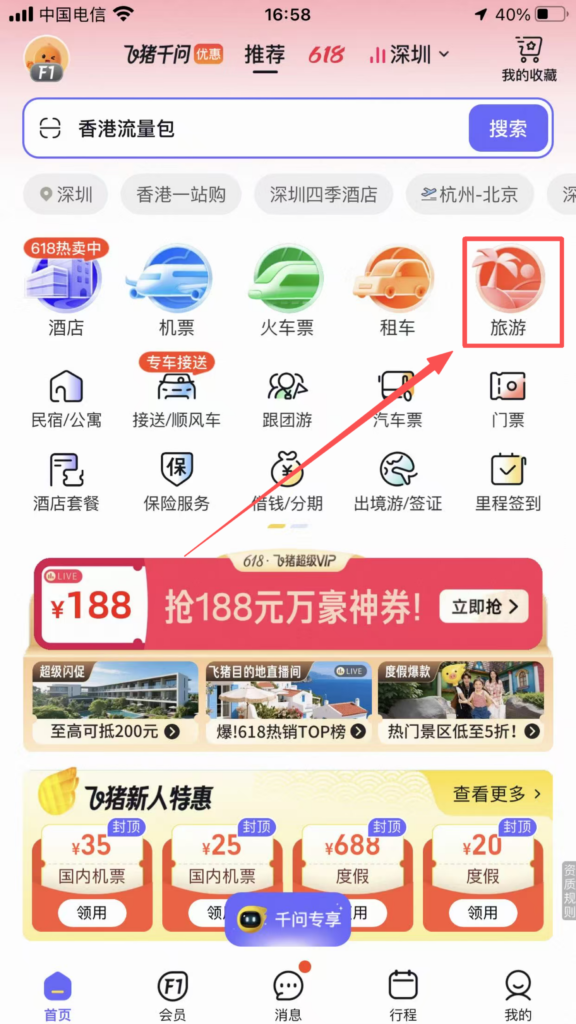
1/6
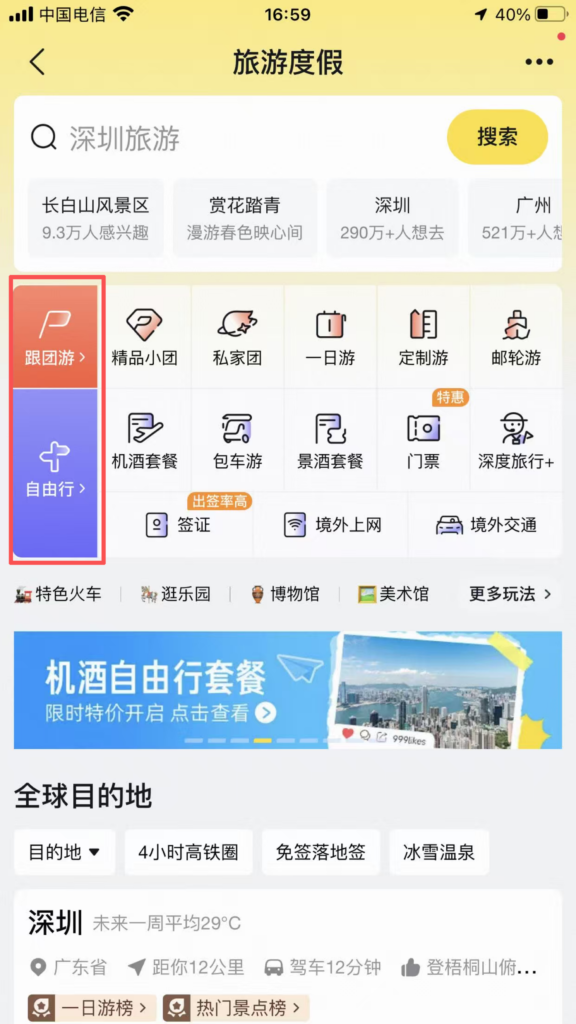
2/6
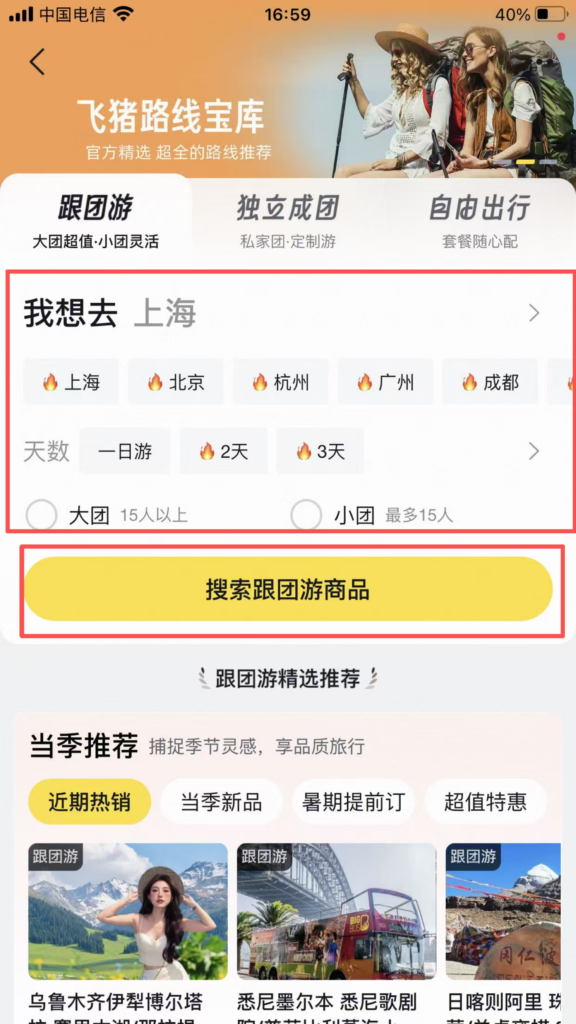
3/6
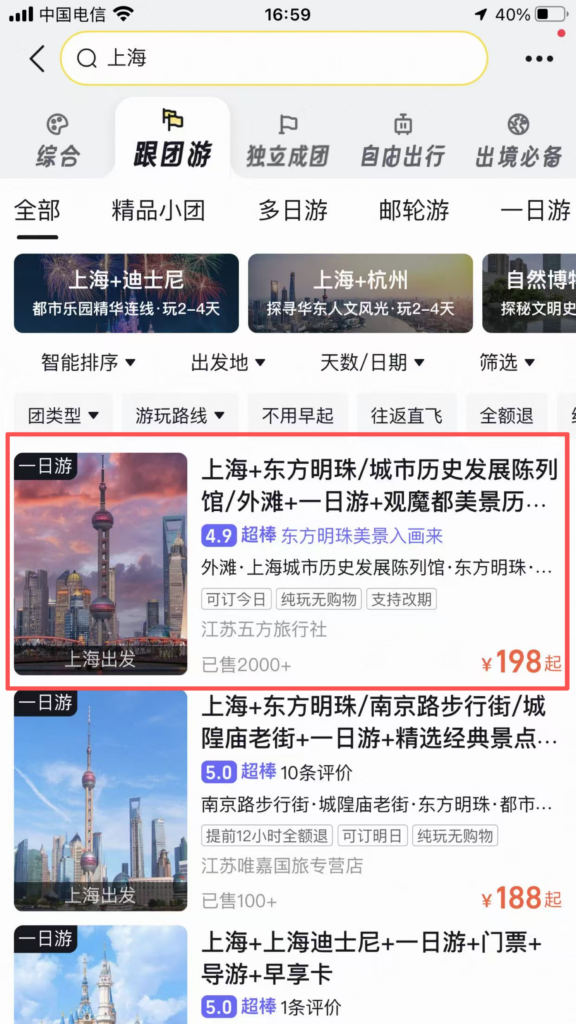
4/6
5/6
6/6
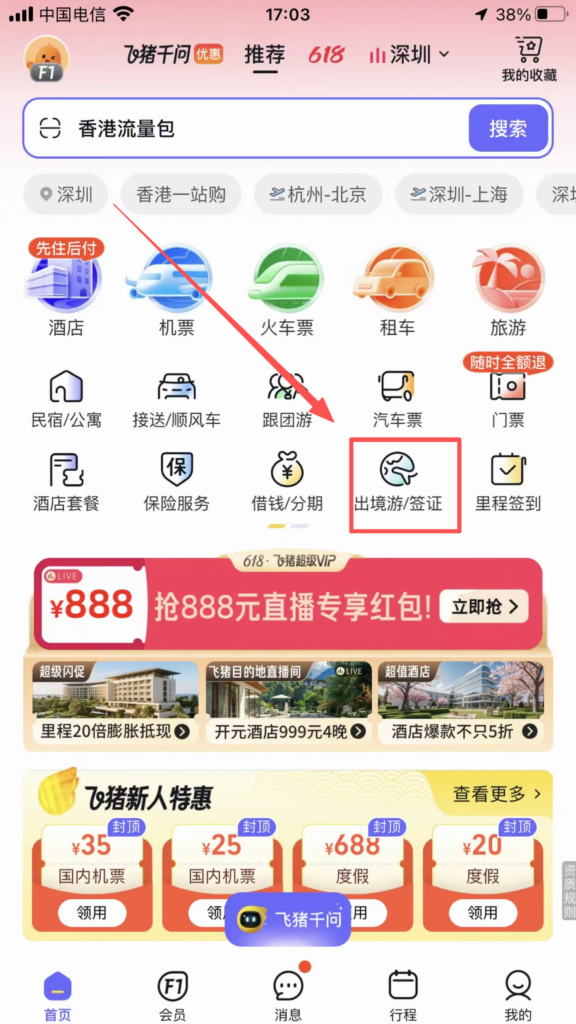
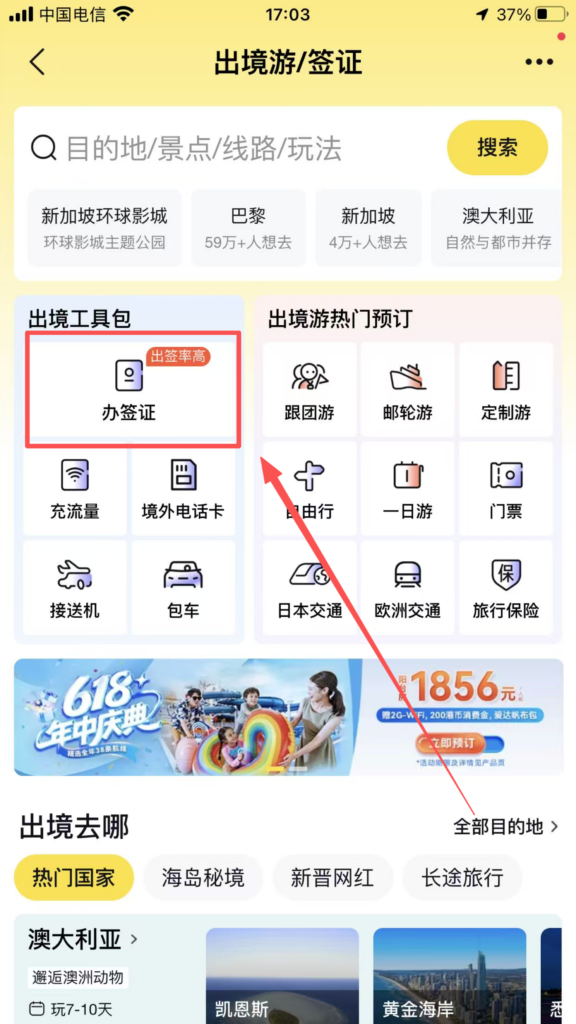
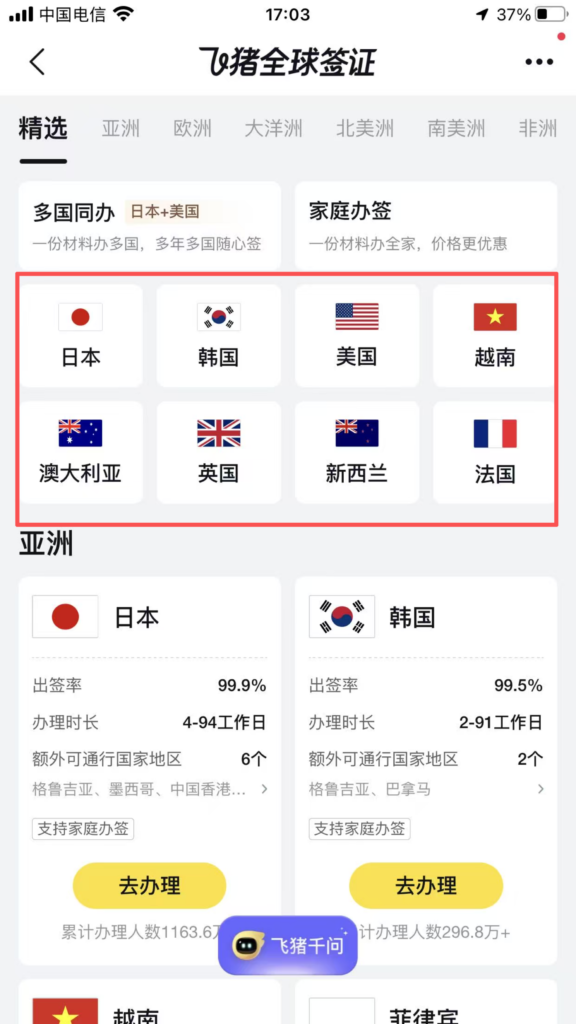
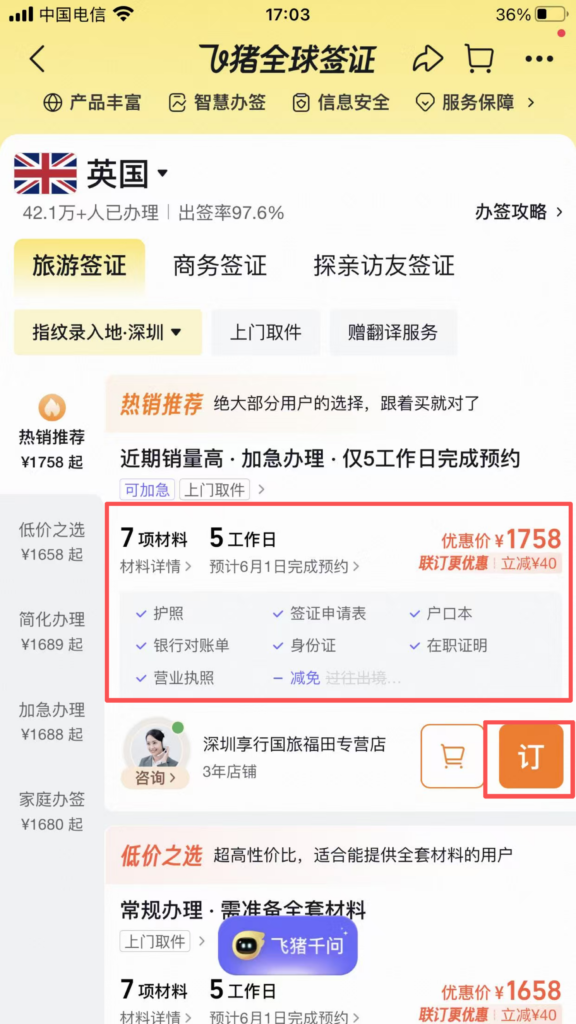
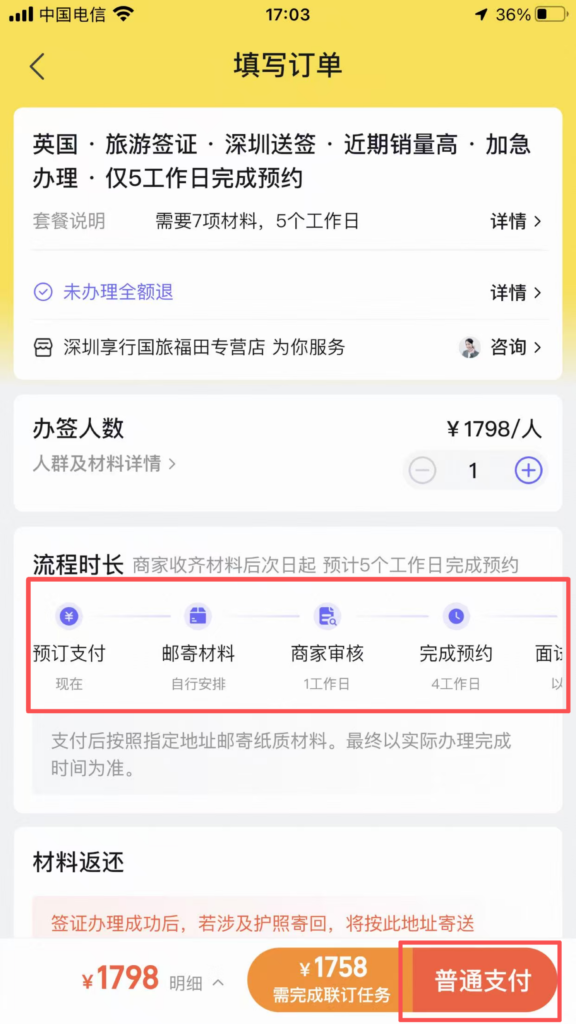
Visa: Home ‘Visa’ → Select Country → Prepare Materials → Submit Online → Receive Passport by Courier.
1/5
2/5
3/5
4/5
5/5
💡 (4) Practical Tips
Money-Saving Tips & Best Practices
Save Money by Comparing Prices: Automatic multi-supplier comparison on flight/hotel search pages to choose the lowest price; new user coupons and member points combined are even more cost-effective.
Member Benefits: Free membership registration allows you to use points for discounts, hotel upgrades, late check-out, and flight miles.
Credit Stay without Deposit: Choose “Credit Stay” when booking hotels to avoid deposits, automatic payment upon check-out, no need to queue.
Ticket Snatching Acceleration: When train tickets are sold out, VIP acceleration and multiple train waitlists increase success rate by 80%.
📥 Download Complete PDF Manual
Multi-Language • Offline Printable • All Screenshots Included
🔗 Guides associés
 Au-delu00e0 de la tasse : Du00e9couvrez les secrets de la culture du thu00e9 chinois
 Trip.com est une application mondiale tout-en-un pour la ru00e9servation de vols, du2019hu00f4tels, de trains, de voitures de location et de billets du2019attractions partout dans le monde.
 Meituan est une application tout-en-un pour commander des repas, ru00e9server des hu00f4tels et acheter des offres de services locaux.