كلاوك منصة لحجز تذاكر السفر والجولات المحلية وأنشطة زيارة المعالم السياحية بسهولة.
Klook: Your Ultimate Travel Experience Platform for China & Beyond
Official Step-by-Step Illustrated Guide with Screenshots and Multi-Language PDFs
📱 Official App Downloads
📘 (1) Download and Registration
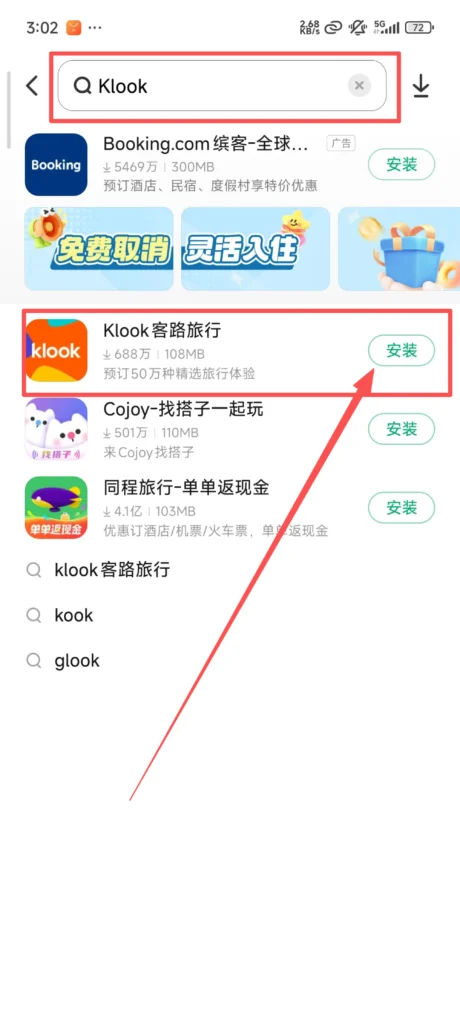
Download & Install Klook
Search for “Klook” in the app store, download, and install it.
1/1
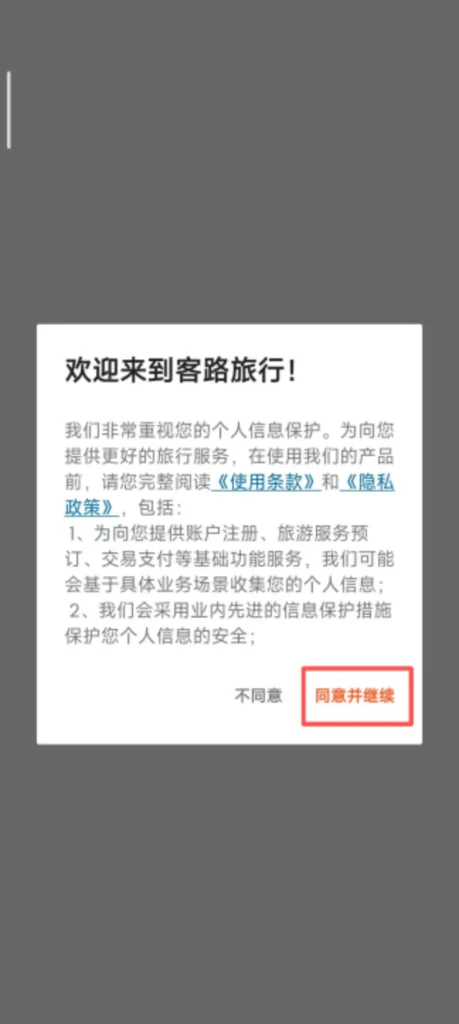
Registration Process
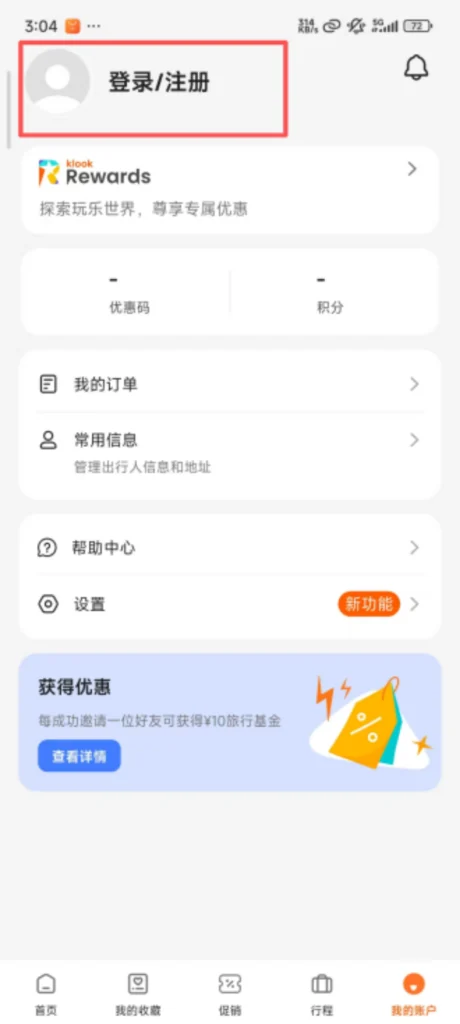
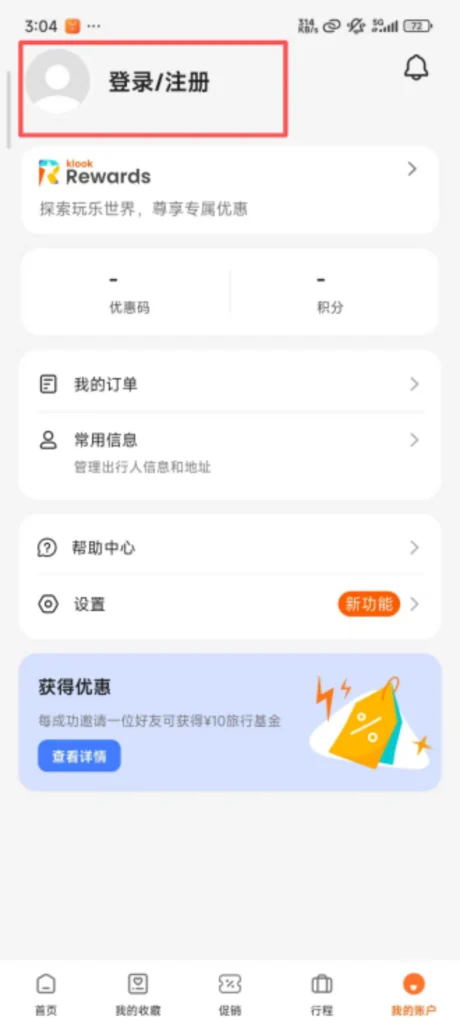
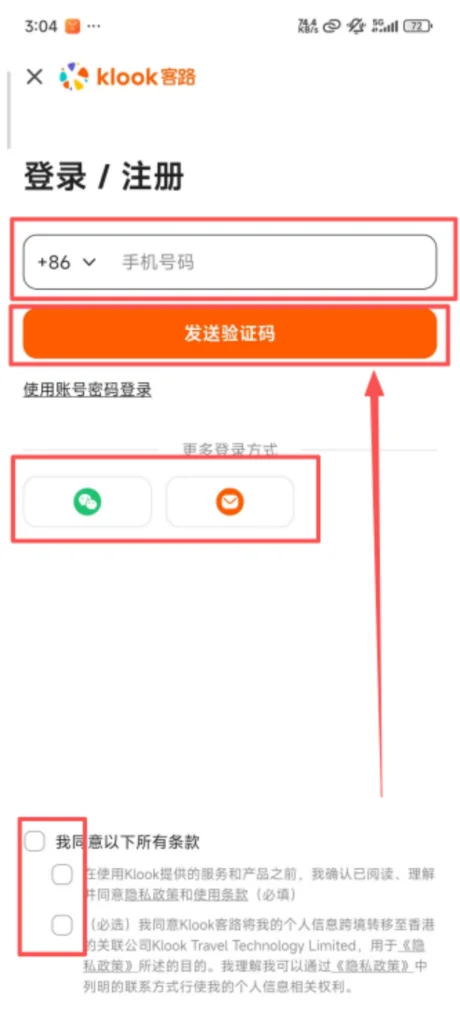
Open the app, click ‘Sign Up’, you can register using your phone number or email, enter the verification code and then set a password. Supports quick login via Facebook, Google, WeChat, and Apple ID, making it more convenient for international users.
1/4
2/4
3/4
4/4
🔍 (2) Core Functions – Product Browsing and Filtering
Browse & Filter Travel Experiences
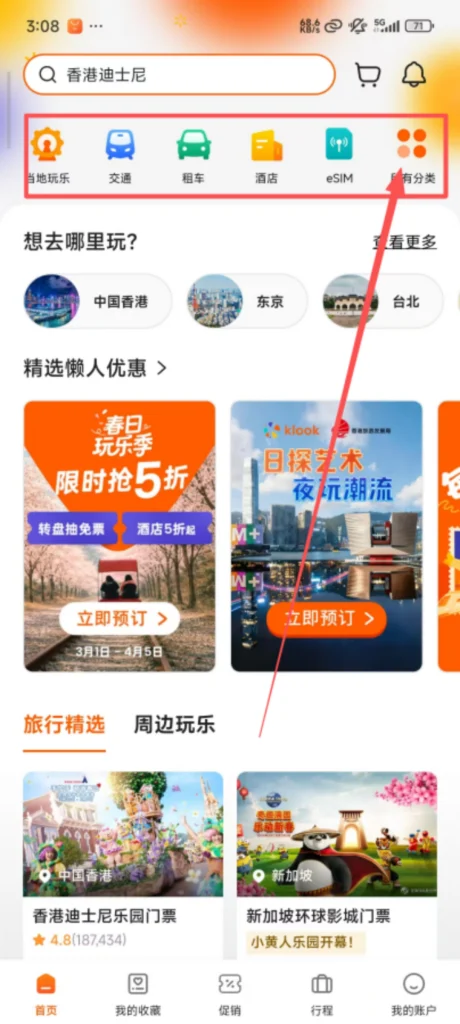
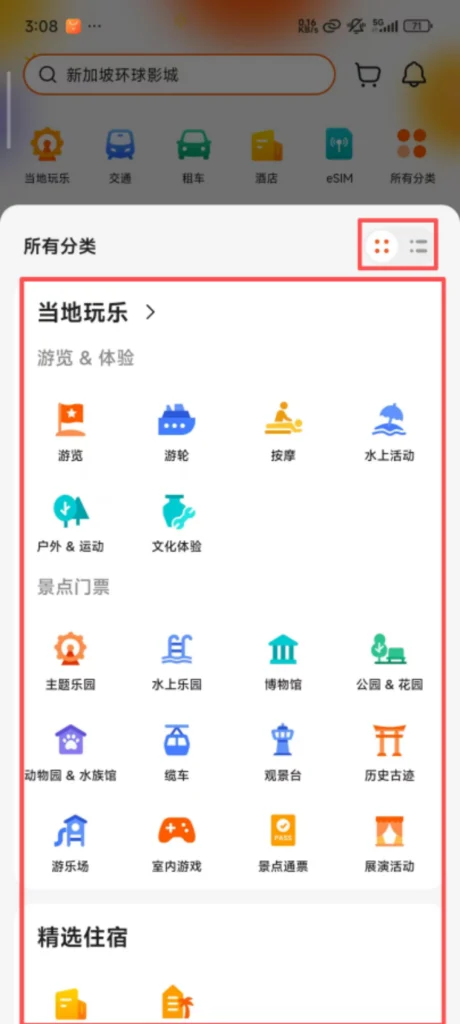
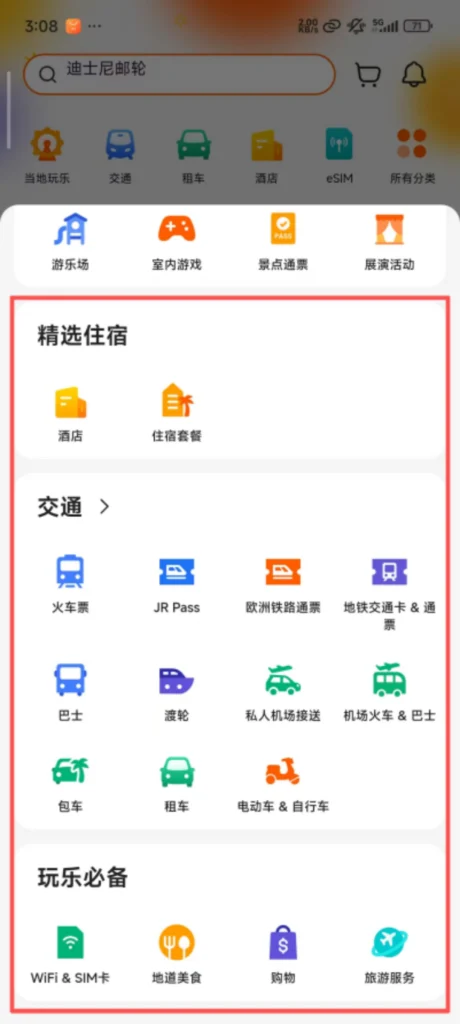
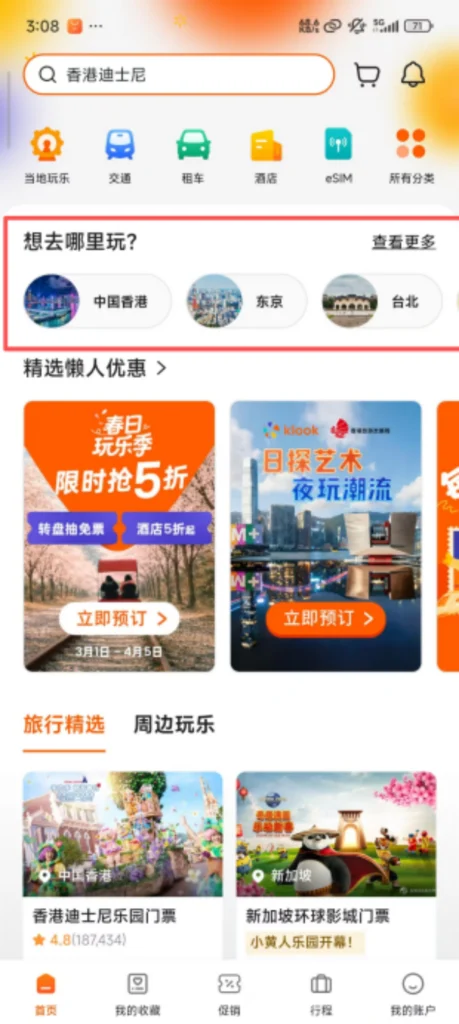
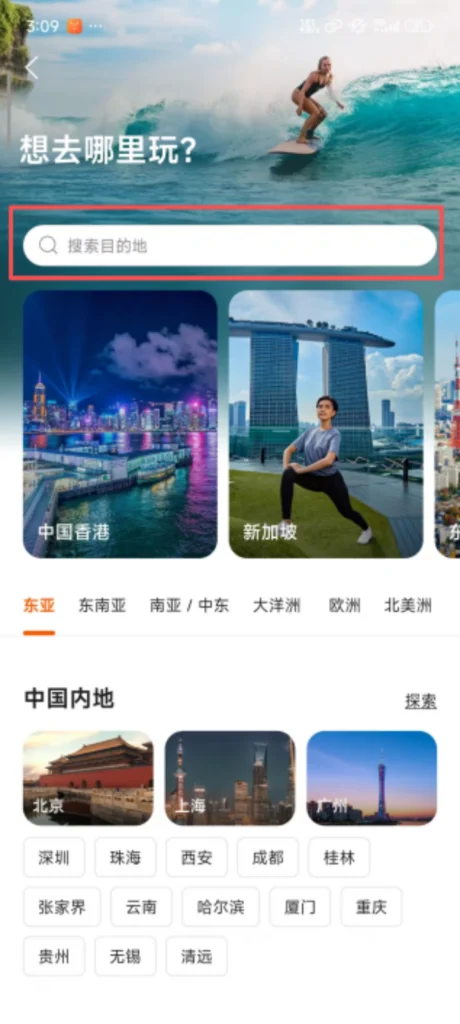
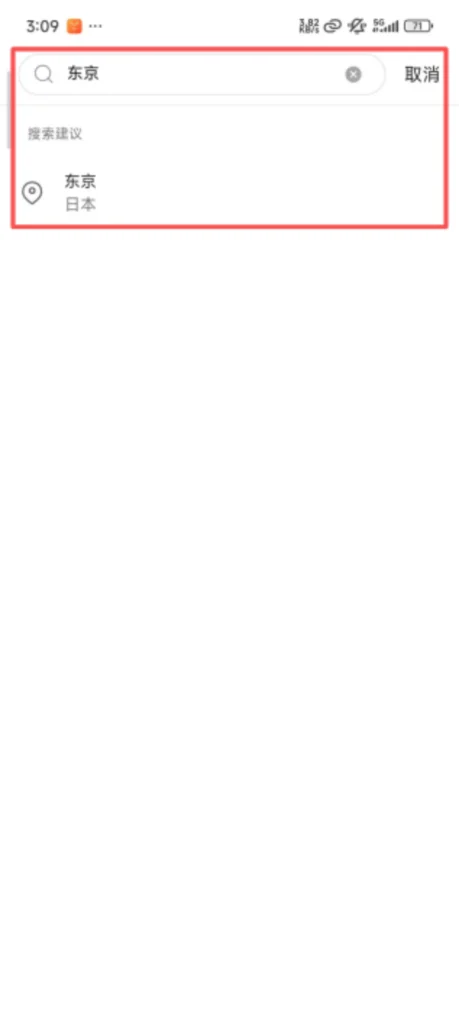
Category Navigation: The homepage is divided into sections such as “Local Activities,” “Attraction Tickets,” “Selected Accommodations,” and “Transportation.” Clicking on a section allows you to view the corresponding products. Filtering by destination is supported (for example, selecting “Tokyo” or “Paris” will display products related to that city).
1/6
2/6
3/6
4/6
5/6
6/6
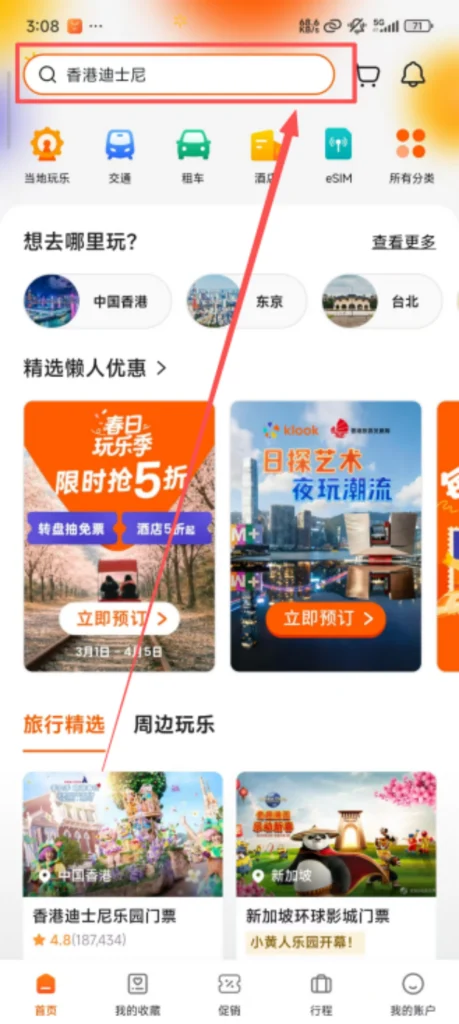
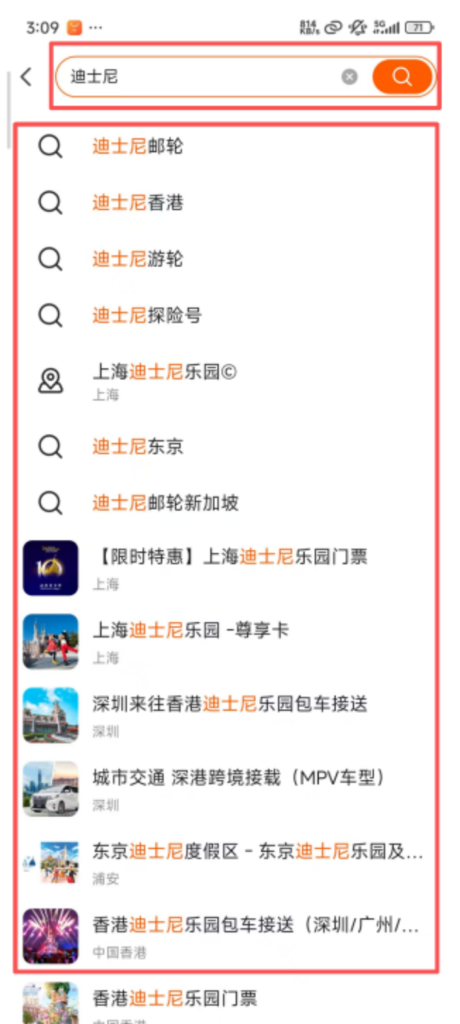
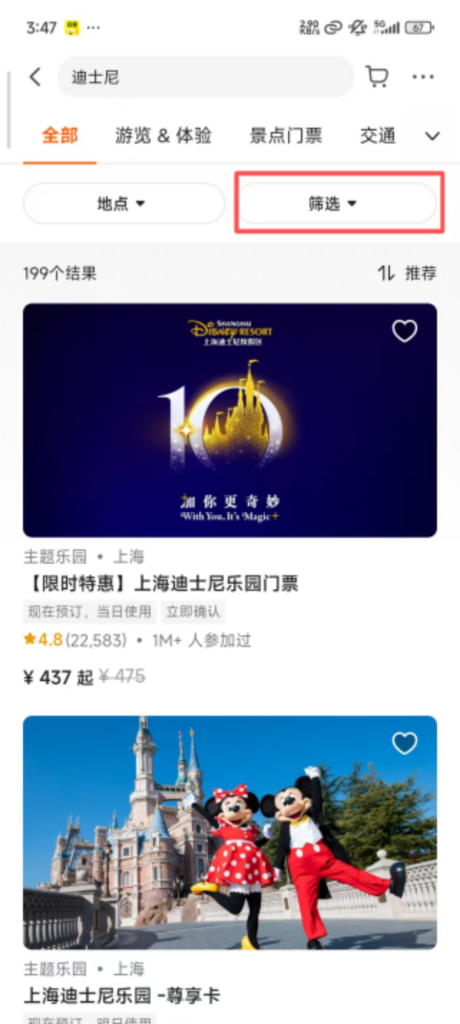
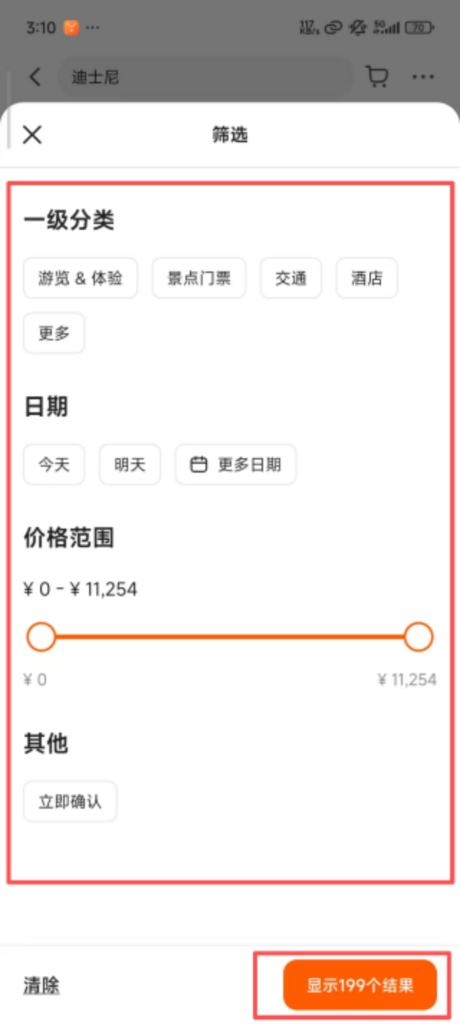
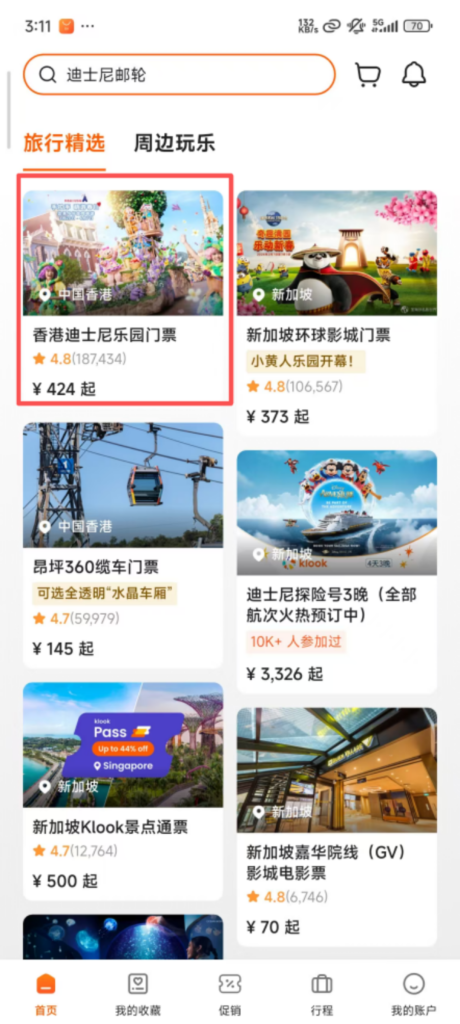
Search Function: Enter the name of the attraction or experience (such as ‘Disney’ or ‘Hot Spring’) in the top search box to quickly find target products. Supports filter conditions (price range, user ratings, free cancellation, instant confirmation) to accurately lock in desired products.
1/2
2/2
1/2
2/2
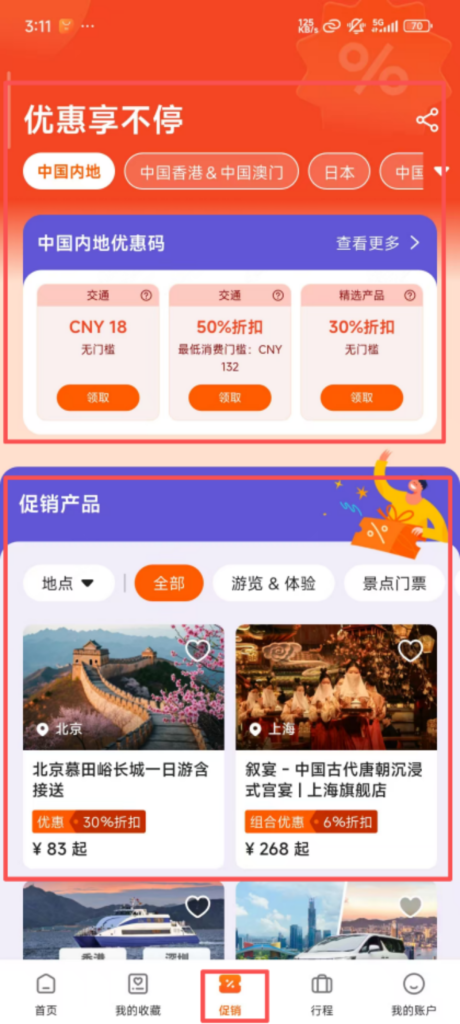
Popular Recommendations: The homepage displays local popular attractions, limited-time discount products, and high user-rated experiences. New users can prioritize viewing ‘New User Deals’ exclusive offers, which are more cost-effective.
📋 (2) Core Functions – Product Details and Booking
View Details & Book Experiences
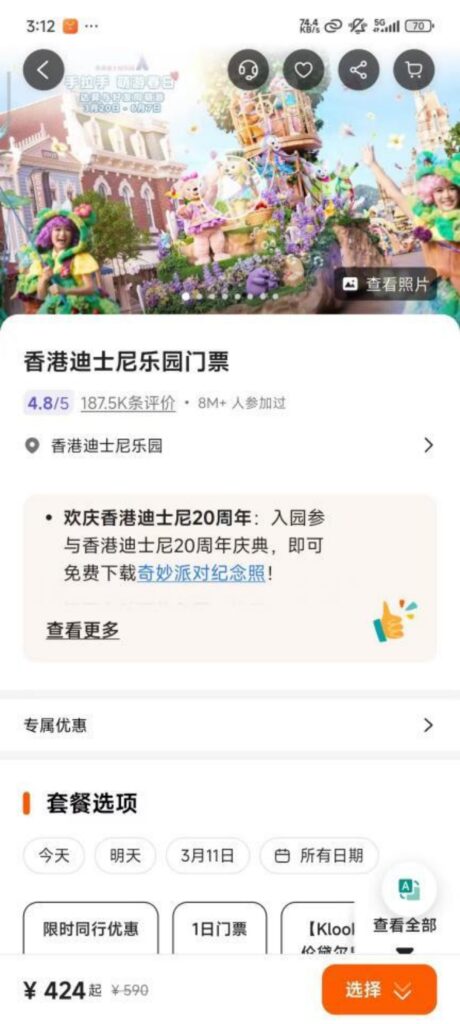
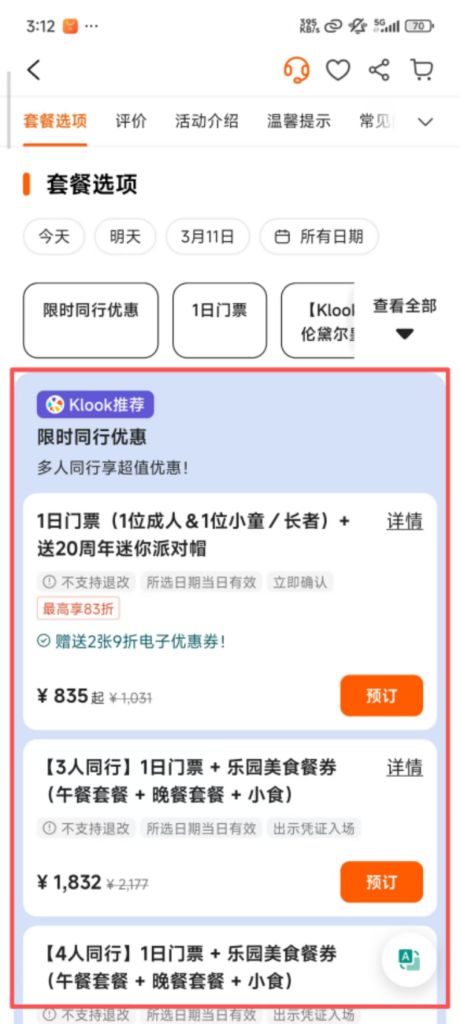
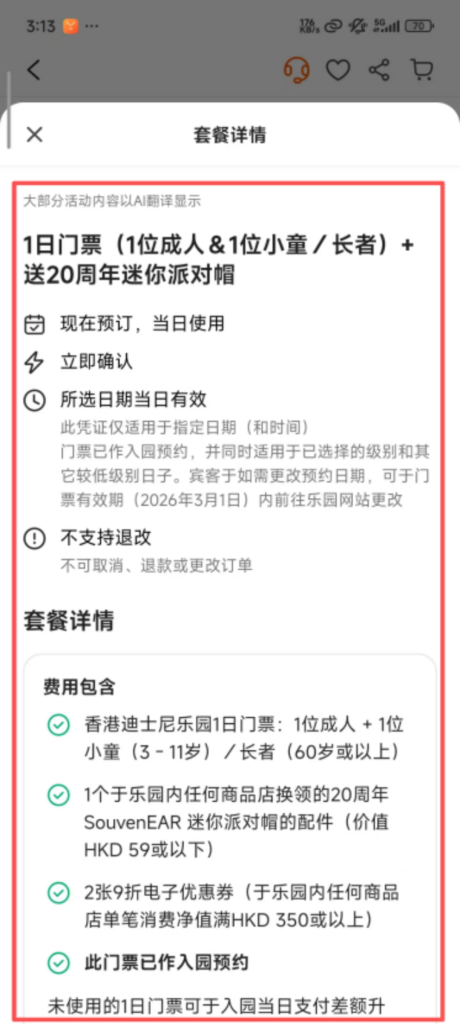
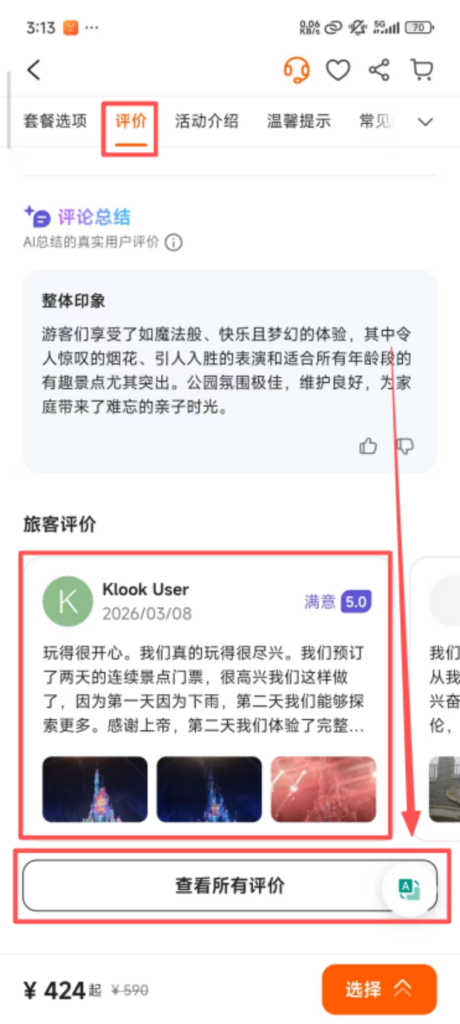
For details, click on the product to enter the detail page to view the product introduction (including itinerary, included services, usage rules), user reviews (including real photos and experience sharing), price details, and refund/change policies. Some products offer video previews to intuitively understand the experience content.
1/5
2/5
3/5
4/5
5/5
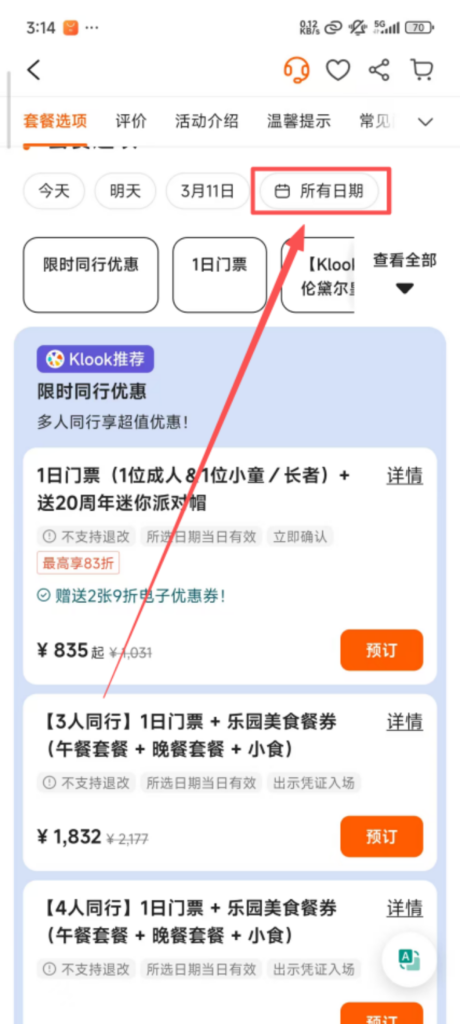
Date and number selection: Choose the travel date (calendar view supports checking available dates) and the number of participants (adults, children; some products offer discounts for children), with the system displaying prices in real time (group bookings may have group discounts).
1/3
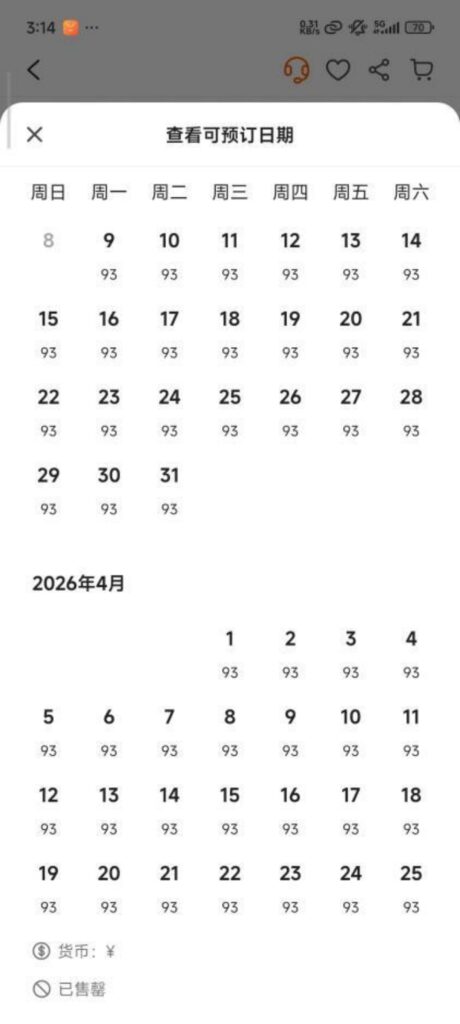
2/3
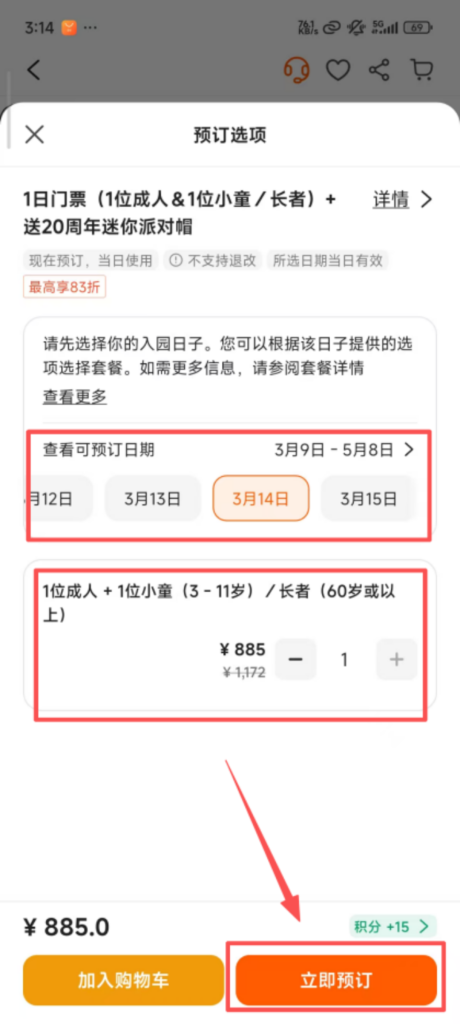
3/3
Booking Information Filling: Click ‘Book Now’ and fill in the contact information (name, phone number, email). Some products require filling in traveler information (such as passport number, date of birth), ensuring it matches the ID.
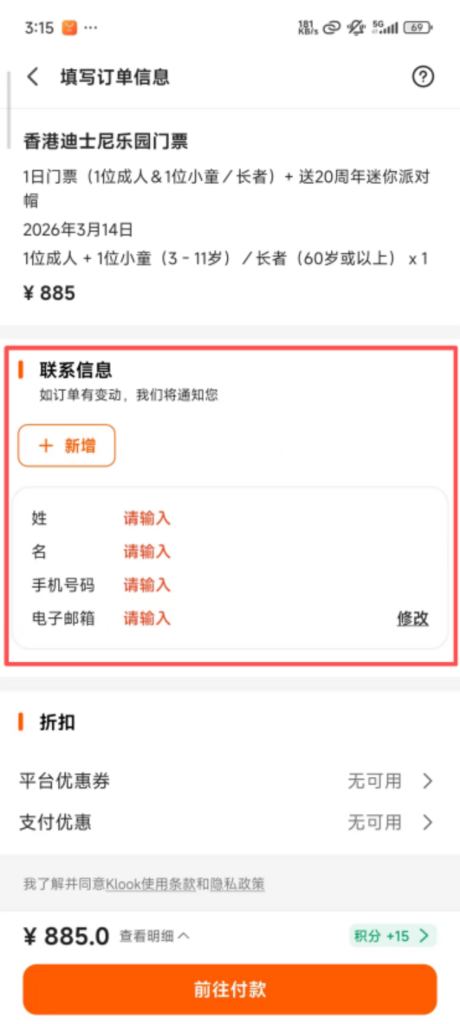
🎟️ (2) Core Functions – Payment and Electronic Voucher
Payment & Voucher Management
Voucher Acquisition: After successful payment, the system immediately generates an electronic voucher (QR code or redemption code), sends it to the reserved mobile number/email, and also stores it in ‘My – Orders’. No printing is required; you can simply present it when traveling.
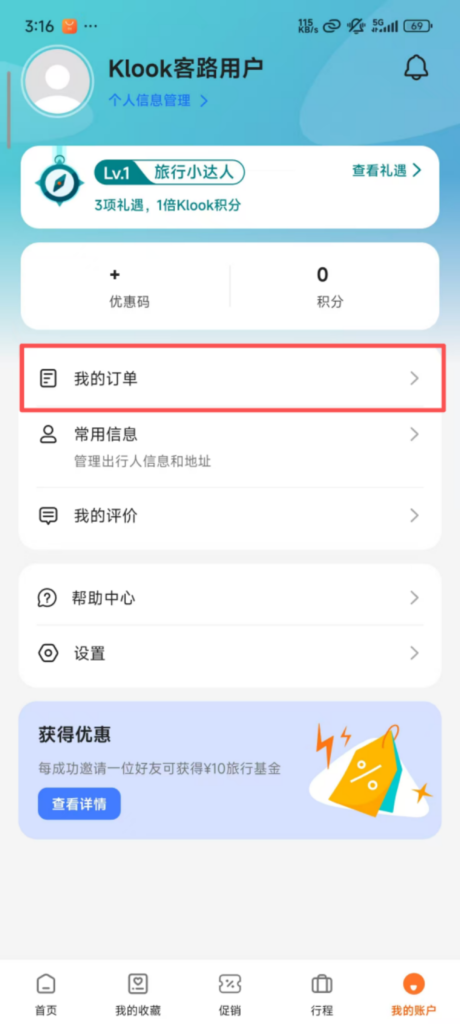
Order Inquiry: In ‘My – Orders’, you can view the order status (Confirmed / Pending Use / Used / Canceled), usage time, and electronic vouchers. It also supports sharing orders with fellow travelers, making it convenient for group travel.
✅ Quick Summary
Why Choose Klook?
✅ Skip-the-Line Tickets: Avoid long queues at popular attractions.
✅ Unique Experiences: Cooking classes, hiking, cultural workshops, and more.
✅ Transport Passes: Intercity rail cards, airport transfers, eSIM, and Wi-Fi.
✅ Instant Digital Vouchers: QR codes usable directly at venues — no paper needed.
✅ Full English Interface: Easy to navigate for international travelers.
✅ Multi-Currency Checkout: Pay in your preferred currency.
✅ 24/7 English Support: Round-the-clock after-sales service.
✅ Up to 60% Off: Exclusive limited-time discounts.
📥 Download Complete PDF Manual
Multi-Language • Offline Printable • All Screenshots Included