
مترومن چین یک اپلیکیشن آفلاین مترو است که به شما کمک میکند مسیرهای سفر، نقشهها، قیمت بلیط و زمانبندیها را برای بیش از ۵۰ شهر چین برنامهریزی و بررسی کنید.
Metro Man China: Your Essential Subway Navigation App
Official Step-by-Step Illustrated Guide with Screenshots and Multi-Language PDFs
📱 Official App Downloads
📘 (1) Download and Registration
Download & Install
Search for “Metro Man China” or “地铁通” in the app store, download and install it.
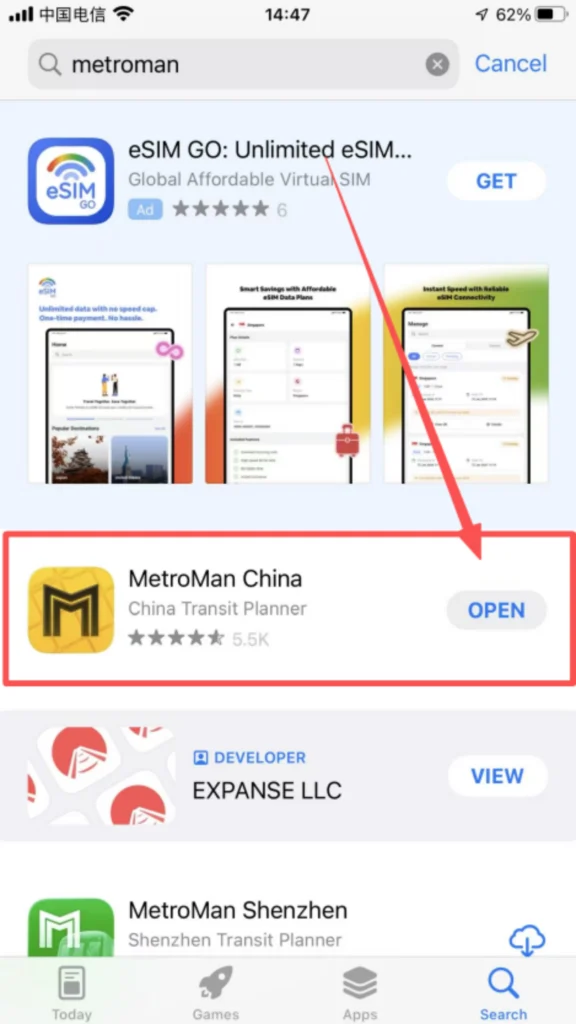
1/1
After downloading, it can be used directly without registering or logging in.
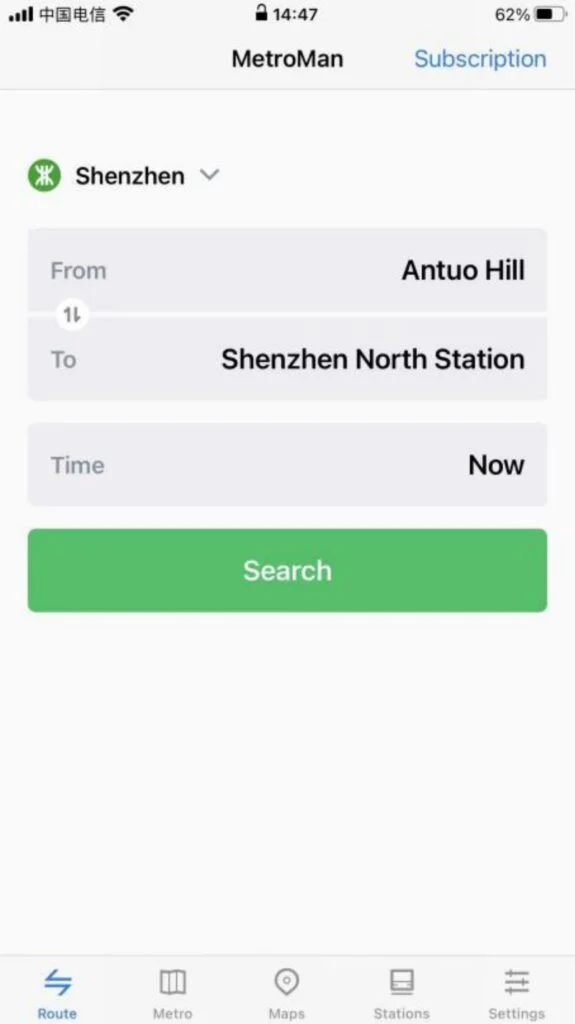
🗺️ (2) Core Functions – City Selection & Interface
City Selection and Basic Interface
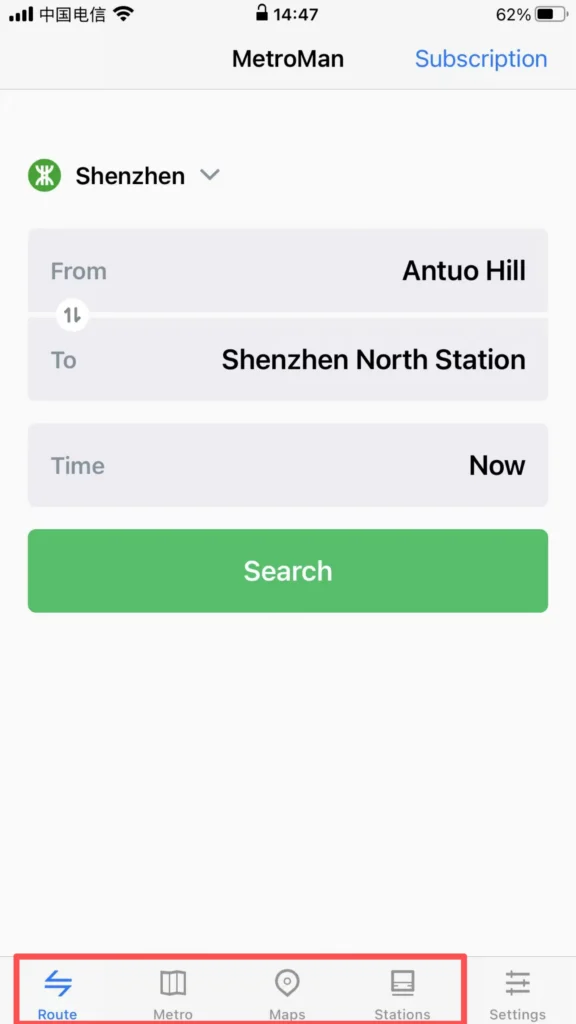
City Switching: Open the APP, and the homepage will automatically display the currently located city (location permission must be enabled). Click the “City” dropdown menu at the top to select supported cities (Beijing, Shanghai, Guangzhou, Shenzhen, Chengdu, etc., 40 major cities). After switching, the subway data for that city will be loaded.
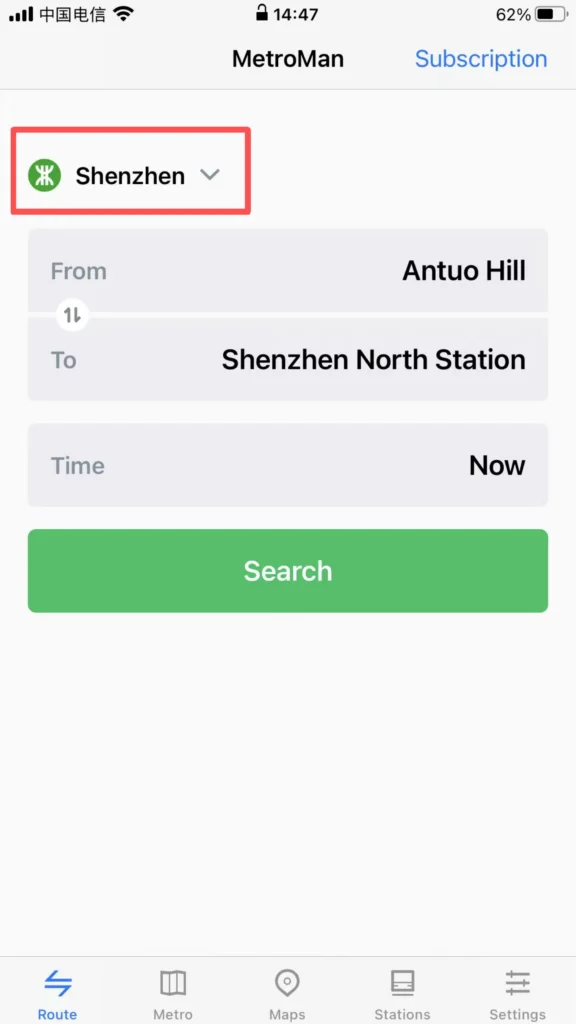
Interface Layout: It is mainly divided into four major modules: ‘Map’, ‘Route’, ‘Stations’, and ‘My’. The Map module by default displays the subway map of the city, supporting zooming and dragging for viewing. Different lines are distinguished by different colors, making it clear and intuitive.
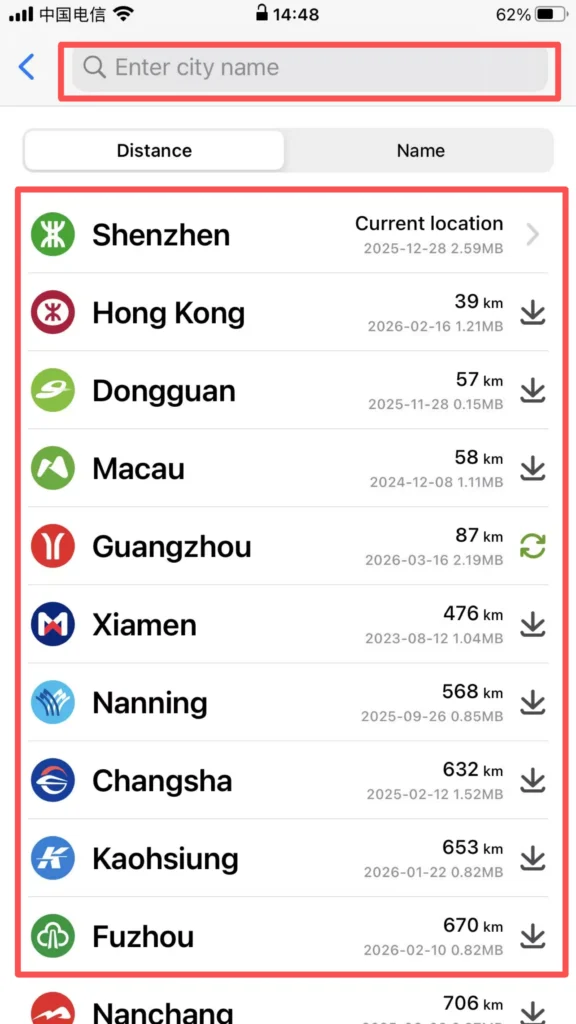
1/2
2/2
📍 (2) Core Functions – Station Details Inquiry
Station Details Inquiry
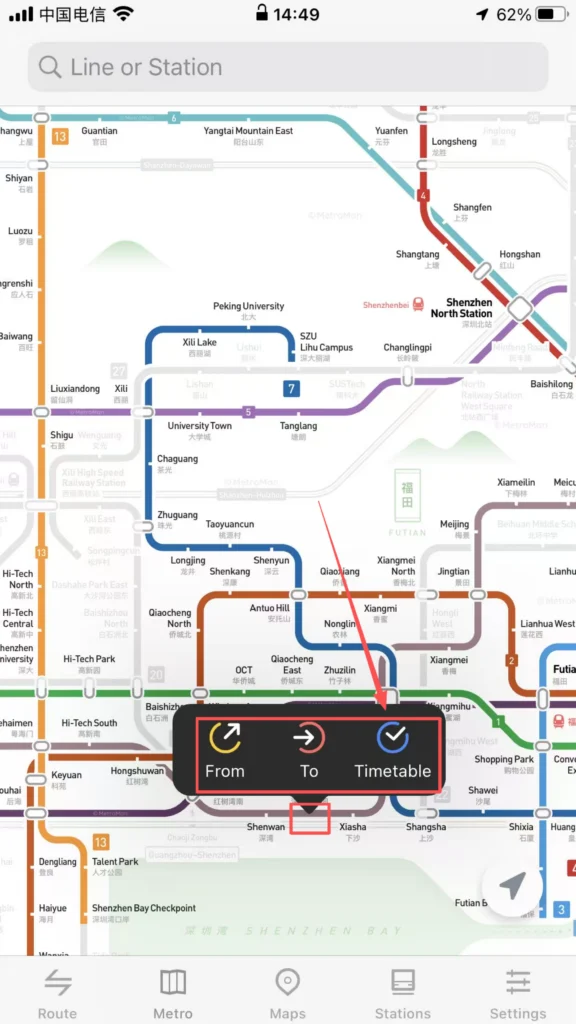
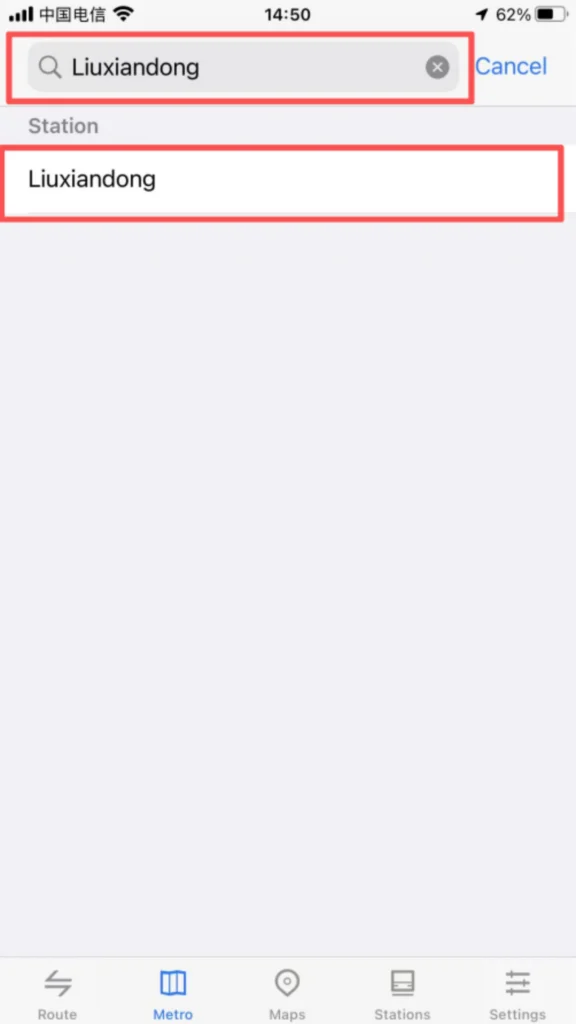
Station Positioning: Click on any station icon on the map to pop up the station name, first and last bus times, and transfer line tips. Supports entering the station name (Chinese / Pinyin) in the search box for quick positioning of the target station.
1/2
2/2
1/2
2/2
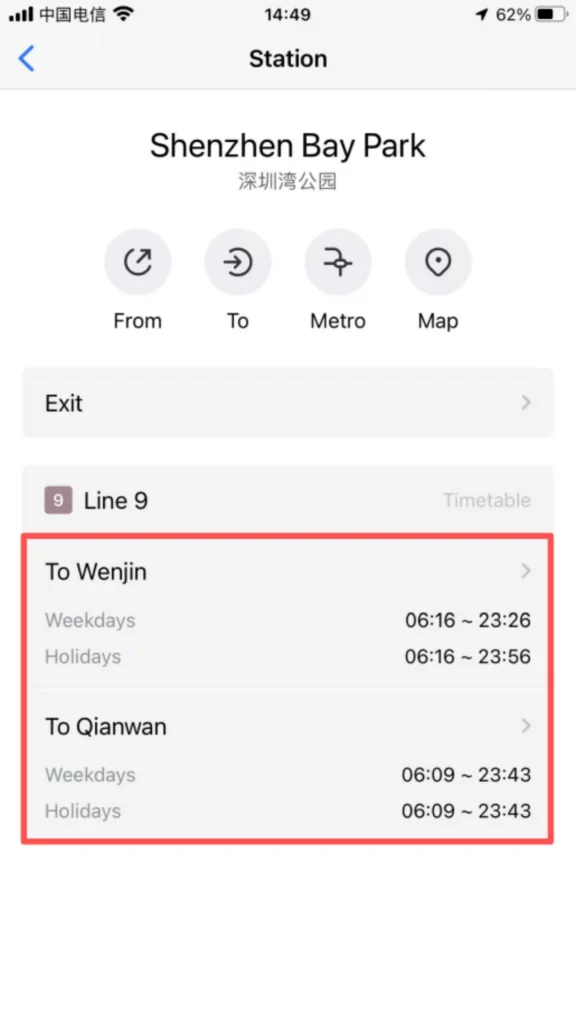
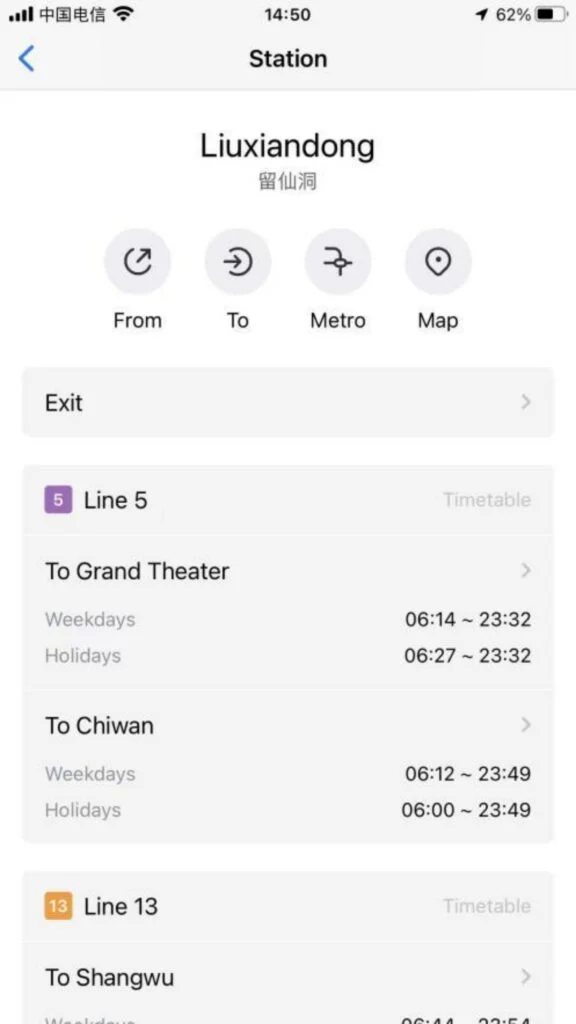
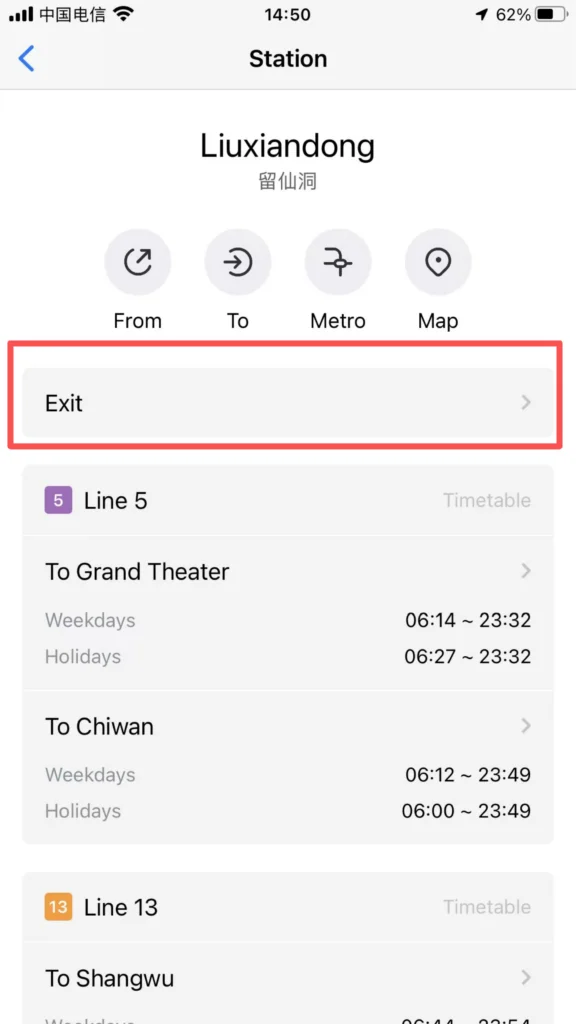
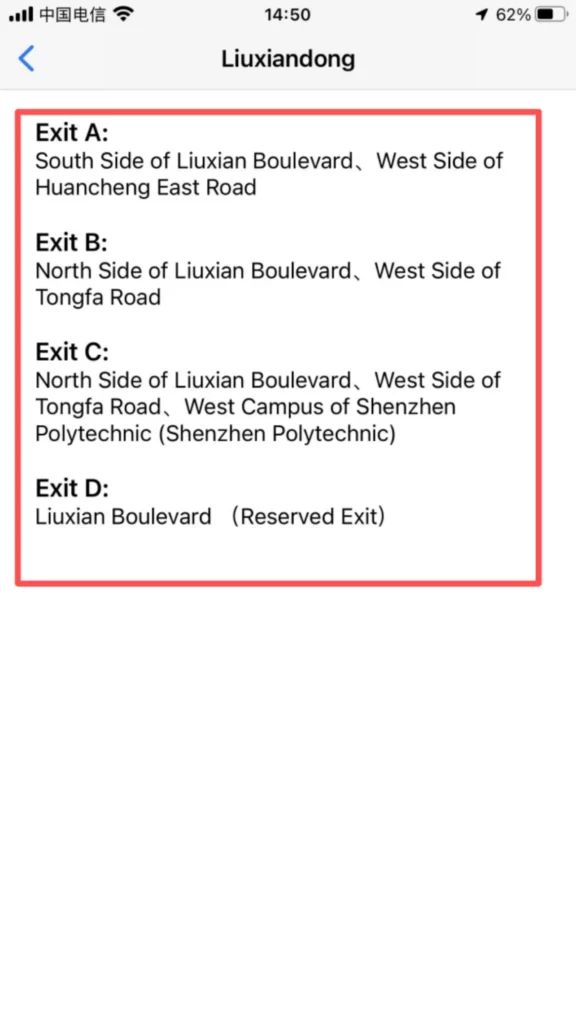
Detailed information: Click on the site to enter the detail page to view the entrance and exit distribution (including landmarks around the exits and public transportation transfer information), and operating hours (first and last train times on weekdays/weekends/holidays).
1/2
2/2
🧭 (2) Core Functions – Route Planning
Route Planning
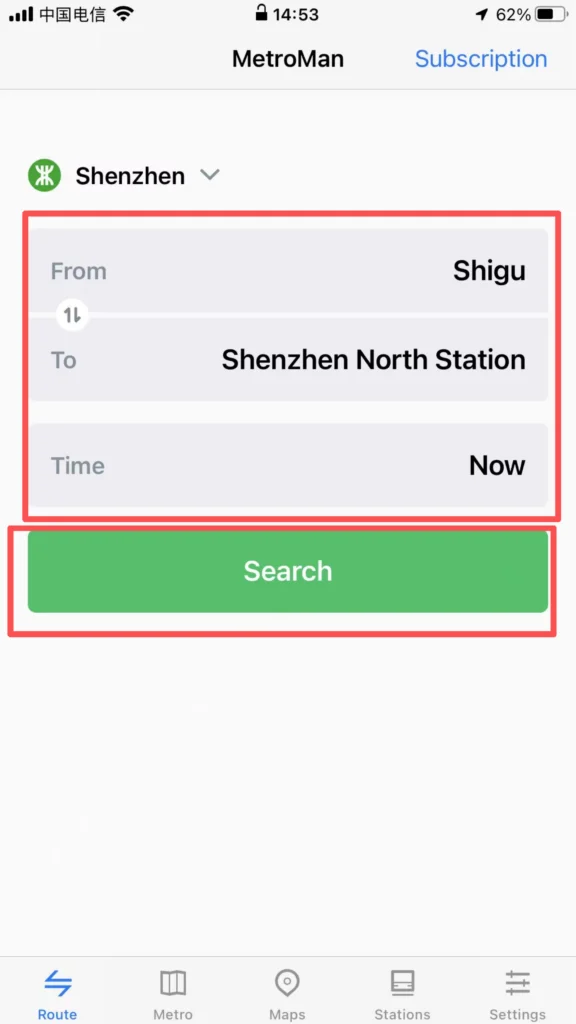
Starting and Ending Point Settings: Click the ‘Route’ module, enter the starting point and ending point (supports station names and nearby landmark searches), and the system will automatically plan multiple transfer routes, displaying recommended routes (shortest time / least transfers / least walking).
1/2
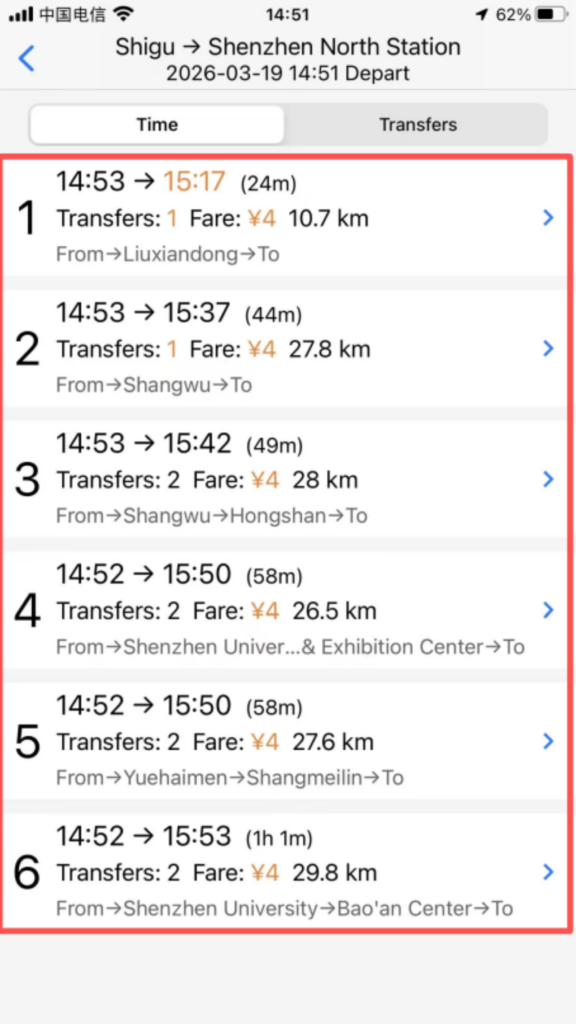
2/2
Route Details: After selecting a route, view the lines to take, transfer stations (indicating walking distance and time for transfers), total duration, total distance, and estimated arrival time. Supports the ‘reverse route’ function, allowing one-click switching of the start and end points.
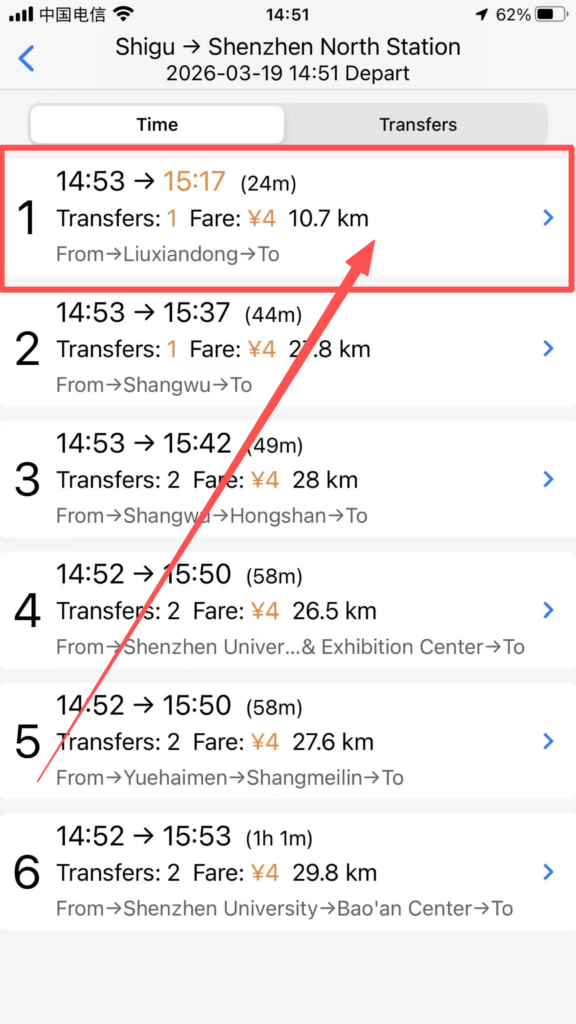
1/3
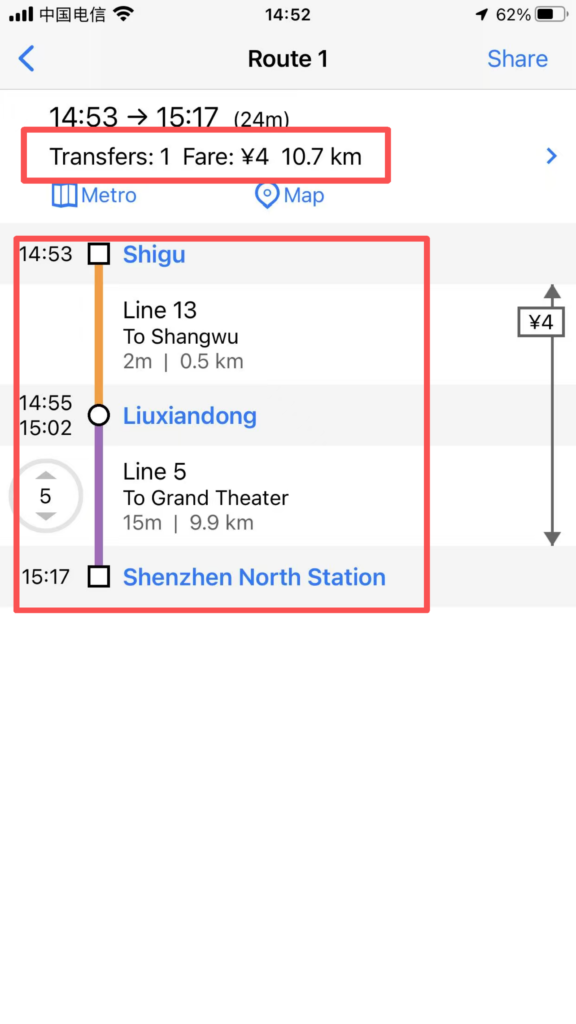
2/3
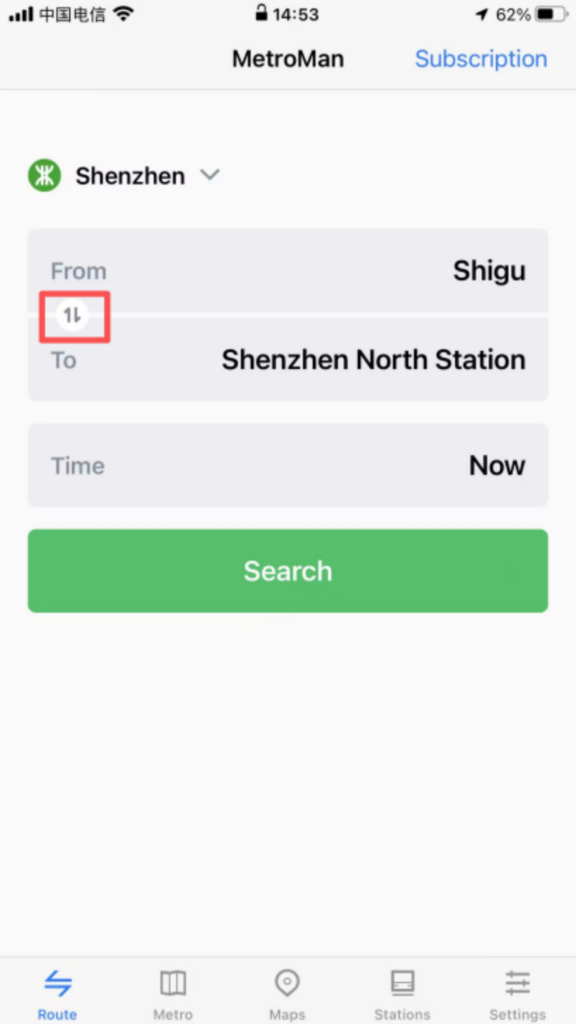
3/3
Real-time information: Some cities support displaying real-time crowding on routes (green = free, yellow = moderate, red = crowded), temporary service suspensions / capacity restrictions notifications, helping to avoid peak hours or faulty routes.
🔍 (2) Core Functions – Station Search & Nearby
Station Search and Nearby Inquiries
Quick Search: Enter the station name in the homepage search box for fast matching results. Click to directly go to the station details or route planning.
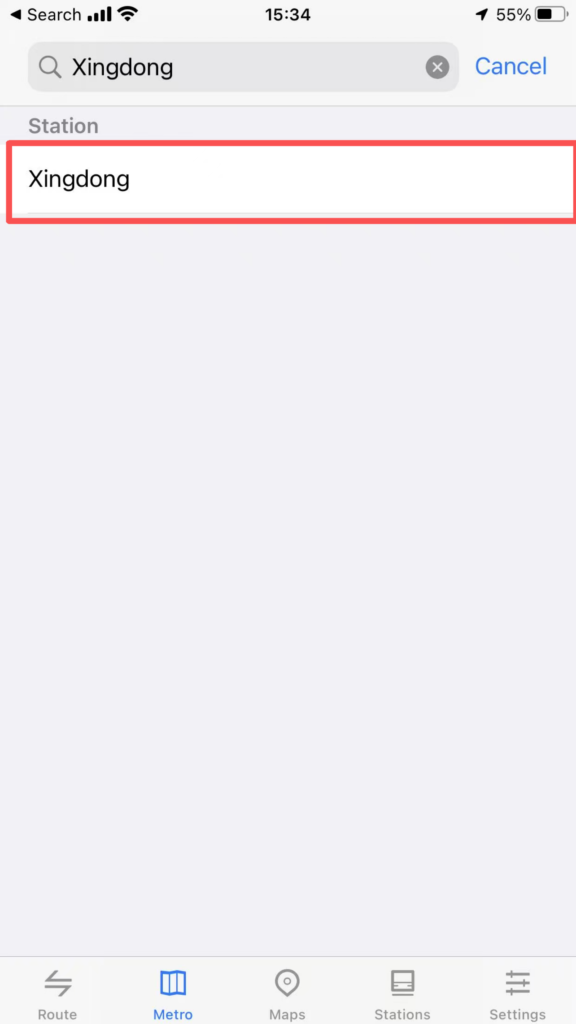
1/2
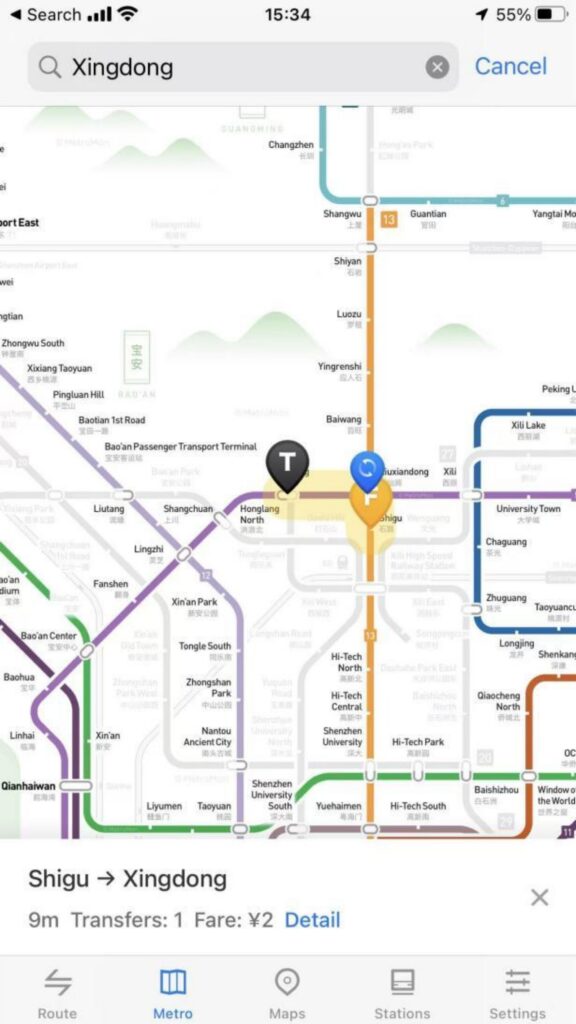
2/2
Surrounding facilities: Enter the station detail page and click ‘Surroundings’ to view bus stops, shopping malls, restaurants, hotels, hospitals, and other facilities within 1 kilometer of the station. Navigation is supported (redirects to the phone’s default map app).
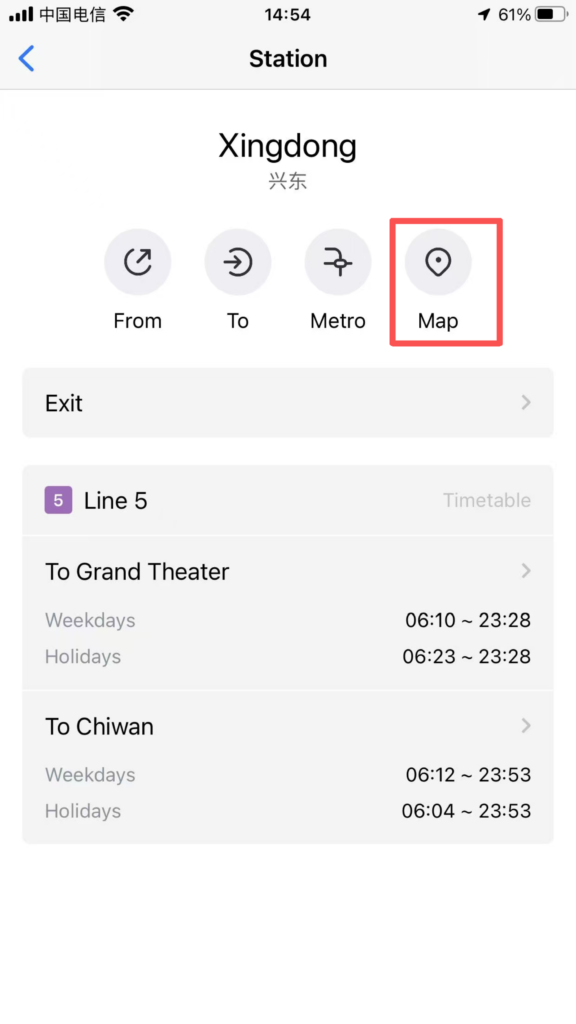
1/2
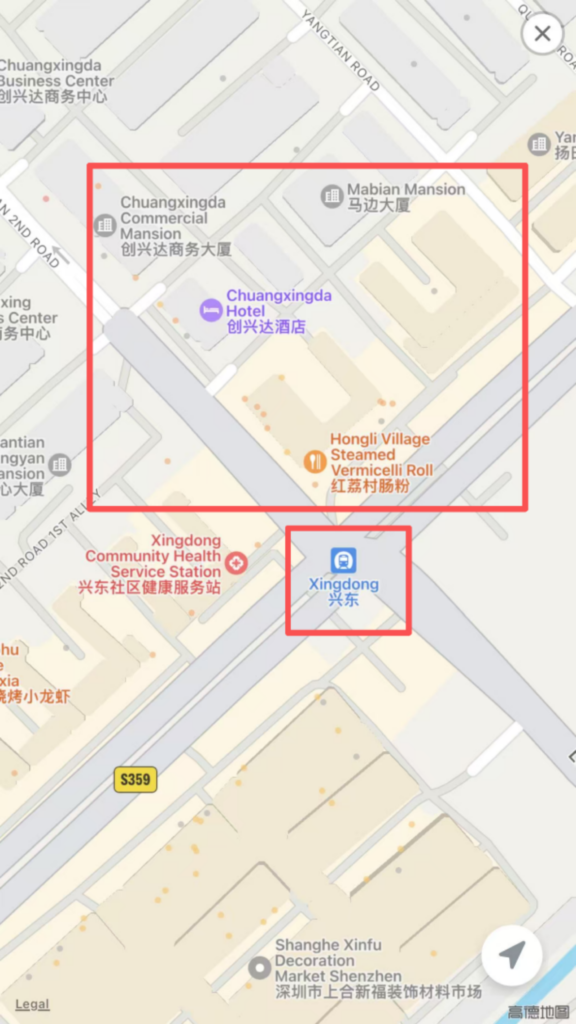
2/2
✅ Quick Summary
Why Choose Metro Man China?
✅ No Registration Required: Download and use immediately.
✅ 40+ Cities: Covers major Chinese cities with subway systems.
✅ English Interface: Full English language support.
✅ QR-Code Gate Access: Works with Shanghai Metro (Alipay support).
✅ Real-Time Crowding: Green/Yellow/Red indicators show carriage density.
✅ Route Planning: Multiple route options with transfer details.
✅ Exit Information: Know which exit to use before you arrive.
✅ Nearby Facilities: Find restaurants, shops, and hotels near stations.
📥 Download Complete PDF Manual
Multi-Language • Offline Printable • All Screenshots Included