Nihao China ialah sebuah aplikasi yang membantu warga asing mempelajari bahasa Cina dan menyesuaikan diri dengan kehidupan harian di China secara mudah.
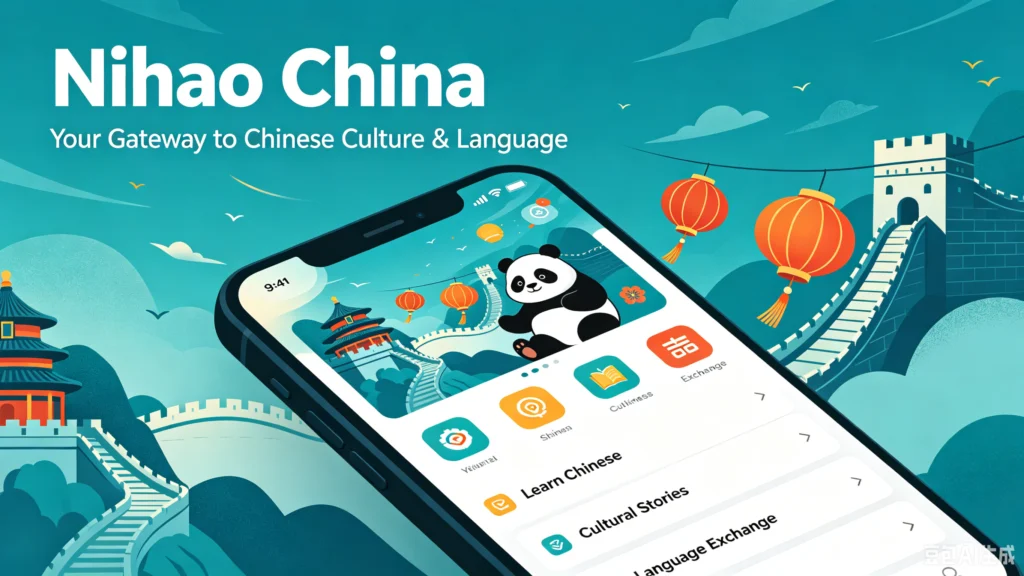
Nihao China: UnionPay’s All-in-One Travel & Payment App for Foreign Visitors
Official Step-by-Step Illustrated Guide with Screenshots and Multi-Language PDFs
📱 Official App Downloads
📘 (1) Download and Registration
Download & Install Nihao China
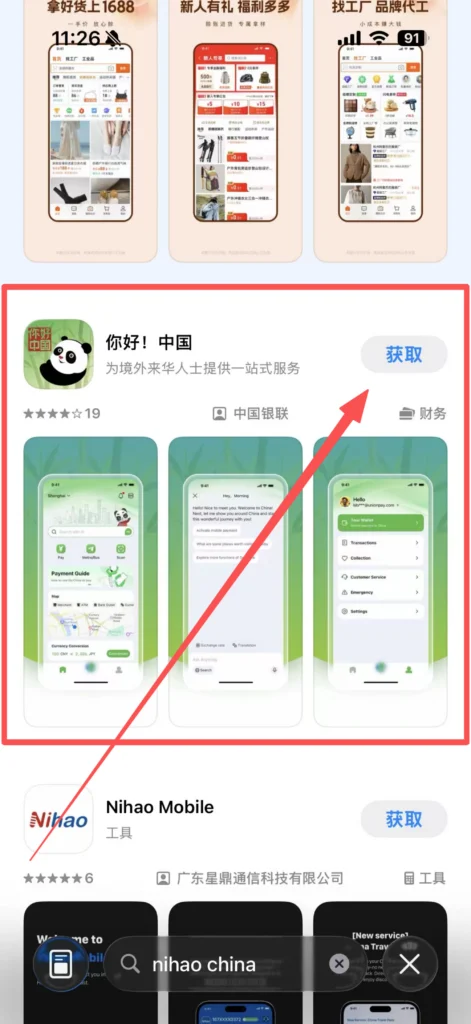
Android phones: Open the app store, search for “Nihao China” to download and install; if not found, you can scan the QR code on the UnionPay International official website to download the APK, and allow “installation from unknown sources” to complete.
1/1
Language Selection & Registration
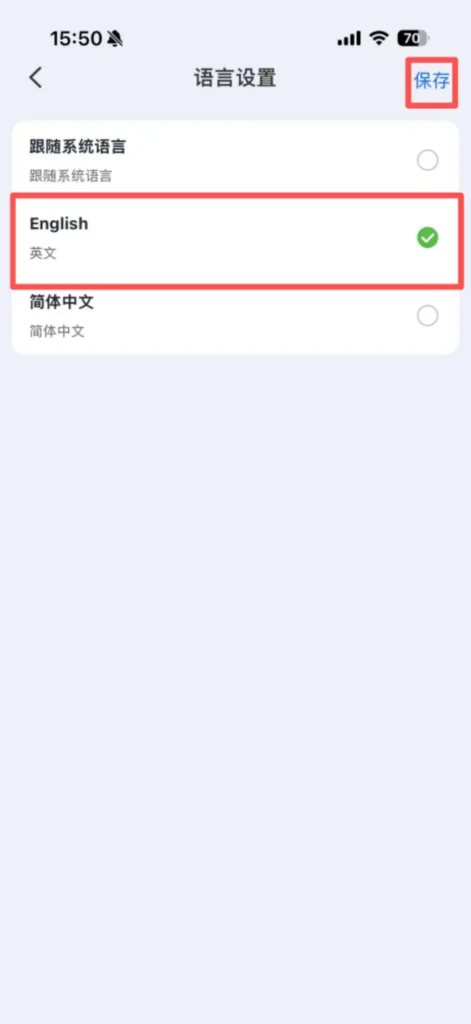
Open the app and select a language (English is recommended, as the operation is more in line with the habits of foreigners).
1/2
2/2
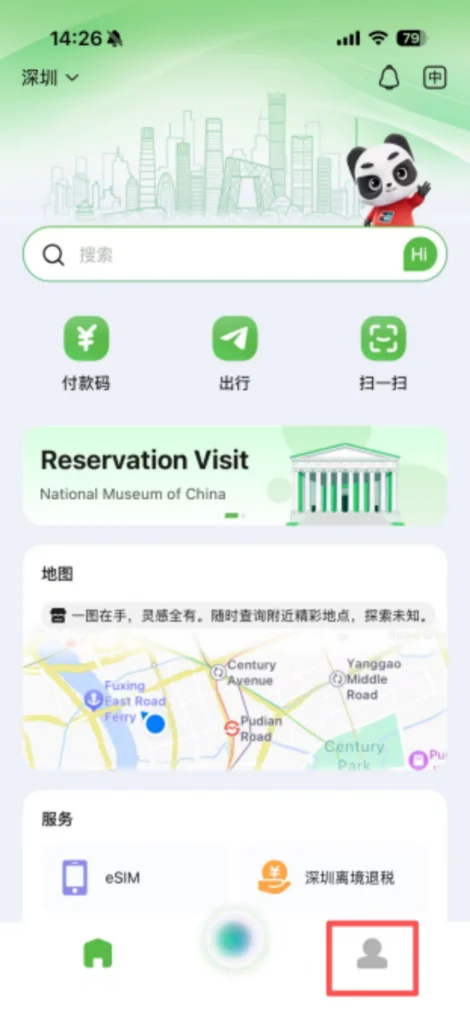
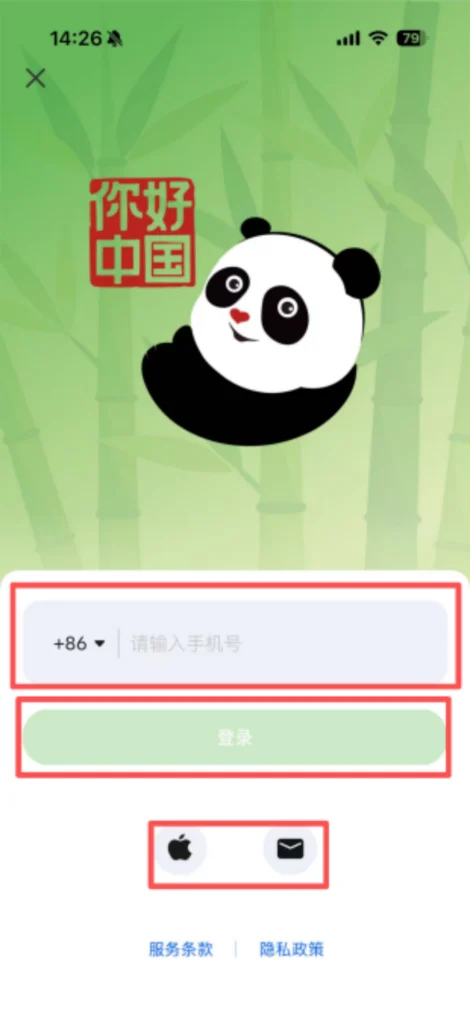
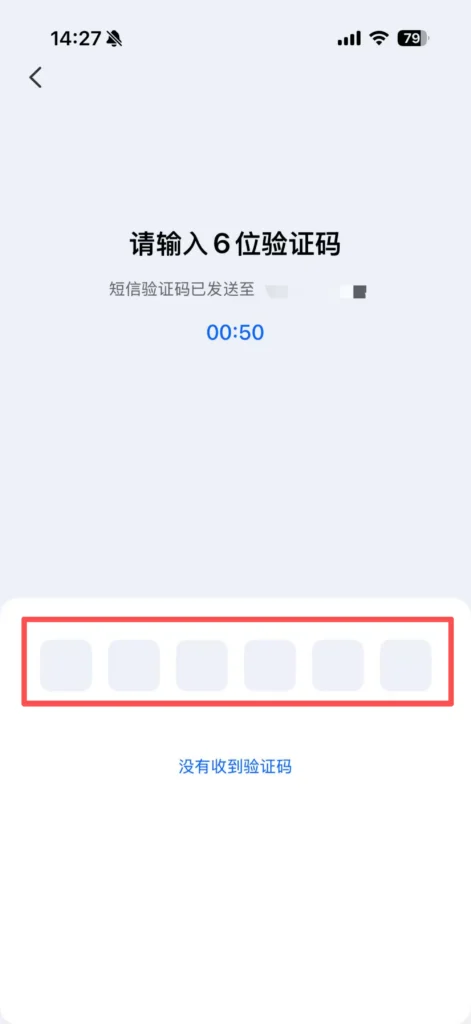
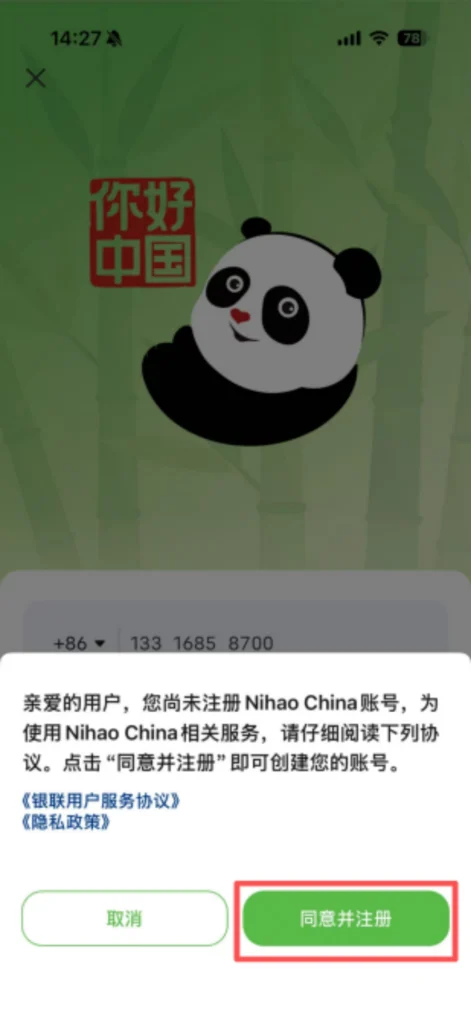
Registration methods (choose one): Register with an international phone number (select country code, enter phone number, receive verification code, set password); iOS users can directly log in using Apple ID authorization.
1/2
2/2
1/2
2/2
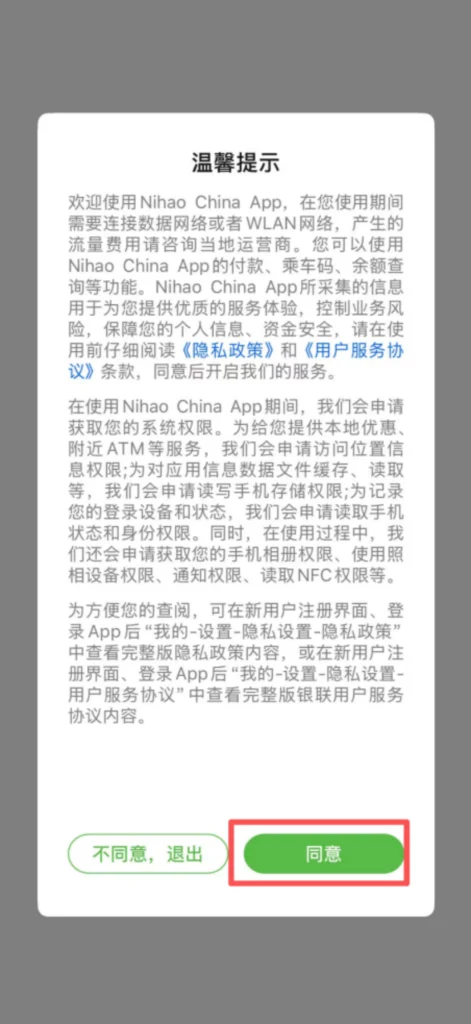
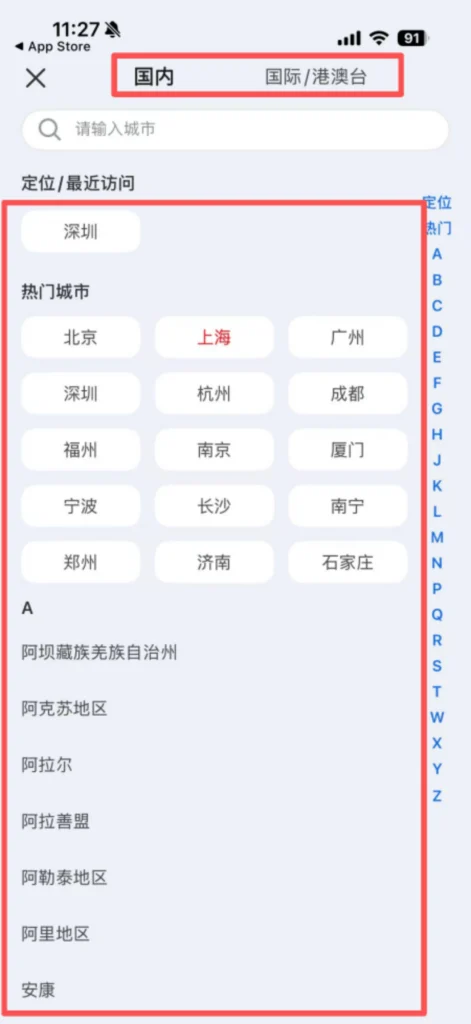
Login: Enter your registered phone number, or use Apple ID authorization to access the homepage; it is recommended to enable camera, location, and network permissions during the first login to facilitate the use of subsequent functions.
1/2
2/2
💳 (2) Core Functions – Payment
Bind Bank Card & Recharge (Mandatory for First-Time Use)
Enter the app homepage, click ‘Pay’, and go to the wallet management page.
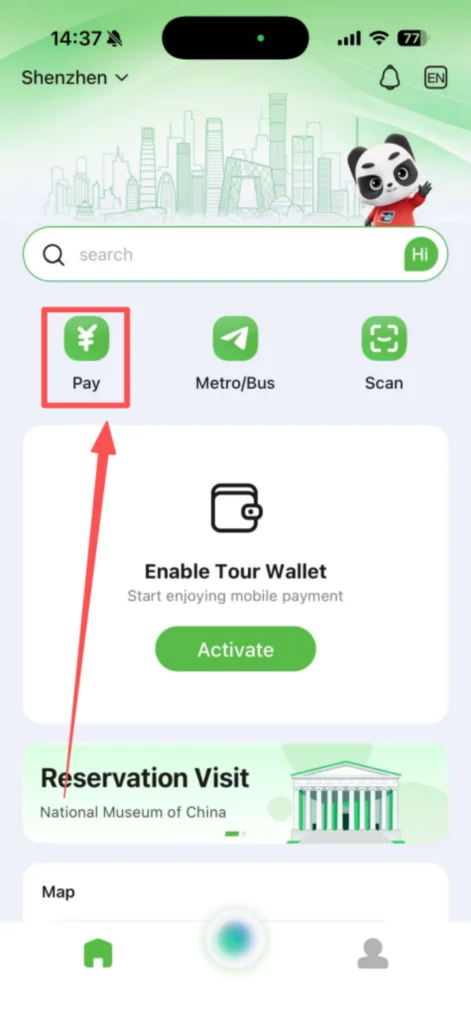
Click ‘Band Card’, select the type of bank card (Visa/Mastercard/UnionPay), and click confirm.
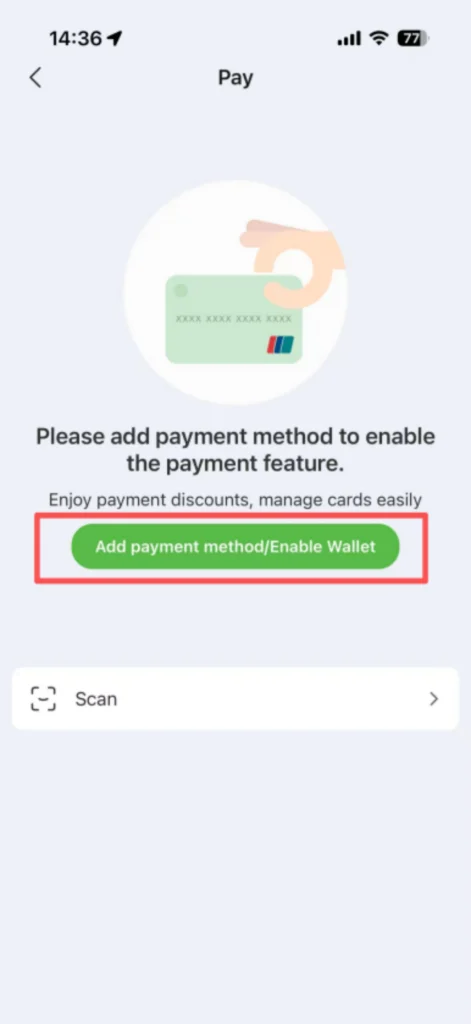
1/2
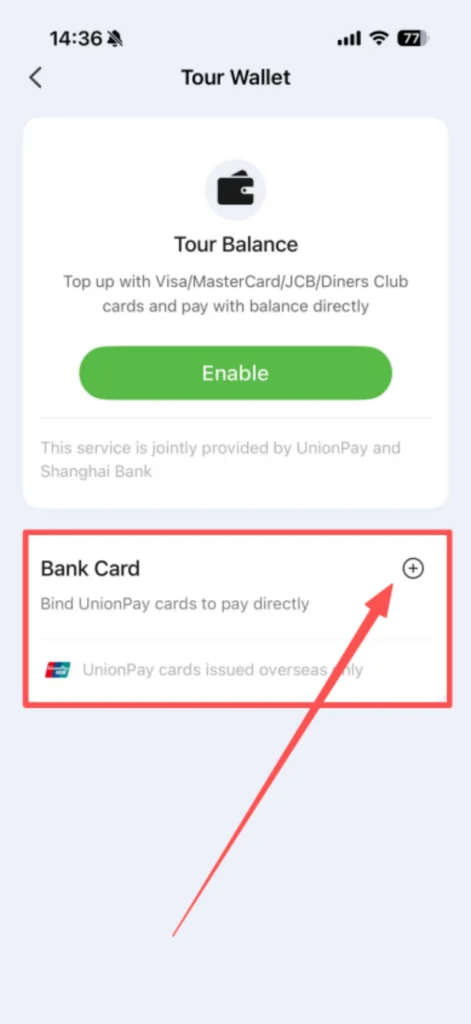
2/2
Enter the bank card number, expiration date (e.g., 12/27, representing December 2027), and security code (CVV, the 3-digit number on the back of the bank card) in order.
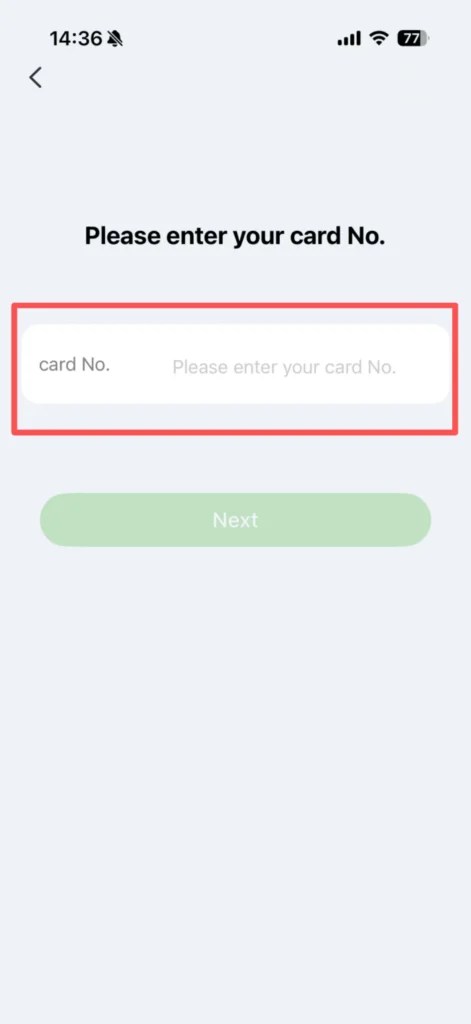
Some banks will send a verification SMS/email code. Enter the code to complete identity verification and successfully bind the card.
Offline QR Code Payment
Open the APP homepage, click the top “Scan”, authorize camera permissions (if not enabled, you need to go to your phone settings to enable it).
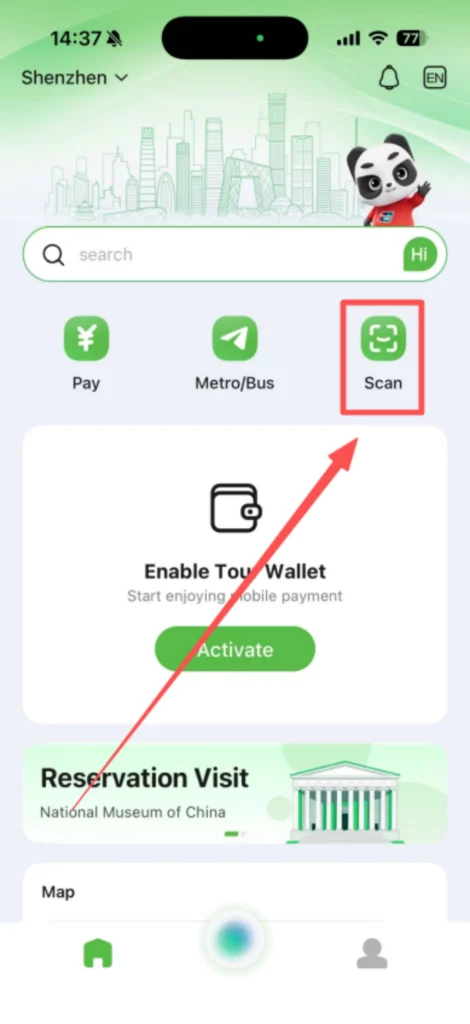
Point the phone camera at the merchant’s payment code (UnionPay, WeChat, or Alipay payment codes are all acceptable), keep a distance of 20-30cm, ensure the QR code is clear and unobstructed, and avoid tilting.
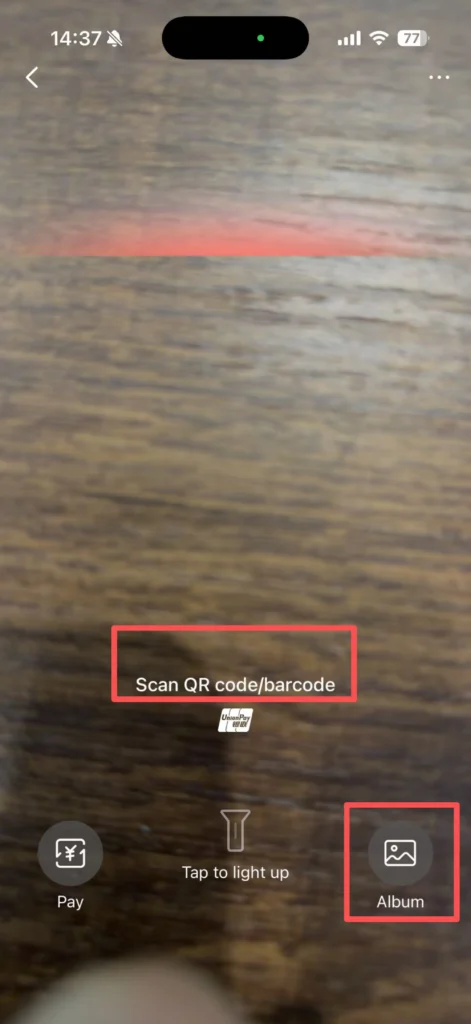
After successfully scanning the QR code, the page will automatically display the payment amount, defaulting to payment using the wallet balance. If the balance is insufficient, it will automatically switch to the linked bank card; after confirming that the amount is correct, enter the payment password (the password set during registration), or verify using fingerprint/face recognition, then click ‘Pay’.
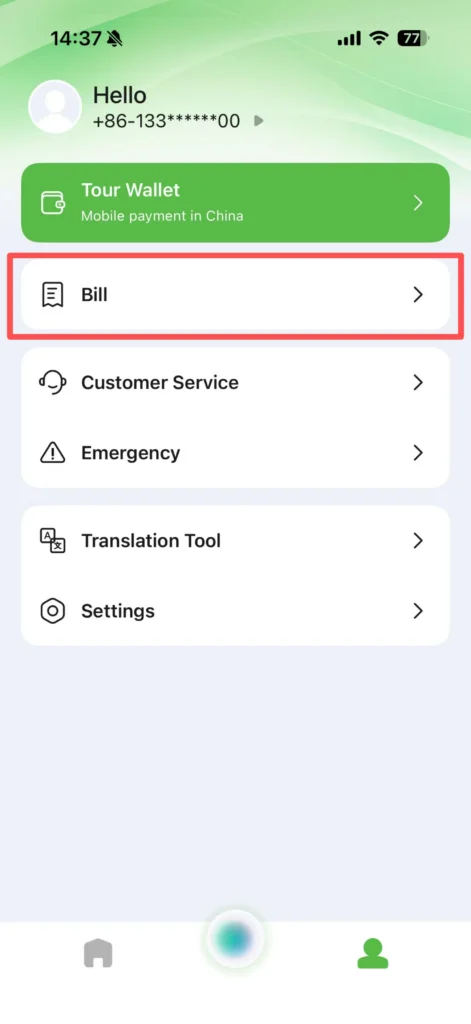
After a successful payment, the page will pop up a ‘Payment Successful’ prompt, and a payment receipt will be generated. You can click ‘View Details’ to save it, or you can check your payment history in ‘My → Orders’.
📶 (3) Data Purchase (eSIM)
Buy Data Package (No Domestic SIM Card Needed)
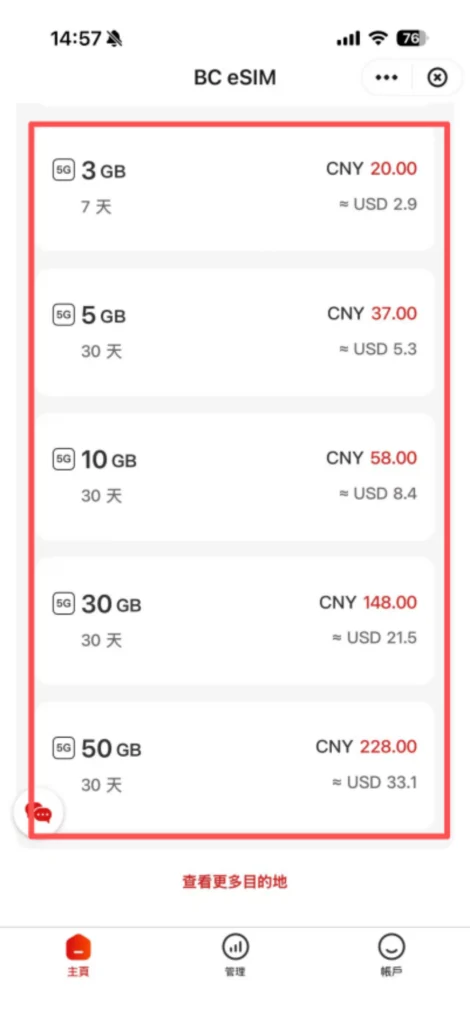
Covers multiple international carriers, supports purchasing data packages within China, solves the problem of having no network for foreigners after arriving in China, can be purchased in advance, and used directly upon entry.
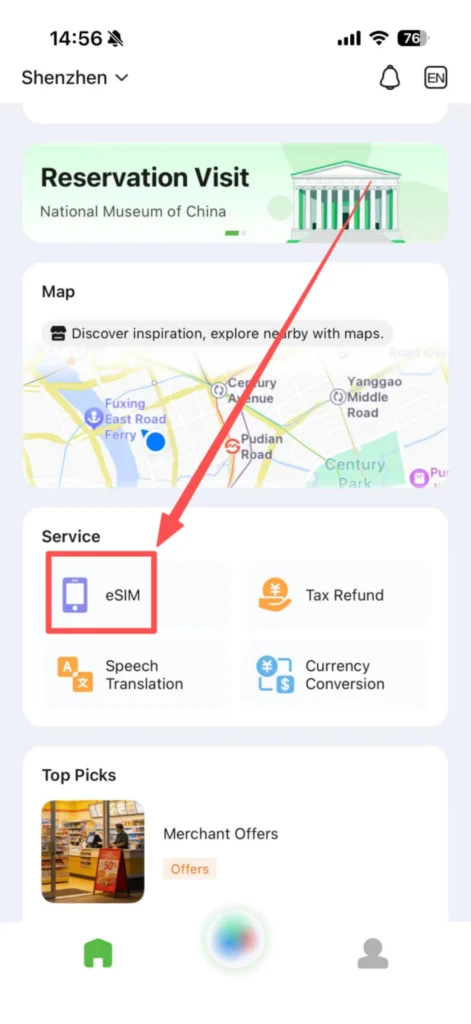
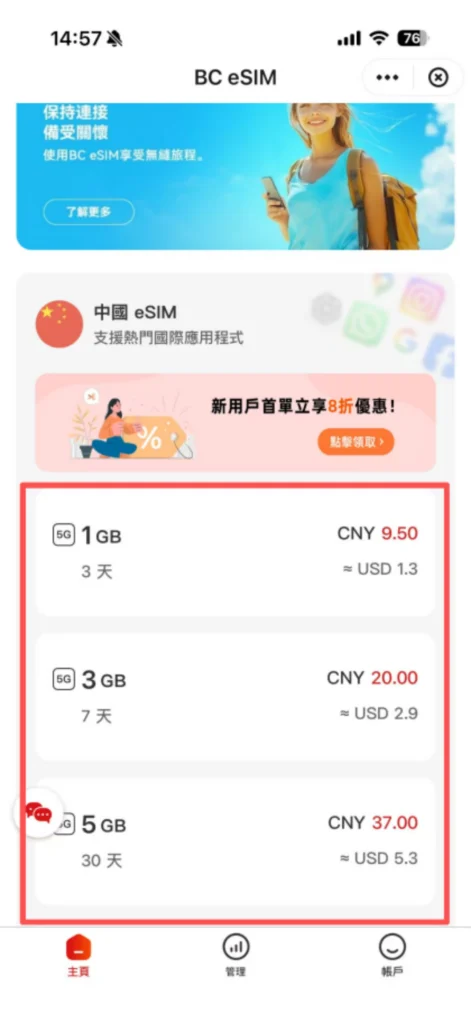
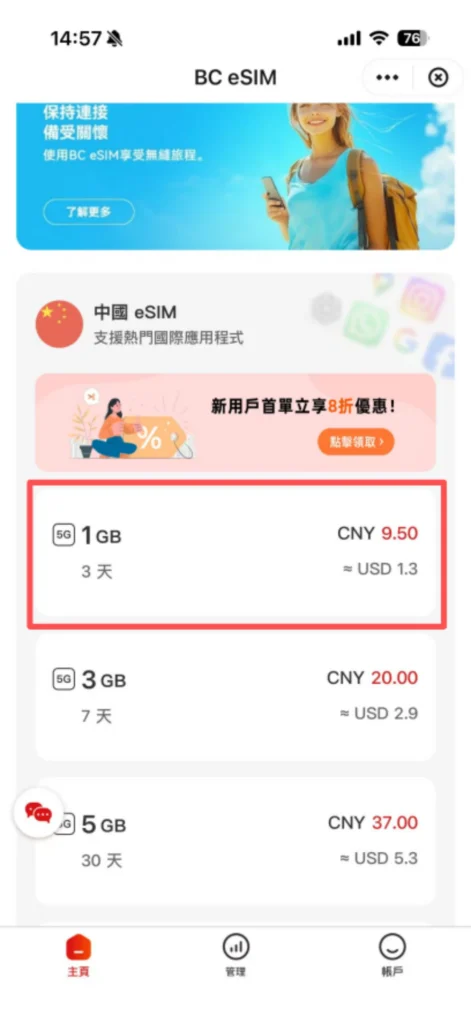
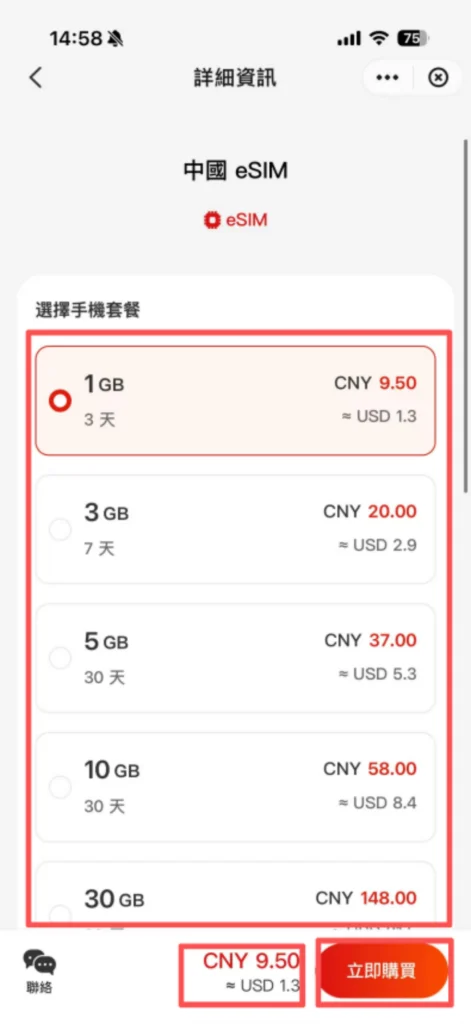
Browse data packages (such as 1GB/3 days, 5GB/7 days, 10GB/30 days), check package prices and validity period, and choose the package that suits you.
1/2
2/2
Click ‘Buy Now’, confirm the order information, choose a payment method (wallet balance/bound bank card), and click ‘Pay’.
1/2
2/2
After the payment is successful, the data will be credited automatically. Click ‘My Data’ to check the remaining data and the validity of your plan; if the data is insufficient, you can purchase an additional plan again.
🔊 (4) Translation Function (Real-Time, Works Offline)
Voice Translation (Real-Time Conversations)
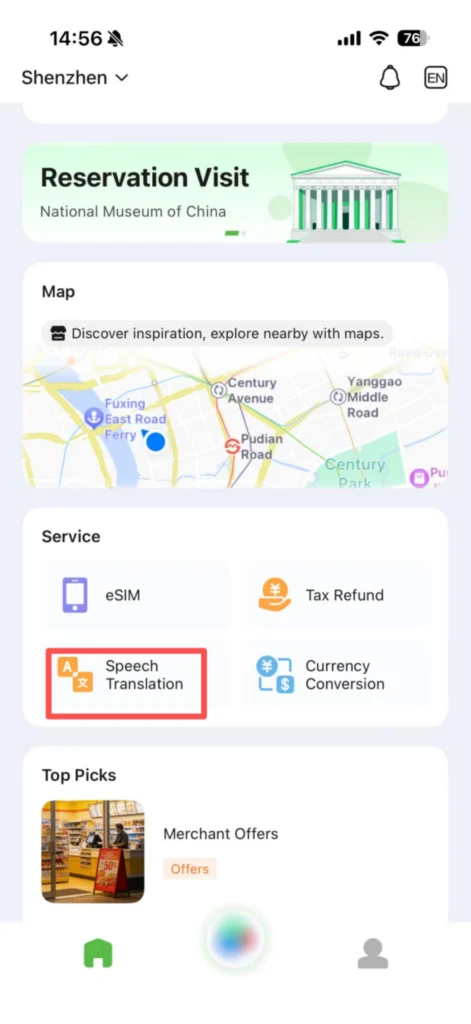
On the homepage, click the “Speech Translation” icon at the bottom and grant microphone permissions.
1/2
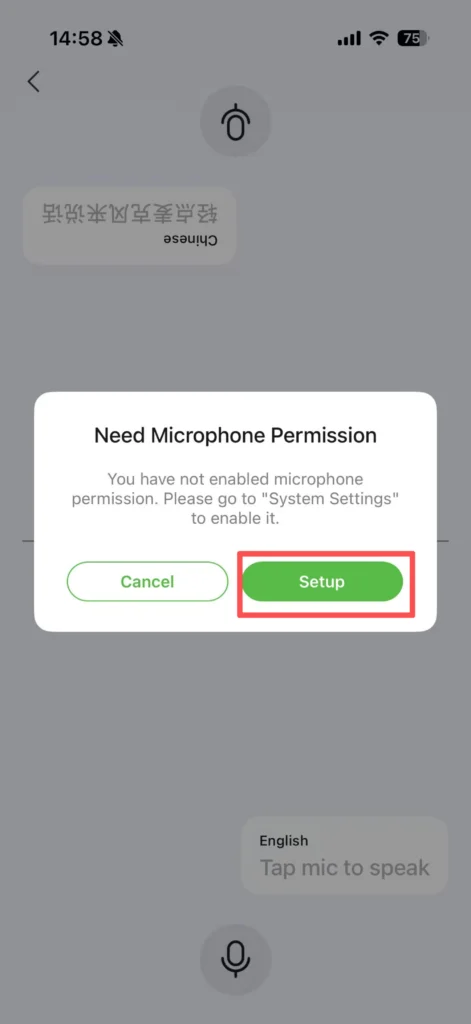
2/2
Speak directly into the phone’s microphone (Chinese or English is fine), keep a moderate and clear speaking pace, and avoid background noise while speaking.
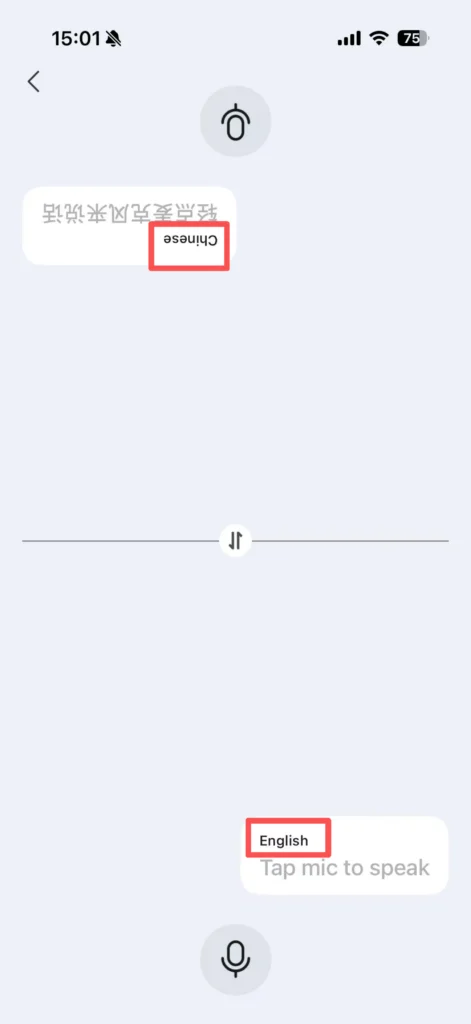
After speaking, the app will automatically recognize the voice content and translate it into the target language in real time, while playing the translated voice.
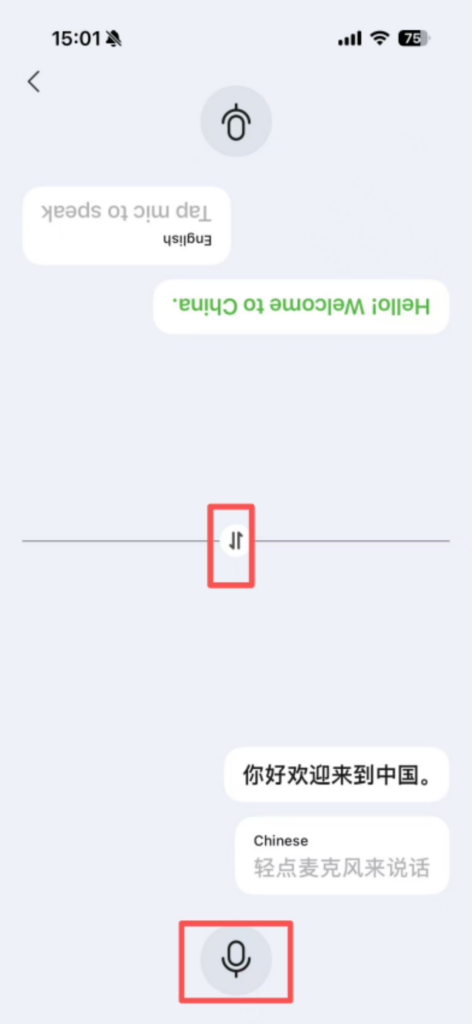
Supports multi-turn conversation translation. After the other person speaks, click the voice icon again to complete a new round of translation. It is suitable for scenarios such as shopping, asking for directions, and communication.
💱 (5) Exchange Rate Inquiry (160 Currencies)
Real-Time Currency Conversion
Open the APP homepage, click on “Currency Conversion” at the top, to enter the exchange rate inquiry page.
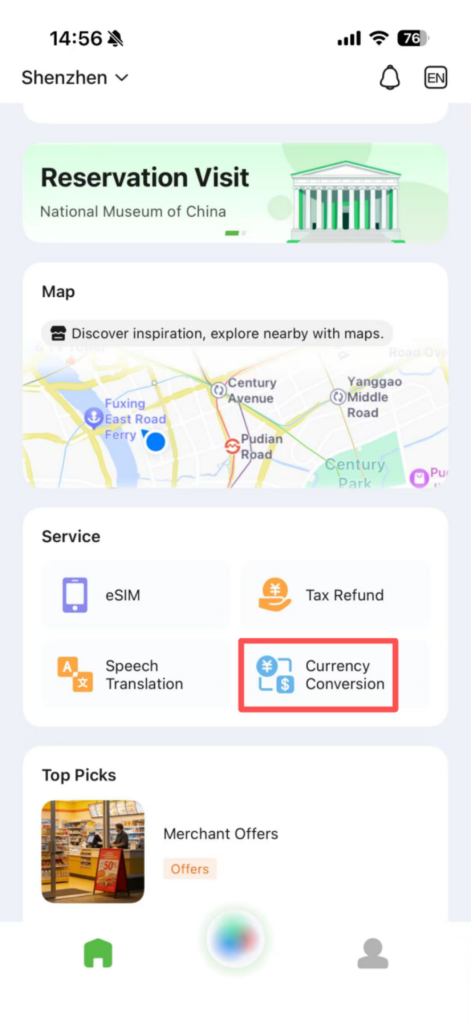
By default, it displays real-time exchange rates of the Chinese yuan with major currencies such as the US dollar, euro, and British pound, and you can choose any two currencies for conversion.
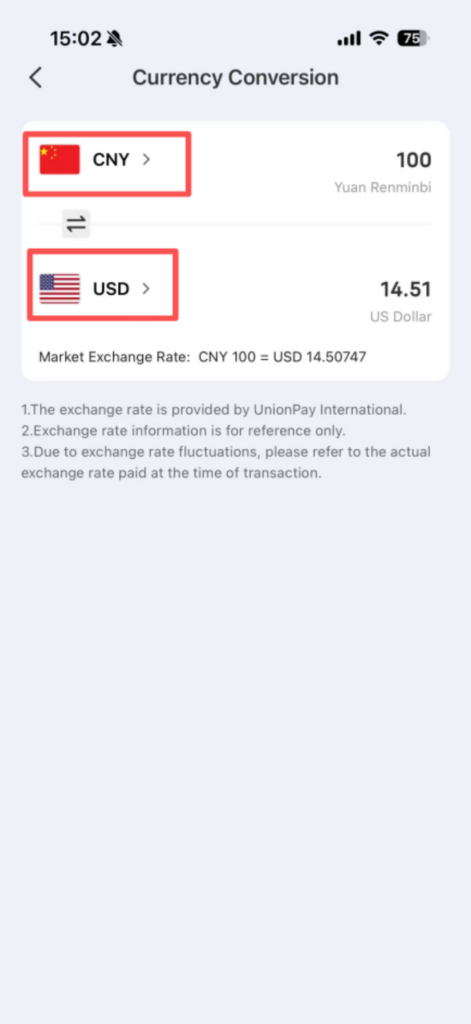
1/2
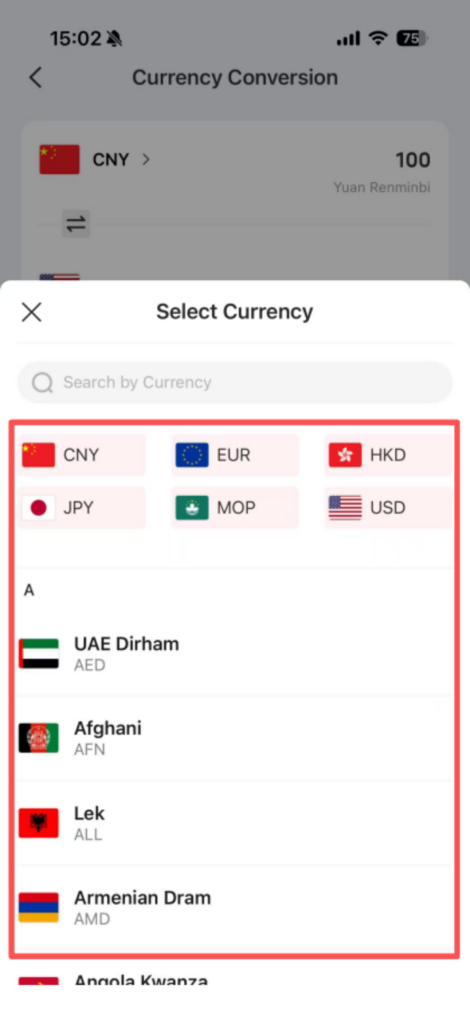
2/2
Enter the amount in the input box (such as 100 USD), and the app will automatically convert it into the target currency (RMB). Entering RMB can also be converted into other currencies.
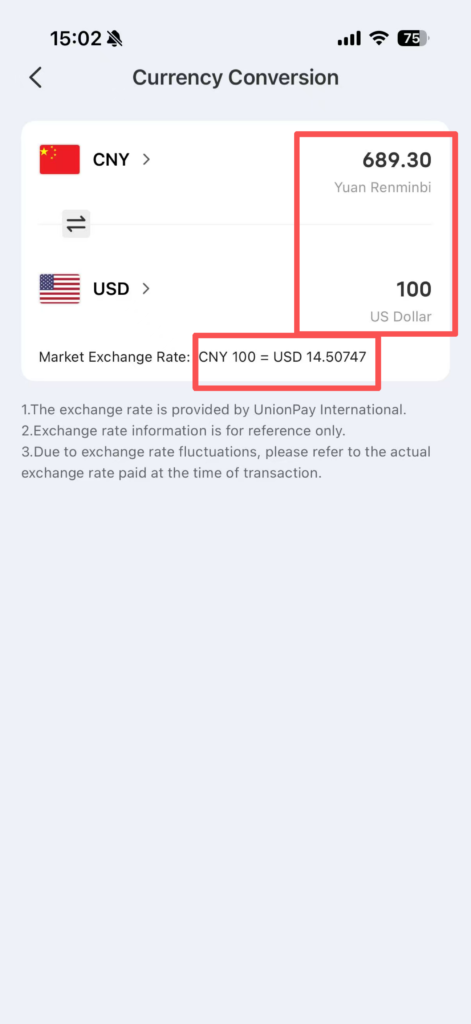
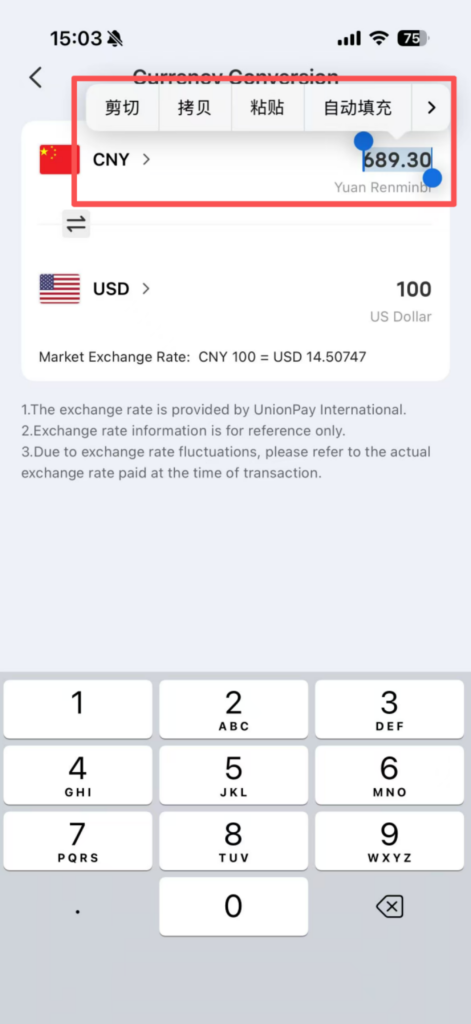
Click ‘Copy’ to copy the conversion result for easy use; the exchange rate is updated every 10 minutes to ensure accurate conversion.
🧾 (6) Departure Tax Refund
Tax Refund Process
Supports departure tax refund services in key cities such as Beijing, Shanghai, and Shenzhen. After shopping, you can quickly process tax refunds through the APP without complicated procedures.
When shopping in China, ask the merchant for a ‘tax refund form’ and confirm that the merchant supports UnionPay departure tax refund; open the Nihao China APP, click ‘Tax Refund’ at the bottom, and authorize camera permissions.
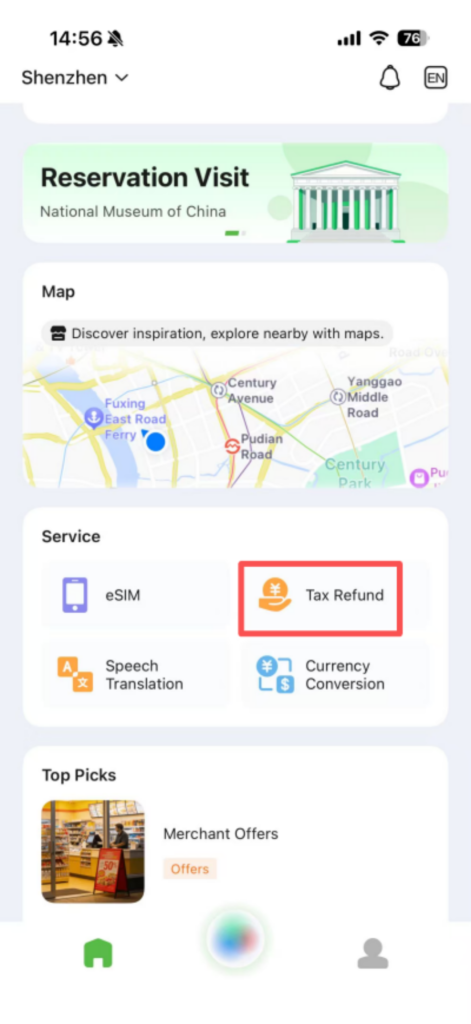
1/2
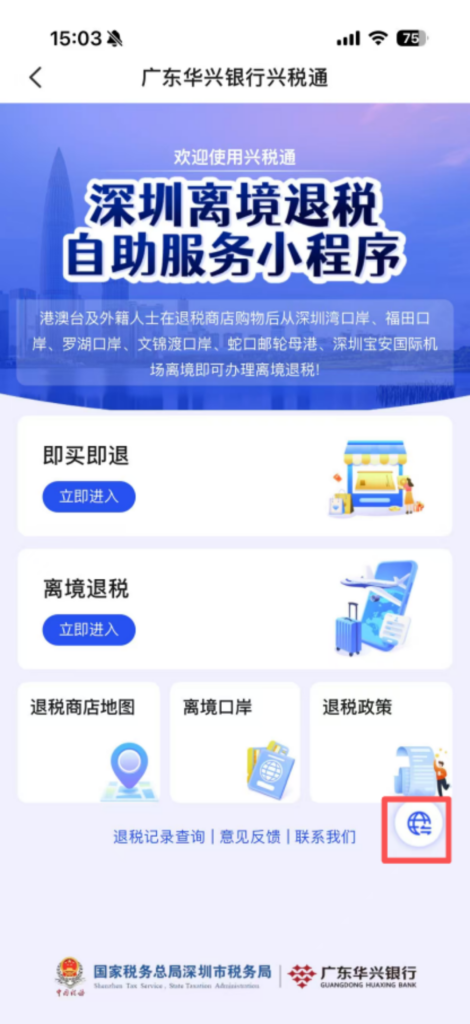
2/2
Click ‘Scan Tax Refund Form’, aim at the barcode/QR code on the tax refund form, and take a photo to recognize it. The app will automatically extract the tax refund form number, refund amount, and merchant information; if recognition fails, you can manually enter the tax refund form information.
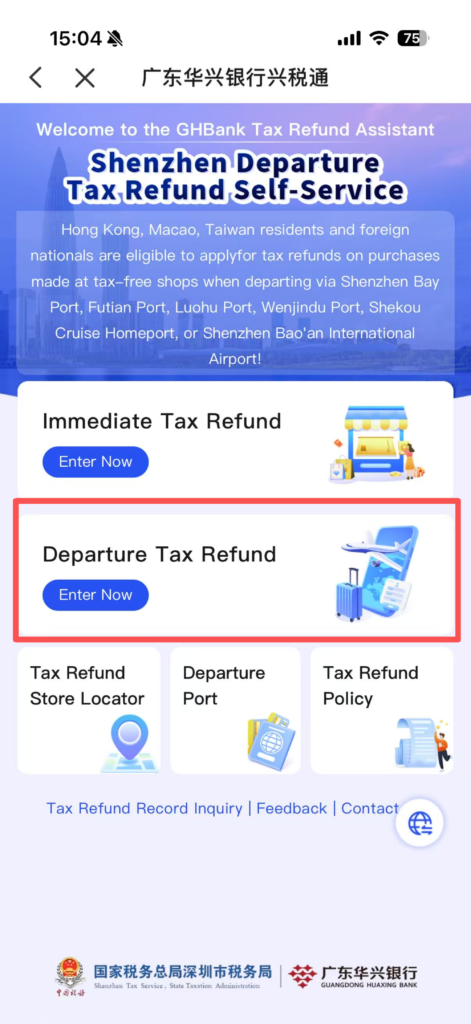
1/2
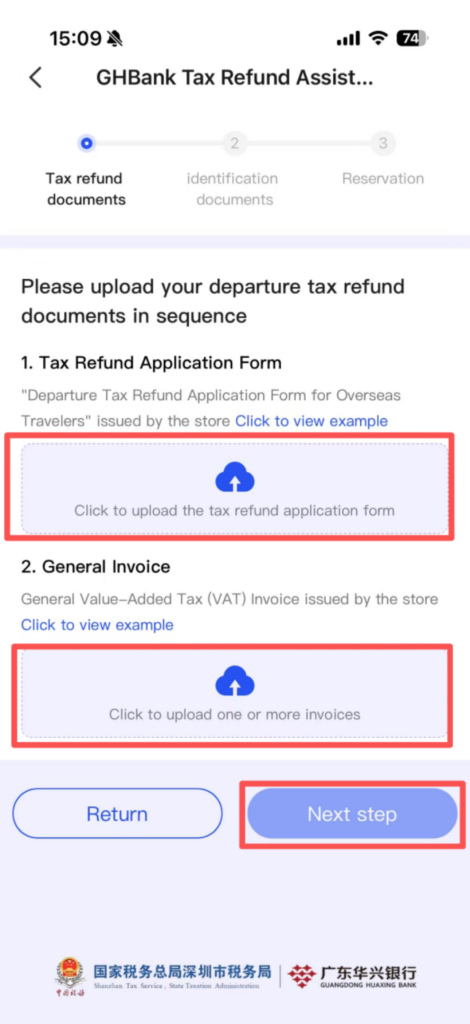
2/2
Upload a photo of the passport’s main page (clear and unobstructed), select the tax refund method (refund to the originally linked bank card/another bank card), fill in the bank card information; after confirming the information is correct, click ‘Submit Application’ and wait for the review (review time is approximately 1-3 working days).
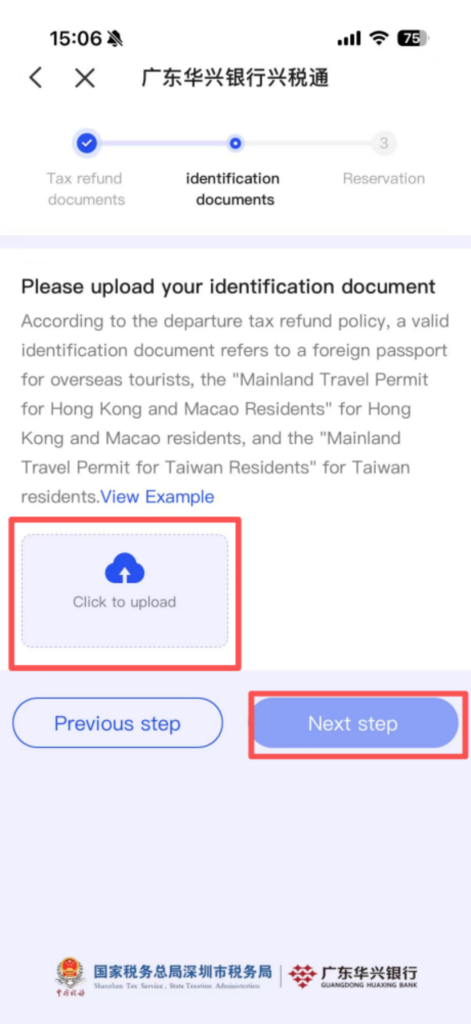
After the review is approved, the tax refund amount will be automatically returned to the designated bank card. The arrival time is about 3-7 working days, and the progress can be viewed in ‘My Tax Refund’.
📰 (7) Popular Recommendations
Merchant Discounts & Travel Guides
Provides merchant discounts, entry information, communication guidance for visiting China, food introductions, etc., to help foreigners understand relevant regulations for visiting China and avoid violations.
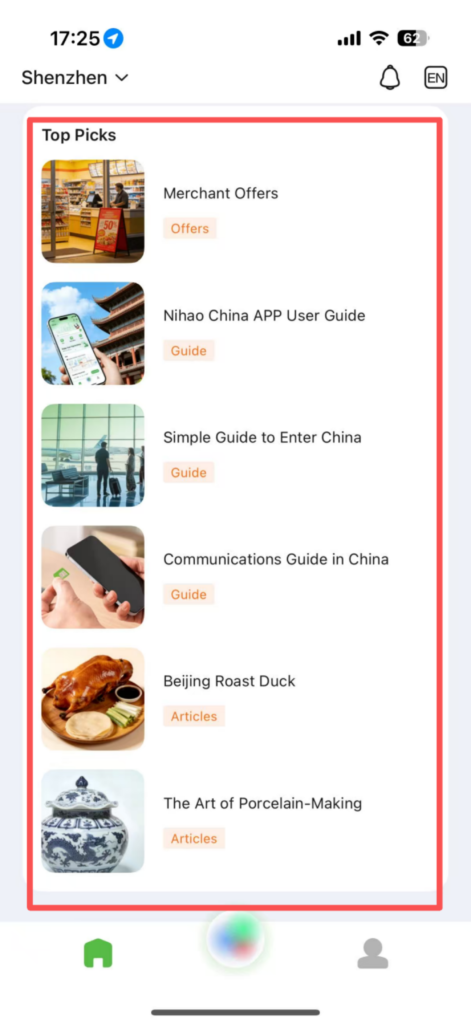
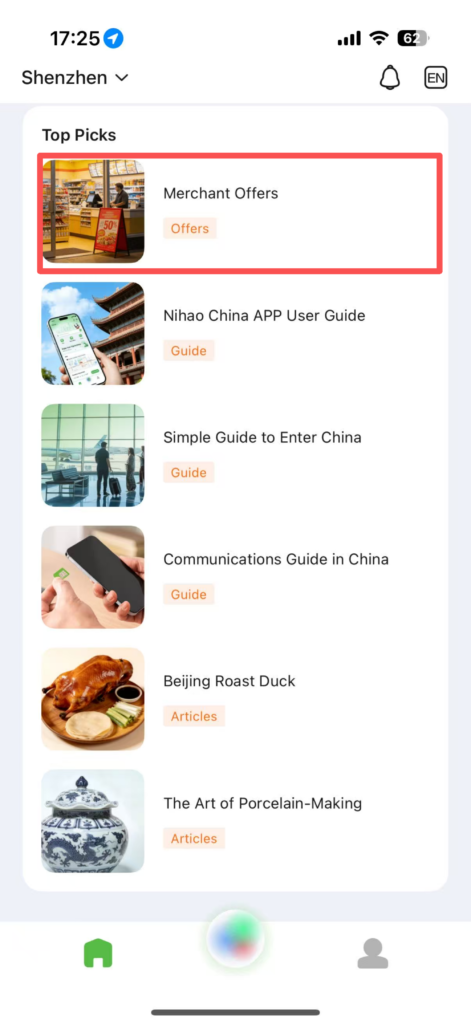
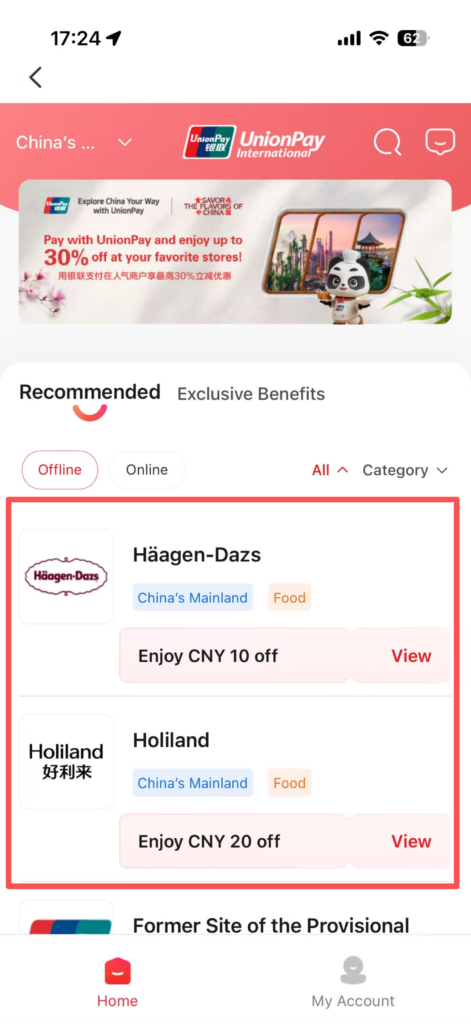
The ‘Merchant Offers’ module introduces some well-known dessert shops or bank cards in China, and it provides detailed discount information that you can click in to check the prices.
1/2
2/2
“Simple Guide to Enter China” provides guidance on the procedures required for entry and the materials that need to be prepared.
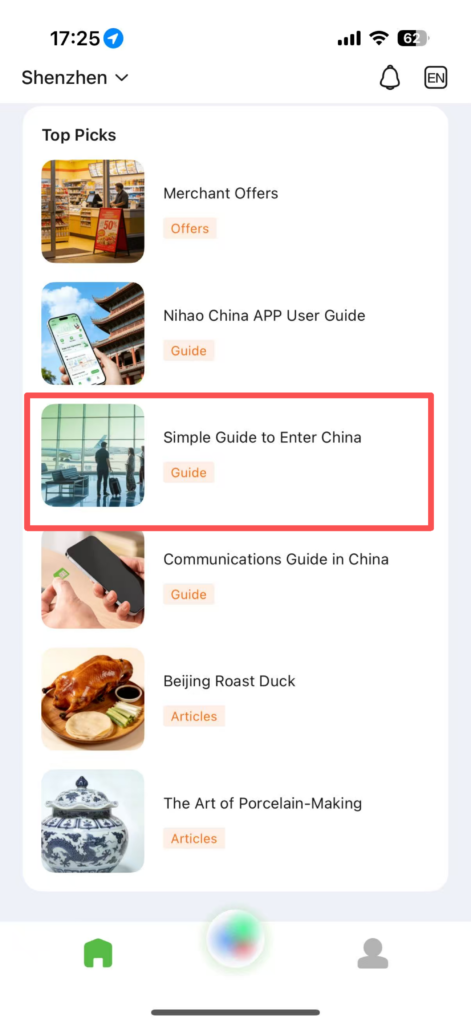
1/2
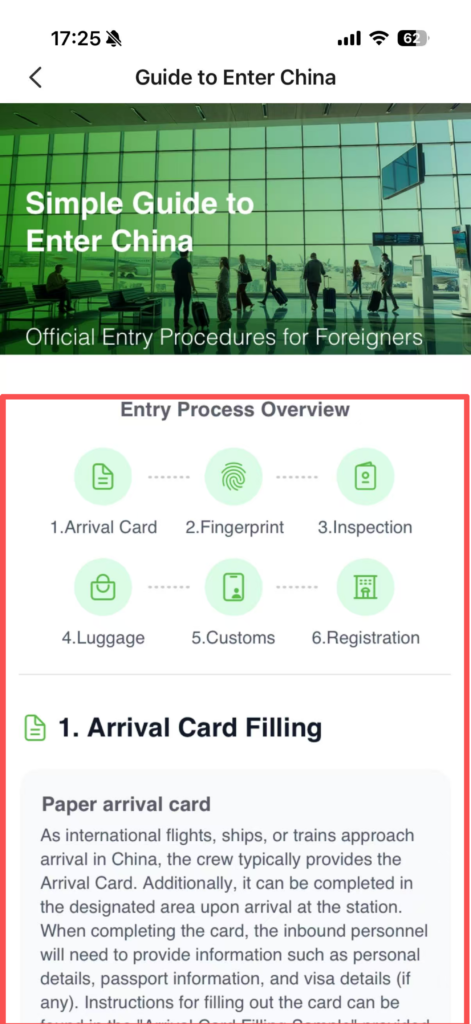
2/2
💡 Usage Tips
Helpful Tips & Best Practices
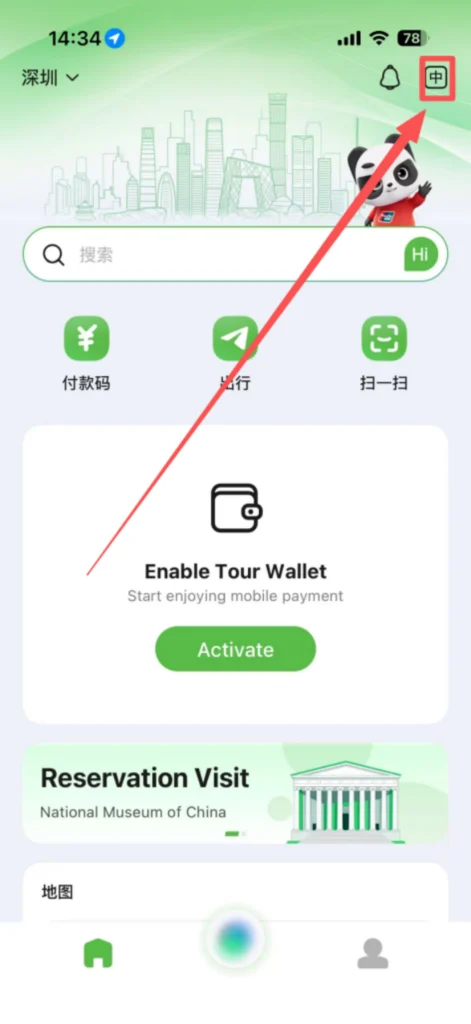
Language Switch: The app supports switching between Chinese and English. Click the top right corner on the homepage “Settings” → “Language” to switch languages at any time.
Wallet Withdrawal: Wallet balance can be withdrawn at any time. Click “Wallet → Withdraw”, select the linked bank card, enter the amount, and you can withdraw. The arrival time is about 1-3 working days.
Preparation Before Arrival: It is recommended to link your bank card and purchase data in advance, so that you can use it directly after entering the country, avoiding travel inconvenience due to no network or payment method.
Security: All payment, tax refund, and policy query functions are official authoritative services, which can be used with confidence, without worrying about information leakage.
📥 Download Complete PDF Manual
Multi-Language • Offline Printable • All Screenshots Included