SinoGuide is an official allu2011inu2011one app that helps foreigners in China with policies, daily services, news and Chinese learning in English and Chinese.
SinoGuide: China’s Official Bilingual All-in-One Service App for Foreigners
Official Step-by-Step Illustrated Guide with Screenshots and Multi-Language PDFs
📱 Official App Downloads
📘 (1) Download and Registration
Download & Install SinoGuide
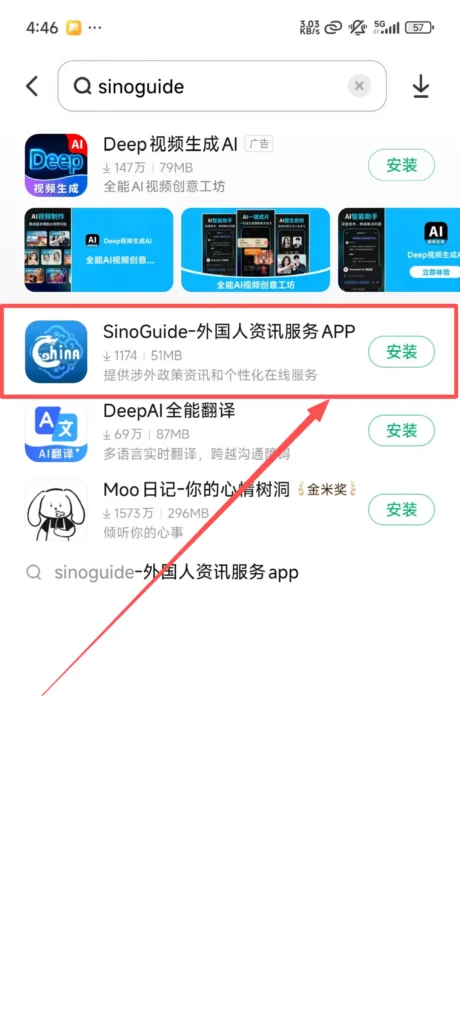
Open your mobile app store (Google Play or official APK), search for “SinoGuide”, click ‘Download’ and install. Android users can also download directly from the official website.
1/1
Language Selection & Registration
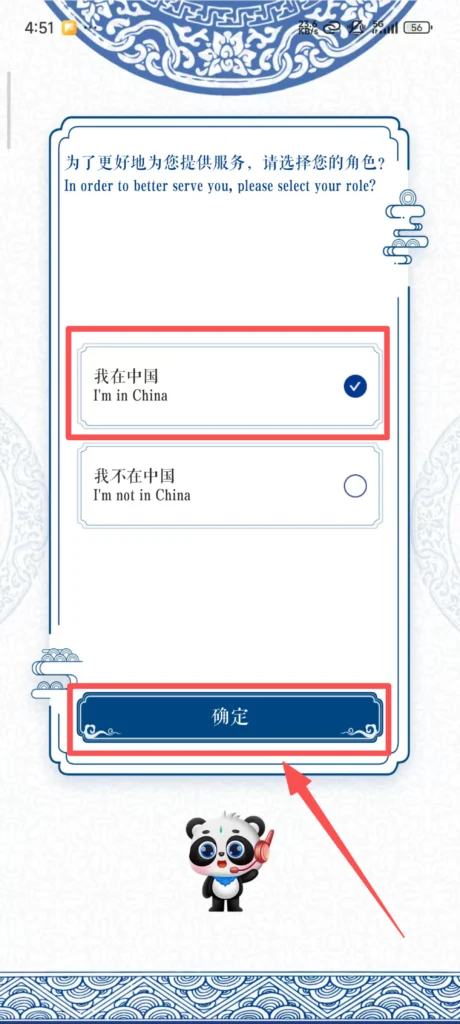
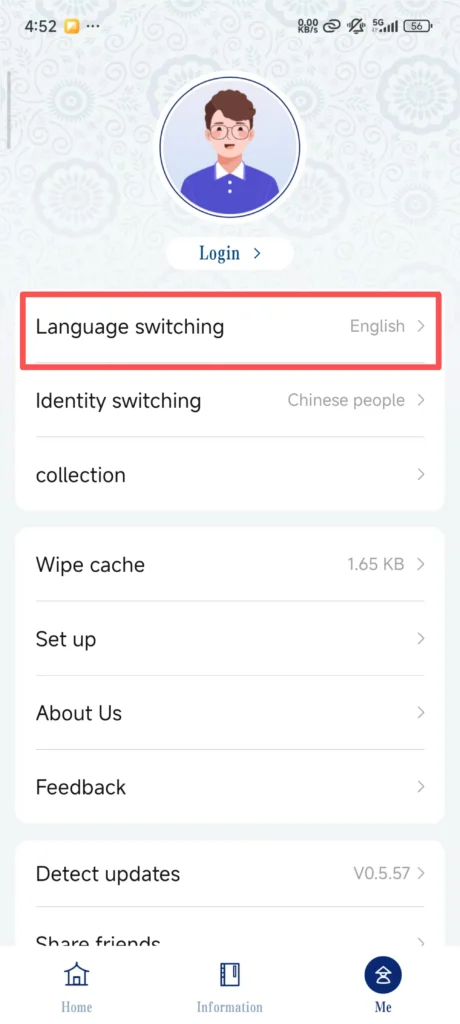
Open the SinoGuide APP. The first time you enter, a ‘Language Selection’ screen will pop up. Click ‘English’ or ‘中文’ (It is recommended that foreigners choose English, so the entire interface will be in English).
1/2
2/2
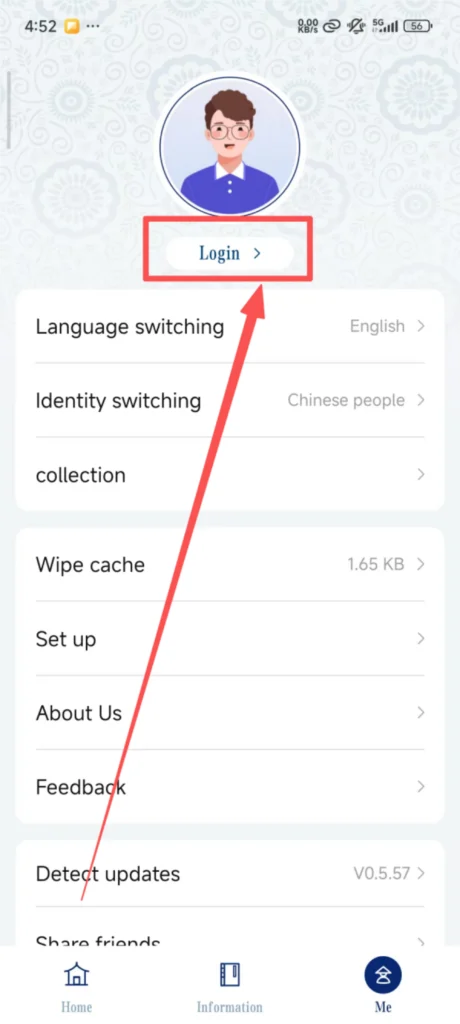
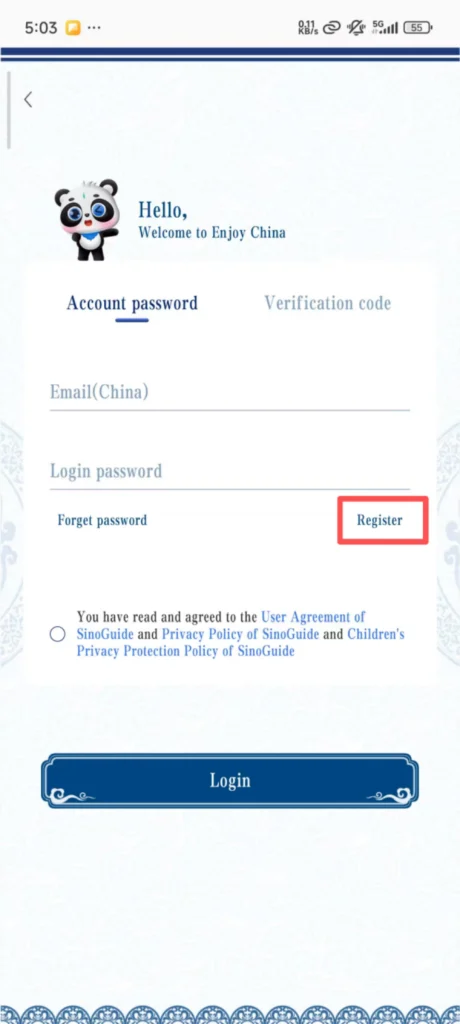
Click ‘Register’ on the interface, choose a registration method: ‘Phone Number’ or ‘Email’, just choose one of the two.
1/2
2/2
Verification & Account Setup
If you choose to register with a mobile number: Select the country/region code (such as the United States +1, the United Kingdom +44, Japan +81, etc.), and enter your own overseas mobile number.
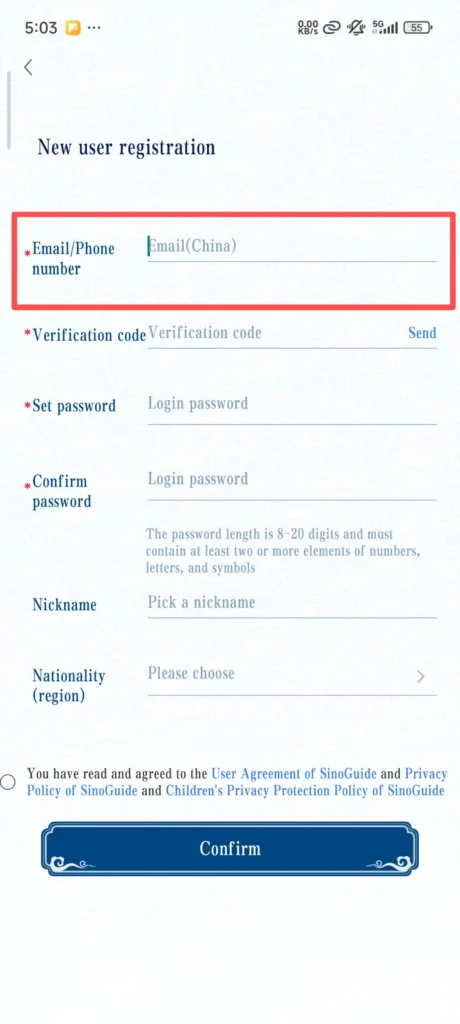
Click ‘Get Verification Code’, your phone will receive an SMS verification code, enter the code. Set the login password (requires 8-16 characters, including letters and numbers, such as Abc123456), re-enter the password to confirm. After setting the password, click ‘Register’, and you will be redirected to the complete information page.
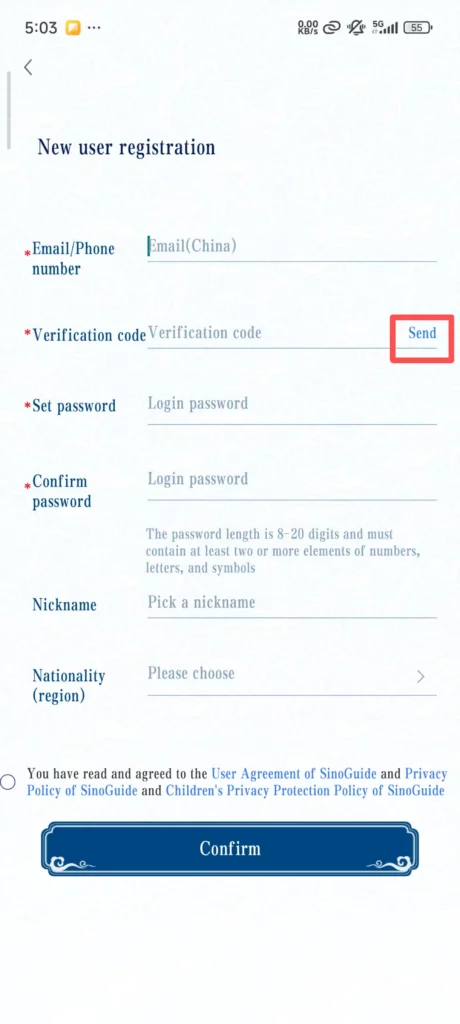
1/2
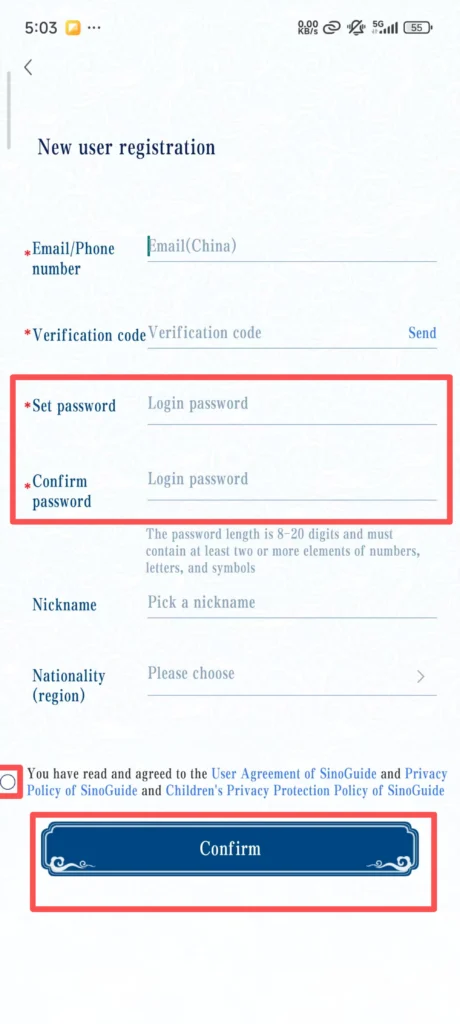
2/2
After verification is successful, it will automatically redirect to the login page. Enter the registered phone number/email and password, click ‘Login’, and you can use all features.
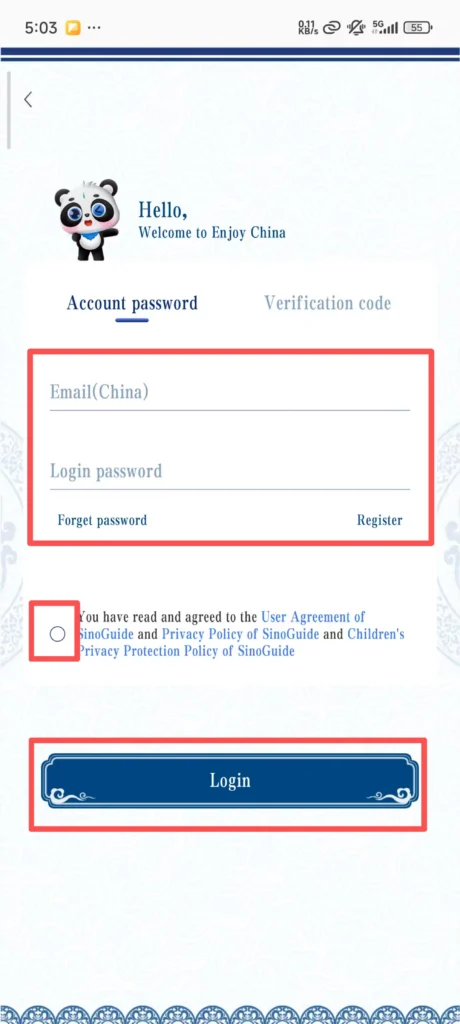
📋 (2) Core Government Functions
Immigration Policy Inquiry & Stay Reminders
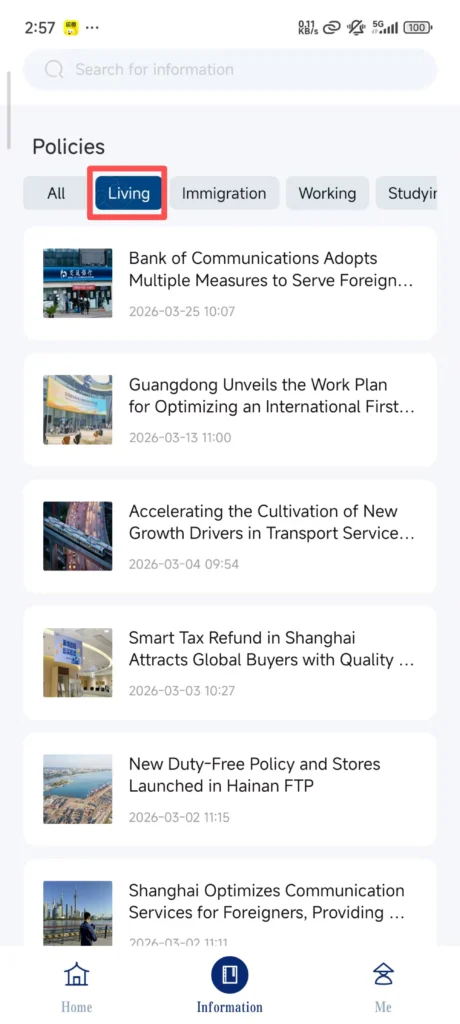
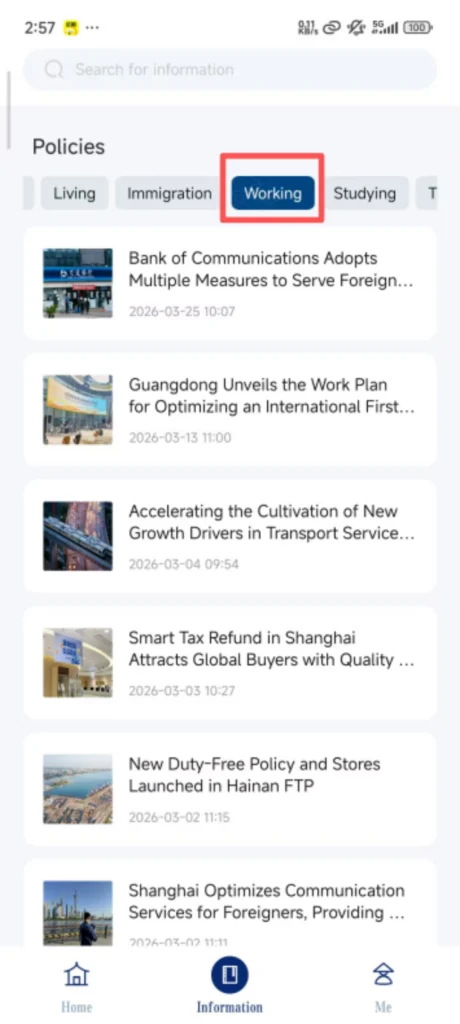
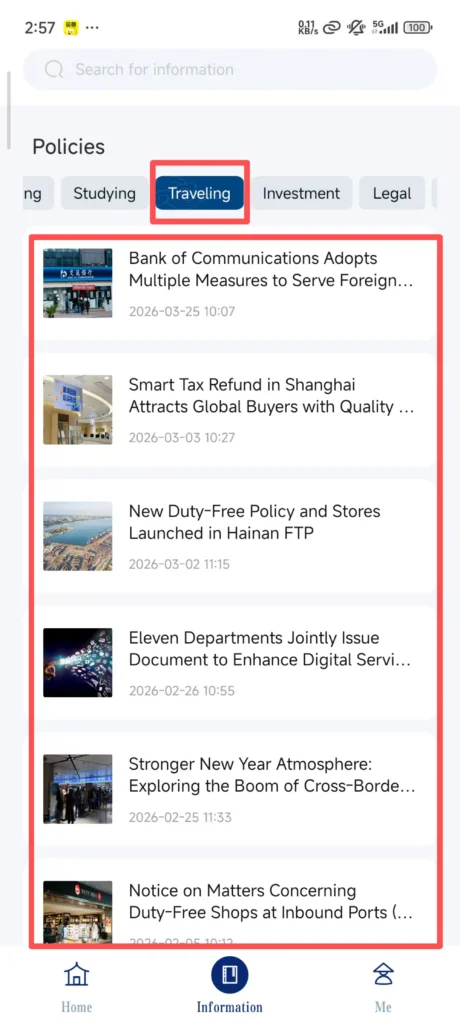
After logging in, click “Information” on the homepage to find “Policys” (Policies), and enter the policy inquiry interface.
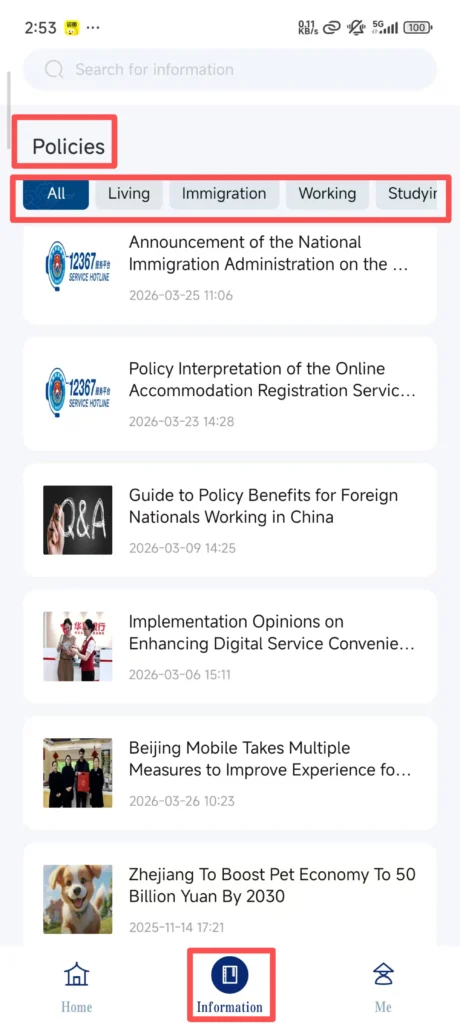
1/3
2/3
3/3
Select the type of inquiry: “Living Policy” (residency policy), “Working Policy” (employment policy), etc., and click as needed.
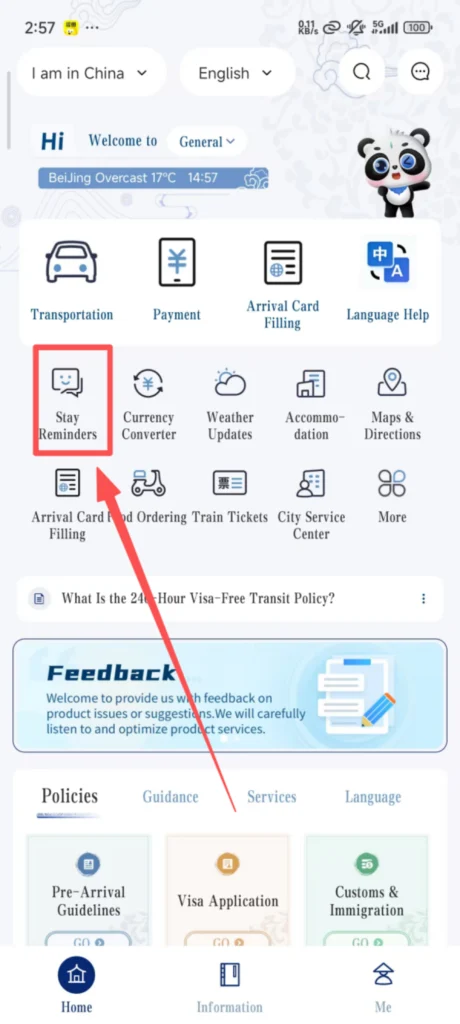
Stay Reminder Settings
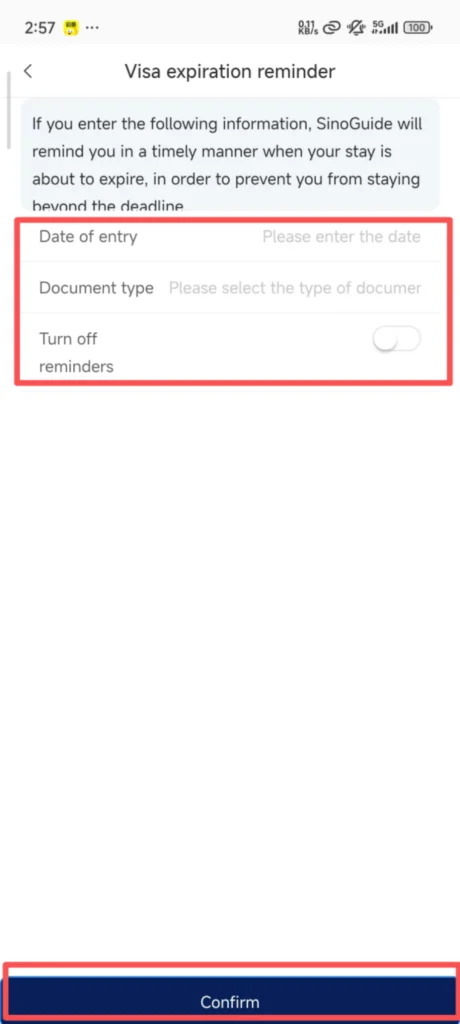
Click ‘Stay Reminder’ on the homepage, enter the stay deadline date from your passport, set the reminder time (such as 7 days in advance, 3 days in advance), click ‘Save’, and you will receive a push notification from the app before the deadline to avoid overstaying.
1/2
2/2
🔤 (3) Chinese Translation (Available Offline)
Translation Feature Overview
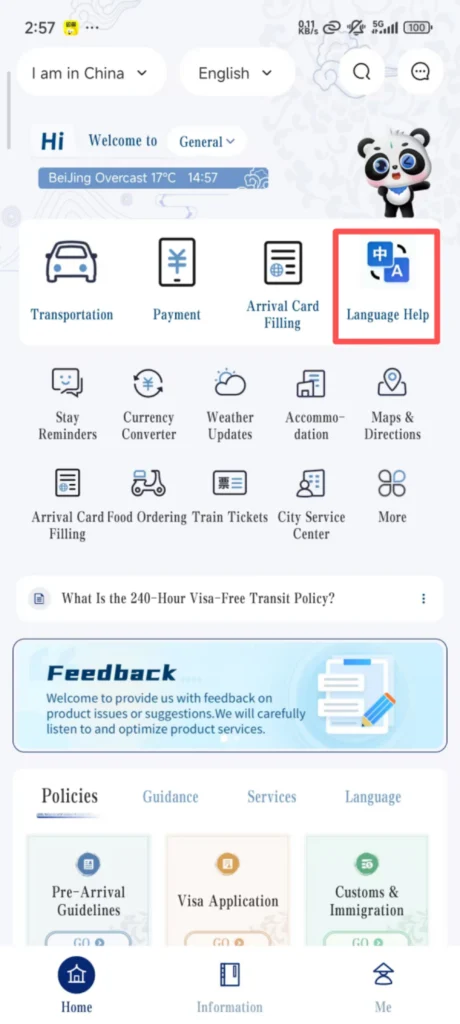
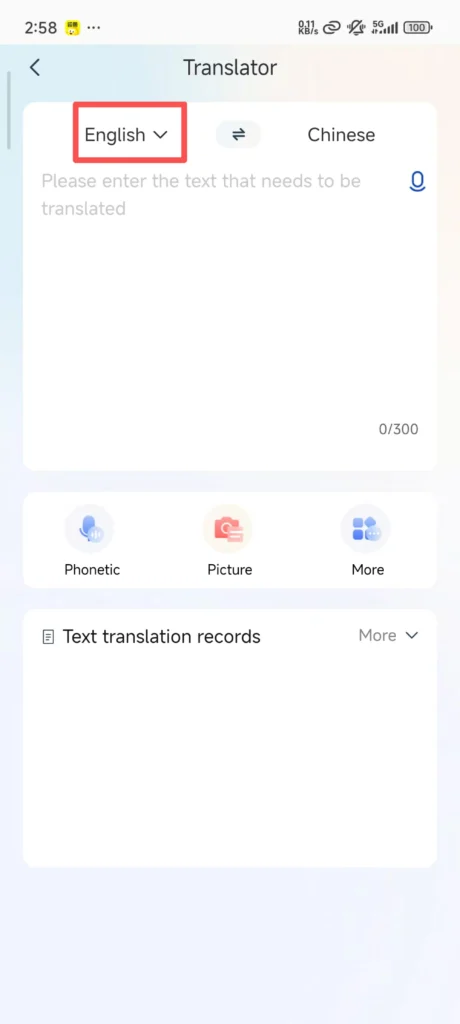
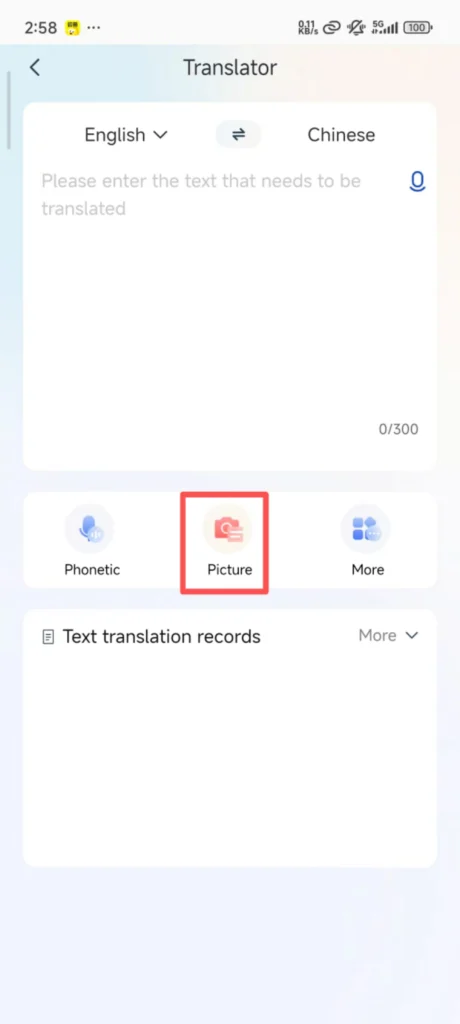
Click ‘Translation’ on the homepage to enter the translation interface, with ‘Chinese → English’ translation set by default.
1/2
2/2
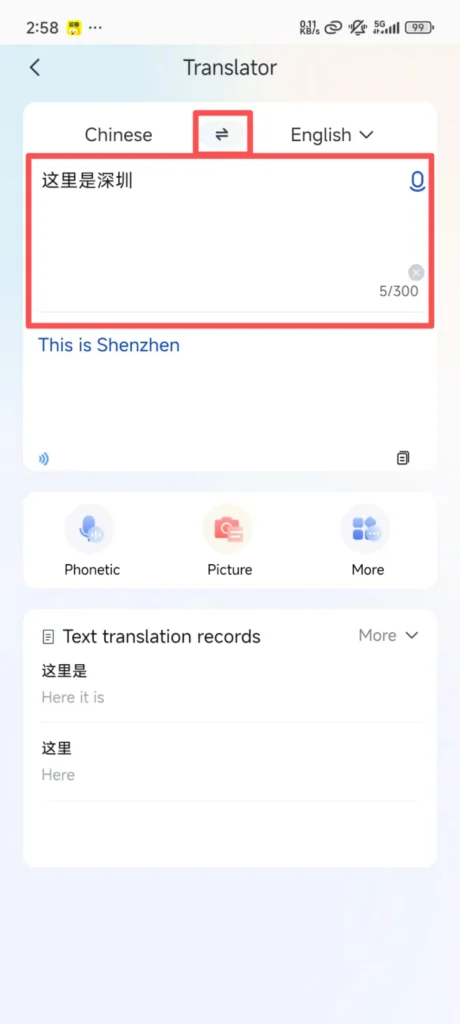
Translation Method 1: Input Translation – Manually enter Chinese/English, click “Translate”, and the corresponding translation will be displayed immediately, supporting copy and share.
Translation Method 2: Photo Translation – Click the ‘Camera’ icon at the bottom of the interface, point it at the Chinese text to be translated (such as menus, signs, manuals), adjust the angle to ensure the text is clear, click ‘Capture’, and the app will automatically recognize and translate it. The translation can be zoomed in to view.
🚖 (4) Life Services (Taxi, Food Ordering, Bill Payment)
One-Click Ride (Taxi Hailing)
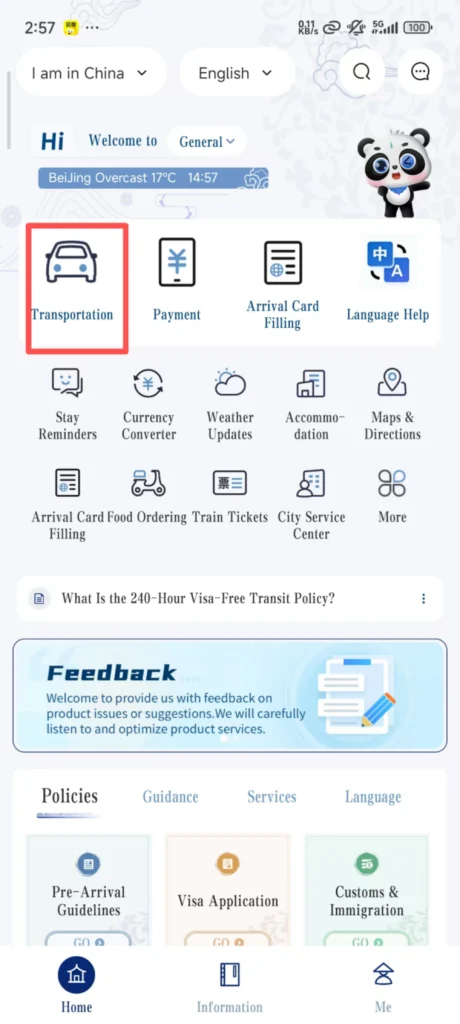
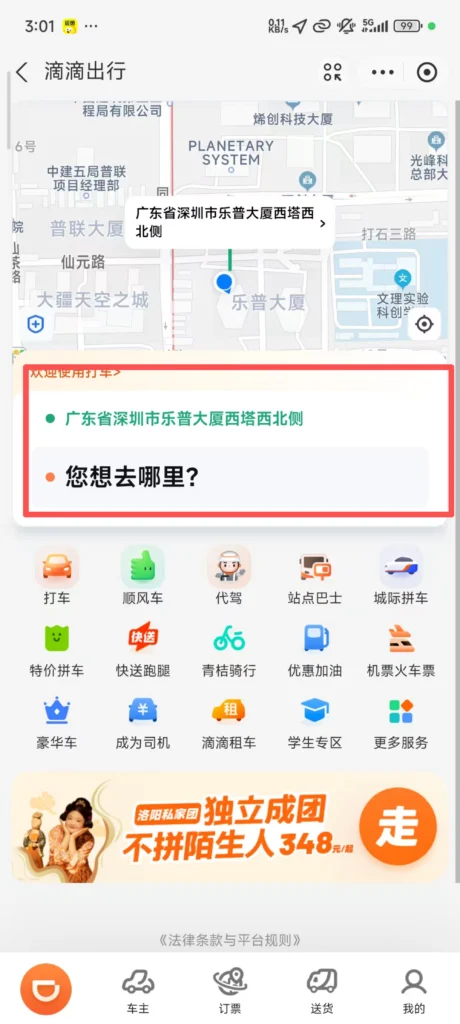
On the homepage, click “Transportation” (One-Click Ride). The app will automatically locate your current position (the pick-up point can be manually modified, and both English/Chinese addresses can be entered).
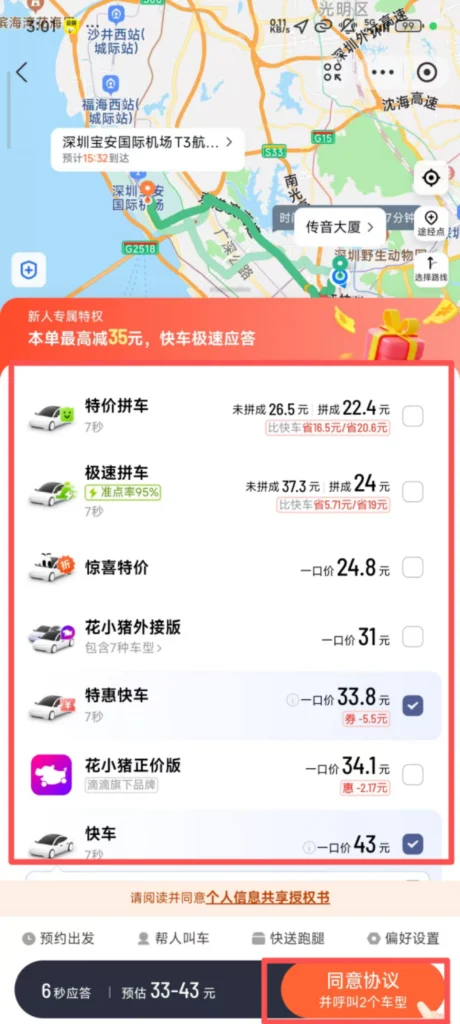
Enter the destination (such as hotel, attraction, restaurant, either in English or Chinese), select the car type (Express, Premium), and click ‘Call Taxi’.
1/2
2/2
After successfully booking a ride, you can view the driver’s information, vehicle license plate, and estimated arrival time. Once on board, inform the driver of your destination (or show the destination address on the app). After getting off, pay online through the app (supports Alipay, WeChat, and international credit cards).
Life Payment (Utility Bills)
Click “Life Payment” on the homepage.
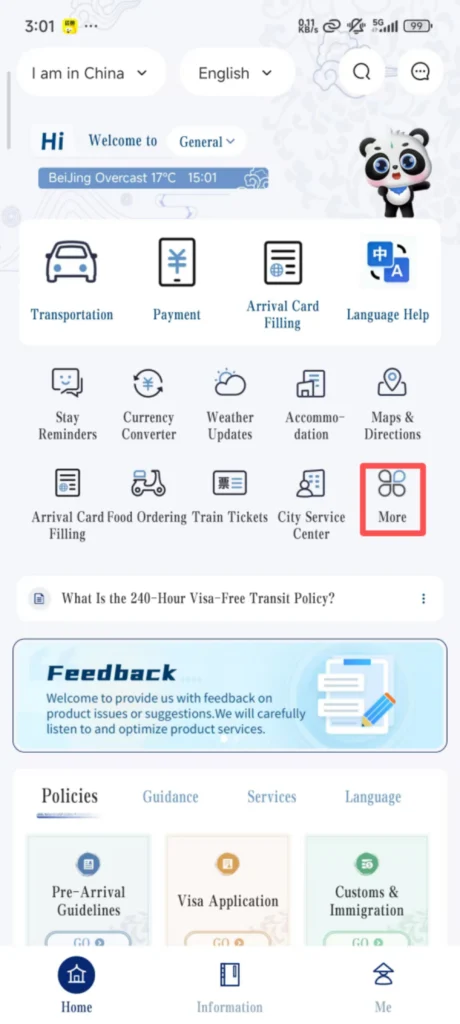
1/2
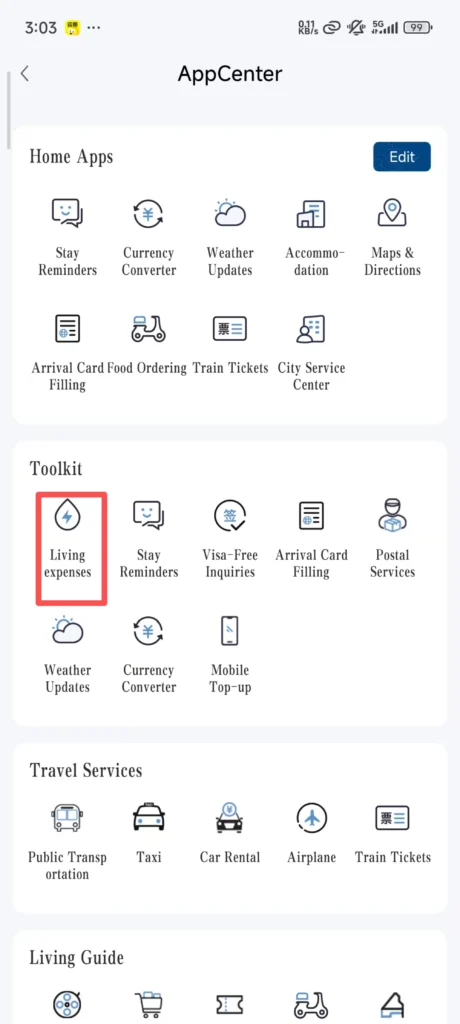
2/2
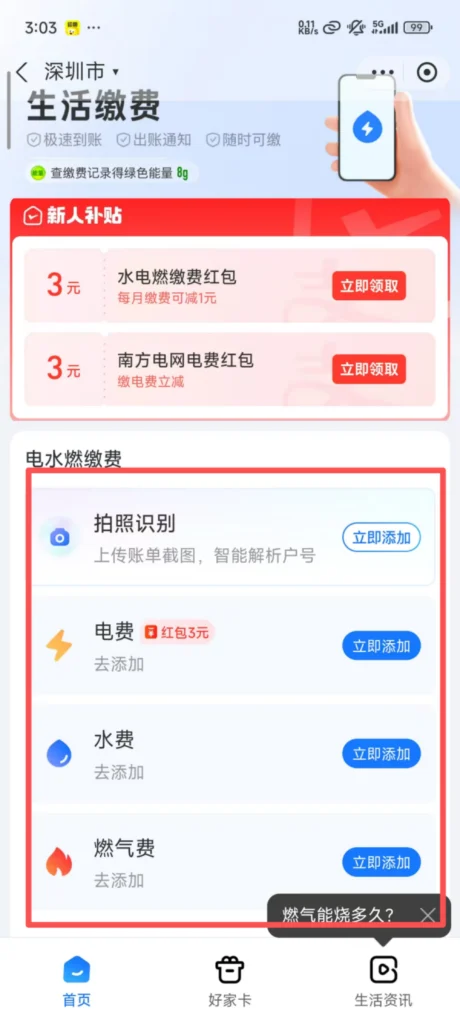
Select the type of payment (Water Bill, Electricity Bill, Internet Bill), enter the payment account number (can be found on the bill), select the payment amount, click ‘Pay’, complete the payment, and you will receive a confirmation notification after the payment is successful.
💱 (5) Exchange Rate Inquiry
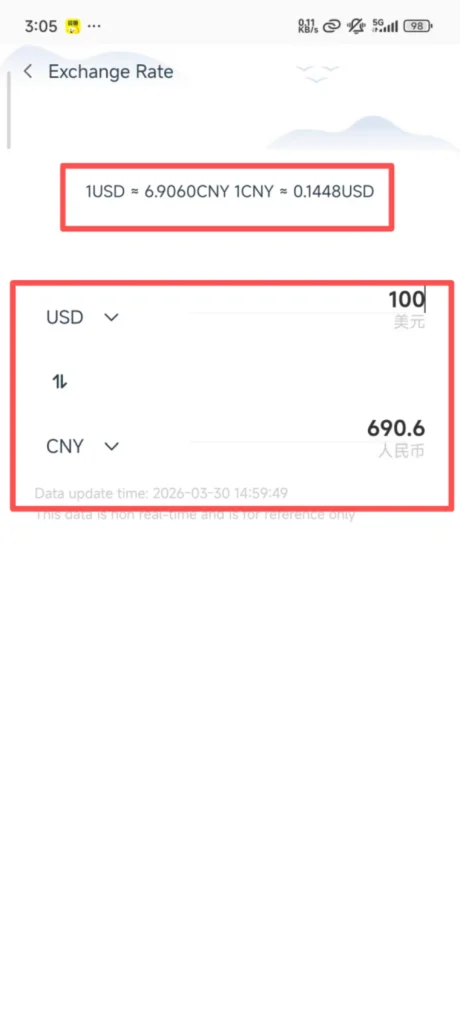
Real-Time Currency Conversion
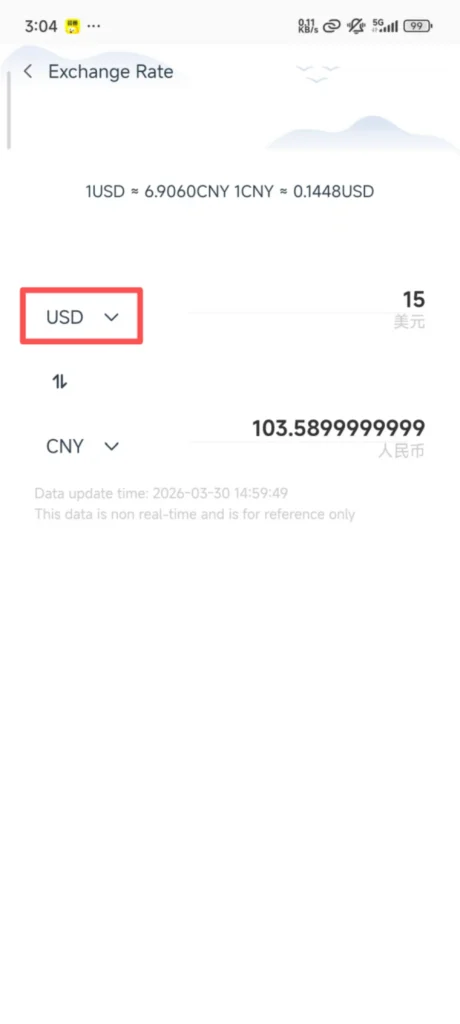
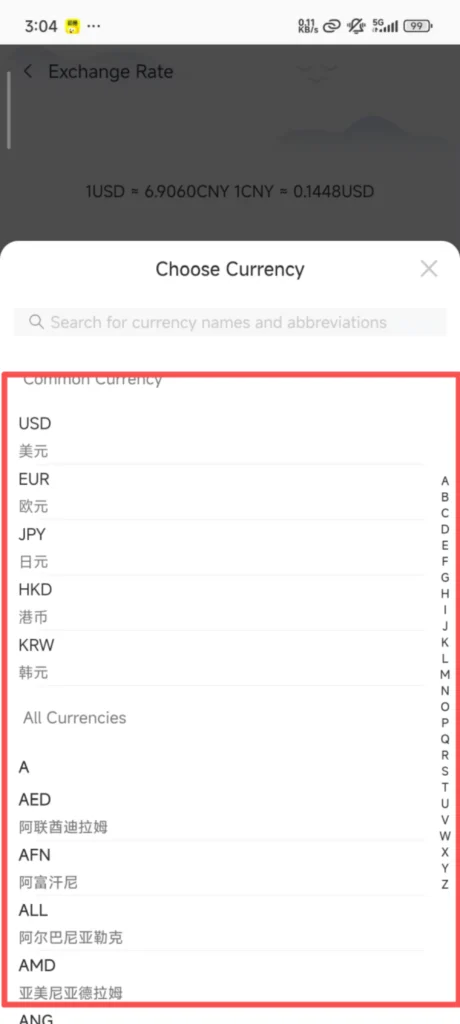
Click “Currency Converter” (Exchange Rate) on the homepage to enter the exchange rate inquiry interface.
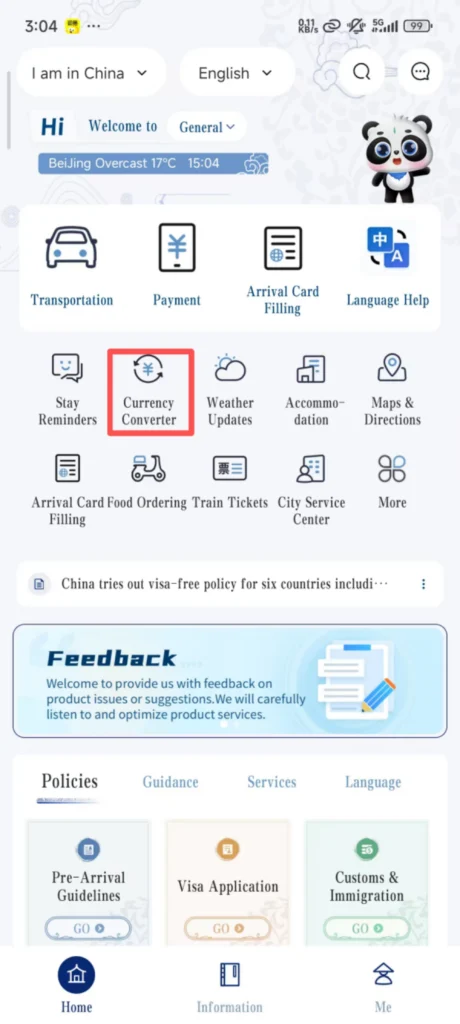
By default, the real-time exchange rate between RMB and USD is displayed. You can click ‘Change Currency’ to select the currency you want to check (such as Euro, British Pound, Japanese Yen, etc.).
1/2
2/2
Enter an amount (e.g., 100 USD), and the app will automatically convert it to RMB. Conversely, you can also enter RMB to convert it to other currencies, and it supports copying the conversion result.
❓ (6) FAQ
Common Issues & Solutions
Login Failure: Check whether your phone number/email is correct and whether the password was entered incorrectly; if you forgot your password, click “Forgot Password” on the login screen and retrieve it via phone number/email.
Real-name Verification Failure: Make sure the photo on your passport is clear and unobstructed, that there is sufficient lighting during facial verification, and that your face is unobstructed (do not wear a hat or mask).
Some Features Cannot Be Used: Check whether the app is the latest version; if not, go to the app store to update it. If it still cannot be used after updating, log out and log in again.
📥 Download Complete PDF Manual
Multi-Language • Offline Printable • All Screenshots Included