
Wise prend en charge les virements internationaux u00e0 faible cou00fbt et la gestion des paiements en plusieurs devises.
<!-- این را مستقیم در ادیتور، در حالت Text/HTML یا Custom HTML، پیست کنید. نه نیاز است نه — همهچیز از قبل در پلاگین تعریف شده و لایتباکس مشترک روی همهی راهنماها فعال است. -->
Wise: International Money Transfers & Currency Exchange
Official Step-by-Step Illustrated Guide with Screenshots and Multi-Language PDFs
📱 Official App Downloads
Wise is a global fintech app for low-cost international money transfers and multi-currency management. Its core feature is fast, transparent transfers to 70+ countries at the real mid-market exchange rate, with no hidden fees. Over 65% of transactions arrive in under 20 seconds. The multi-currency account lets users hold, convert, and manage 40+ currencies at competitive rates. A Wise debit card enables spending and ATM withdrawals in 160+ countries, auto-converting currencies when needed. Users can receive payments via local bank details (UK, EU, Australia, etc.) and set exchange rate alerts. With strong security (2FA, encryption) and multi-language support, Wise is ideal for expats in China to send money abroad, receive overseas payments, and manage global finances efficiently.
📘 (1) Download and Registration Verification
Download & Install Wise
Android users (Google Play), iOS users (App Store) search for “Wise”, download and install.
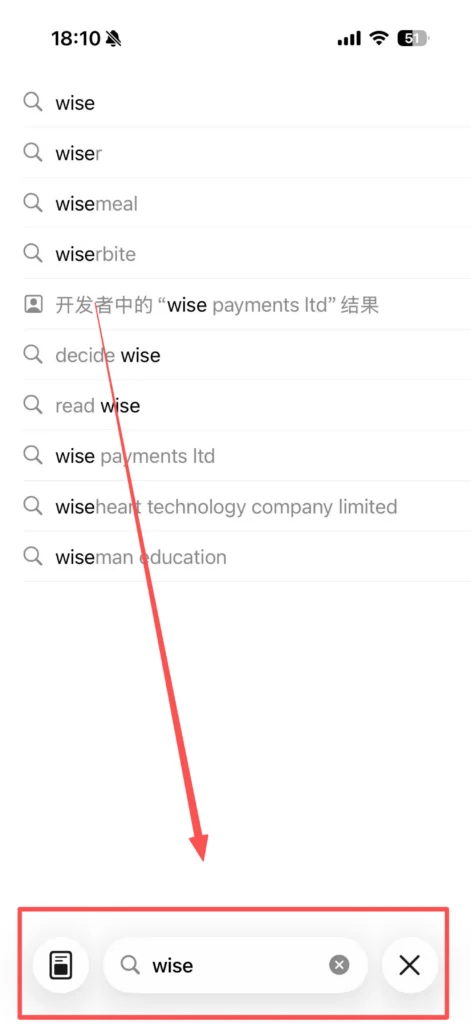
1/2
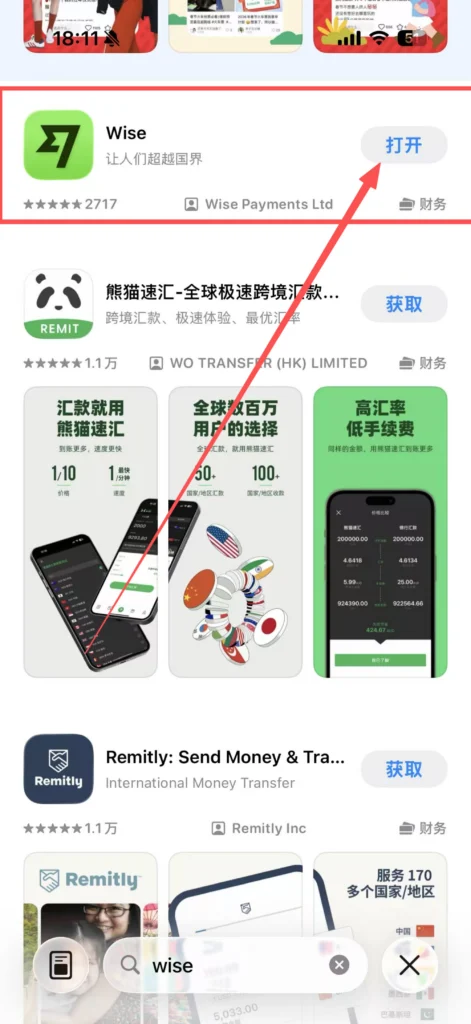
2/2
Registration Process
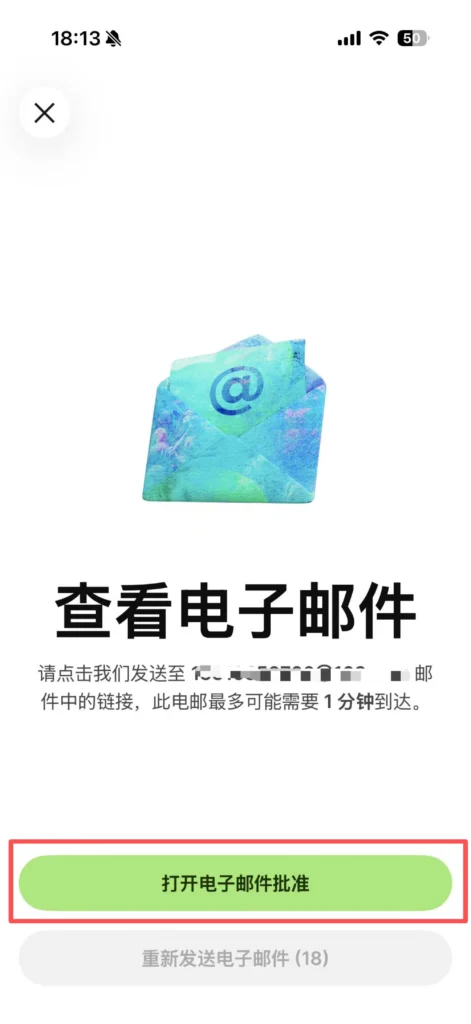
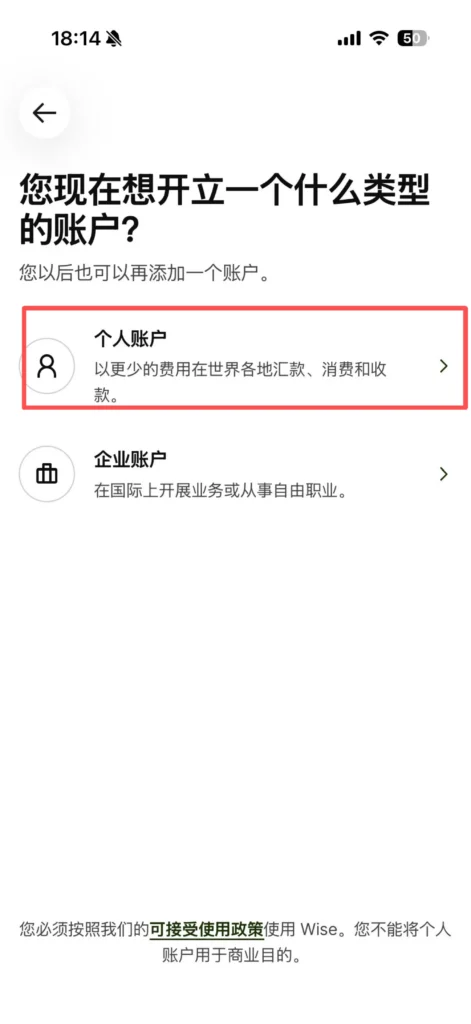
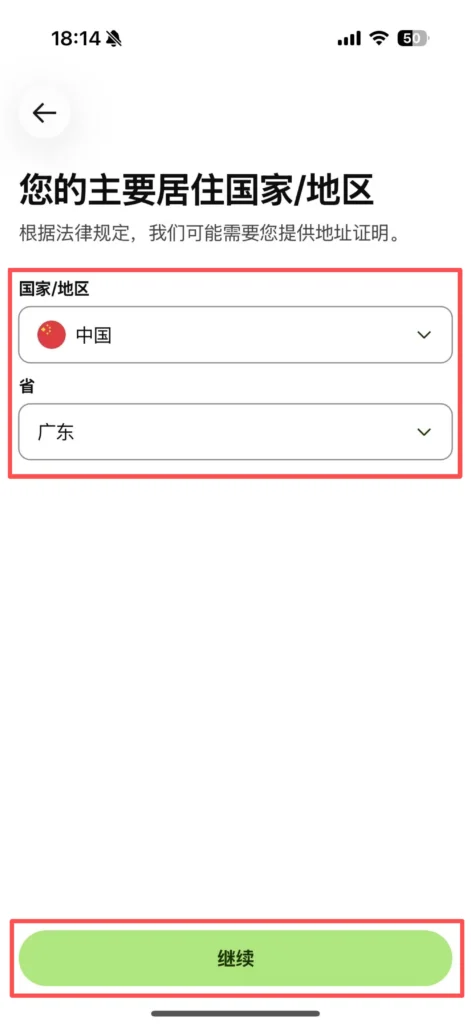
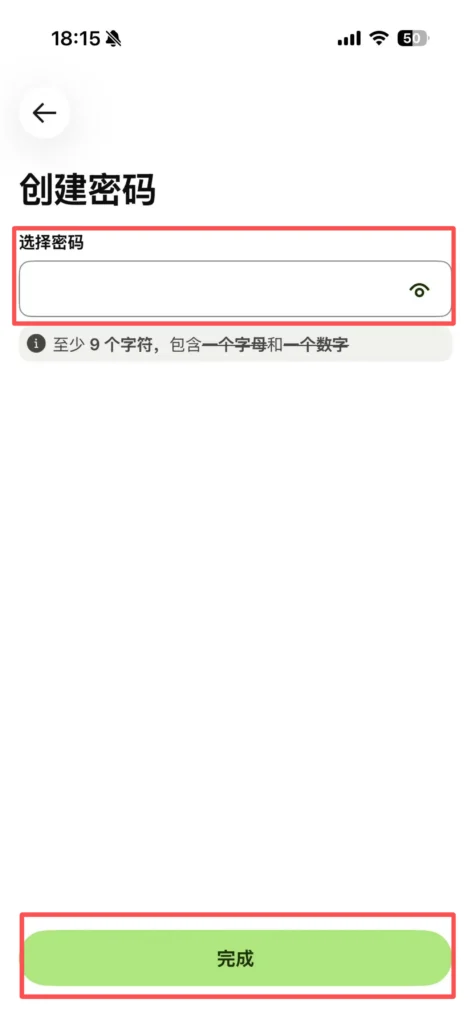
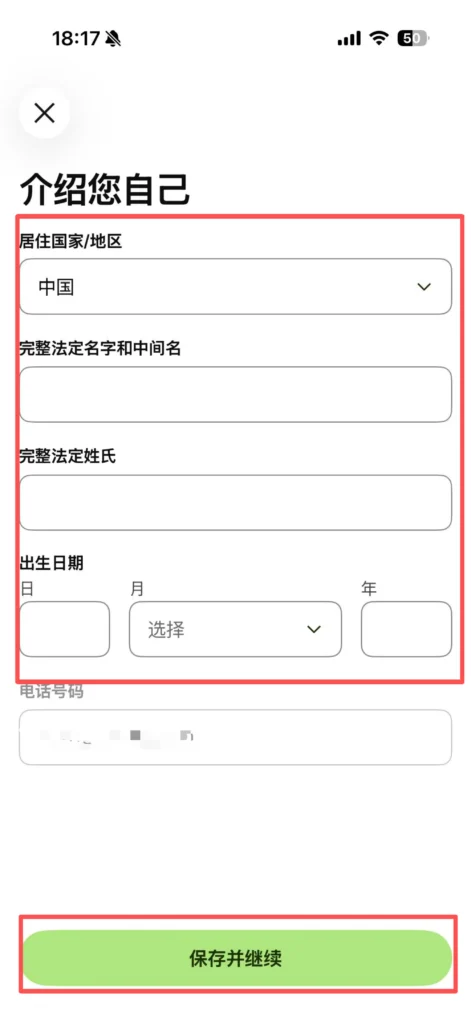
Open the APP, click “Sign Up”, enter your name, email, and phone number, set a password, and complete the initial registration after verifying your phone number; identity verification is required (upload a photo of your ID card/passport, some users need to record a face video), and it will be approved within 1-2 working days after submission.
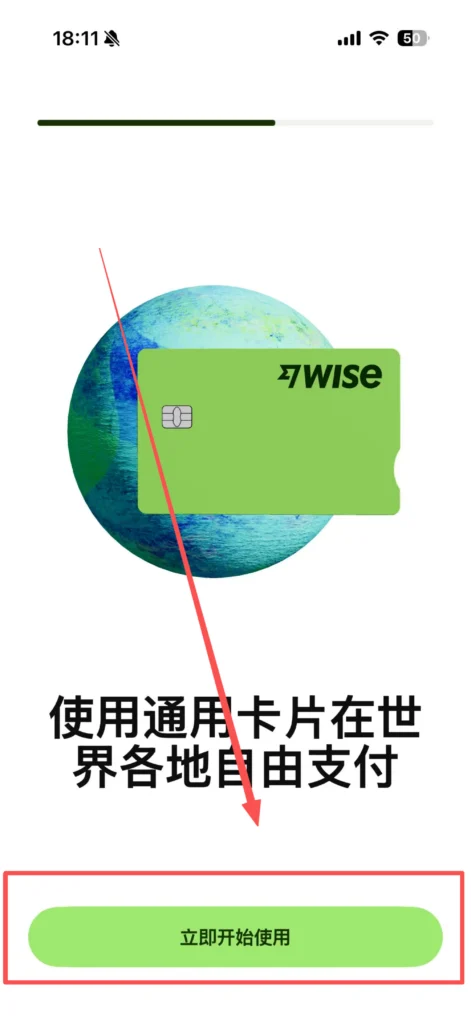
1/3
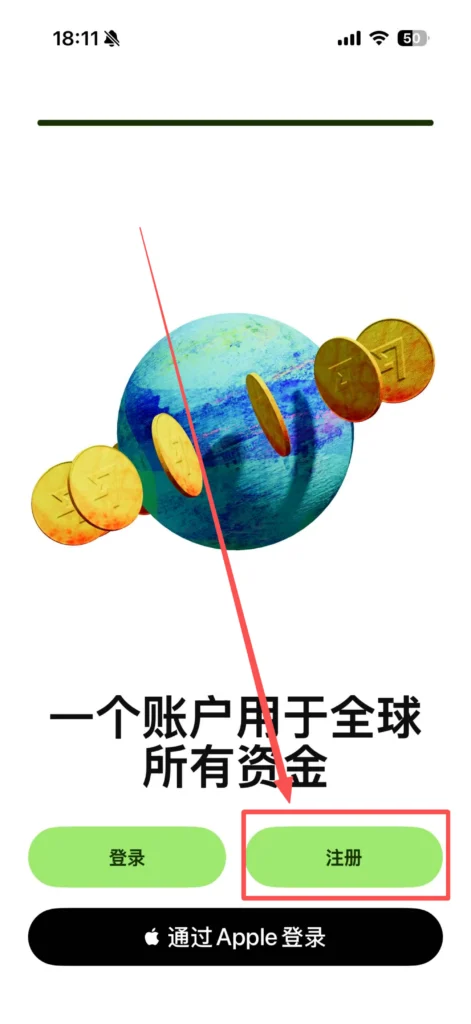
2/3
3/3
Identity Verification & Bank Account Addition
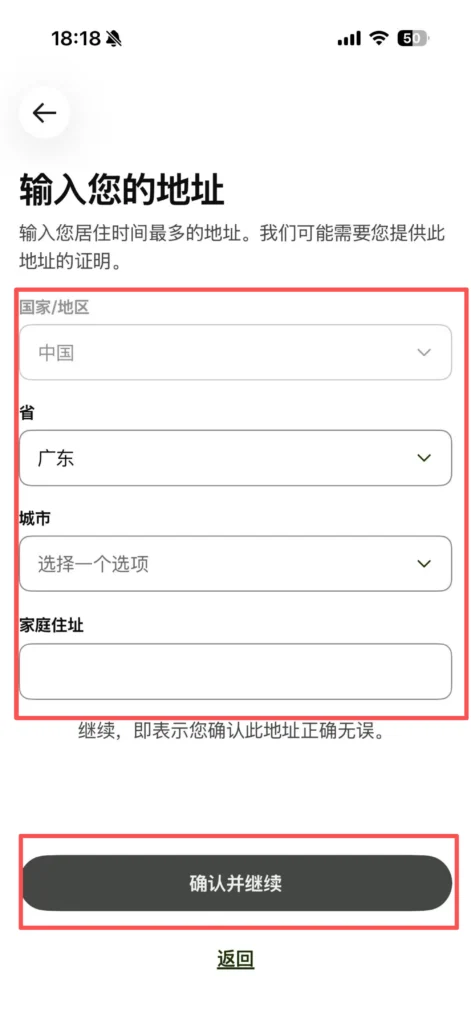
After approval, go to ‘Accounts’, click ‘Add a bank account’, and add your own bank account information (bank card number, bank name, Swift code; domestic users need to fill in UnionPay information). Multiple country bank accounts can be linked.
1/5
2/5
3/5
4/5
5/5
💸 (2) International Remittance Operation
Initiate Remittance
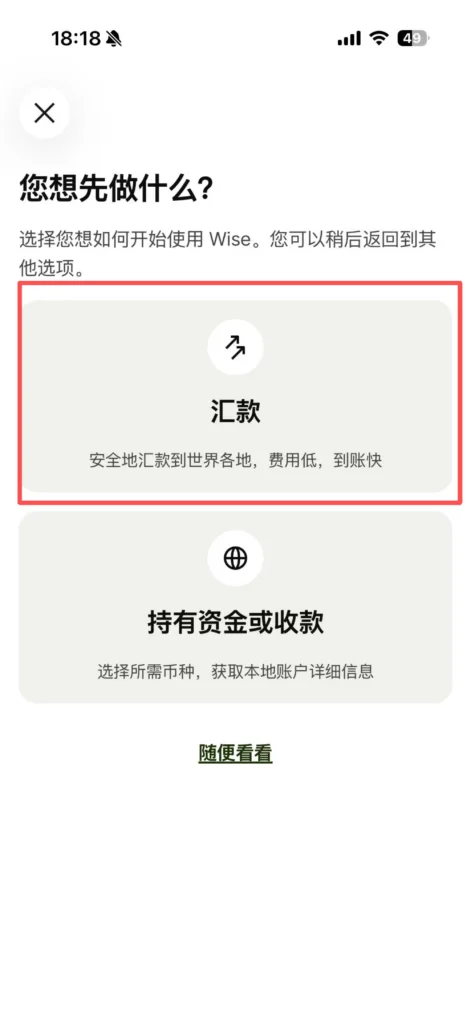
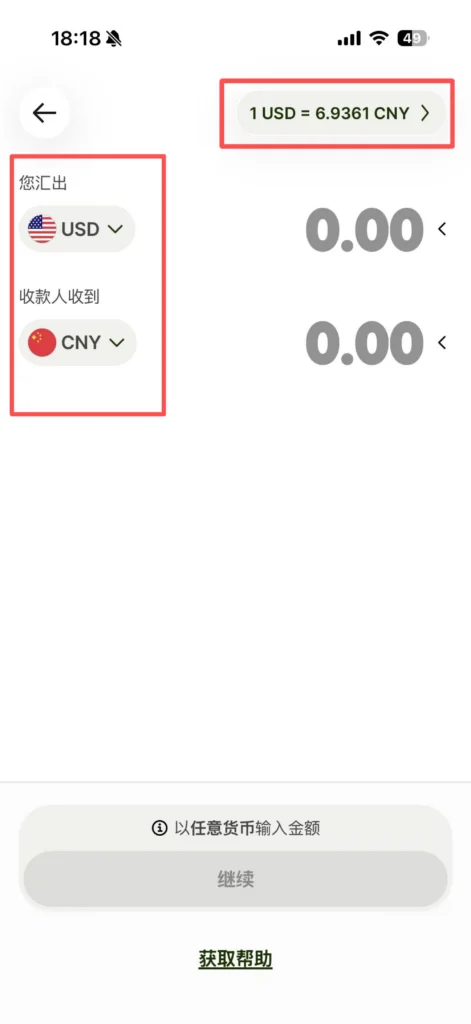
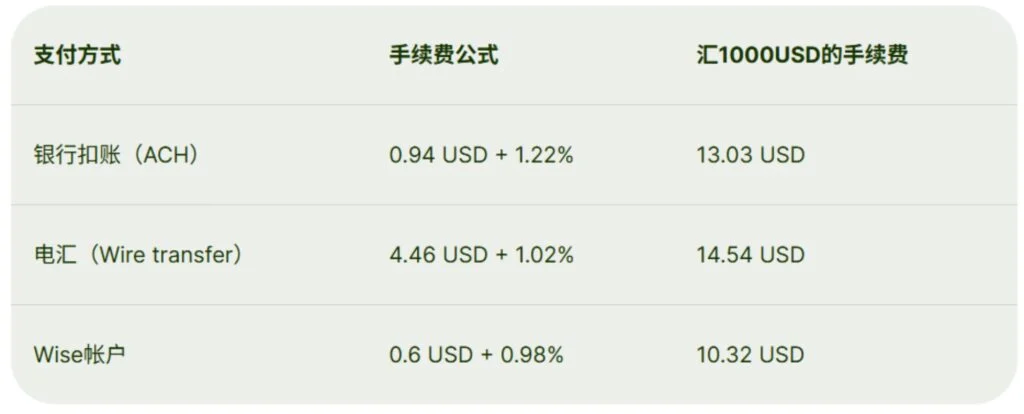
Click “Send money”, enter the remittance amount (supporting entry in either the source or target currency), select the target currency (such as converting RMB to USD, EUR, etc.), and the system will display the real-time exchange rate (no hidden markup) and fees.
1/3
2/3
3/3
Recipient Information & Cost Confirmation
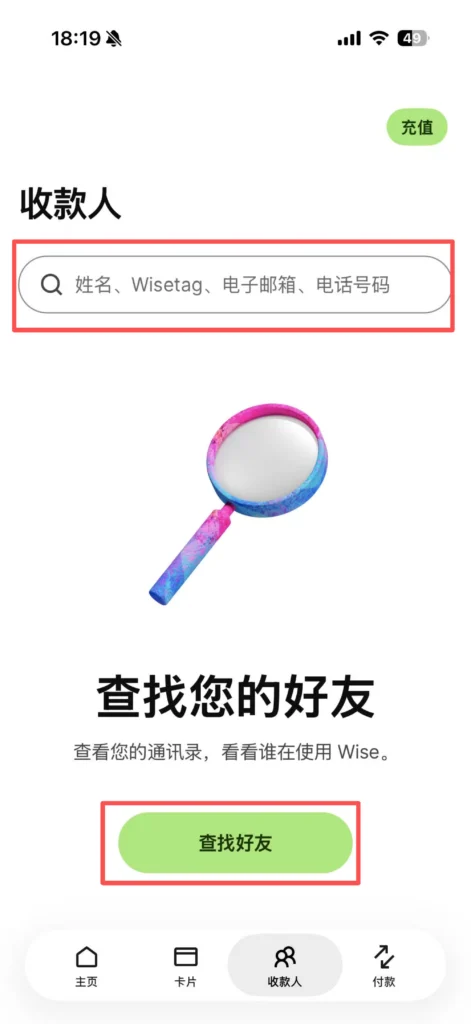
Fill in the recipient’s account information (name, bank card number, bank name, SWIFT code / IBAN code, which must match the recipient’s ID), supporting the option to save frequently used recipients for direct selection next time.
📥 Download Complete PDF Manual
Multi-Language • Offline Printable • All Screenshots Included