
Yandex Translate provides instant text, camera and offline voice translation in dozens of languages.

Yandex Translate: Free & Accurate Translation App for Travelers
Official Step-by-Step Illustrated Guide with Screenshots and Multi-Language PDFs
📱 Official App Downloads
📘 (1) Download and Installation
Download & Install Yandex Translate
Simply search for “Yandex Translate” in the app store and install it. No special network required; can be downloaded, opened, and used normally within China.
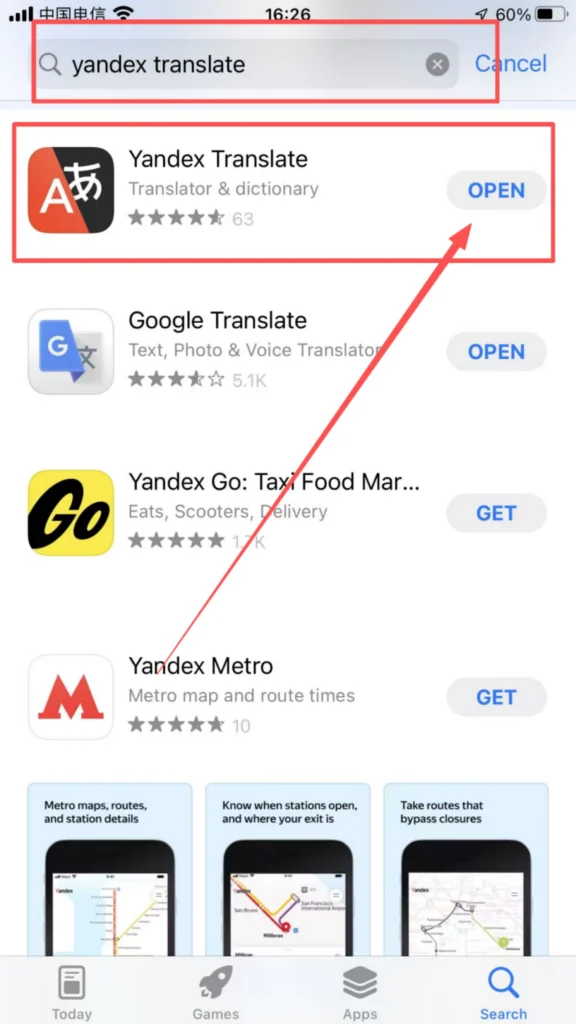
1/1
🔑 (2) Registration/Login (Optional)
Login Methods (Choose from 3 Options)
Guest Mode (Preferred): Use it directly without registering an account; all translation functions are available immediately. No registration required!
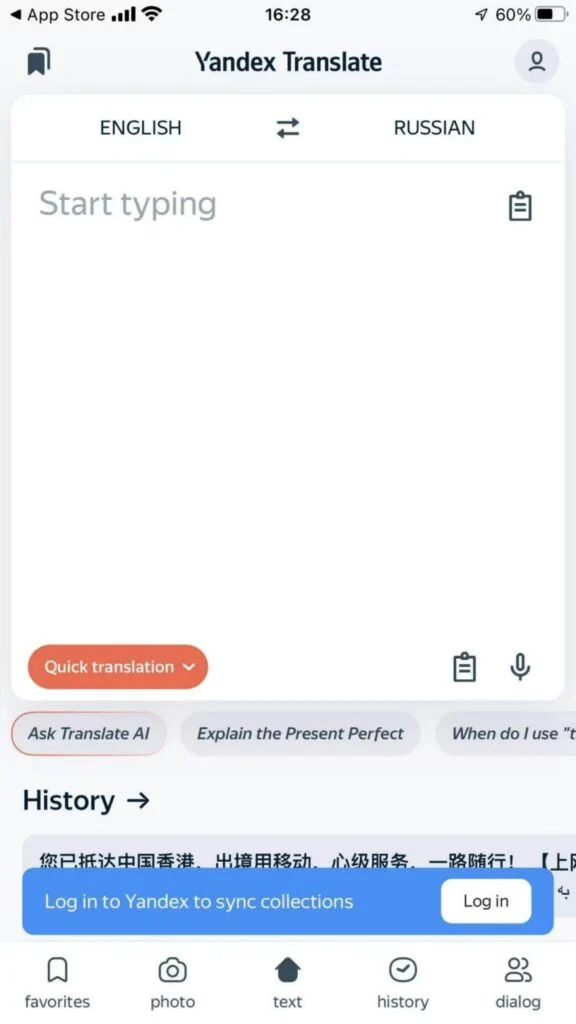
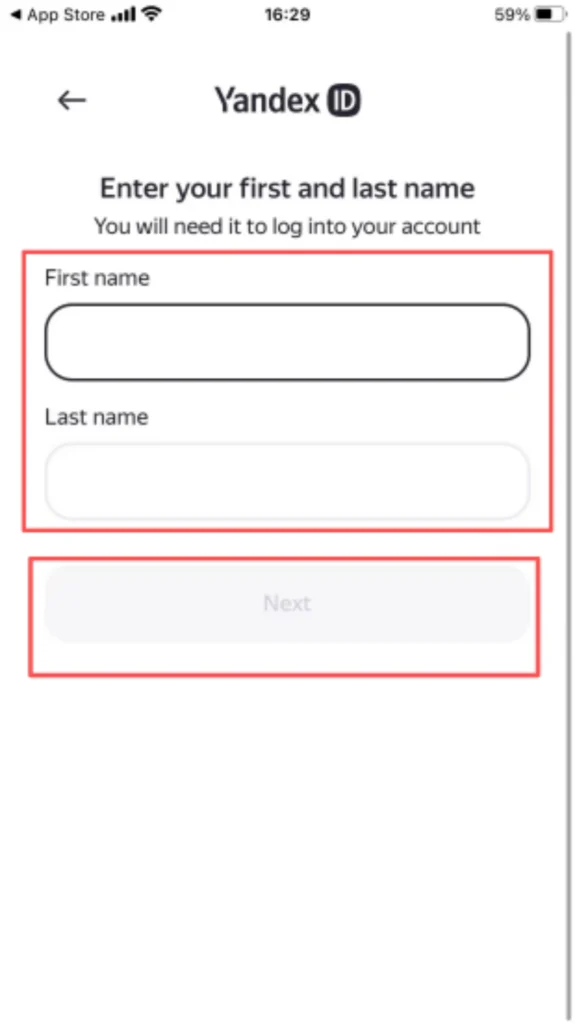
Yandex Account Login: Register and log in with your mobile phone number. You can sync your favorites and history to the cloud.
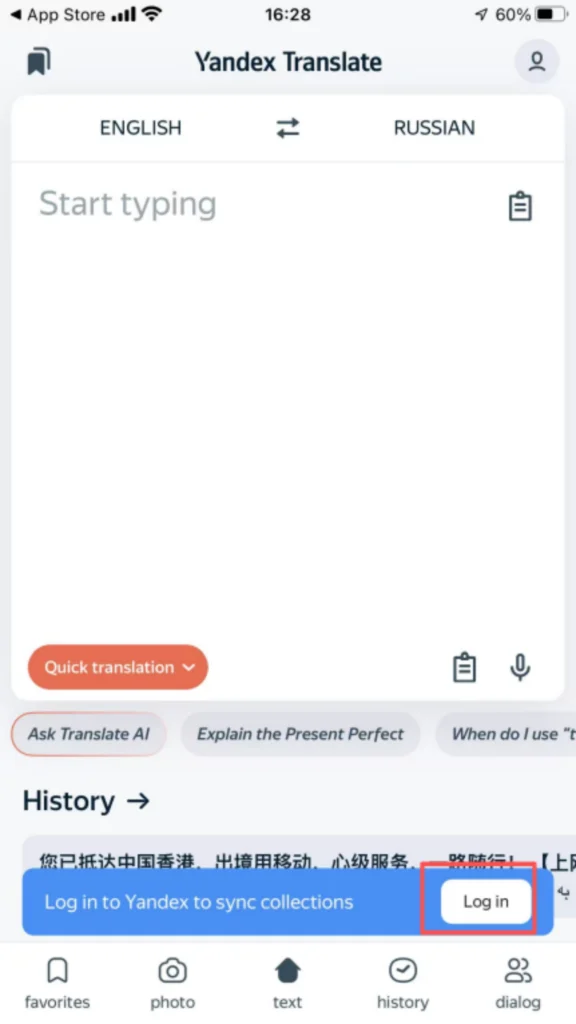
1/5
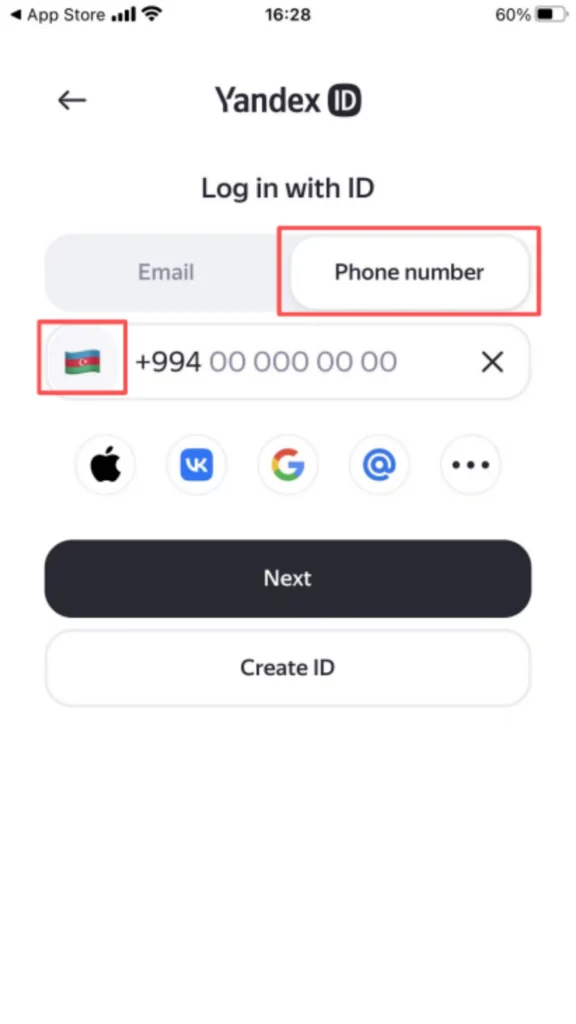
2/5
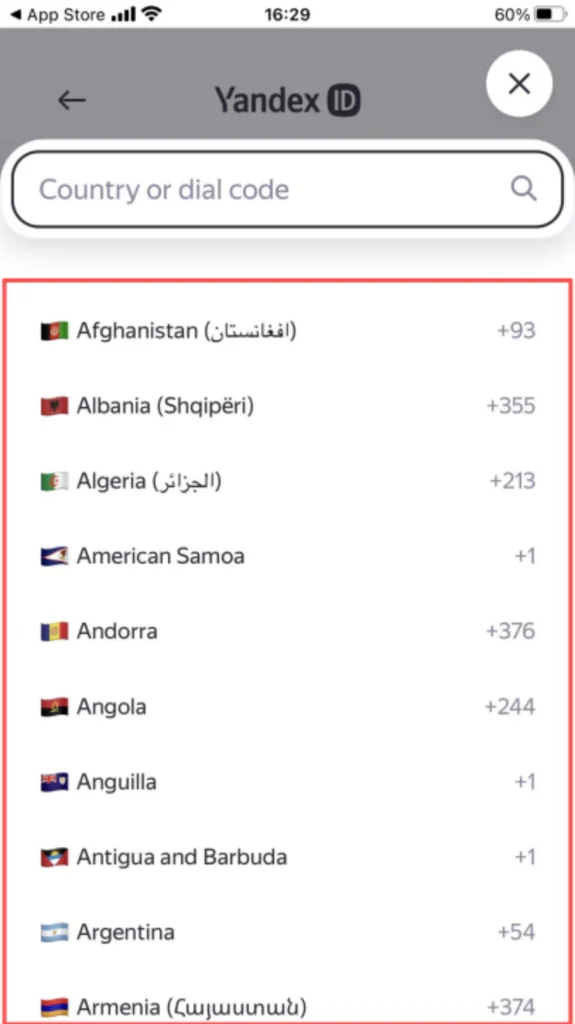
3/5
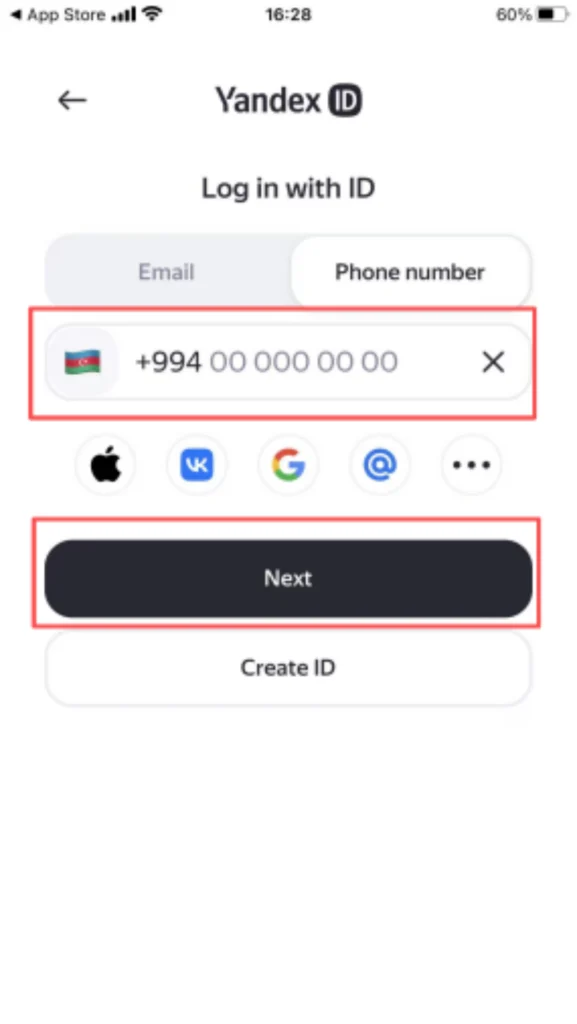
4/5
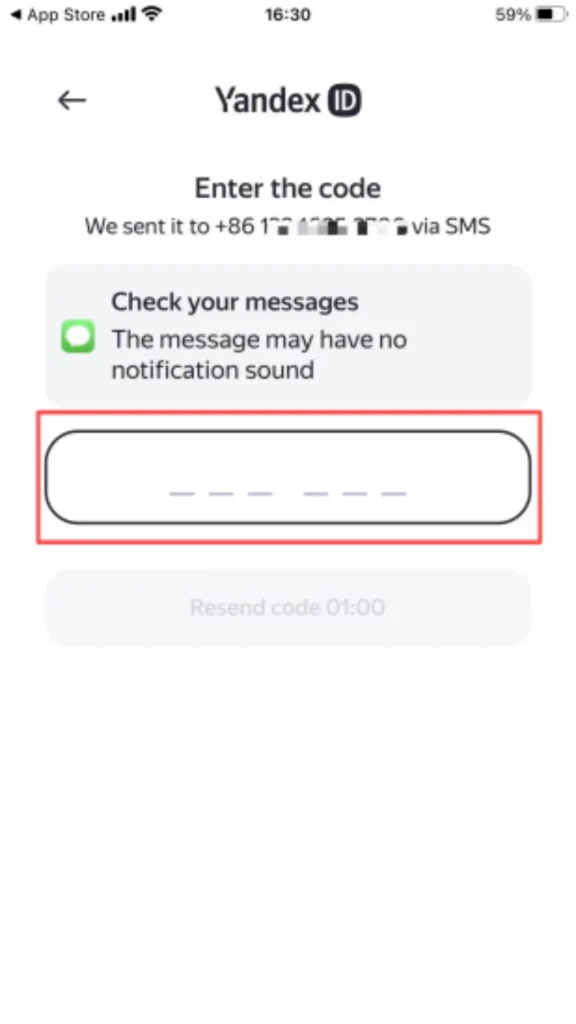
5/5
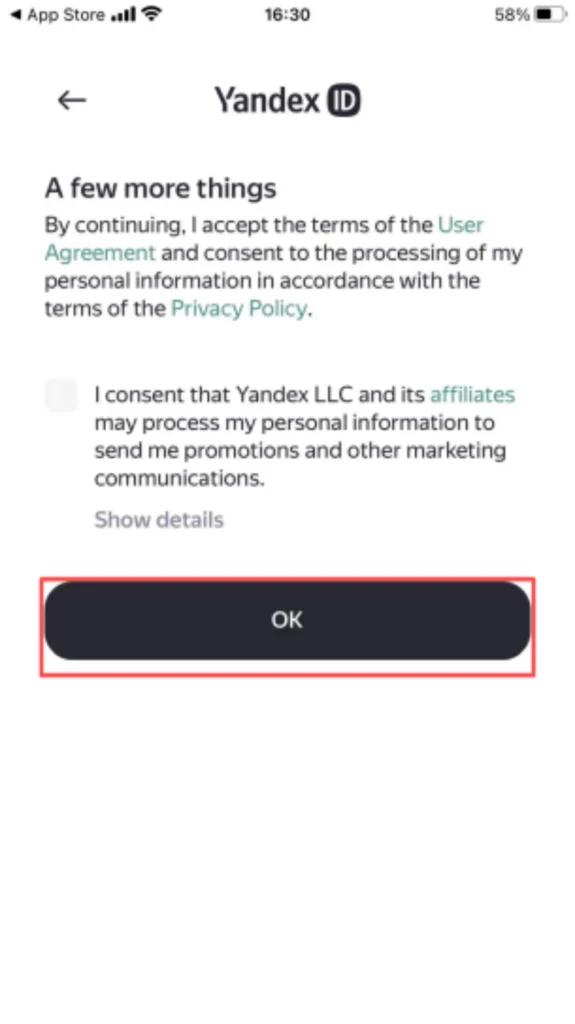
1/2
2/2
⚙️ (3) Initial Setup
Language Settings
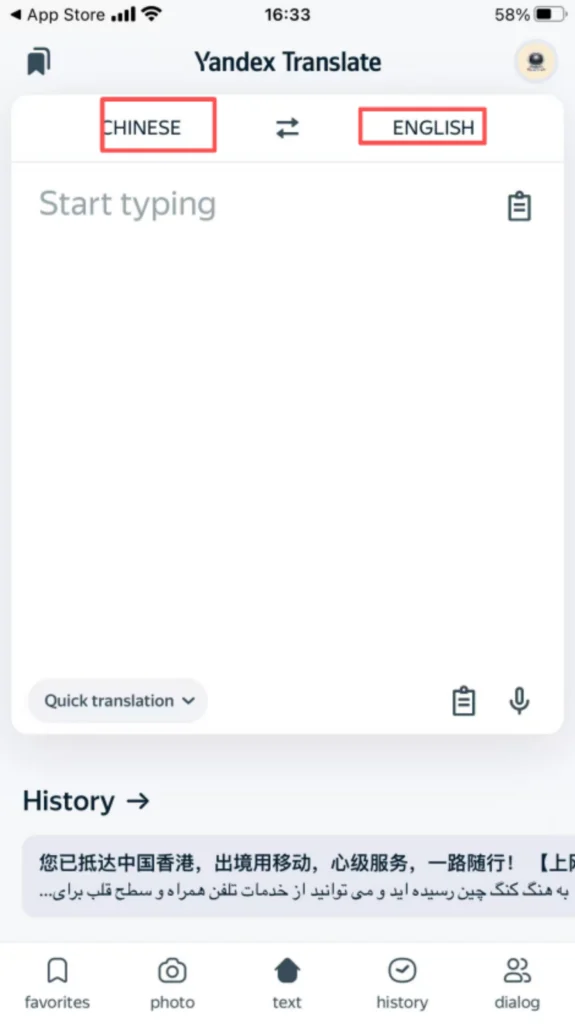
Upon entering the homepage, the top settings are: Left side: Source language (Chinese); Right side: Target language (English). Click the switch arrow to easily switch between “English → Chinese” reverse translation.
📝 (4) Core Functions – Text Translation
Text Translation
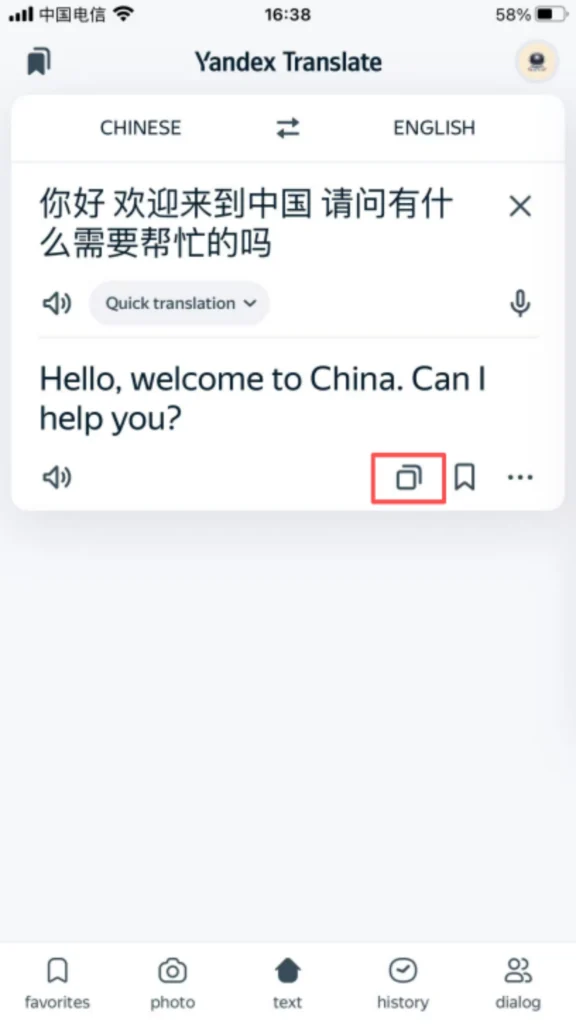
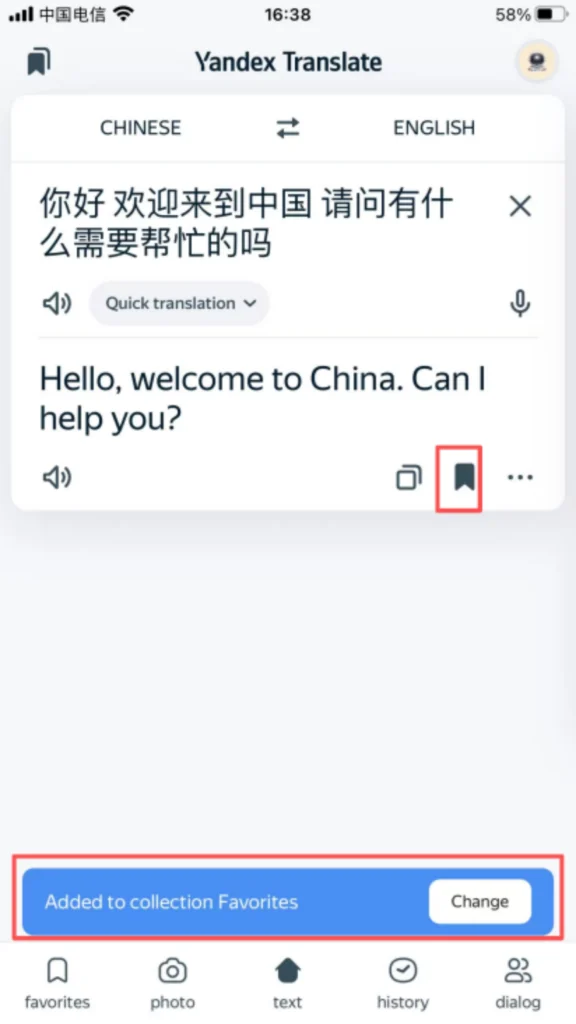
Paste/type the original Chinese text into the input box above; the standard English translation will automatically appear below in real time.
1/3
2/3
3/3
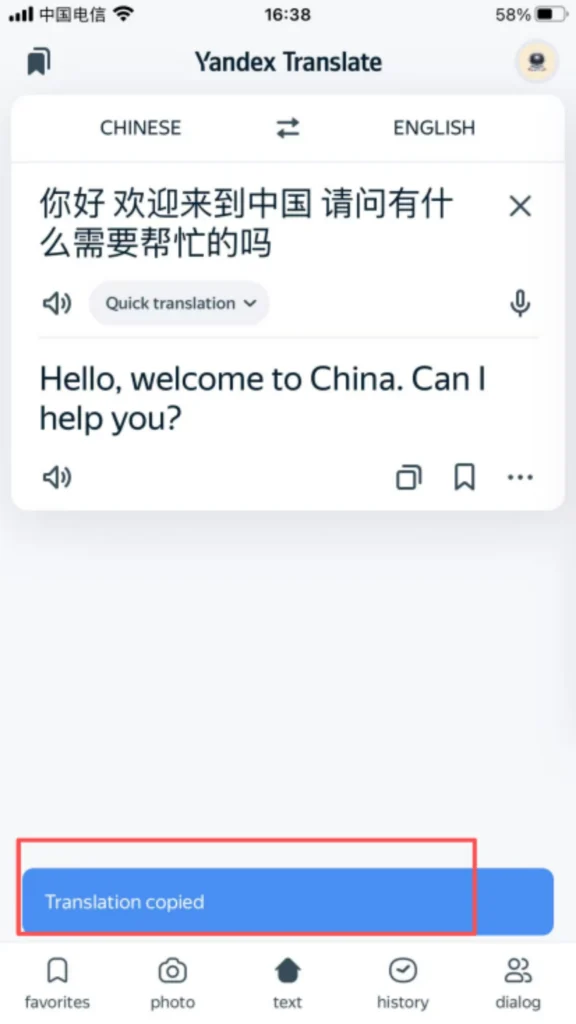
Click “Copy” on the translation result and paste it directly into the document you need. One-click reading aloud, saving, and sharing are also supported.
📷 (4) Core Functions – Photo Translation
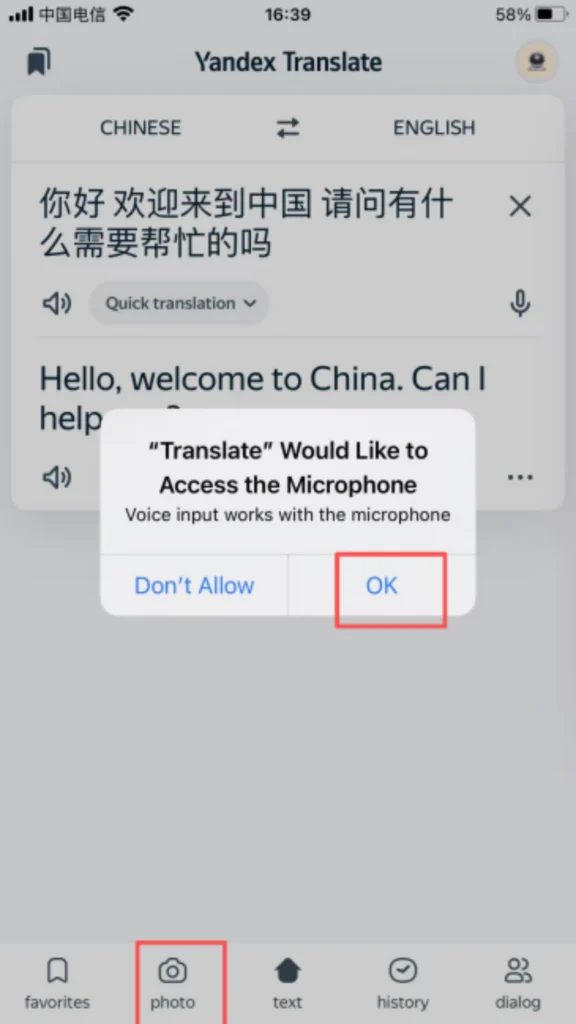
Photo Translation (Powerful Image Recognition)
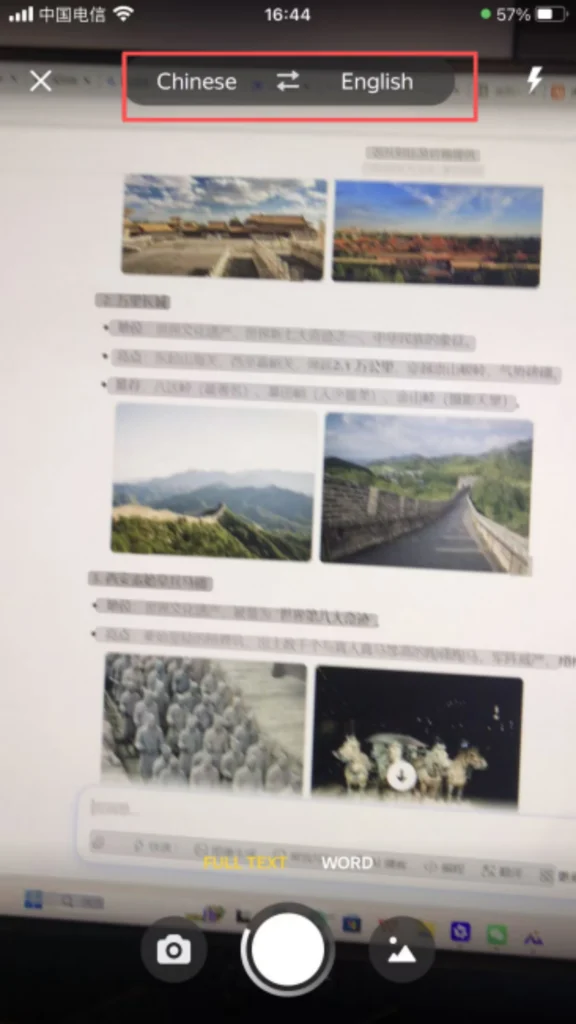
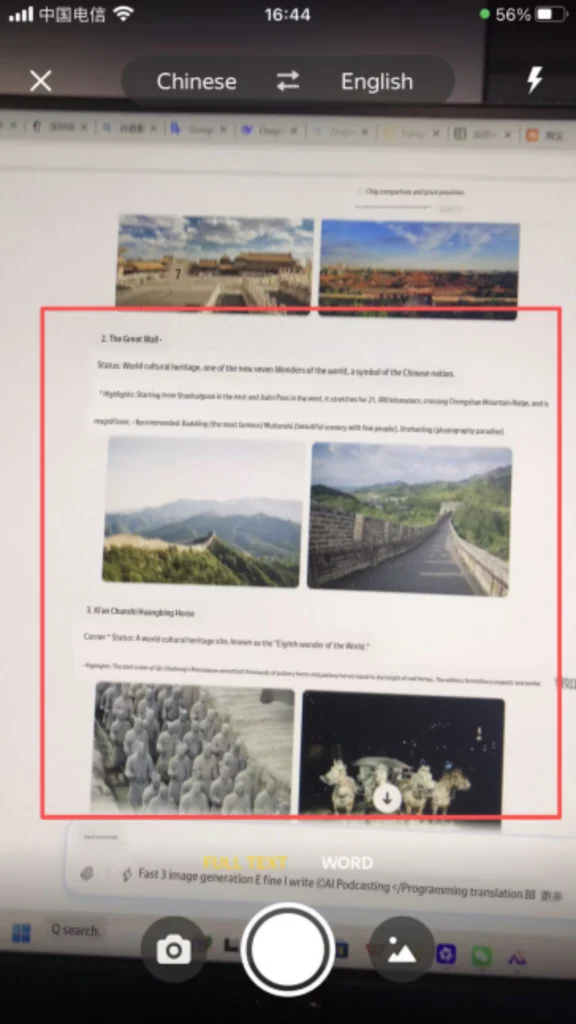
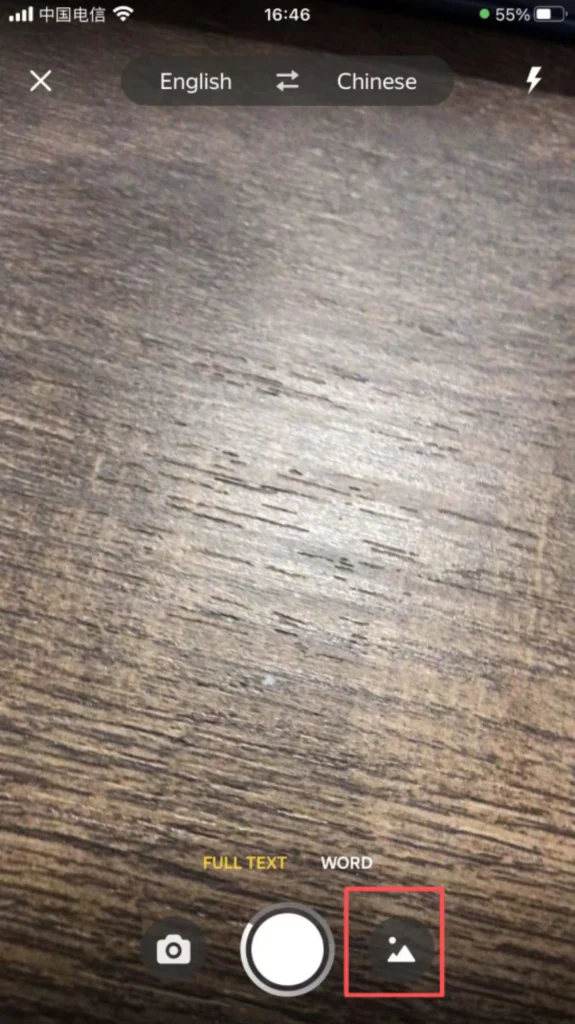
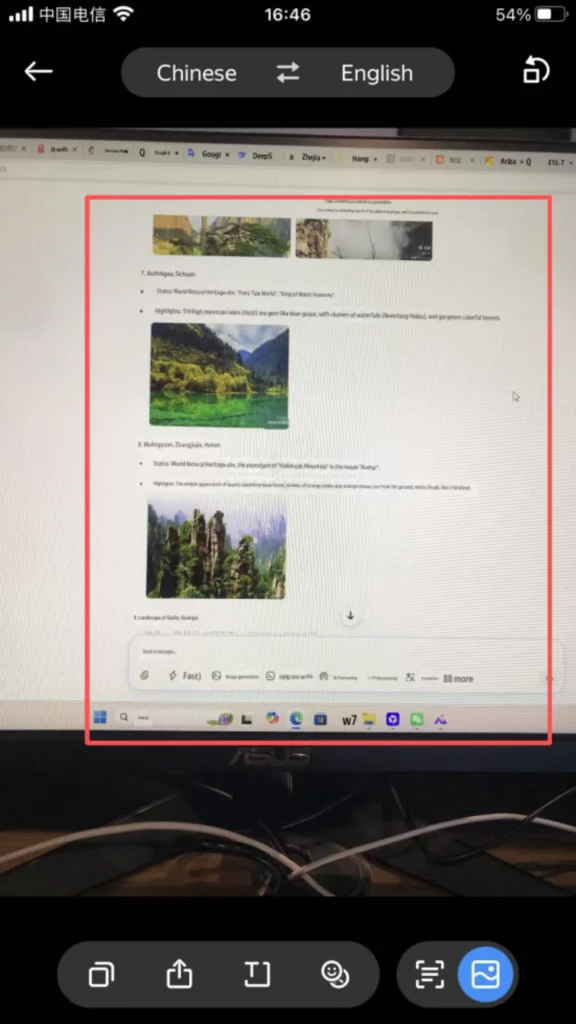
On the homepage, click the camera icon at the bottom. Take a photo/upload an image (visa form in English, navigation screenshot, road sign, document).
1/5
2/5
3/5
4/5
5/5
The app automatically recognizes text in images and translates it into understandable Chinese with a single click. It also supports direct text extraction and copying of translation results.
📂 (4) Core Functions – History & Favorites
History & Collection Management
The “History” section at the bottom automatically saves all translation records, allowing you to directly open and reuse them next time.
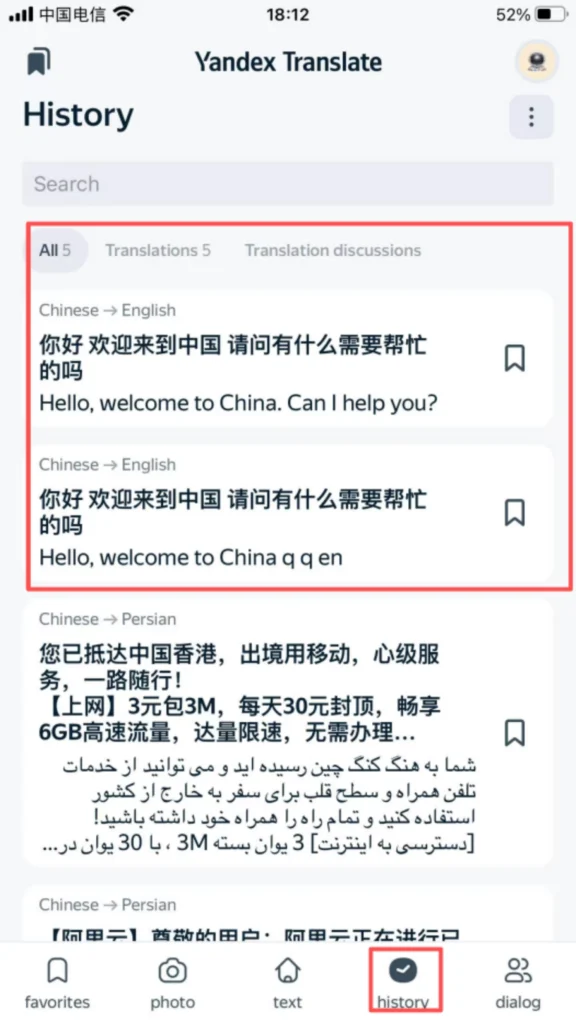
Save and star this page: Save standard visa interview scripts, common phrases, and frequently used translations so you don’t have to type them out repeatedly.
✅ Quick Summary
Why Choose Yandex Translate?
✅ Completely Free: No ads, no paid membership required.
✅ No Registration Needed: Use in guest mode with all features available.
✅ Works in China: No special network required.
✅ Photo Translation: Powerful image recognition for menus, signs, and documents.
✅ Voice Translation: Real-time speech translation for conversations.
✅ History & Favorites: Save and reuse translations easily.
✅ High Accuracy: Excellent Chinese-English/Chinese-Russian translation quality.
📥 Download Complete PDF Manual
Multi-Language • Offline Printable • All Screenshots Included