
Taobao ialah sebuah platform pembelian dalam talian berskala besar yang menjual pelbagai barangan untuk keperluan harian.
Taobao: China’s Leading Online Shopping Platform
Official Step-by-Step Illustrated Guide with Screenshots and Multi-Language PDFs
📱 Official App Downloads
📘 (1) Download and Registration
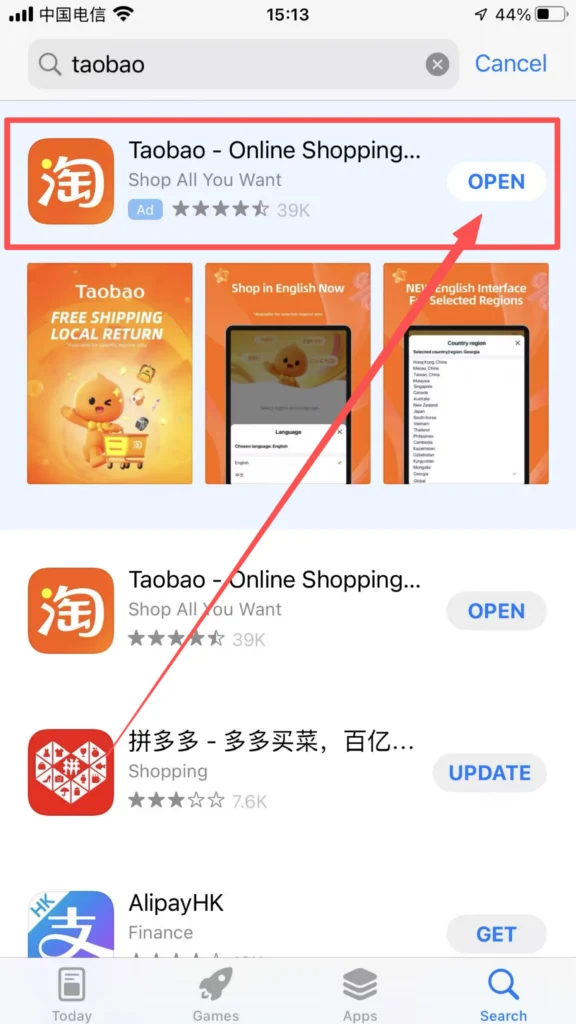
Download & Install Taobao
Open the “App Store” (iOS) or Google Play (Android), search for “Taobao” or “淘宝”, and click “Download” to install. If you cannot access domestic app stores, you can download the APK installation package through the Taobao official website (www.taobao.com).
1/1
Registration & Login
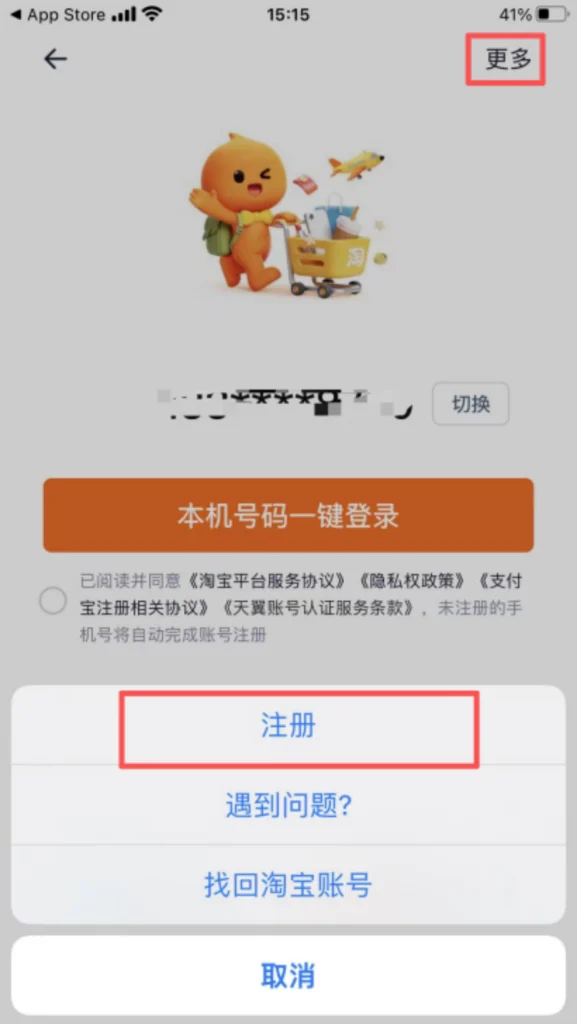
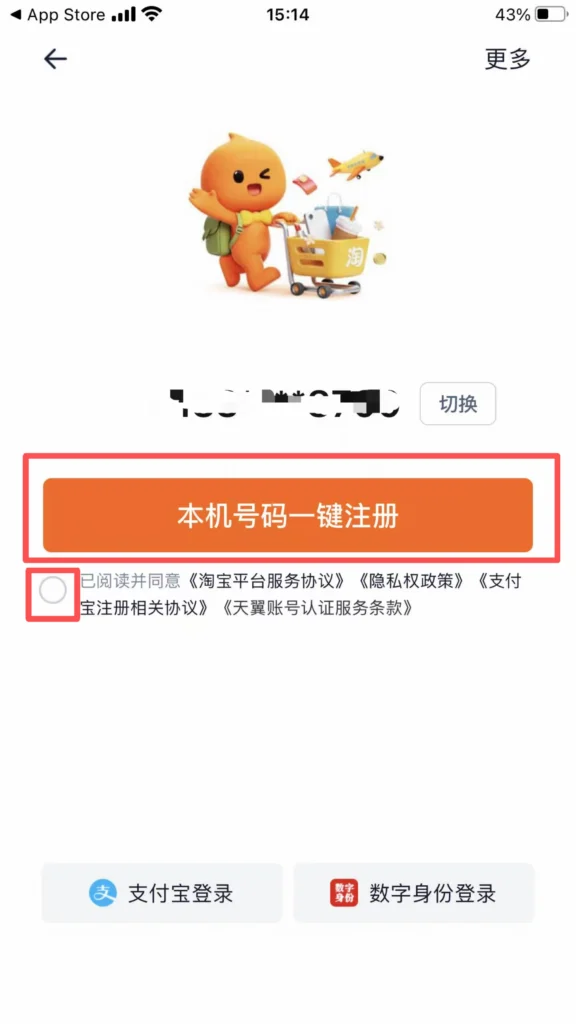
Open the Taobao APP, click “Register Now” to enter the registration interface. Choose the registration method: “Phone Number Registration” (recommended, supports international phone numbers), and click “Register with Phone Number”.
Login: After registration is complete, you will automatically be redirected to the login page. Enter your phone number and password, then click ‘Login’. You can also choose ‘SMS Login’, enter your phone number, get a verification code, and log in more quickly.
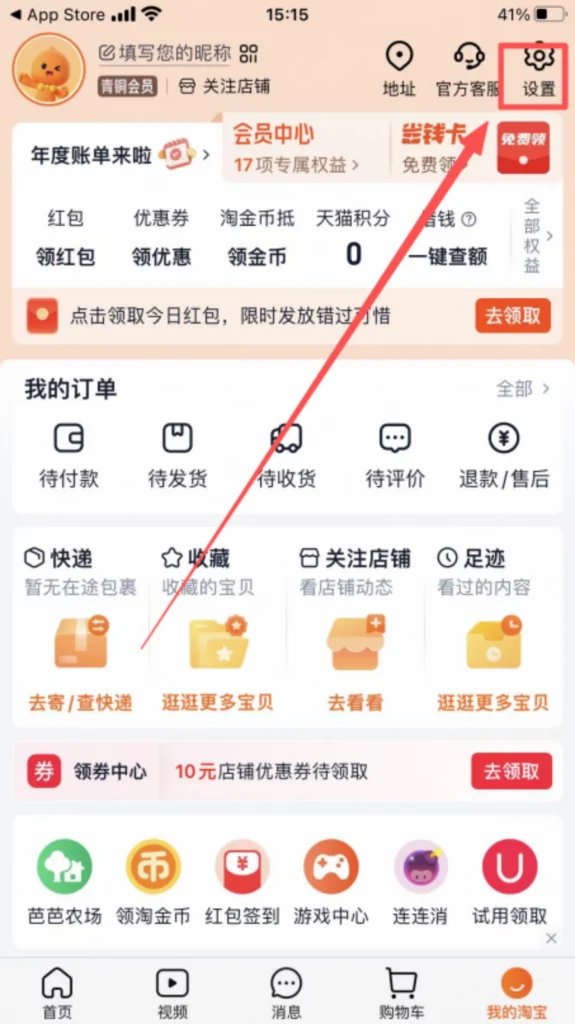
Complete Shipping Address (Key Steps)
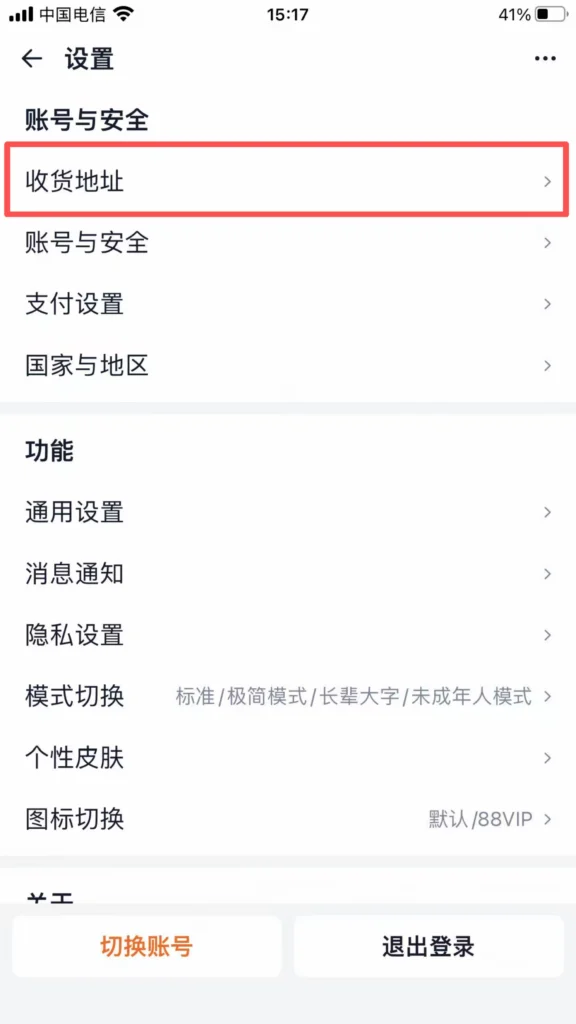
Click ‘My Taobao’ → ‘Settings’ → ‘Shipping Address’ → ‘Add New Address’.
1/2
2/2
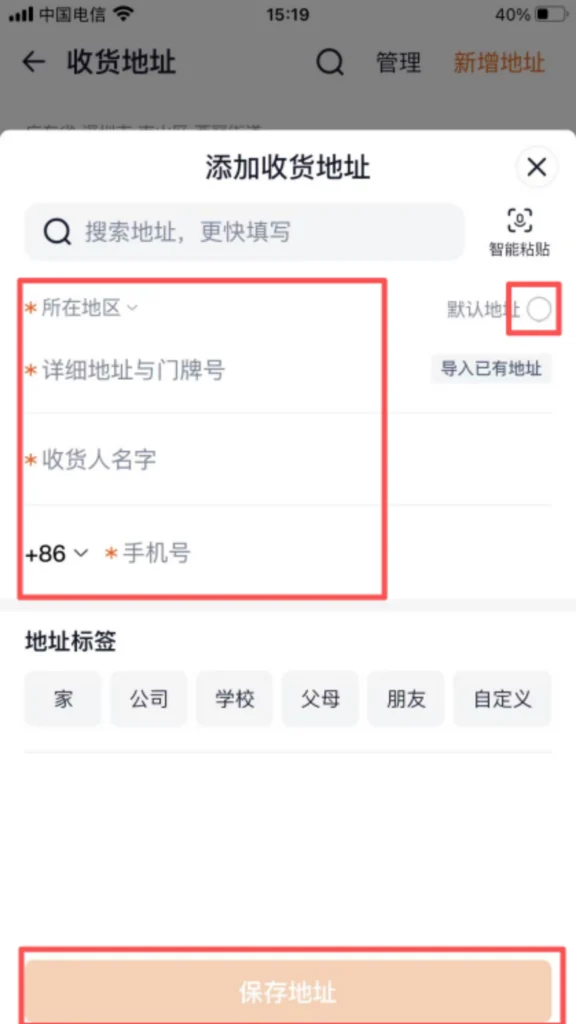
Enter the delivery information: Name (English/Chinese both acceptable), Mobile Number (can be overseas or Chinese number), Province, City, District/County, Street, House Number (English/Chinese both acceptable, it is recommended to fill in detail, and you can include landmark buildings to help the courier with delivery).
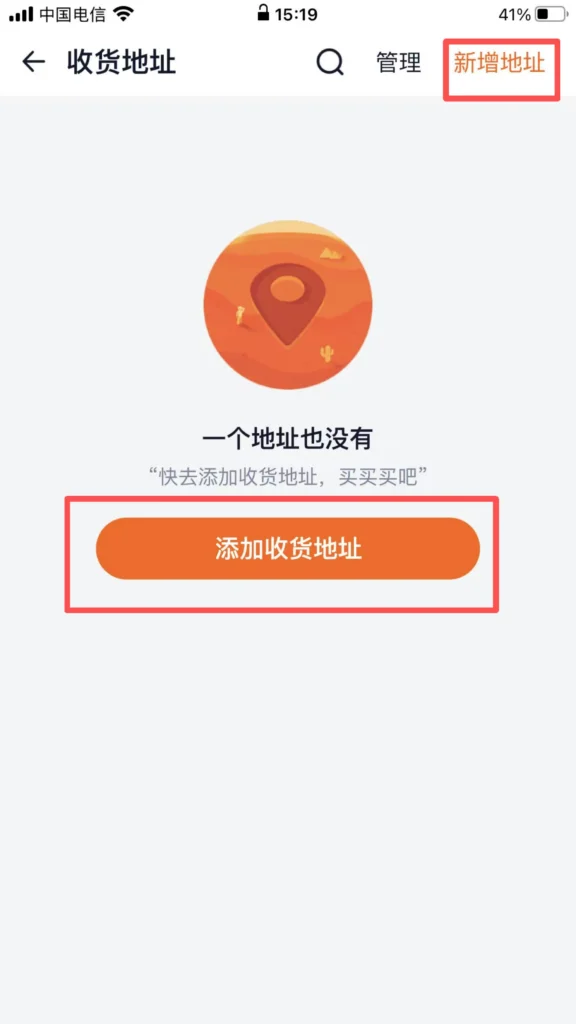
1/2
2/2
Click ‘Save’ and set as ‘Default Address’, so you can directly select this address for future purchases without having to fill it in again.
🔍 (2) Core Functions – Search for Products
Search for Products (Supports English/Chinese Search)
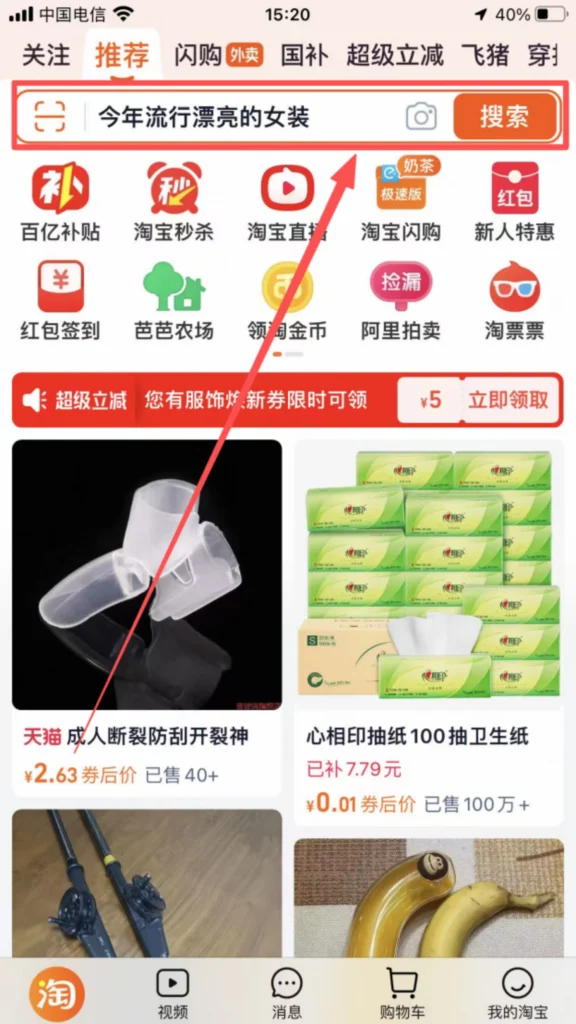
After logging in, the top of the homepage has a search box where you can enter the product name (both English and Chinese are supported), such as ‘toothbrush’, ‘phone case’, ‘clothes’, ‘skincare products’. After entering the keywords, click the ‘Search’ icon on the right side of the search box to enter the product listing page.
1/2
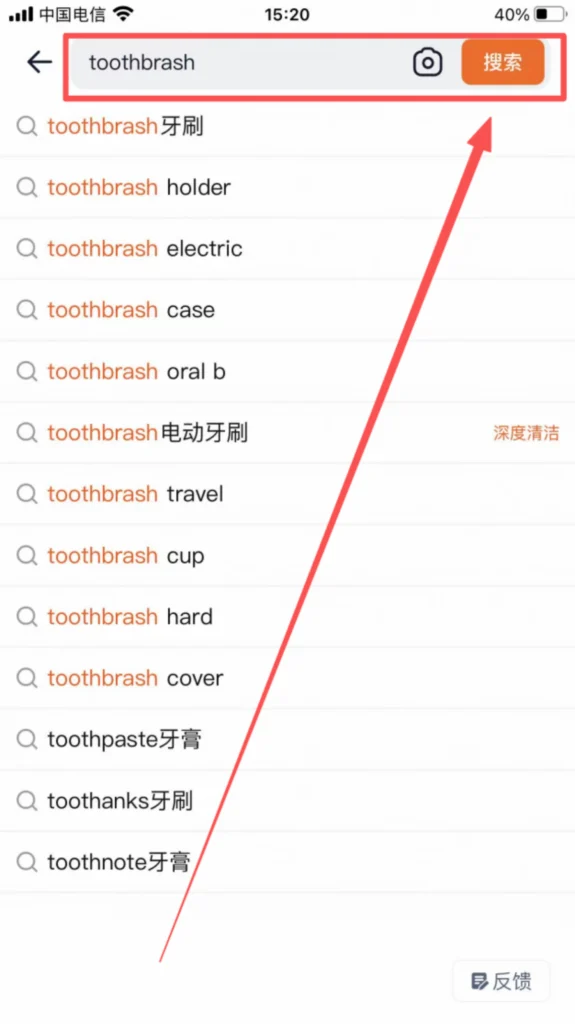
2/2
Filter products: You can filter through the conditions at the top of the page (price, sales, rating, origin). By clicking ‘Filter’, you can also choose product type, size, color, etc., to accurately find the desired products.
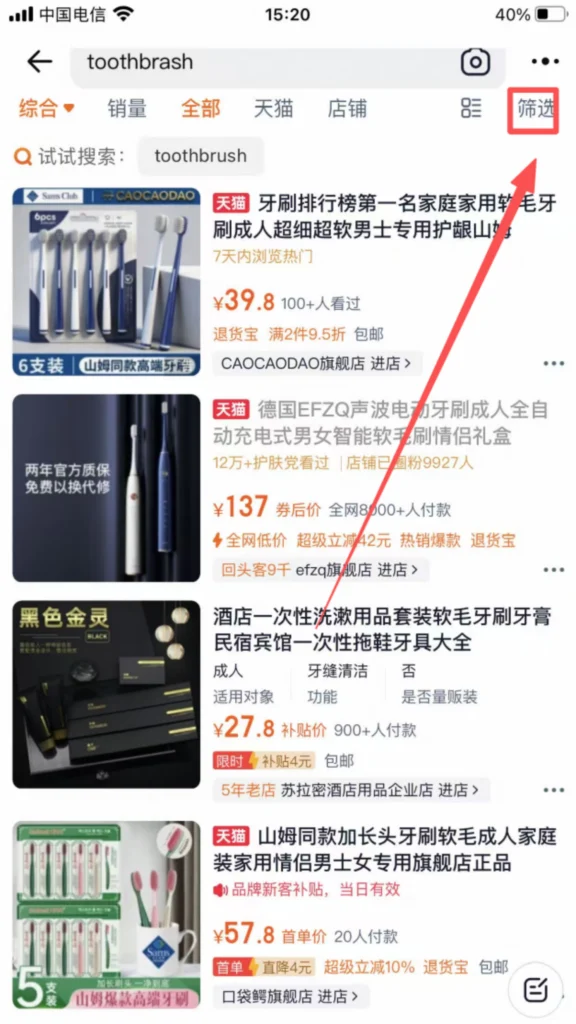
1/2
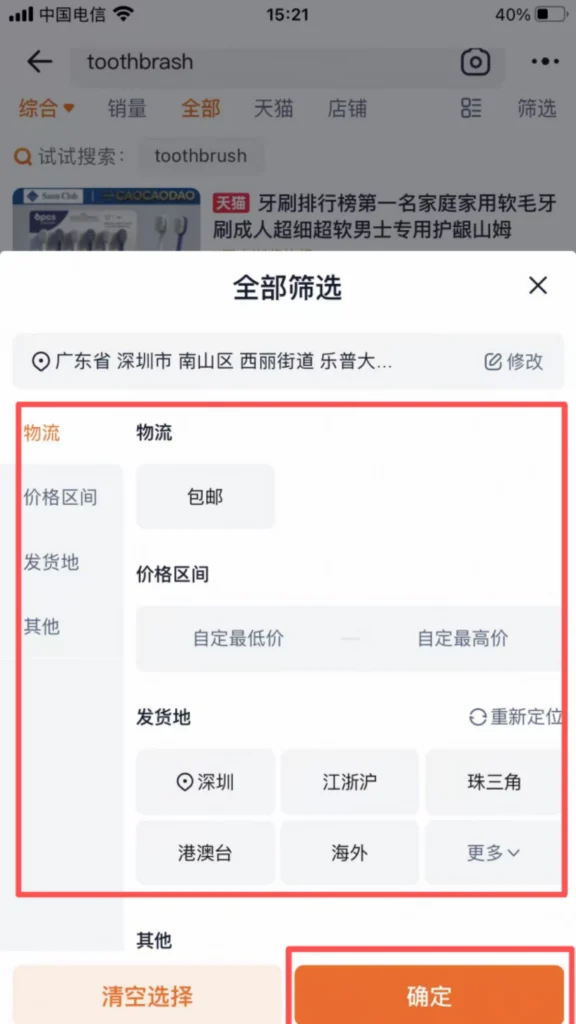
2/2
🛒 (2) Core Functions – Place an Order for Shopping
Order Placement & Payment
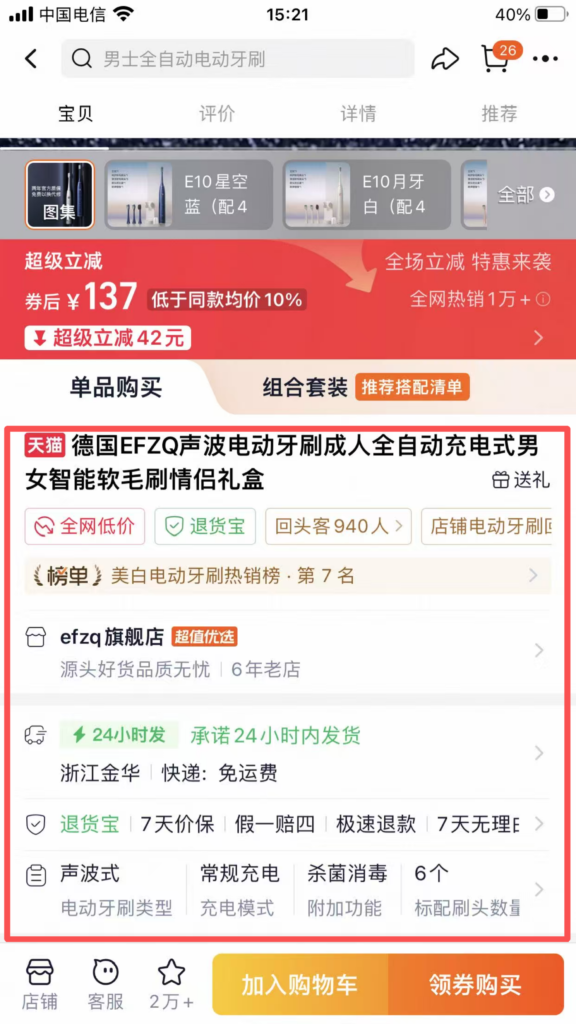
Find the desired product, click on the product image, and enter the product detail page.
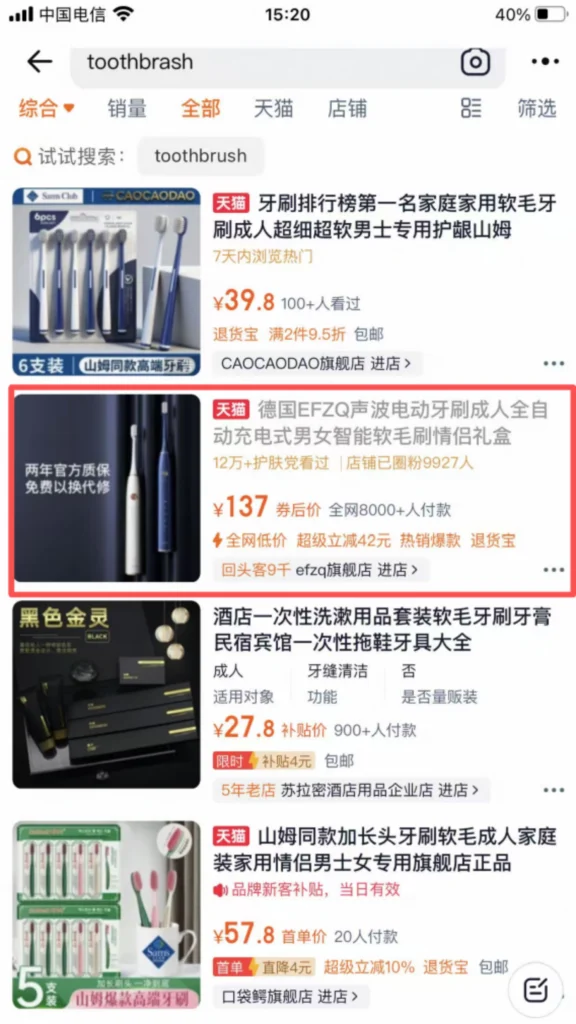
1/2
2/2
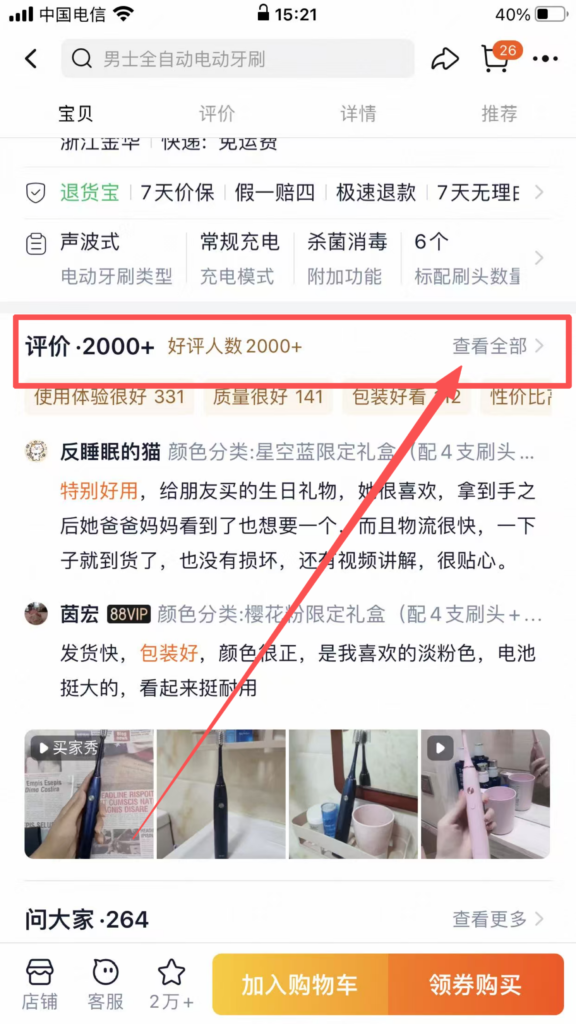
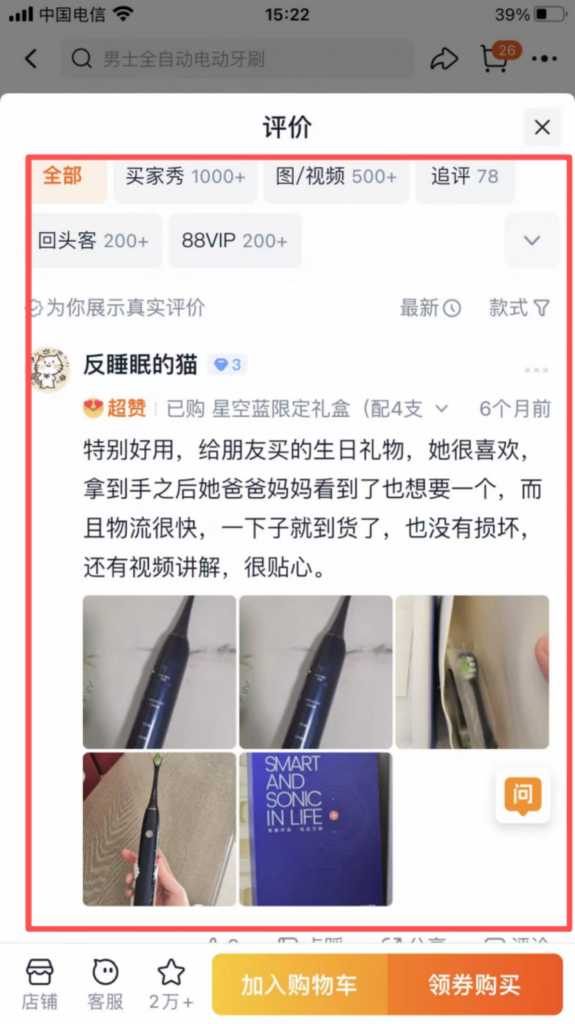
View product details: Browse product images, descriptions, user reviews (some products have reviews in English), sizes/specifications, and confirm that the product meets your needs.
1/2
2/2
Select specifications: If the product has multiple sizes, colors, or styles, click ‘Select Specifications’, choose the corresponding options (such as size M, color black), and click ‘Confirm’ after confirmation.
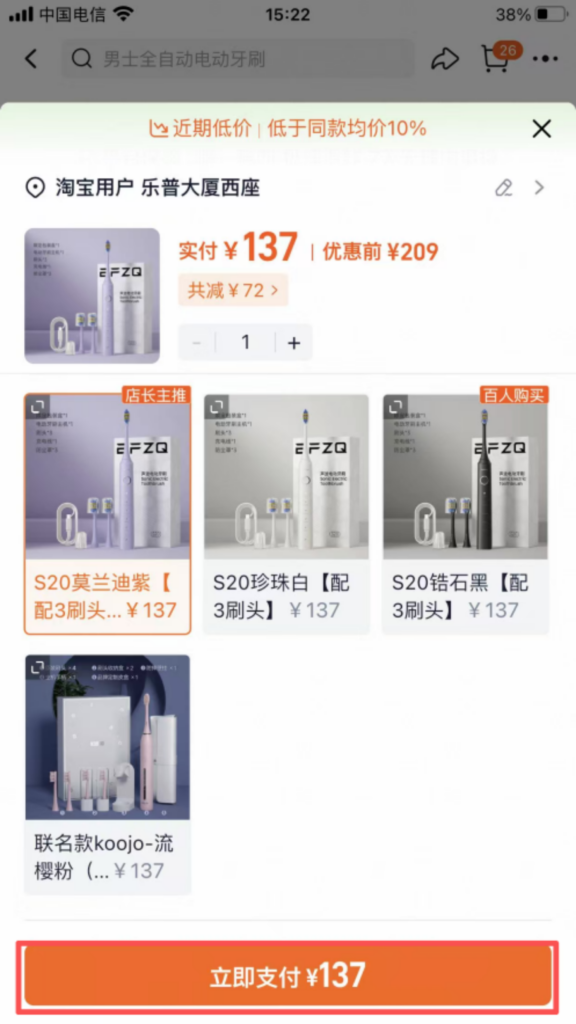
Choose a purchase method: ‘Add to Cart’ (you can check out multiple items together) or ‘Buy Now’ (directly check out the current item).
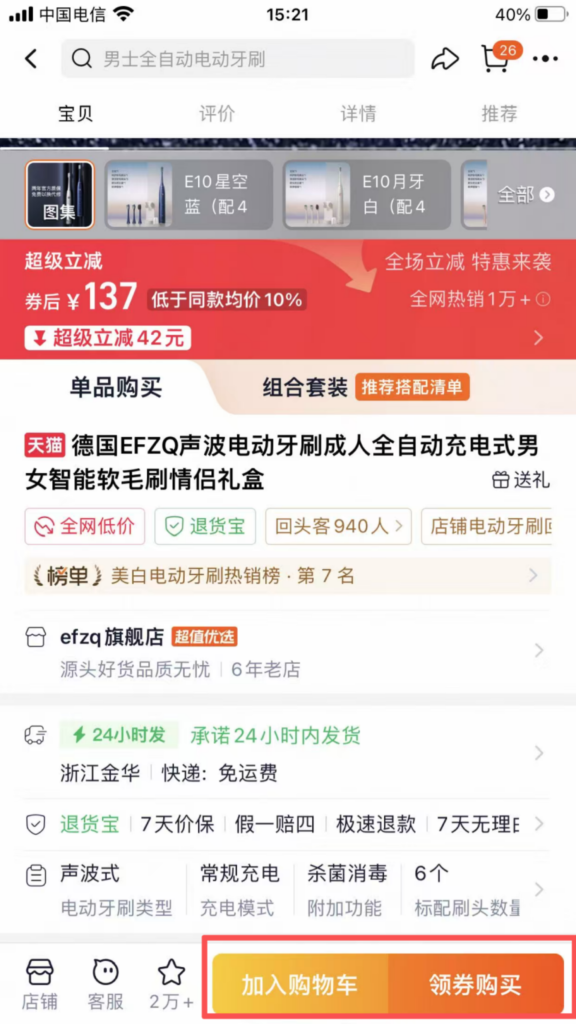
1/3
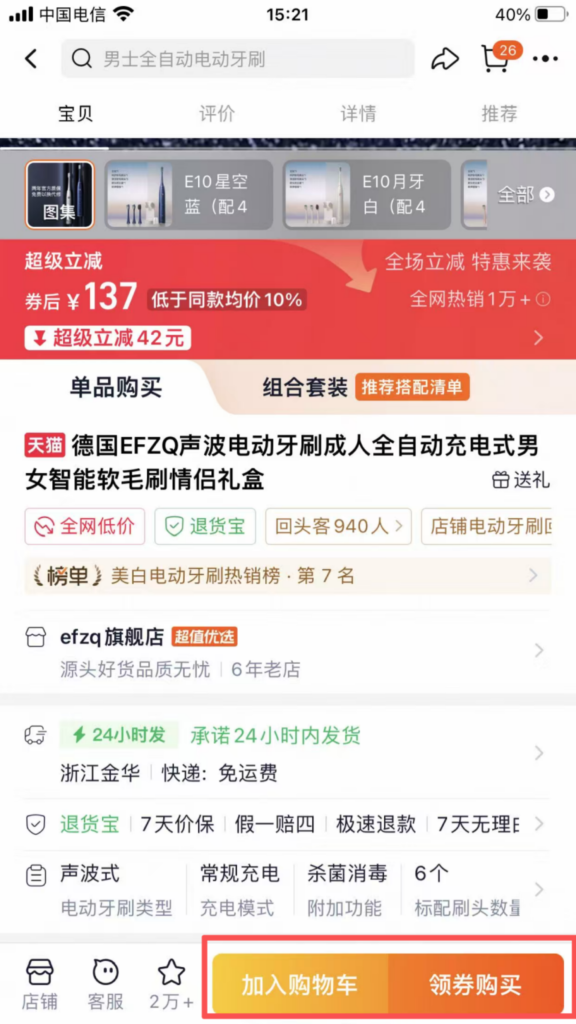
2/3
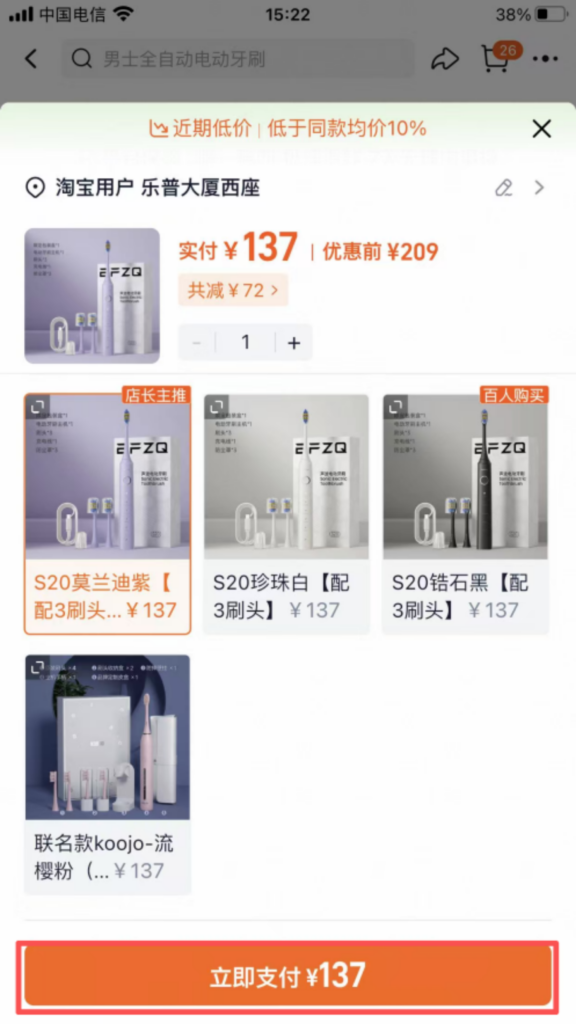
3/3
If you choose to checkout via the shopping cart: click ‘Shopping Cart’ at the bottom of the homepage, select the items you need to checkout, and click ‘Checkout’.
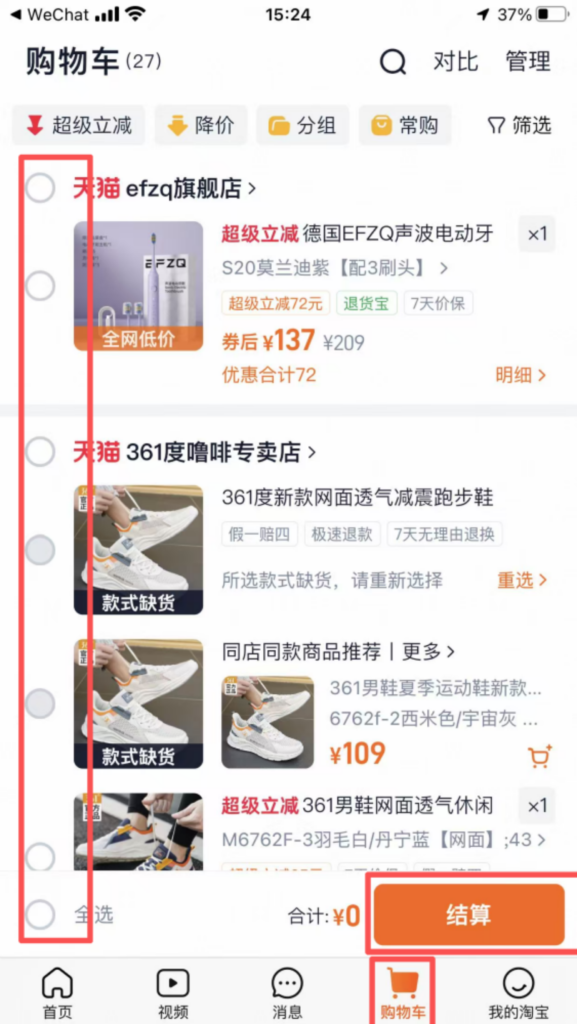
Confirm the delivery address (default address, can be modified), purchase quantity, and click ‘Submit Order’.
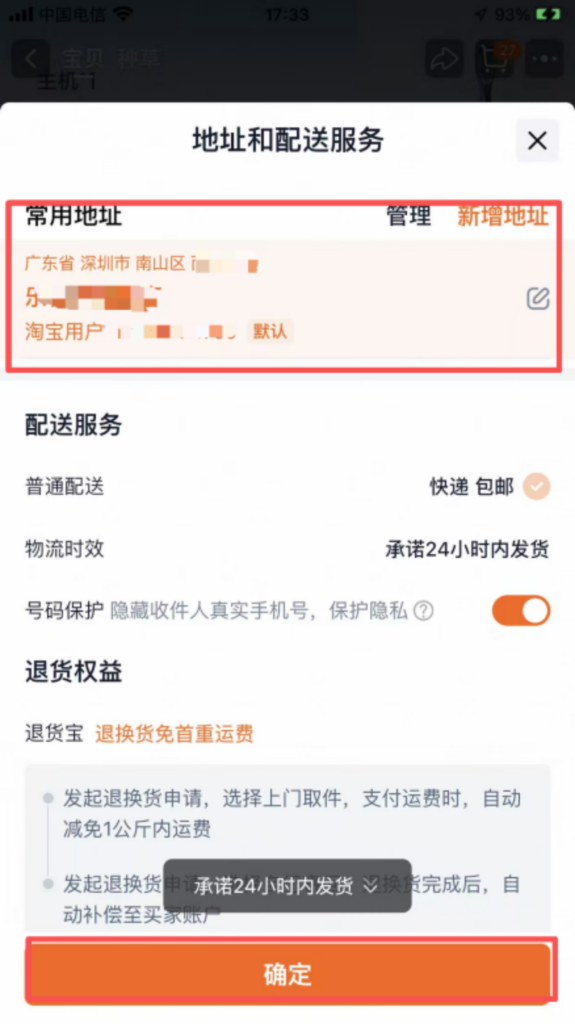
Payment: Enter the payment page, choose a payment method (linked international credit card, Alipay), enter the payment password (or verify with fingerprint/face recognition), and complete the payment. After the payment is successful, the APP will send order confirmation information, and you can check the order progress (shipping status, logistics information) in ‘My Taobao’ → ‘My Orders’.
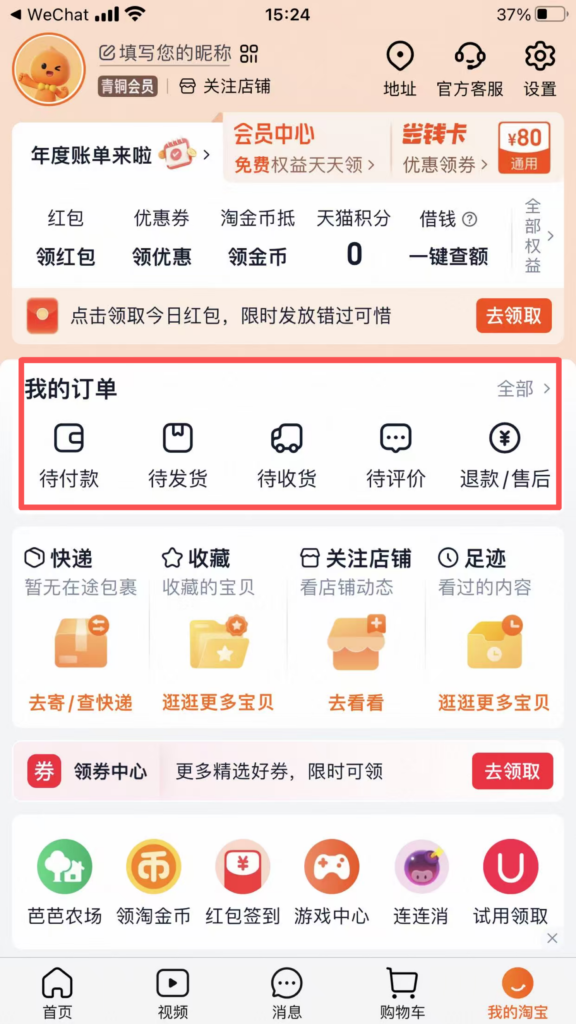
1/2
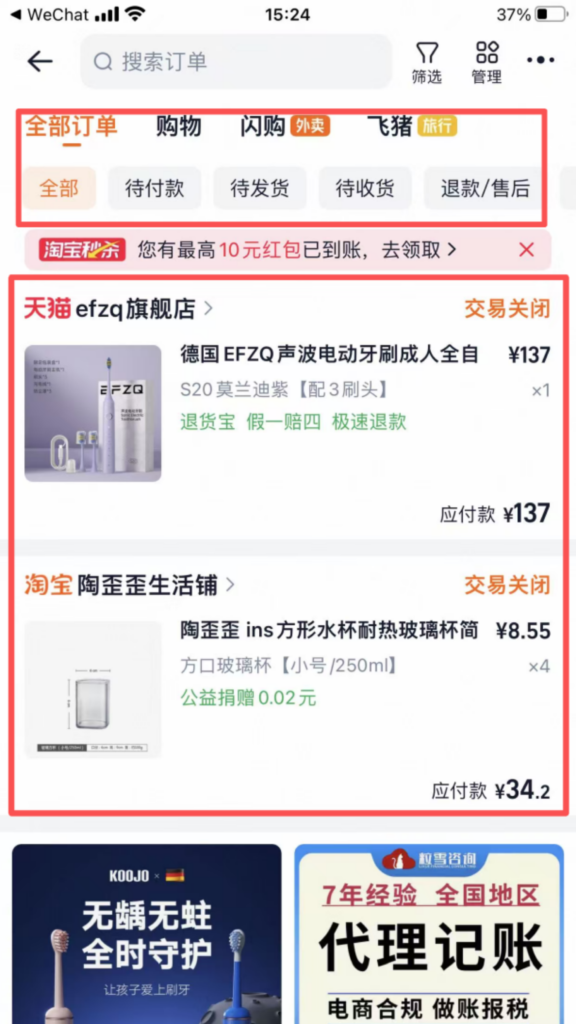
2/2
📦 (2) Core Functions – Logistics & Confirmation
Logistics Inquiry and Confirmation of Receipt
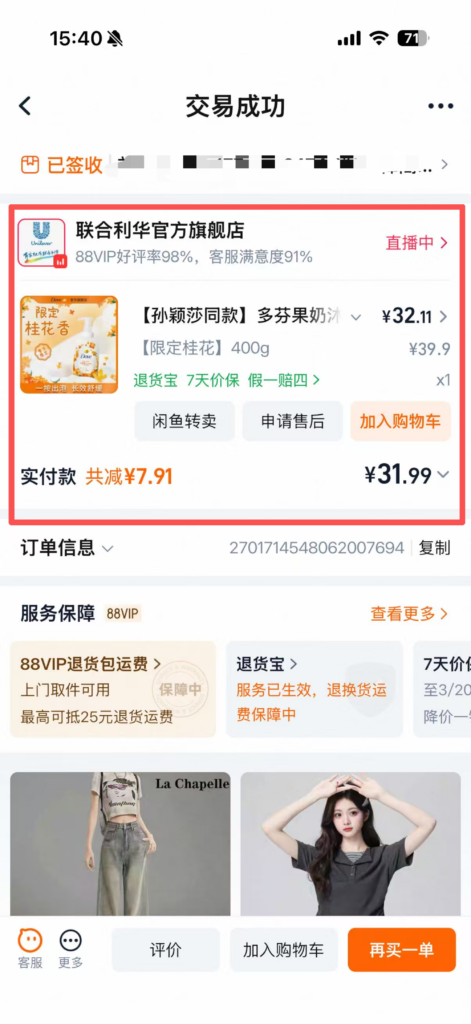
Logistics Inquiry: Click “My Orders”, find the corresponding order, click “View Logistics” to check the tracking number, logistics trajectory, and estimated delivery time.
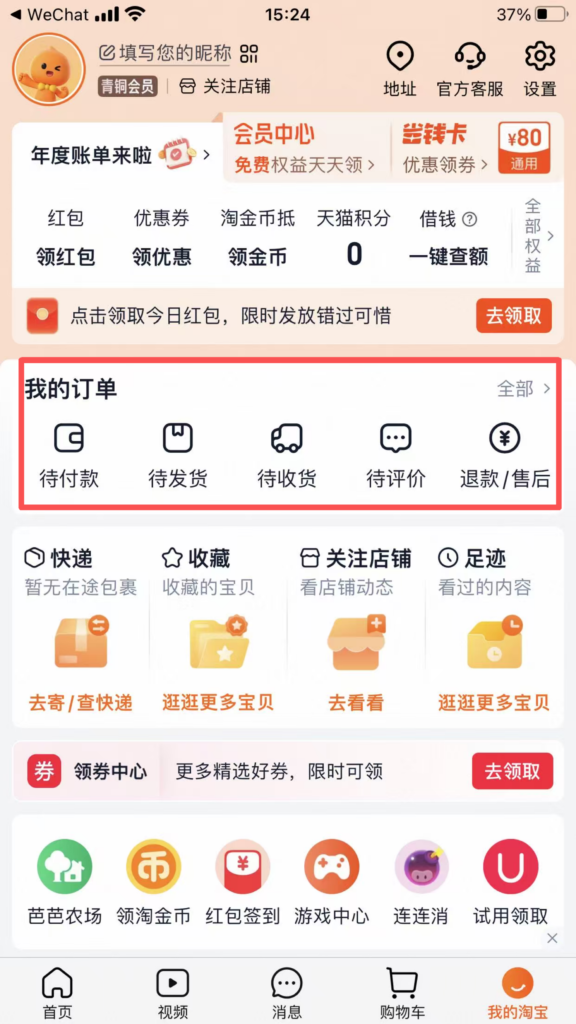
1/2
2/2
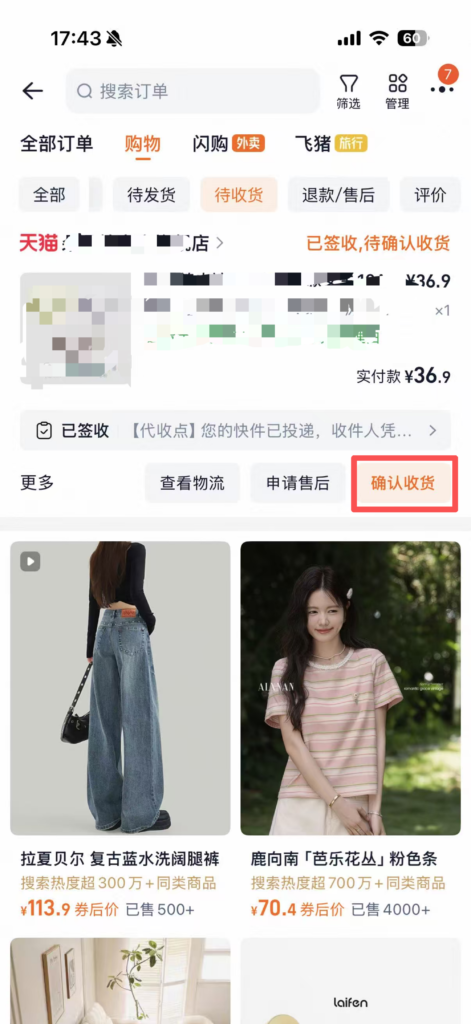
Confirm receipt of goods: After receiving the goods, check whether the goods are intact and meet the order requirements. Once confirmed, click ‘Confirm Receipt’, enter the payment password (or verify fingerprint), and complete the receipt process.
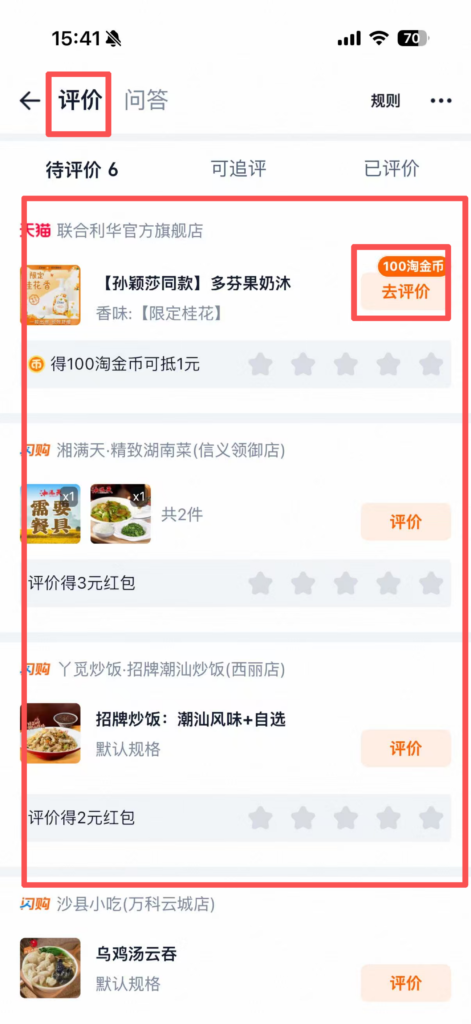
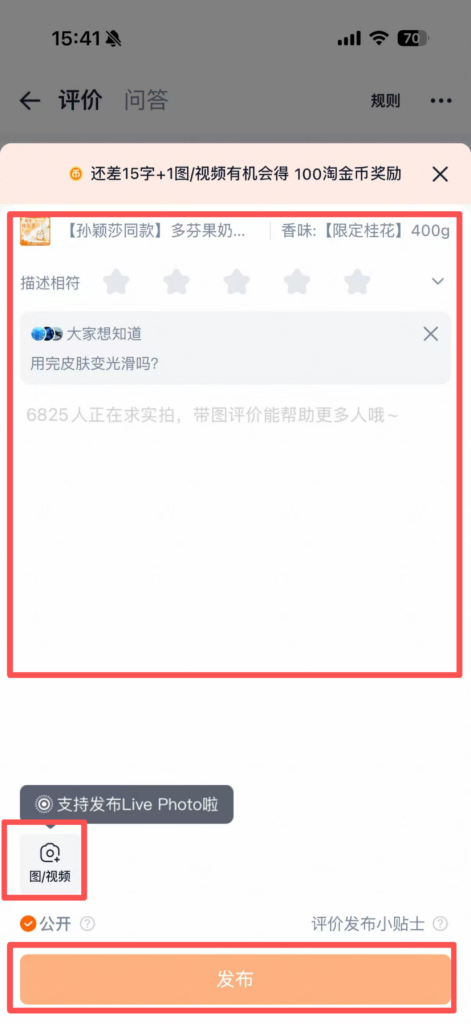
Review: After receiving the goods, you can review the product (in English or Chinese), upload product photos, share your shopping experience, and help other users for reference.
1/2
2/2
🔄 (2) Core Functions – Returns and Exchanges
Returns and Exchanges
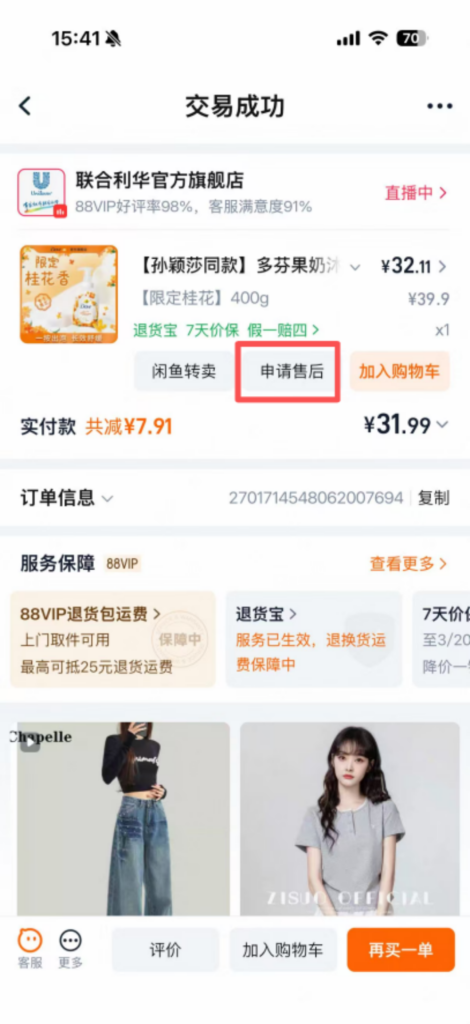
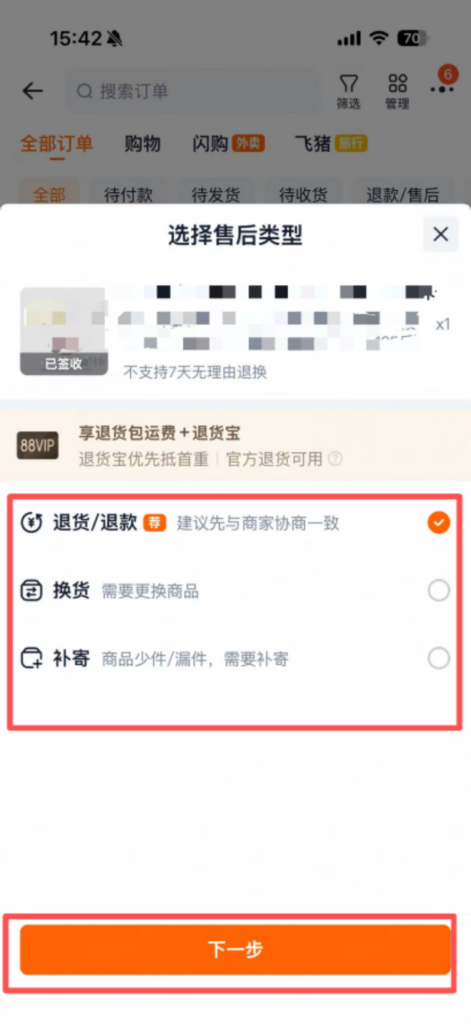
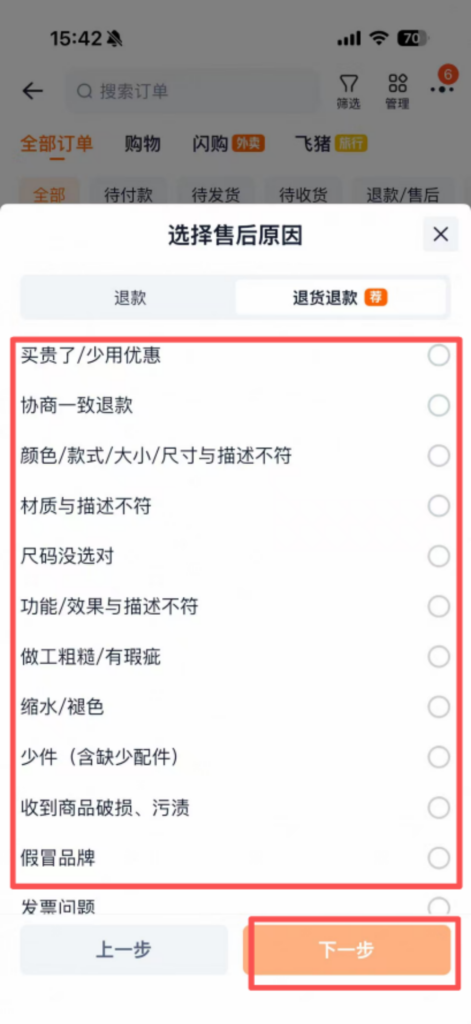
If the product has quality issues or the size does not match, click ‘My Orders’, find the corresponding order, and click ‘Request Refund/Return’.
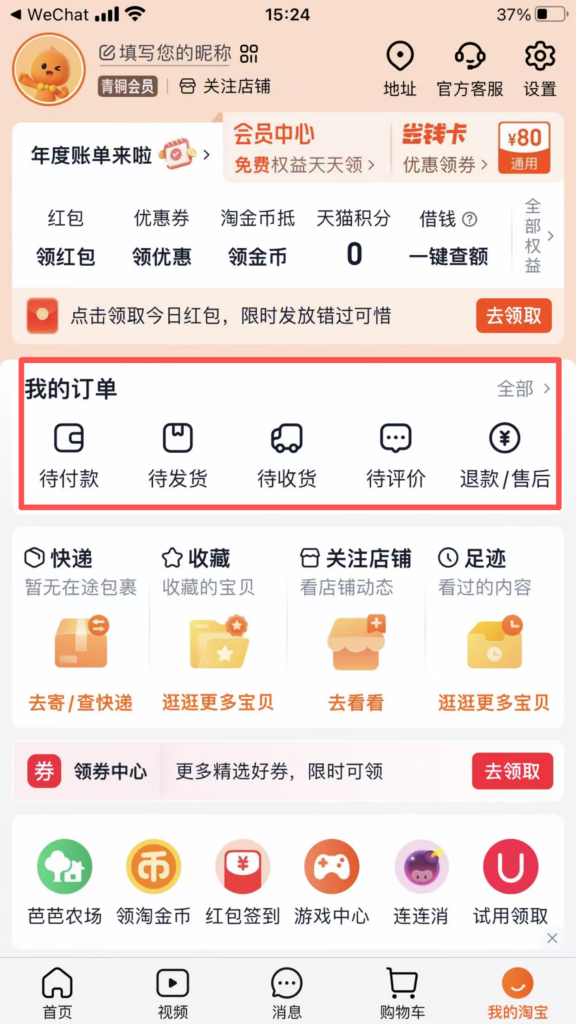
Select the reason for return or exchange (such as ‘product quality issue’ or ‘incorrect size’), upload photos of the product issue, fill in the return/exchange explanation, and click ‘Submit Application’.
1/3
2/3
3/3
After the merchant approves, they will provide a return address, and the product should be sent back according to the address (you can make a courier appointment through the Taobao APP).
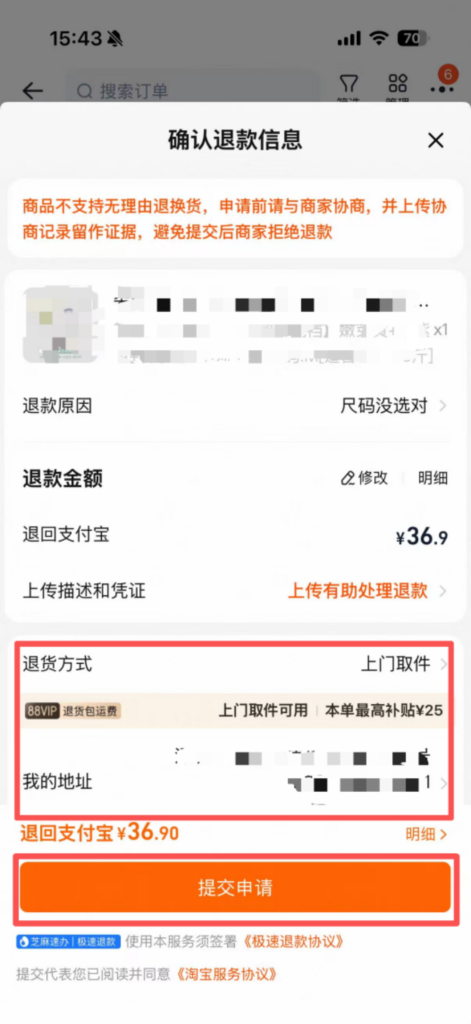
After the merchant receives the goods and confirms they are correct, they will refund the payment. The refund will be returned to the original payment account (a refund to an international credit card may take 3-7 working days to process).
❓ FAQ Troubleshooting
Common Issues & Solutions
Registration Failed: Check whether the overseas phone number is correct and can receive SMS normally. If the verification code is not received, try a different registration method or contact Taobao customer service (there is online customer service in the APP, which supports English).
Payment Failed: Check whether the international credit card has overseas payment enabled, whether there is sufficient balance in the card, and whether the payment information is filled in correctly.
Logistics Delayed: Check the logistics tracking; if there is no update for a long time, contact the seller’s customer service to inquire about the logistics. If the item is lost, you can apply for a refund.
📥 Download Complete PDF Manual
Multi-Language • Offline Printable • All Screenshots Included